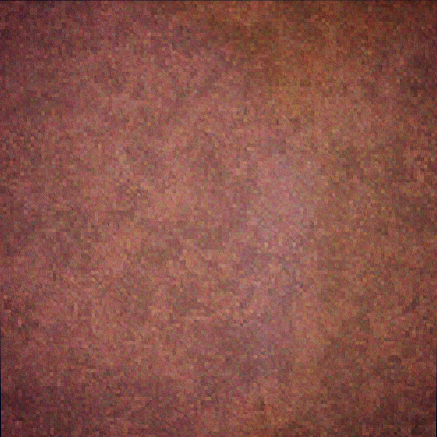
Textures in 3D games from the mid/late 90s like in Quake or many PlayStation games often have a very high amount of prominent noise, even when the texture is meant to represent a surface with a fairly even color. This looks a lot more interesting then having large areas of walls being one single color shade.
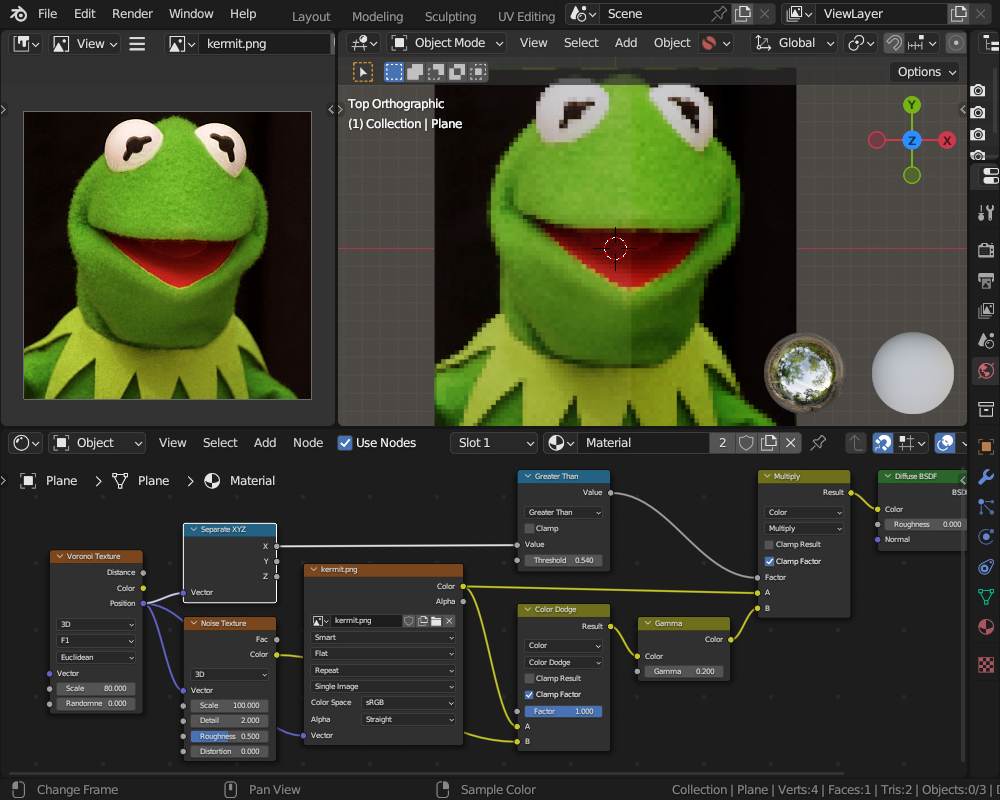
Getting the Base Color of a material pixelated is easy enough with setting texture filtering to Linear. But when I add noise to that base color before it goes into the Principled BSDF node, that noise is not pixelated and simply placed on top of the pixelated image.
I am also having difficulty with creating noise that adds some splotches of brightness and some splotches of darkness, but leaves the overall average shade of the texture intact. All the noise settings I found either make the surface much brighter or darker when I directly mix the base color node with the noise node.
How would one add the kind of noise in this example to a texture? In GIMP, this is just the HSV Noise filter. But being able to do this directly in Blender with nodes would be greatly preferable.
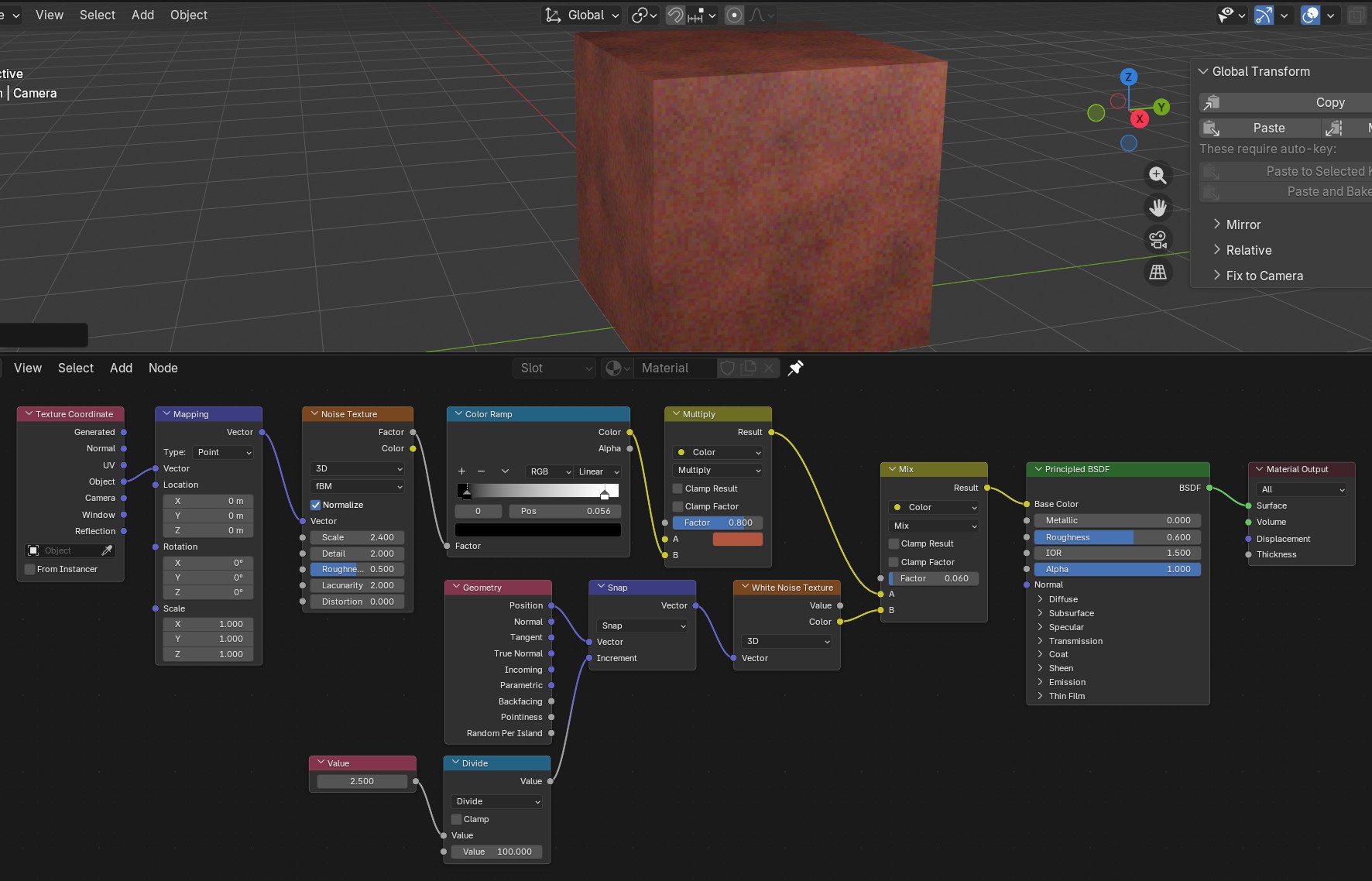
Multiply or mix base color with noise and then mix the result with white noise.
The position and snap nodes are there so you can adjust the size of the pixelation.
Not sure if it works well with an image instead of a base color.
Using ImageTextures with filtering set to Linear, just removes the interpolation between pixels.
With procedural textures, there are no pixels, so to say, but a function on the input vector. If you snap that input vector, so that the vector field gets “pixelated”, then the procedural texture will also get pixelated.
If you know the resolution of the texture you want to add noise to, another way I think gives good results is, the following (you have to multiply by twice the texture resolution, in this case 128x128)
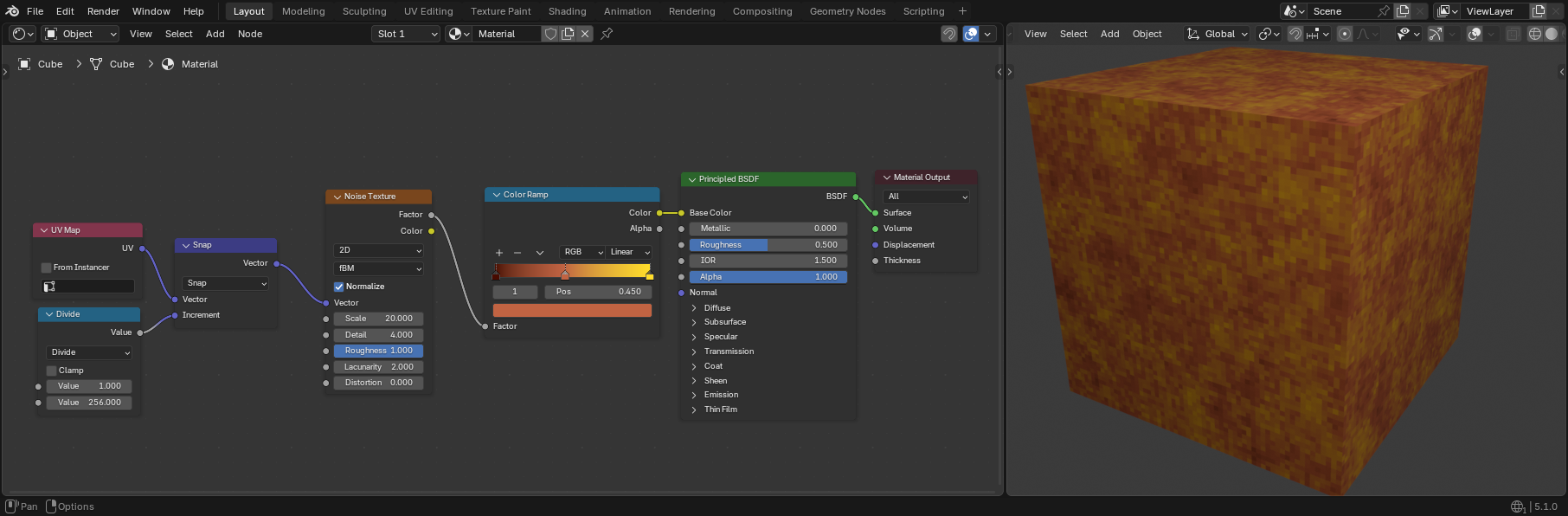

 :
: