A 90-day free trial version is also available:
https://affinity.serif.com/en-gb/90-day-affinity-trial/
Blender peeps, just saw on Twitter Affinity sales will end soon on 30th June. At full price it’s already a steal, at 50% ($29-ish) this well-serviced non-subscription Photoshop cousin is cheaper than many Blender addons! On top of that they now ship with fog snow rainbow overlay packs - which I didn’t get when I bought it full price.
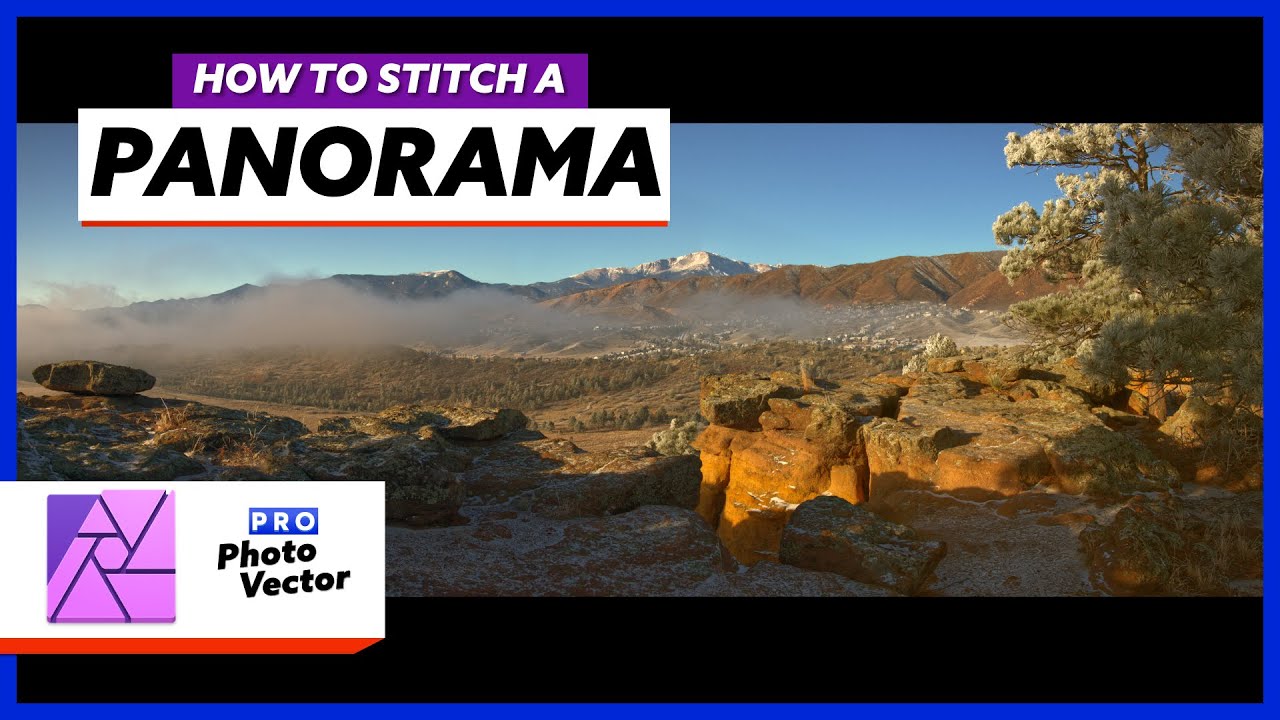
Affinity Photo auto-stitches panorama imports with ease + precision
Support proven solid indie devs.
2 Likes
Just because of the price alone I am surprised that not more people jump to it from GIMP and Photoshop.
2 Likes
It devinatelty has my attention.
Then there is time to check it out and find out it is missing x feature… etc.
For me that is the biggest hurdle not the price.
For 10 bucks a month I can afford to not have to switch. 
1 Like
I was more referring to people who follow Adobe like mindless sheep
1 Like
I was surprised at how easy it was to transition. I have used photoshop for years, and It only took a week of fumbling before I was back up to full speed. Everyone’s workflow is different, so I can’t speak for any specific missing features for you, but I so far haven’t found any hard limitations. It’s definitely worth it, even if it isn’t your daily driver. God knows adobe can use a more robust competitive environment, and serif put together a real solid piece of software.
4 Likes
Interesting. I have been thinking about introducing it at my studio. They have an attractive trial period as well. I imagine for most tasks it does all you need and more.
Nothing stands out you think would be missing for a photoshop junkie?
What about the plus side? What do you find you like more?
Amen to that !
Simple : A modern approach to design and not this 90s in a new UI stuff
Affinity Photo has real path tools and Affinity Designer has some pixel tools
If you then also use Affinity Publisher you can run vector bitmap tools right inside Publisher.
The apps also save in one file not each in an individual file
In many aspects logically because Affinity is new they simply developed a more modern workflow and process Adobe cannot do so easily because of all the users.
One has to look at Alias Automotive to understand the warning of not scaring the user base !
3 Likes
File interoperability was a big one for me, and it handles .psd I/O pretty well. The ability to fluidly edit hdri environment maps is really nice as well, both with the full 32 bit pipeline and the 360 pano reprojection. You can brush in some streaky lights, or remove unwanted cars/people/whatever right into a .exr. Their inpainting fill works well. There aren’t many killer app type things that it does, but everything it does, it does pretty well. It does feel like a much more modern program. You can always find those old legacy bits left behind in the corners of old programs like PS and windows.
4 Likes
I’m also an Affinity aficionado since the early beta stage, when it was only available for macOS.
The only minor setback I experienced is that I had to buy both Affinity Photo and Designer again after transitioning to Windows.
Affinity has matured through the years. Working with alpha channels was easier in Photoshop for a long time, but Affinity also caught up in that area recently.
What I like more than Photoshop:
-
Full-screen interactivity, particularly when using filters. Photoshop has still got the ancient little windows for previewing filters.
-
A more accessible and lightweight UI / UX. Tools generally work more straightforward, user-friendly and resource-friendly.
-
No subscription shizzle, forcing you to rent your software forever and never own it.
-
No Adobe Creative Cloud bloatware that constantly sends and receives data and almost feels like another OS layer.
Some things I can think of that are still better in Photoshop, i.m.h.o.:
-
Camera Raw is more powerful than Affinity Photo’s Develop and Tone Mapping ‘Personas’. The Personas in their current form feel gimmicky, and are basically a collection of common adjustment functions that are mostly already present in the main interface.
-
No video / animation. I particularly miss Photoshop’s powerful animated GIF tools.
-
Affinity’s PSD format export converts a text layer to a vector layer, so you can’t edit the text layer anymore. This breaks full compatibility with Photoshop.
-
Affinity’s Liquify tools are a bit weaker in operation than Photoshop’s Liquify tools or GIMP’s Warp Transform tools.
-
Photoshop has recently introduced some interesting AI / ML tools, such as an intelligent upscaler. Affinity needs to catch up in that area, as Adobe seems to go full speed ahead there, as are some other parties, such as the Pixelmator Pro devs.
5 Likes
Thank you, picked up Affinity designer ealier in the week, useful for creating my own logos when texturing. From the quick play around i had it seems to be pretty good. May have to have a session of just creating logos to get use to it.
I may get photo before the deal ends we shall see.
1 Like
Thanks for all of the details. Always good to hear what people’s experience is. Not enough to get me to cross over from the dark side… but I will keep an eye on it.
1 Like
It definitely looks like an interesting package, especialy considering Adobe changed its student license policy, students now have to pay €133,- a year for CC, which is less then the entire Affinity suite. Adobe’s personal licenses are almost as expensive for one month as the Affinity suite (with 50% off).
Do you think that the next release version will be 2.0 and that when it launches, there’ll be a price hike from Serif’s side? And performance wise, how do Designer and Illustrator compare for large files (GB large)? Similarly, how does Photo compare to Photoshop for digital painting?
At the moment, the lack of features such as the Shape builder in Designer and Object Styles in Publisher (amongst others) are still holding me off.
Next version of Photo has been labeled 1.10 in the beta program so 2.0 sounds like still a ways off. No word on pricing.
Performance overall and painting in particular are great for me on the Mac. 4k+ and 16bpp mode are a joy. I hold Windows licenses as well but haven’t fired them up in ages.
Lack of automation (scripting, actions with file read/write access) and lack of frame animation support (GIF-export) is where Photo lets me down.
I never used Illustrator much, can’t compare. Designer feels nice but I have not used it for complex work, it’s a sidekick to Photo for me.
2 Likes
Same here. I don’t do a lot of vector work.
Truth is Adobe hardly improved illustrator
They bought freehand to give it some usable pen tools and the art board and stopped again.
Freehand truly at that time defeated Illustrator.
When it comes to overall feature list I think Adobe is still a step ahead - logically
But Adobe deals with a lot of old code and UI design issues.
For me that was the main reason to ditch Adobe
Price
Better workflow
Blazing fast apps
One file
And honestly all the tools I need
Further look at how affinity can deal and move layer masks ans how crippled Adobe is
Plus this all works the same in designer and photo
Photoshop and illustrator are essentially two different apps but in affinity it is more a truly shared toolset with a focus for each on pixel or vector tools
I found the lack of shape builder not that much of an issue considering how dynamic and non destructive Boolean tools work in affinity
But it is quite important to make sure that what you use at work affinity offers
For it does
So I made a nice animation moving the Adobe stuff into the trash can and dropping the new affinity app icons into the dock
My students laughed a lot
Also from then I hear often good feedback
Easier to learn
Cheaper
Does the job
Knowledge learned there can be applied to Adobe
4 Likes
Does anyone know if affinity apps support adobe third-party plugins?
I believe it supports some, perhaps even most…? Sometimes.
Considering there are a lot of complaints in their forums about plugins breaking with every new release safe to say: stay away if you rely on plugins. For Adobe I used none so I never missed that when switching over.
1 Like
I’m curious about that, what’s changed?
I remember there was a passioned discussion about it on their forum. It’s still one of the things that I don’t think is there yet.
Last time I checked, it wasn’t still possible to dodge and burn, paste directly into the alpha channel, working on the alpha while being able to see the layer at the same time, adding/subtracting/intersecting multiple selections from different alpha channels, and so on… But I haven’t kept up, so hopefully I’m missing something.
Plus compared to PS:
- fast. Overall feels more modern and snappy
- history is saved in file if needed
- true 16bit mode (rather than 15bit +1 in PS)
- seamless integrations with Designer and Publisher - one file format. Easy switching in Publisher.
- relatively easy switch from PS to Photo
- nice inpainting
- implementation of filters overall quite nice (Lighting, for example)
- filter mirror/split view for effects preview
- grids are good
- interesting layer inter-locking system (recently added similar to linking layers in PS)
But. However…
Workflow-wise I miss tons of little and bigger features that make it impossible for me to use Affinity Photo as my main daily image editor. For a more advanced Photoshop user these may be incredibly frustrating.
The list of workflow issues is too long to list here, but just a couple that stand out:
- no mask overlay while working on a mask
- the painting tools and workflow is pretty dire in my opinion. I am no fan of Photoshop in this regard either, but Photo is worse in my opinion. Neither can compare to Krita or ClipStudio.
- no scripting. The macros are okay.
- no 1bit support. This is a dealbreaker for me, because I require this in my workflow.
- a slew of minor frustrating workflow issues due to how the Affinity devs assume users work, but they missed the ball entirely. Tools do not remember settings. Gradients and fills are frustrating to work with. The layer panel and working with layers in Photo is frustrating at times. Really odd GUI decisions and a fragmented GUI in various places. And so on, and so forth.
The problem is that initially these things don’t get in the way that much, but after a while these silly workflow decisions start grinding down your efficiency. - no transform tool - at least, it is simply impossible to just grab one corner to distort / warp a layer. This is super frustrating, and Affinity users have been on the ramparts for years now screaming for these to be implemented, but so far nothing.
Yes, there is a perspective filter. But it is just really awkward. - Various missing (expected) file input and output formats.
- quite a number of tasks are still destructive. Raw development, for example.
- web export is frustrating to say the least. The lack of a preview is stifling and incomprehensible.
- export and saving files is a frustrating experience
- channels are still awkward compared to PS
Compared to Photoshop and PhotoLine Affinity Photo suffers from a LOT of smaller and bigger pain points and even some showstoppers.
Which is why I use it for a couple of things (like stacking and HDR work), but it cannot replace PhotoLine (or Photoshop if I’d still be working with it) as my main image editing hub. It is just too frustrating a workflow at this point.
2 Likes