This is a small paid add-on for anyone whose N-panel has turned into a long list of add-on tabs in random order.
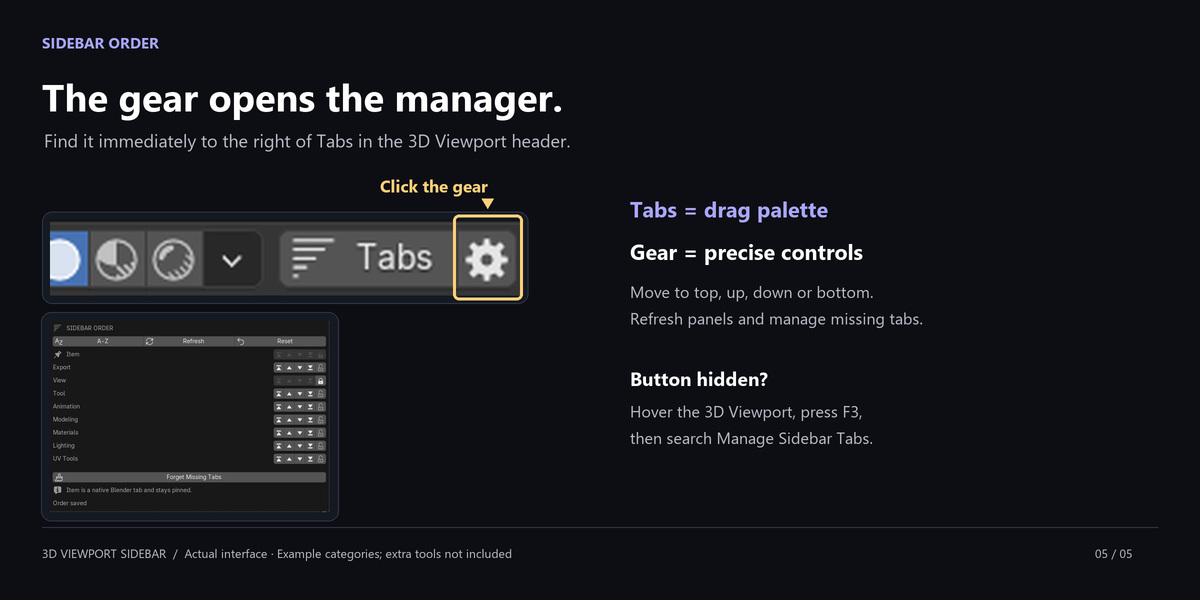
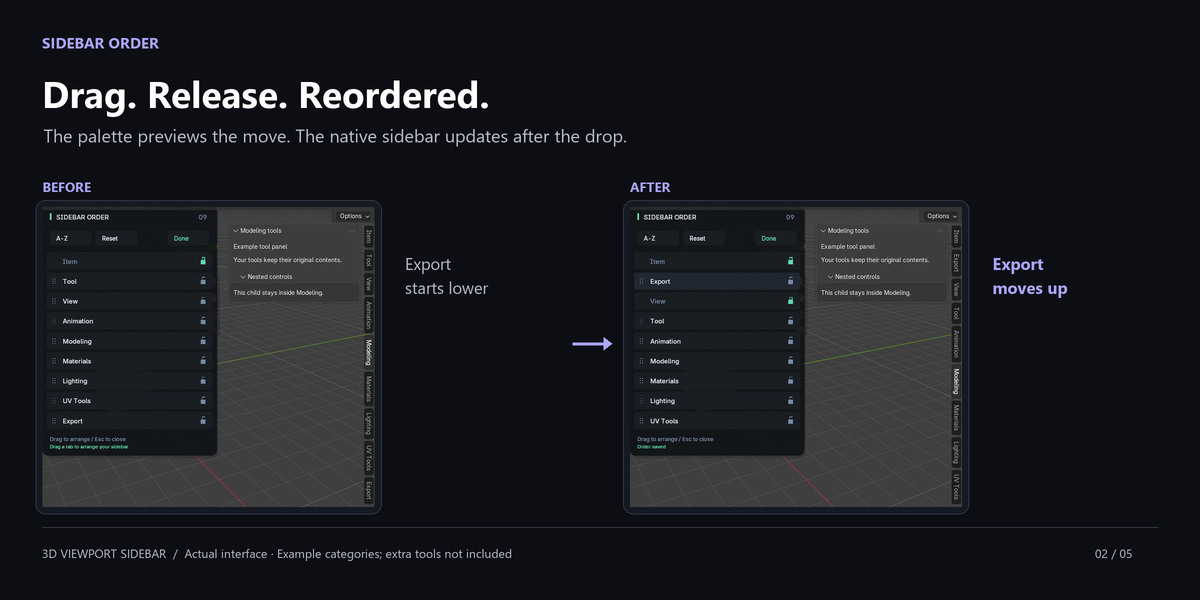
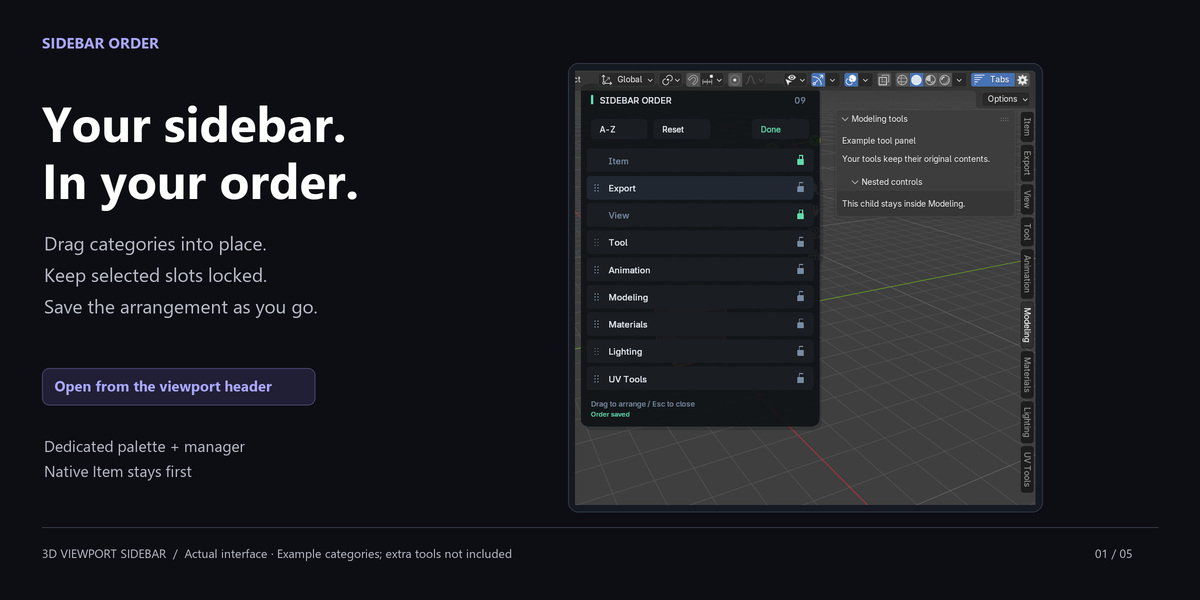
Click the “Tabs” button at the right end of the 3D Viewport header, or search “Arrange Sidebar Tabs” with F3. That opens a palette where you drag the tabs into the order you want. The order is saved and comes back next time you open Blender.
What it does:
- Drag-and-drop reordering of sidebar tabs
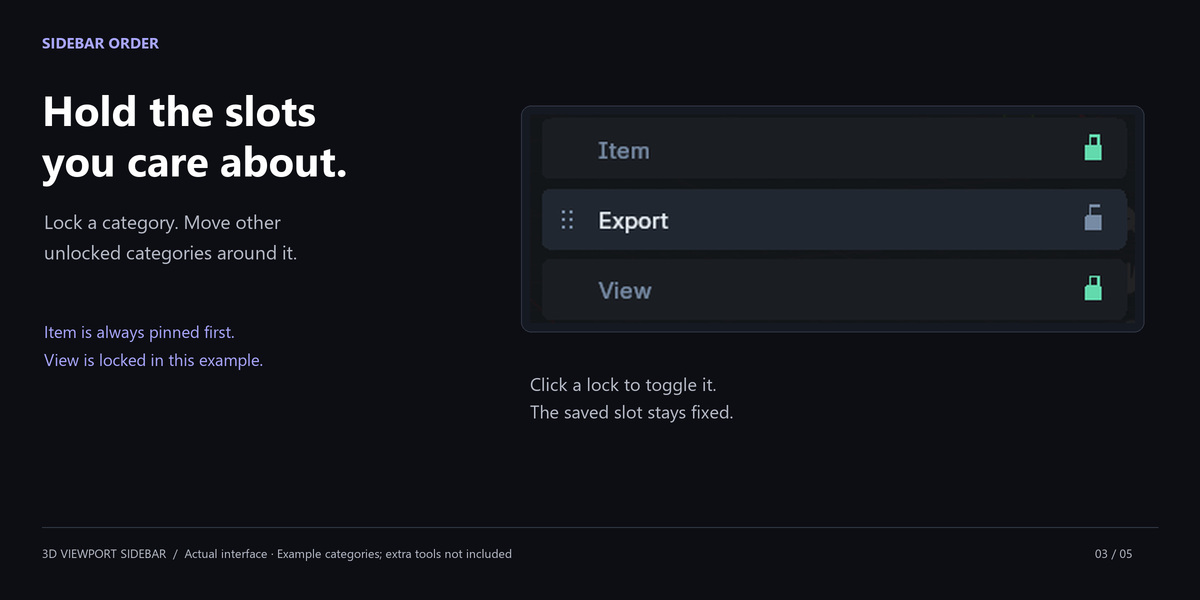
- Lock a tab to its slot so it stays put when you reorder the others
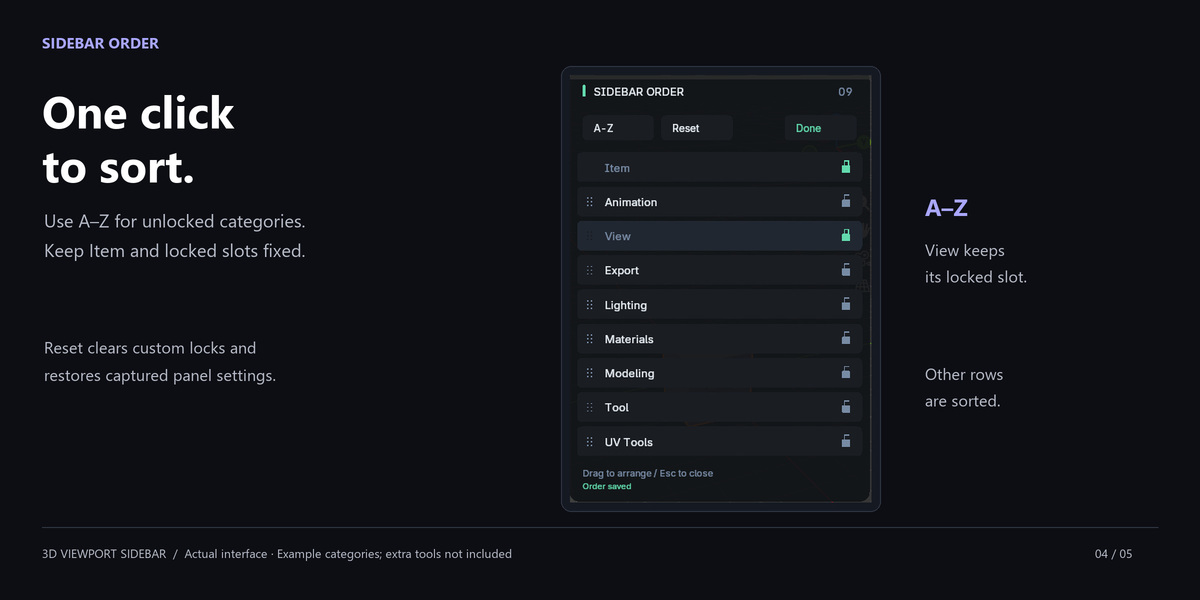
- Sort alphabetically, move a tab up/down or to the first/last slot, and reset to the original order
- Applies to every 3D Viewport in the workspace
- Offline documentation included
What it doesn’t do:
- Works in the 3D Viewport only, not other editors
- No renaming, hiding or merging tabs
- No named layouts to switch between
- A broken third-party panel can interrupt the reordering
- Don’t run it at the same time as another tab-organizer add-on
Blender 3.0 to 5.2. Tested on Windows only. It should work on macOS and Linux, but I haven’t verified that. GPL.
WHY YOU BUILT IT. Example: "I had 20+ add-on tabs and was scrolling past the same ones all day to reach the three I actually use."