Hey guys, I’m a TA & 8ys 3D Artist. I just listed a new tool on Gumroad to try and make some side income. To share it with the community, I created a 100% OFF coupon code ‘IMBROKE’ for all products.
However, I’m pretty new to Gumroad and not entirely sure if I set it up correctly, so I’m not sure if the code actually works yet. Could you guys help me test it?
If you want to support my work, feel free to buy it, but please feel free to just grab it for free using the code. Let me know if it works!
The details are below.

I have been trying to work out how feasible it is to move a model created in 3ds Max to Blender to test/compare some plugins only available in Blender.
Unfortunately, this model uses a lot of smoothing groups which don’t seem to translate well to Blender. When applying the Subdivision Surface modifier, it seems to ignore (or fail to detect) any smoothing groups that were present in 3ds Max, even though the ‘Smoothing Groups’ option was ticked in the .FBX export settings.
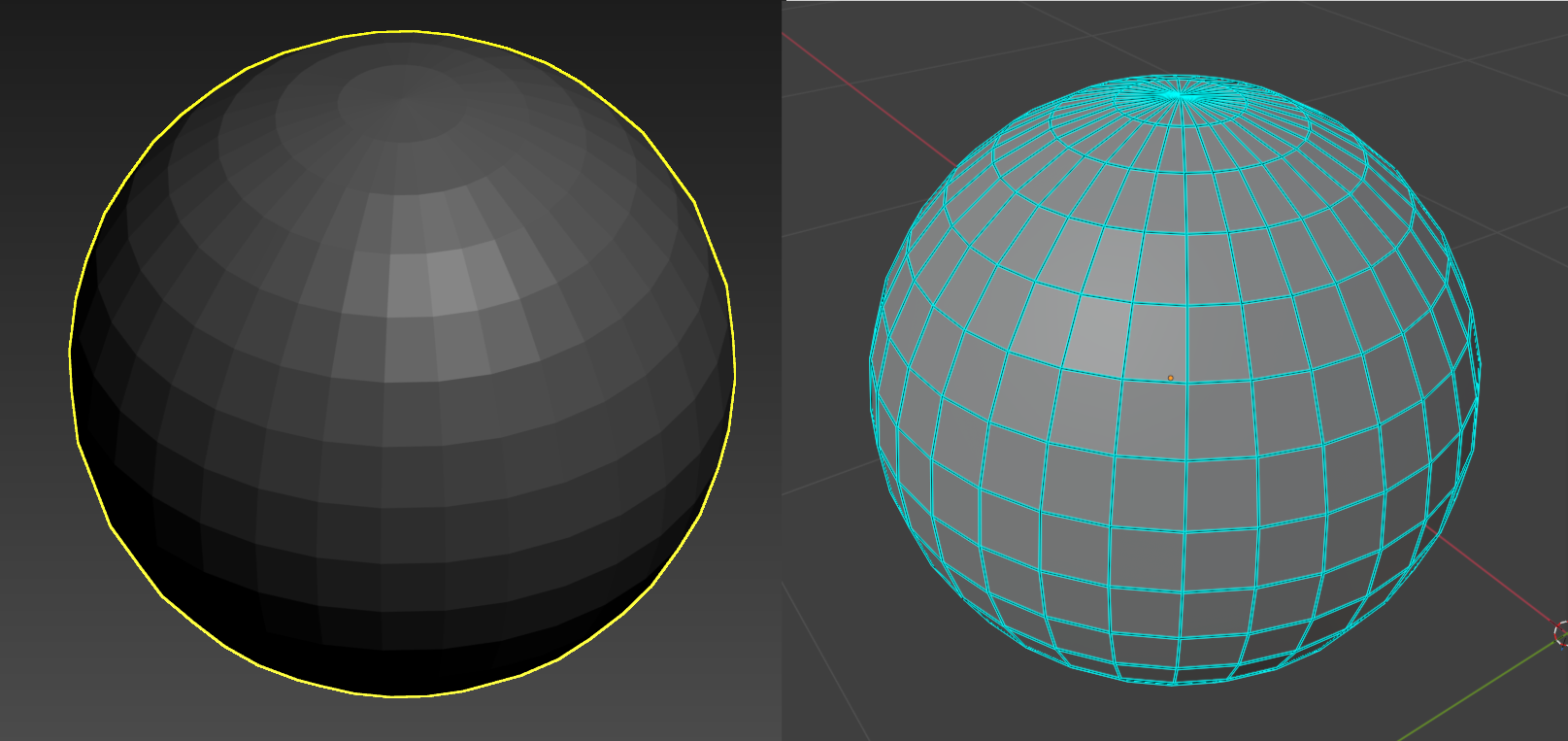
- It is impossible to control smoothing groups using a simple workflow
However, I have found a solution to preserve the smoothing groups from 3ds Max. It is a specific workflow for exporting/importing that helps the Blender model match the 3ds Max model perfectly.
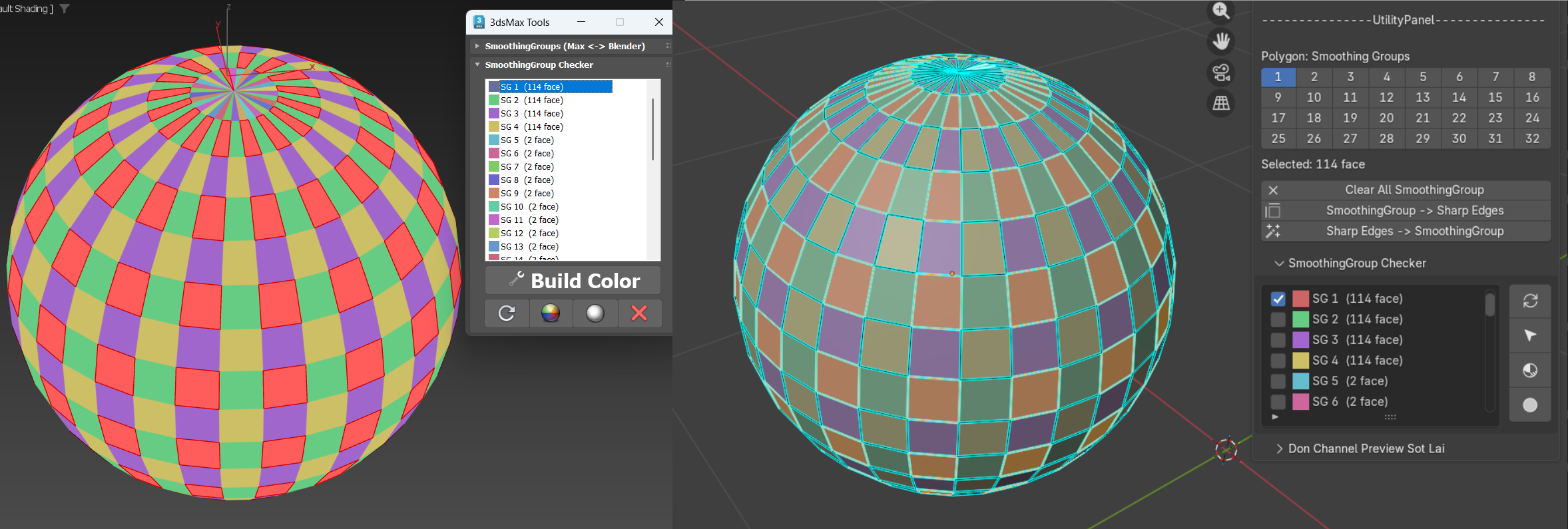
What’s even better is that it brings some exciting features that allow you to work with smoothing groups similarly to—and in some ways, even better than—3ds Max. It can automatically generate smoothing groups from sharp edges, preview colors directly in the viewport, and quickly select groups, among many other features I’m currently developing.
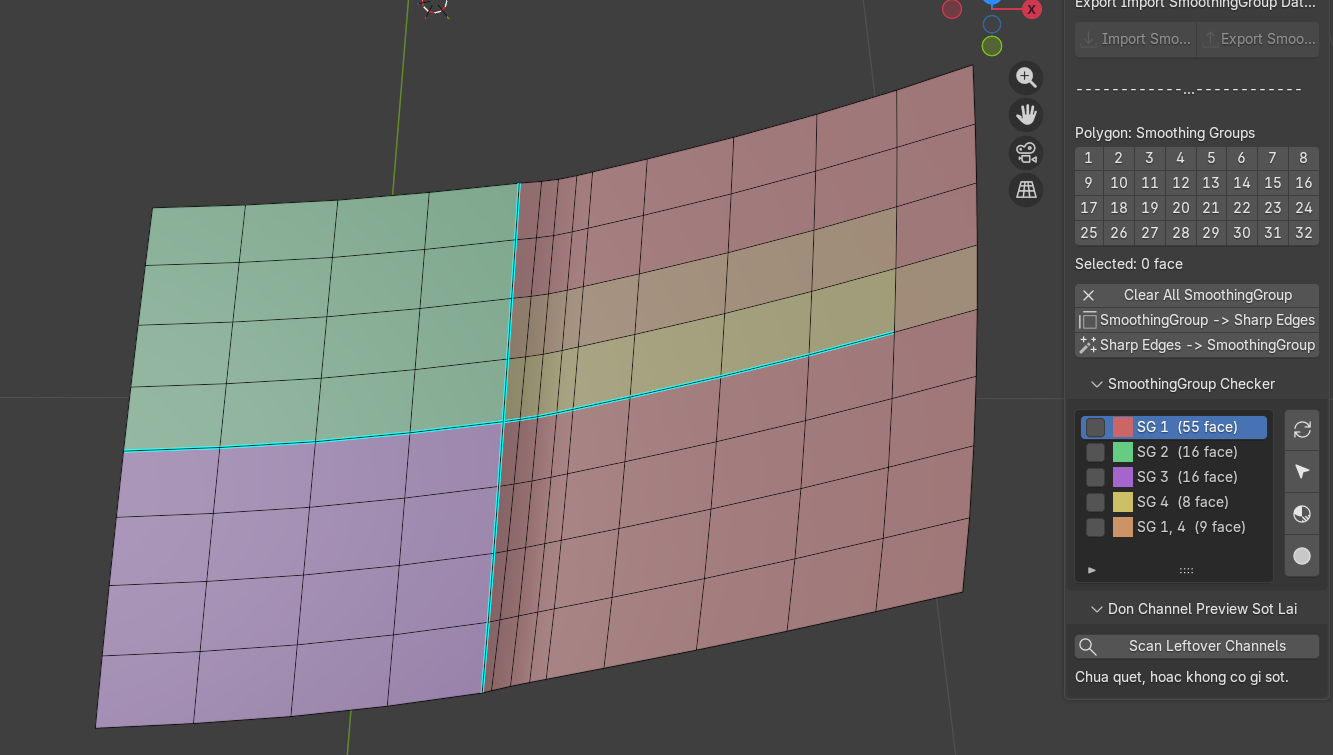
- automatically generate smoothing groups from sharp edges
If you have any ideas or run into any issues during your workflow( any DCC blender, max or maya), please let me know so I can update it for you!
