New feature added: File series (e.g. file_0000.vtk, file_0001.vtk, …) can now be animated in BVTKNodes by adding Time Selector node immediately after appropriate Reader node (e.g. vtkPolyDataReader). When frame number is changed in Blender time line, the file name in reader node is updated accordingly.
1 Like
Here is a node tree example how to visualize points colored by velocity magnitude. Points were read in from .vtk file. vtkMaskPoints is used to decrease point count. The problem with this approach is that end result will have high vertex/poly count, because geometry is generated for individual points. If there are numerous points, it would be far more efficient to just pass points and vertex colors to Blender and then use Blender particle instancing to visualize points. That is not a feature yet in BVTKNodes, this idea goes to TODO list… However, as I see the potential here is huge for particle simulation visualizations, I’ll try to see to it next.

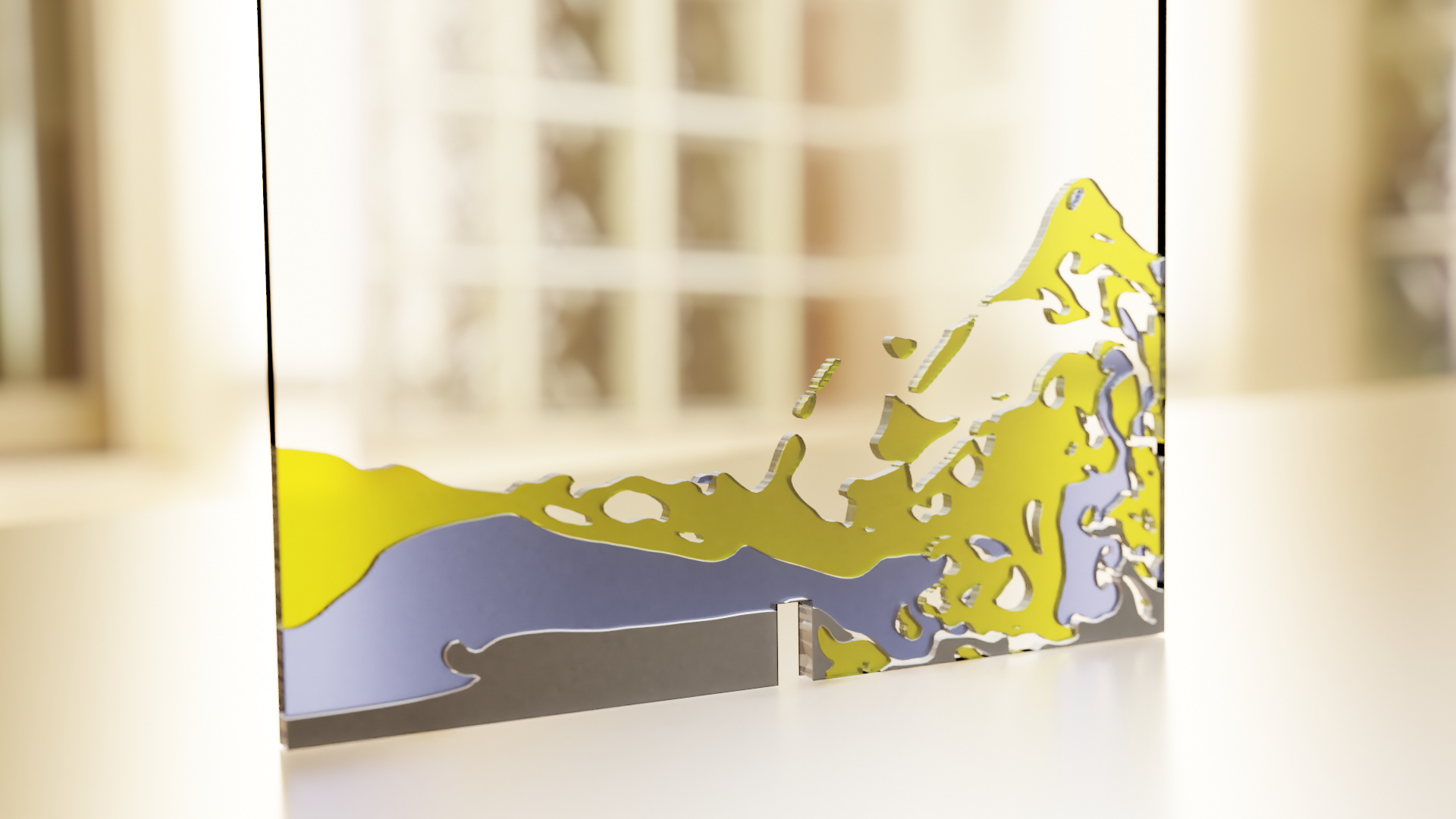
Here is another dam break visualization example, now with four different fluids (air, water, oil, mercury) from the damBreak4phase OpenFOAM tutorial example (laminar, fine mesh case). Using Cycles render engine. There are issues with overlapping faces, and my material setup certainly could be less noisy. This was a bit of a pain to render. Still image uses Blenders denoising feature, animation not. New stuff: Using global illumination from a world background image. Also some depth-of-field. Getting closer to a photorealistic look!
Animation: damBreak4phase_ani1.mkv (3.7 MB)
4 Likes
Hello all,
I wrote some basic documentation for BVTKNodes. The docs (using Sphinx) are available in the source code and viewable on-line at https://bvtknodes.readthedocs.io/.
1 Like
Hi @tkeskita,
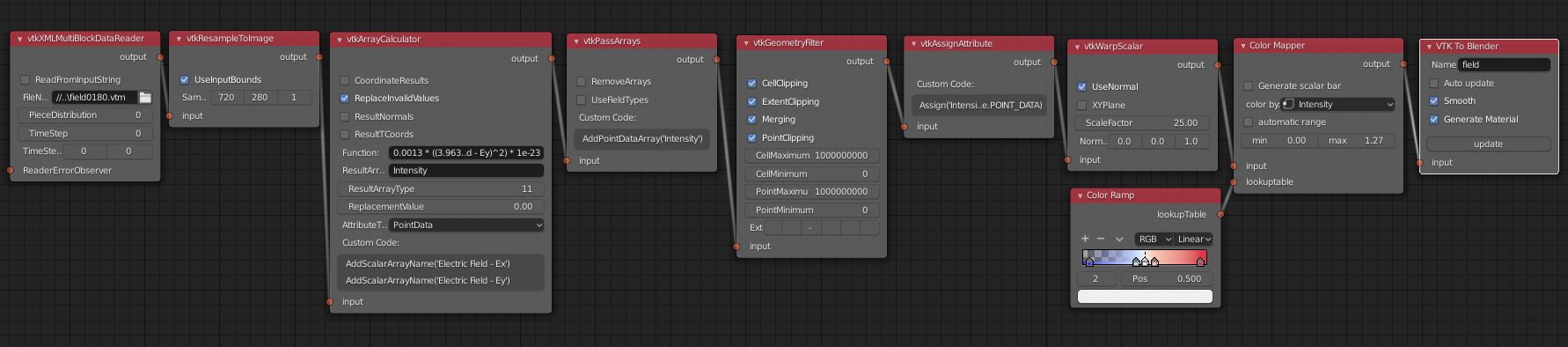
this is amazing work! I just tested the BVTKNodes for simple VTK data from 2D simulation - there are particles represented as unstructured grid, and each particle has two components of momentum. I am sharing a simple render:

and here is the setup:
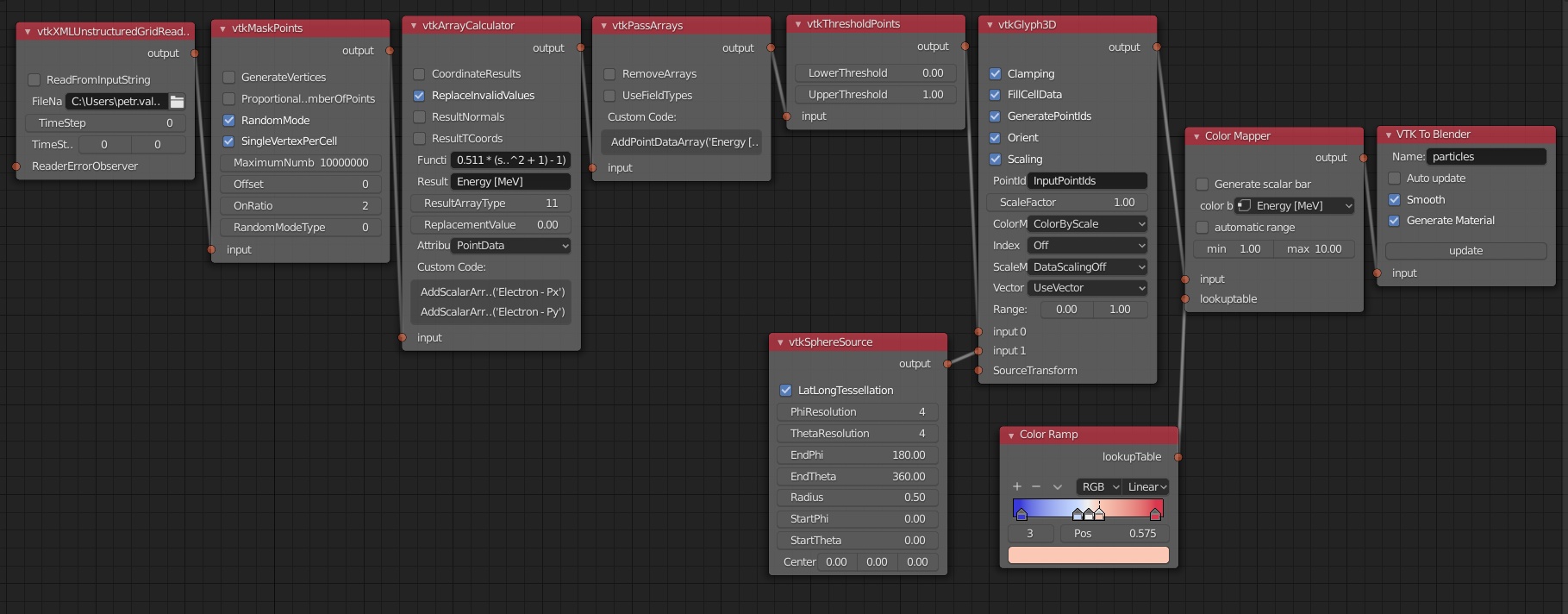
However, the simulation data which we are dealing with, are typically very large (tens of GB to TB) and it is not possible to load them in Blender. Do you think this could be overcome somehow (e.g., to replace the data with a proxy object)?
Also, when I change some property in the BVTK pipeline, the whole calculation starts over from the beginning. Is it possible to skip some computationally expensive steps or at least abort ongoing calculation?
Thanks again for developing such a useful tool, there is definitely a huge potential!
2 Likes
Hi @Kareem,
nice! I hope it will be possible to use Blender’s particle system with instancing for point data. I don’t know what’s the practical limit it can handle, but much larger anyway than with the current mesh approach. This will take some time to try it out. How many particles do you typically read in per time step?
No, there’s no way to stop pipline updates, except killing program. That is why you should first reduce number of data, and only read all data in after scene is finetuned for final rendering.
Hi @tkeskita,
thanks for your reply! In the simulation there is usually > 10^9 particles, but it is true that I can most likely select smaller subset of particles for the visualization to show only the most important features.
Apart from the particle data, I have several other quantities that are calculated on underlying structured grids. I was afraid that the down-sampling will lead to unwanted loss of information, but for 2D case it looks alright so far!
I was playing a little bit with materials and render setup and here is the result:
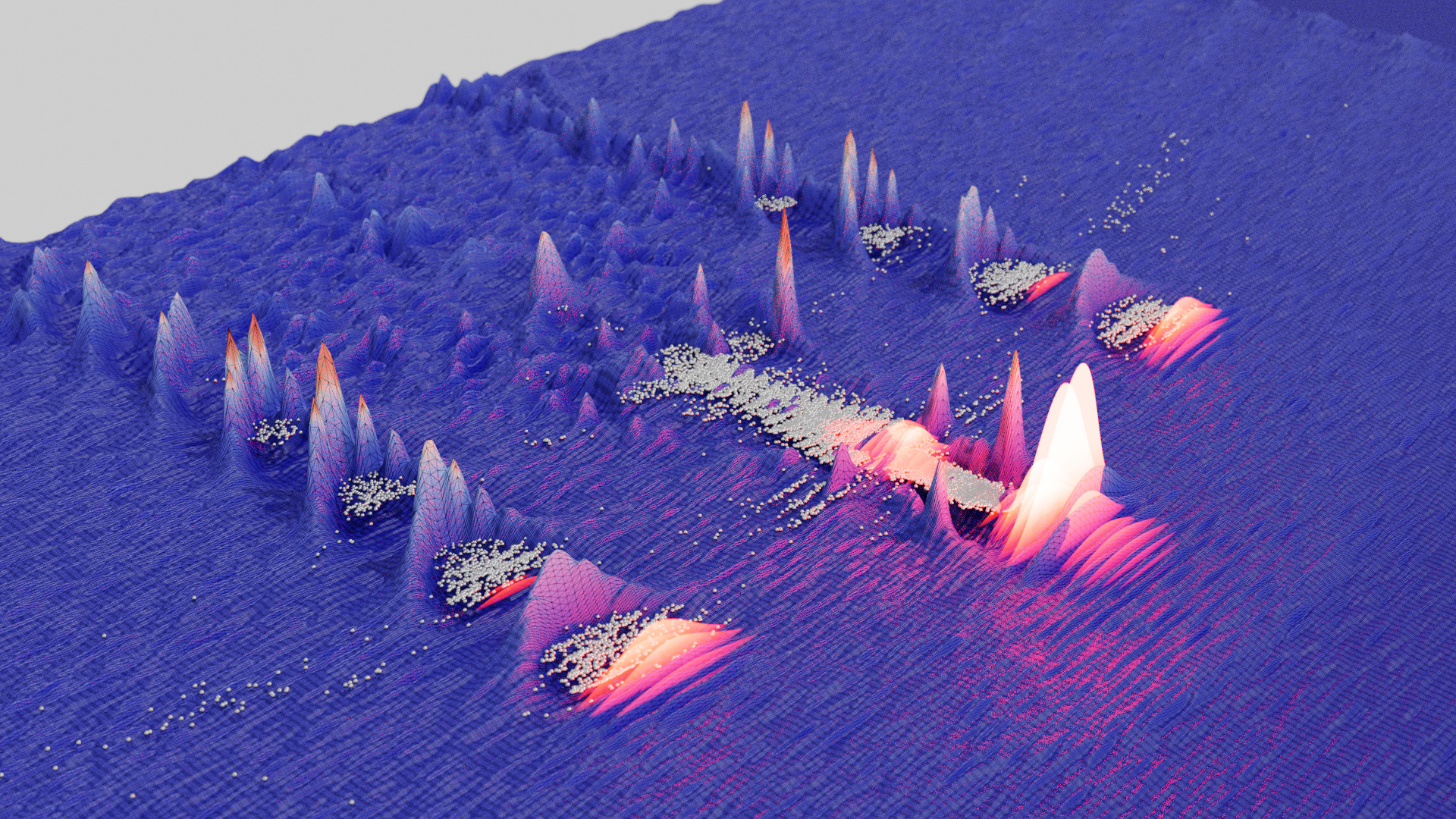
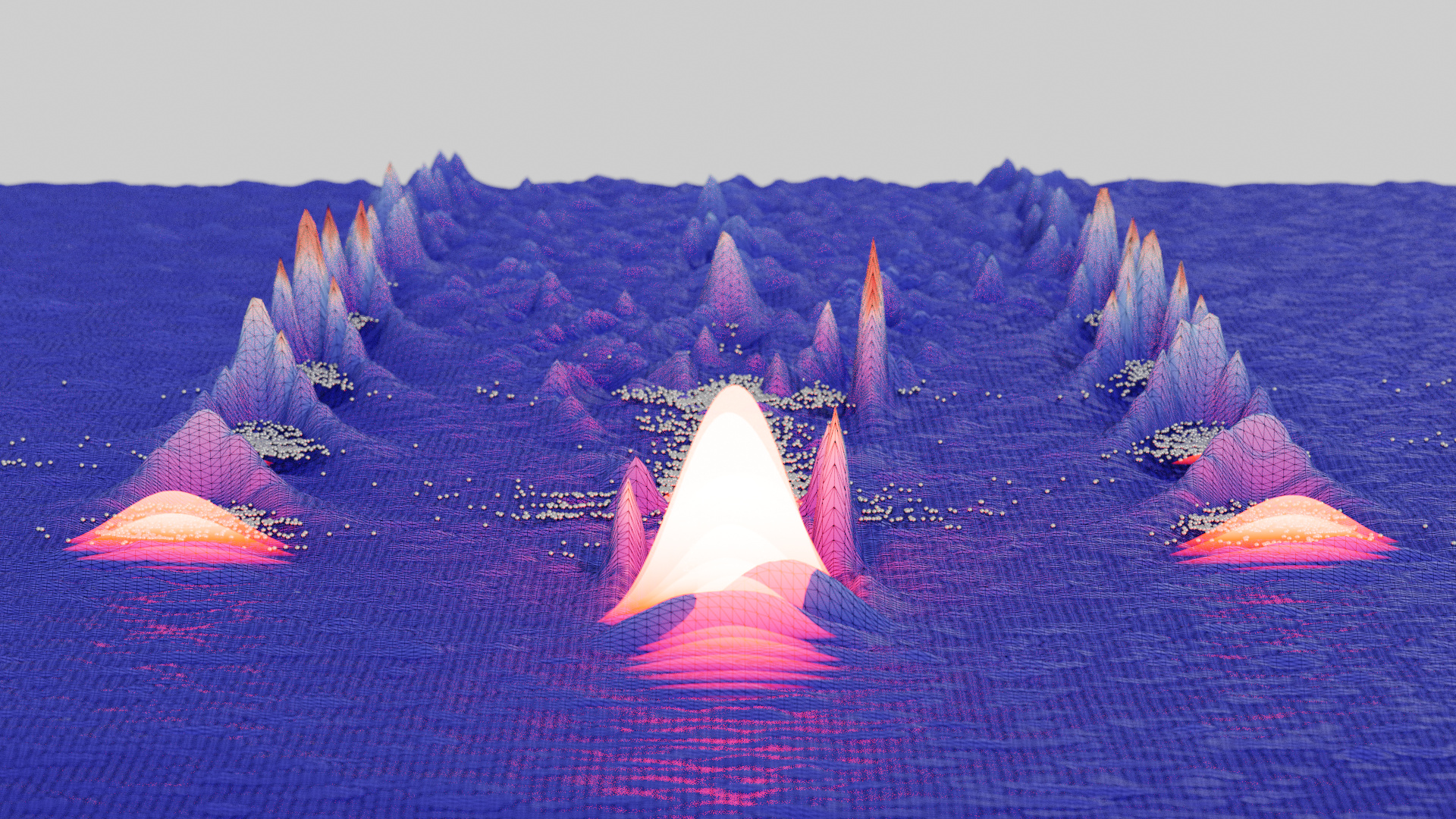
Now I’m gonna try some animation and full 3D volumetric data.
3 Likes
Wooow!
Great results!
Thank you for share!
Hi! This is a great visualisation of a flying disc. Was the simulation done by you? I am working on building a similar solver and would like to ask a couple of questions regarding the simulation itself if that’s possible. Are you available for a chat?
Hi, can anybody help me installing vtk in Blender? So far, I have been unsuccessful in trying to install it. When I do the ensure pip and then install vtk, nothing happens.
I have Blender 2.8 with python 3.7. Later I installed (for academic reasons) anaconda with python 3.7.2.
I can successfully install vtk in anaconda, but not in Blender.
Btw I use Windows 10.
Any help is appreciated.
Hello, yes I made the flying disc simulation using OpenFOAM. You can send private mail here in BA if you want, but please expect no fast replies!
Hello, if you still have this issue, can you please report issue and detailed steps in https://github.com/tkeskita/BVtkNodes/issues/ . Also please make sure you have followed these instructions: https://github.com/tkeskita/BVtkNodes/blob/master/pip_install_vtk.md thanks!
Unfortunately the forum doesn’t allow e to send you a PM yet.
Regarding the flying disc. I have the following questions:
- did you do a simulation of a rotating disc, or just using the disc like a wing?
- did you do the simulation with 6DOF?
In any case I would like to thank you again for the work you are doing with BVtkNodes. This is a very useful tool for people who want to some day skip Paraview while preparing nice looking scientific visualisations.
1 Like
Hi,
- In CFD simulation, the disc boundary uses a rotatingWallVelocity boundary condition, which makes the disc boundary rotate, even though the mesh is not moving.
- No. The mesh is fixed. I set velocity at inlet (in front of disc) and pressure at outlet (behind disc).
I am very pleased to see the progress VTK has made for Blender. Thank you all for this great work! VTK is very powerful and I fully understand that not everything works as it should. I would very much like to contribute to the advancement of this great library.
I have already achieved a lot after some training, but I also have some unsolved problems. Especially when creating contours and streamlines. But both are essential for my work. I hope that somebody can help me here.
For example, the kitchenflow example, as shown here, cannot be rendered. If I open it in Paraview I can reproduce the streamlines. But not in Blender. The other examples seem to run as intended.
When I debug with Info, I see an empty vtkPolyData field for the node vtkStreamTracer. The same happens with my own data. So maybe it is not my own data, but the problem is more rooted in the current code. Is there a chance to discuss this problem in more detail?
I use Blender 2.82, an actual tkeskita/BVtkNodes from early May 2020, VTK version 8.1.2.
1 Like
Hello René,
thanks for reporting issue in kitchen example. The issue was that vtkStructuredGridReader refuses to load vector data if VectorsName field is empty. After adding name “vectors” it works. I updated the sources to fix this.
Please in future report issues at github: https://github.com/tkeskita/BVtkNodes/issues thanks!
1 Like
FYI: I’ve worked on the docs https://bvtknodes.readthedocs.io/ and added a whole new chapter for common node setups for processing unstructured grid data, using a very small OpenFOAM example I added to the sources. Hope this helps people to get started!
2 Likes
Hi there, I have to say BVTKNodes works great! Thank you all for the great development work. Here is my first bigger creation: animation of a particle tracing simulation over 300 sec based on an unstructured grid. The flowing water could be worked out a little more impressive. From the top view it looks good, from the side like here it looks a bit pale. Enclosed also my used nodes, maybe someone will help to get further.
2 Likes
since Blender tends to crash during the render process, I used a python script for writing image sequences, I later assembled into the movie.
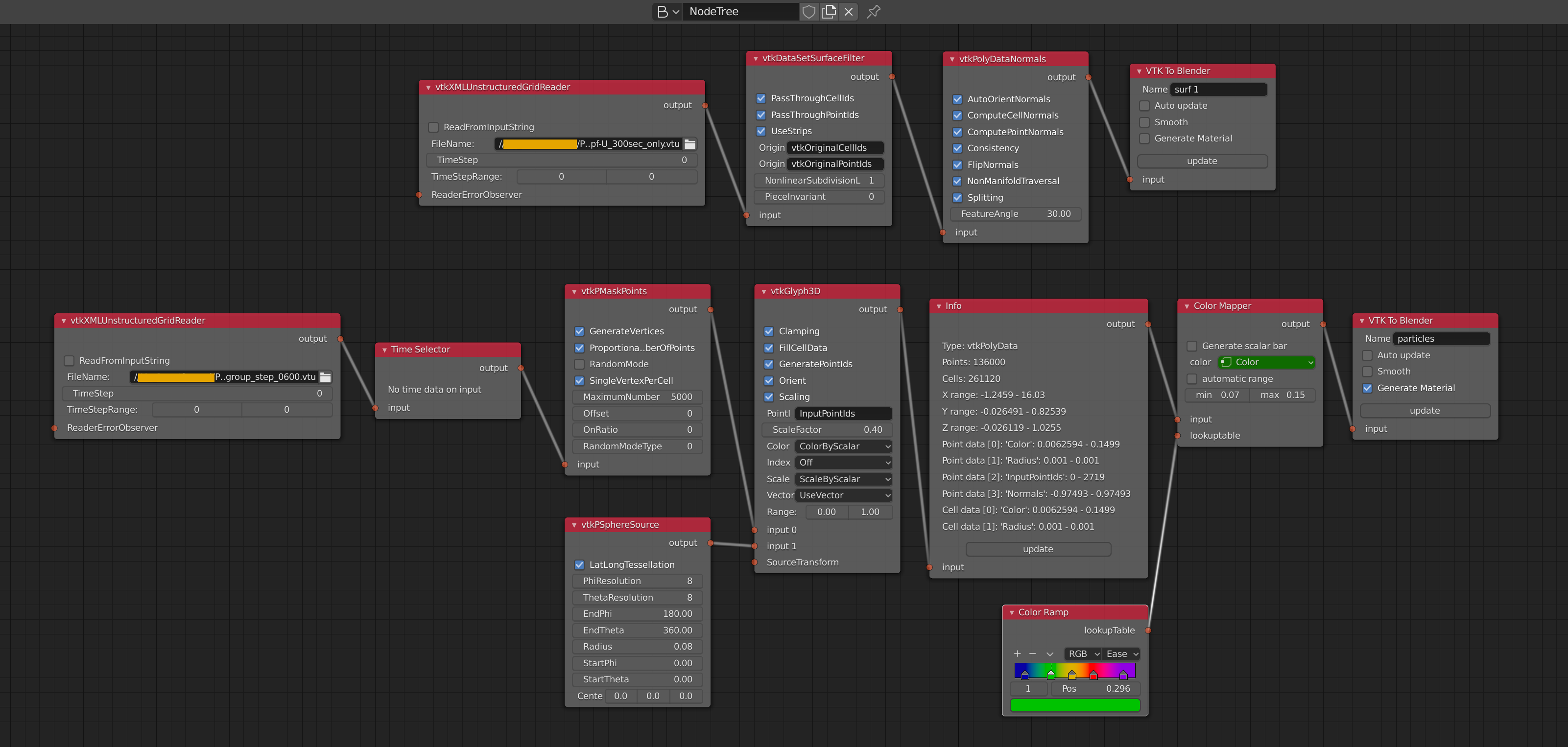

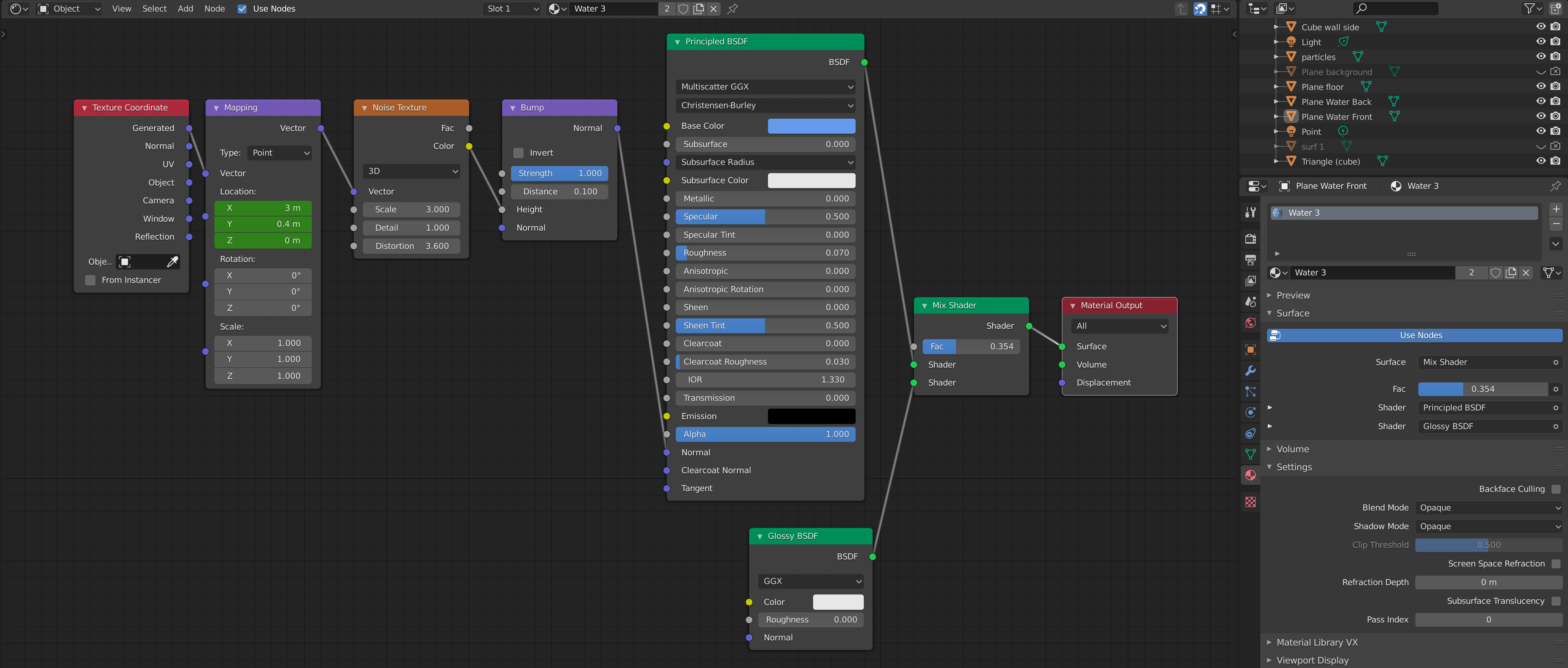
Hi @CFDRender, that’s awesome!
FYI All: I’ve done some testing and this particle instancing approach seems doable. Only thing I haven’t gotten to work is motion blur for particle instances, that would be really super. So, I’m gonna work on this “VTK To Blender Particles” node next. It would be great to be able to use e.g. high-resolution UV Sphere to visualize particles, or high-resolution arrows/cones to visualize flow field.
2 Likes