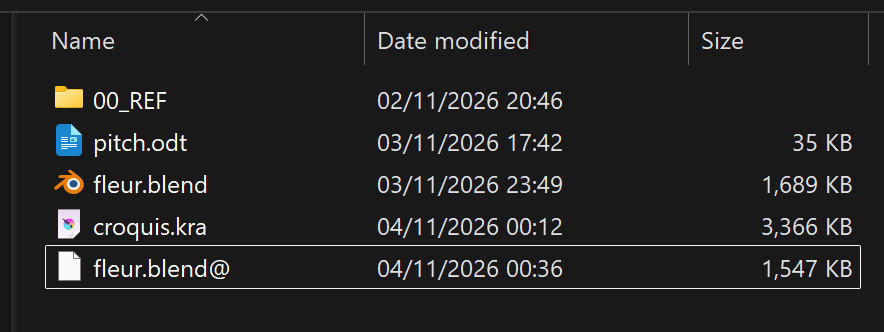
Hey all, I am getting this error since tonight. Blender refuses to save my file (fleur.blend), instead saves a different file with a “blend@” extension (but same name). This file is valid. It opens fine. Whenever I end my work session I have to rename it to fleur.blend and then the next time I open Blender I can continue working. It’s just confusing me to no end.
I looked it up, it seems to be a write permission problem. The thing is, it’s my main local drive on which all my work sits. There’s no other program open that could have a lock on the parent folder, as some of the solutions I found suggested. It just started happening,… seemingly randomly. I also tried unchecking “compress file” (both in the preferences and in the save window), and while it seemed to work for a few minutes (Blender started saving again), it’s back to erroring now.
Wtf ?