Yes, the caustics are significantly better, especially around the base of the glass, although admittedly it’s not a great scene for showing them off.
Is the filter glossy setting the same between the two scenes?
Yes, the caustics are significantly better, especially around the base of the glass, although admittedly it’s not a great scene for showing them off.
Is the filter glossy setting the same between the two scenes?
Volumetrics have been taken out for now, with the plan being that they will be brought back in with a better algorithm for rendering them.
yep now we have a progressive define way but by default internally now rather than a checkbox as before, much better in my opinion…
yep now we can pause and resume renders in the future!!! such a needed feature…
My earlier issue appears to be SSS. Test with it at 0.03, no transparency (i.e. RGB output, not RGBA) shows blackened objects:
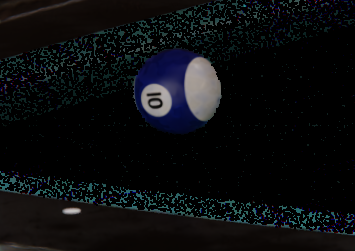
Test with it set to 0 (disabled) looks fine:
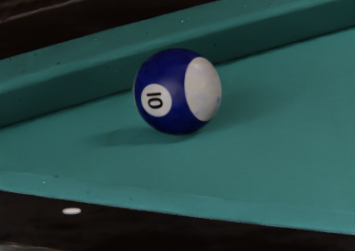
Known issue or something new? On a Mac, so purely CPU.
i did my first test with Cycles X, i dont remember right now how much time it took me with my GTX 1070, but if i recall was around from 12 or 24 minutes (most likely it had to be over 12 mins, and maybe 24 mins with more samples) one render frame with 1920x1080 and around 300/500 samples, adaptive sampling, ODN denoiser and without it, i used optix at that moment with 2.92 with standard cycles (i didnt wanted to do another render with that version to be really sure of the time difference, but anyway i still remembered how i setup it and average how much it took unaccurately)
but now with cycles X it took 4:16 minutes all with ODN denoising, adaptive sampling and cuda and 500 samples and the resolution this time under 4K size and impressively it even didnt needed denoising at all with 500 samples, but with the denoiser on, it it just smoothed out the shadow mere noisiness, but still keeping all the details in the bump texture in both, and impressively the rendering directly from the viewport was still awesome to render this out than with rendering the image instead, because was even more faster than the image render i think…
PD: the materials are completely procedural (hell yeahhhh) and non baked at all, so probably it would have taken less if i had it baked but i am not really sure if it would have worth it, but still deserves a test…
also both models are the same duplicated (not instances) and with very high poly subdiv modelling, so these scene has about 2 million triangles…
btw i am available for advanced hard surface modelling payed comissions if anyone is interested 

the image is 30 mb and didnt upload here for some reason…
https://drive.google.com/file/d/1dASTgLPJdZElaz3_qScdFHl-1QzwK1O1/view?usp=sharing
Optix took 4 minutes and CUDA took 6 minutes.
It’d be very helpful if you could report this. As this is still an experimental branch you can’t use the official Blender bug submission form, but you can report it in this dedicated Cycles-X feedback thread at Devtalk. Thanks!
I’ve initiated a Cycles-X feedback thread at Devtalk. Your constructive feedback and/or issue reports are welcome there.
Yay, with Cycles X I can see sun lamp directly on the sky! I waited for this feature for so long! I hope this behavior won’t change in the final Cycles X release.
subsurface (when using denoise node in compositor) is broken
There we go, that’s basically what I was hoping to locate - might want to try to get that linked a little more widely. 
I had a scene with only 3 bounces because it was so slow. It rendered 2x faster in CyclesX so I cranked up the bounces to 32. Now it’s bright as the fires of hell.
First try of Cycles X here on my end and the render time is 2x more. 
Is there any special configuration that I’m not aware of? Just opened the scene and rendered.
What scene are you testing with and what is your GPU?
Some considerations to keep in mind:
More information about development progress here:
https://code.blender.org/2021/04/cycles-x/
Hi, it does not support multi GPU, do you want to render with 2 or more cards?
Cheers, mib
Yeah, I think the problem is the multi GPU support. Thanks for the answers.
On my mid 2014 macbook pro Cycles-X is consistently 5 to 10 seconds slower. Good news is Cycles-X viewport interactivity is spectacular. Better news is an EEVEE render that used to take 60 seconds now only takes 3 seconds!
Mac??? I don’t think cyclesX can run properly on mac or not-CUDA by the time
No, it has improvements for cpu render as well, as seen in the butter smooth viewport performance I’m getting.
I’m still pissed at this new EEVEE performance out of nowhere. I opened a file I made at the peak of my new obsession with Blender, when I had almost convinced someone to pay me a little something to make something in Blender. I expected to be able to render it with EEVEE but a 1080p render consistently crashed and a 50% render took a whole minute per frame 
Now it renders around 5 seconds per frame. So happy, yet so sad. It’s probably due to the rebuilt depth of field feature.