Hi everyone!
Thanks to your invaluable feedback, I’ve been working hard to improve DigiKlay.
I’m excited to announce several new features and fixes that directly address the most common suggestions from the community:
What’s New:
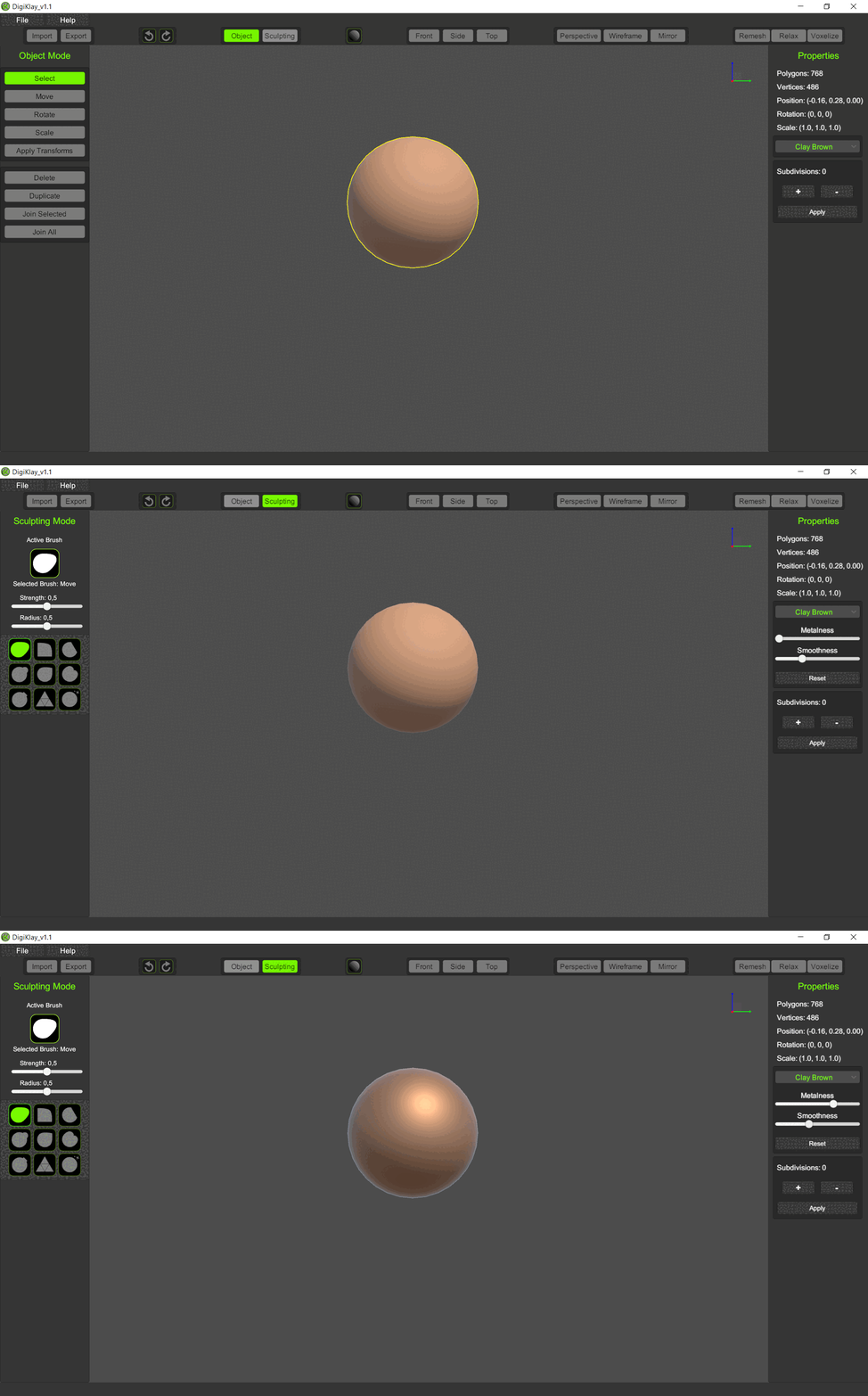
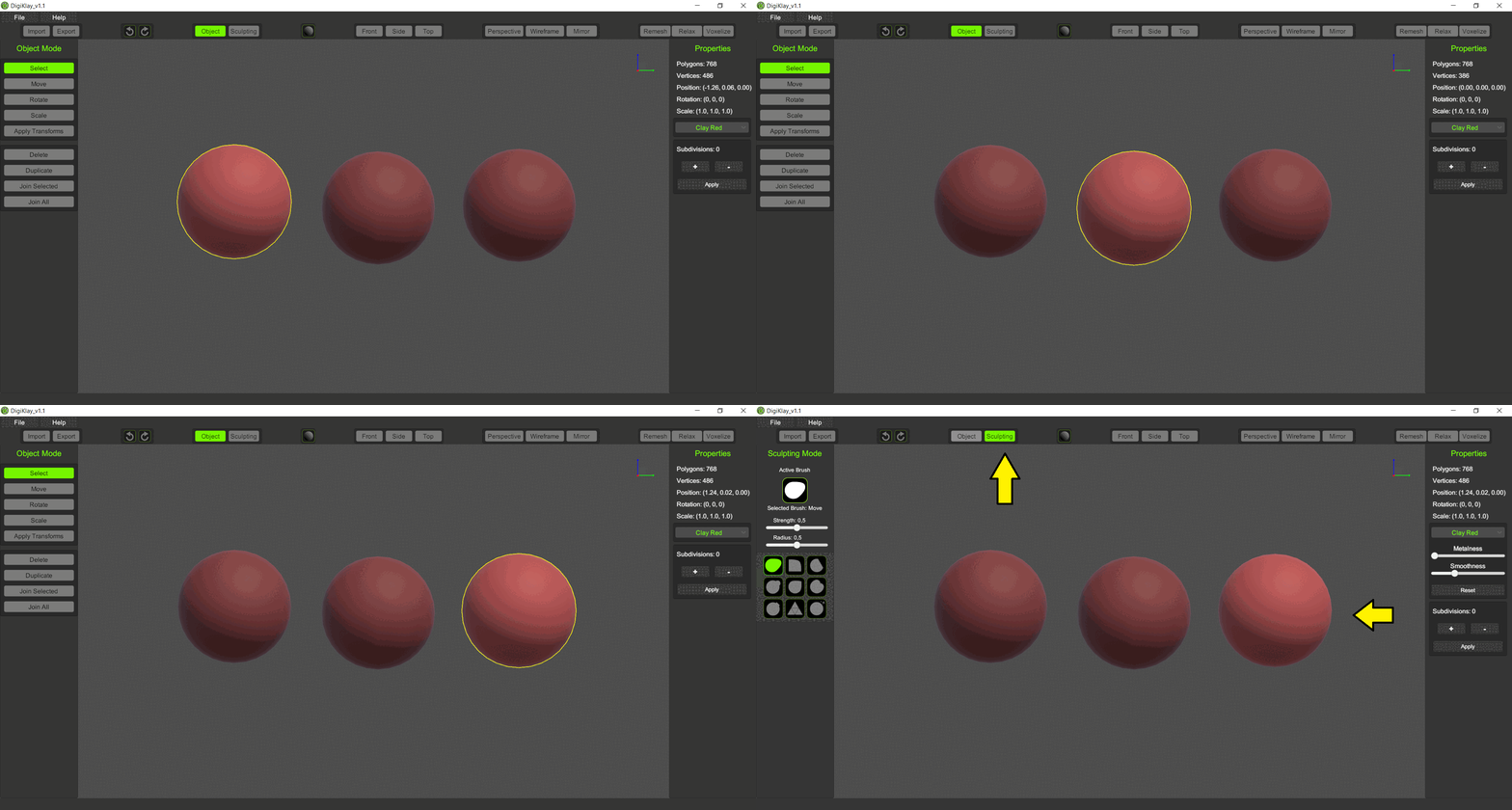
- Removed the yellow outline in Sculpting Mode
Many of you found the yellow outline distracting, so I’ve removed it when in Sculpting Mode. - Added dimming effect to distinguish selected and unselected objects
Instead of using an outline, objects now dim when not selected, making it easier to focus on active objects without visual clutter. - User-customizable materials in Sculpting Mode
You can now use sliders to adjust metalness and smoothness of materials directly while sculpting, giving more control over how your models look. - Pen pressure support added
DigiKlay now supports pressure sensitivity for graphics tablets, enhancing the sculpting experience for those using a stylus. - Improved file handling
- .obj import: Objects already present in the scene will no longer be destroyed when importing an
.objfile. - .dkm file handling: When opening a
.dkmfile, all current objects in the scene will be removed to prevent conflicts. - Symmetry plane exclusion: The symmetry plane will no longer be included when saving or exporting files, ensuring only your sculpted objects are saved.
What’s Next?
I’d love for you to try out this updated version and share your feedback on the changes. Your insights are what drive DigiKlay’s development forward!
You can grab one of the free licenses for the full version here (limited to 20 licenses): DigiKlay v1.1
If you already downloaded DigiKlay v1.0, you can use the same Gumroad download link to get the updated v1.1 for free.