Maybe as an option for future updates you can consider making the random offset and rotation global instead of local.
Awesome addon. Thanks.
Suggestion : Can u plz add a feature collision for it. For terrain trees it works awesome. When we have animation for example cubes and want to drop on the floor. The mesh get merge with each other. If the cube on top of each other. if have collision it would hit the other object and bounce and go some other part.
Thanks for code snippets, but they are very basic, like in my 0.1 version. Centre Object & Centre Mass have nothing to do with “dropping on surface”, it’s a standard Blender operation 
In the new version there is a offset option, but with global rotation the object is no longer aligned on the surface. Local rotation is the key. But you can apply “Randomize Transform” afterwards.
1 Like
Unfortunately this is not so easy, but I am already looking for a solution. Maybe with some phsx simulation 
1 Like
New version 1.1 is out! Have fun! 
Thank you for your support and nice comments!

11 Likes
I have couple of mesh and parented to empty. Then i dropit on the floor. The empty on the floor and the other mesh goes inside the floor or below the floor. Any solution for it

I think what this addon does is it uses the objects origin & snaps it to the ground face. So if you move that empty to the bottom of that character(underneath its feet) it should work.
That’s right. But the addon uses the lowest vertex of the mesh, origin is not required. In this case you can:
-set the parent “Empty” at the bottom then drop it
-select only childs and use “Affect Selected Children”
Hello Everybody. Is Drop it Add-on free?
Yes, you can download it from here: https://gumroad.com/l/drop_it
Is there a way to get it to make sure that the lowest z value touches the terrain? I am attempting to drop 1000’s of building on to a very hilly terrain and would like them embedded into the terrain rather than just one corner touching.
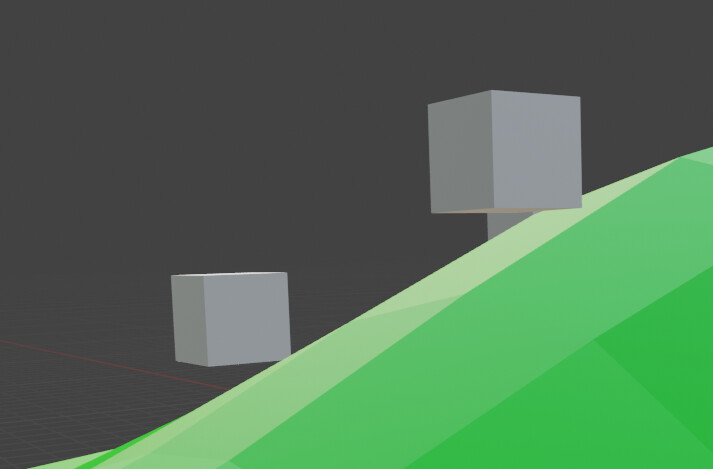
It looks like it’s doing EXACTLY that: the lowest z value vertex is touching the terrain.
From the thread, I gather that if you parented your buildings to an Empty and dropped the empty, you could position the Empty such that your buildings would embed in the terrain. From the thread, it seems that if there is no geometry the add-on uses the origin instead.
In Blender Version 2.93.0 (2.93.0 2021-02-12) you’ll get this error message!
(( Drop-it is still working in Blender Version 2.93.0 (2.93.0 2021-02-09) ))
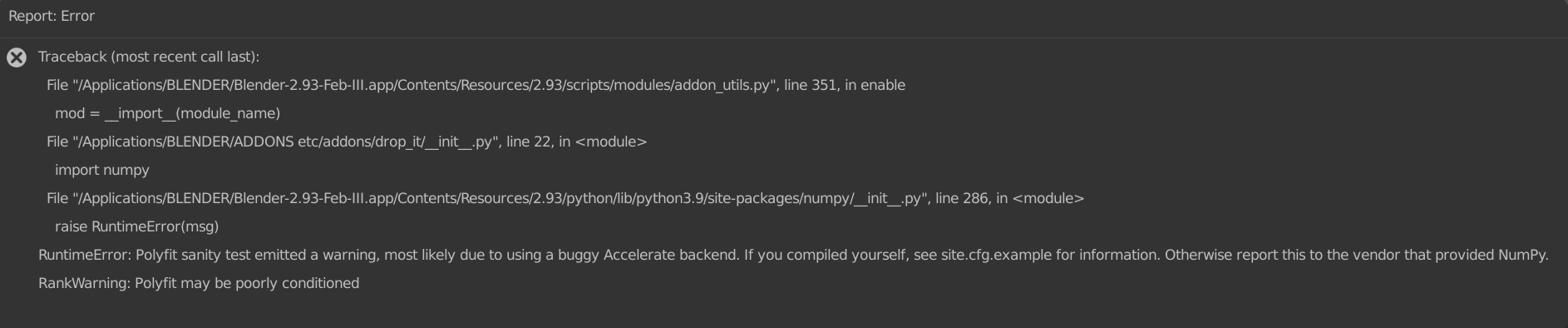
We’re gonna see a lot of this as addon developers need to upgrade due to Blender moving to Python 3.9 from 3.7.
2 Likes
I’ve found this addon by accident and It’s perfect!
1 Like
why did you used a window manager property? bpy.types.WindowManager.surf_align
I think …because of the bool UI element
cant find it
Can you purchase it for $0?