Hey I know how to solve this problem without the script '“X-Ray Draw”
How to fix:
Set the alpha in both materials to 0.998 for Low Poly and Hi-Poly
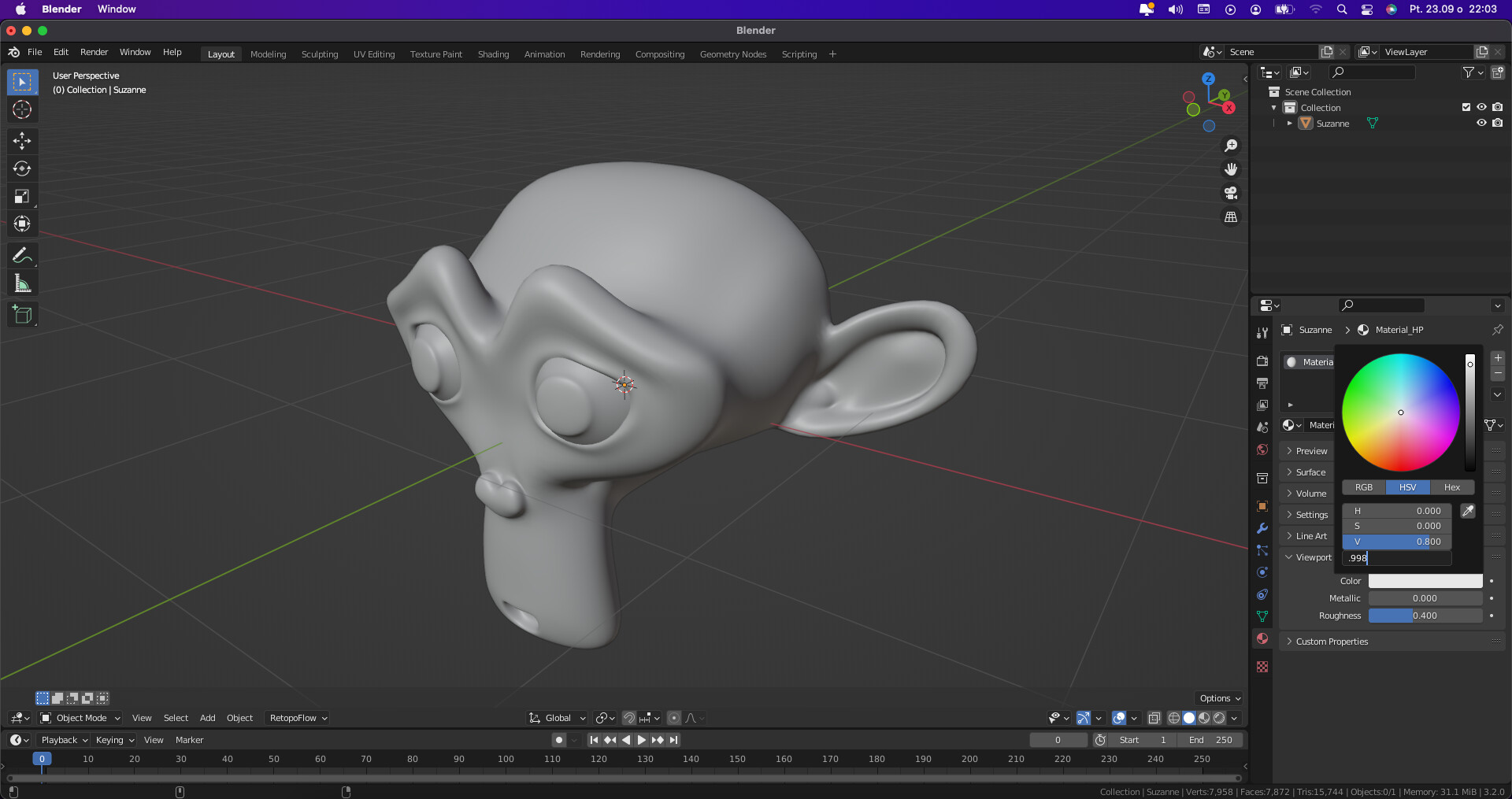
- Create new Material for Hi-Poly
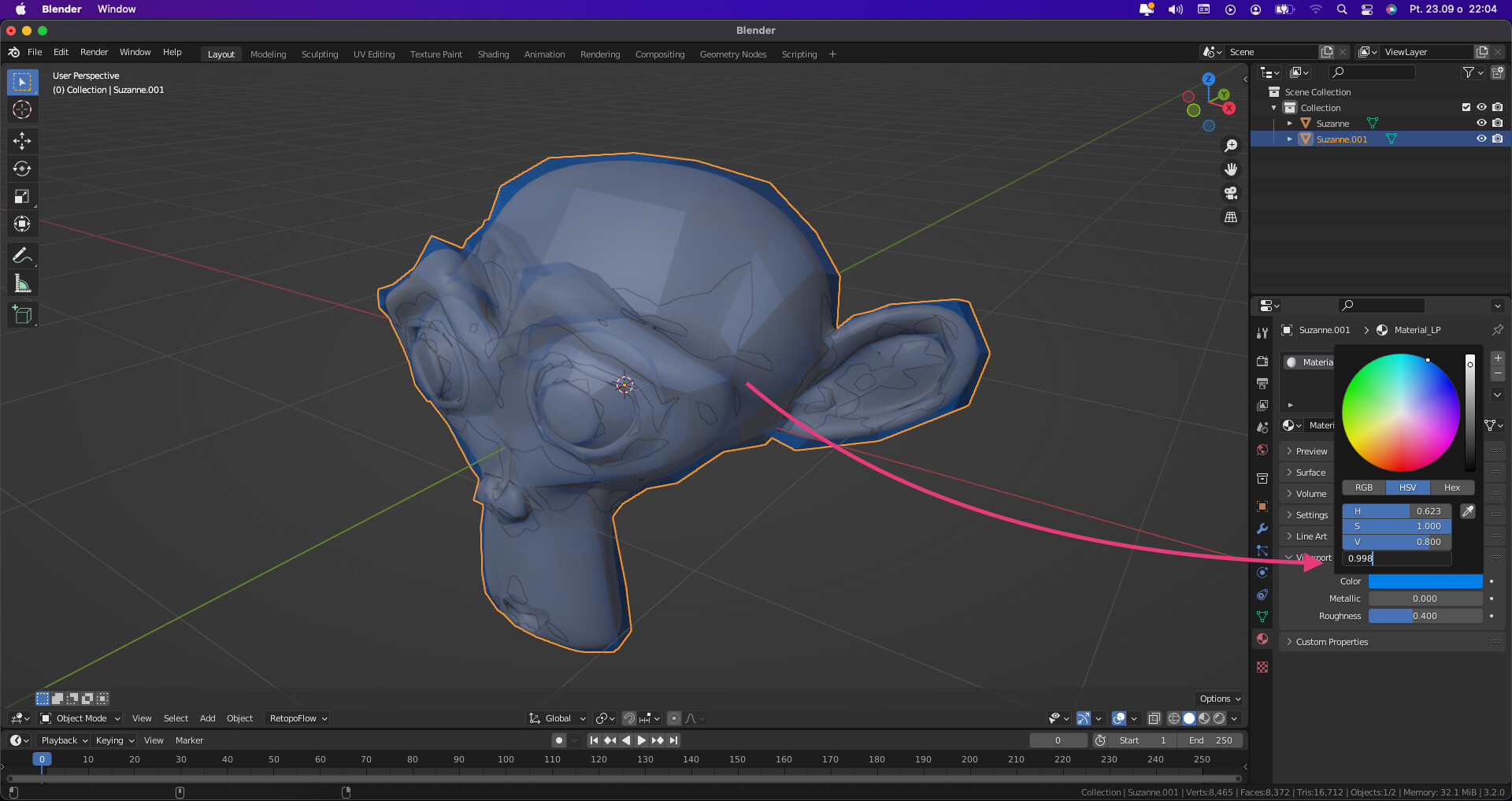
- Create new Material for Low Poly
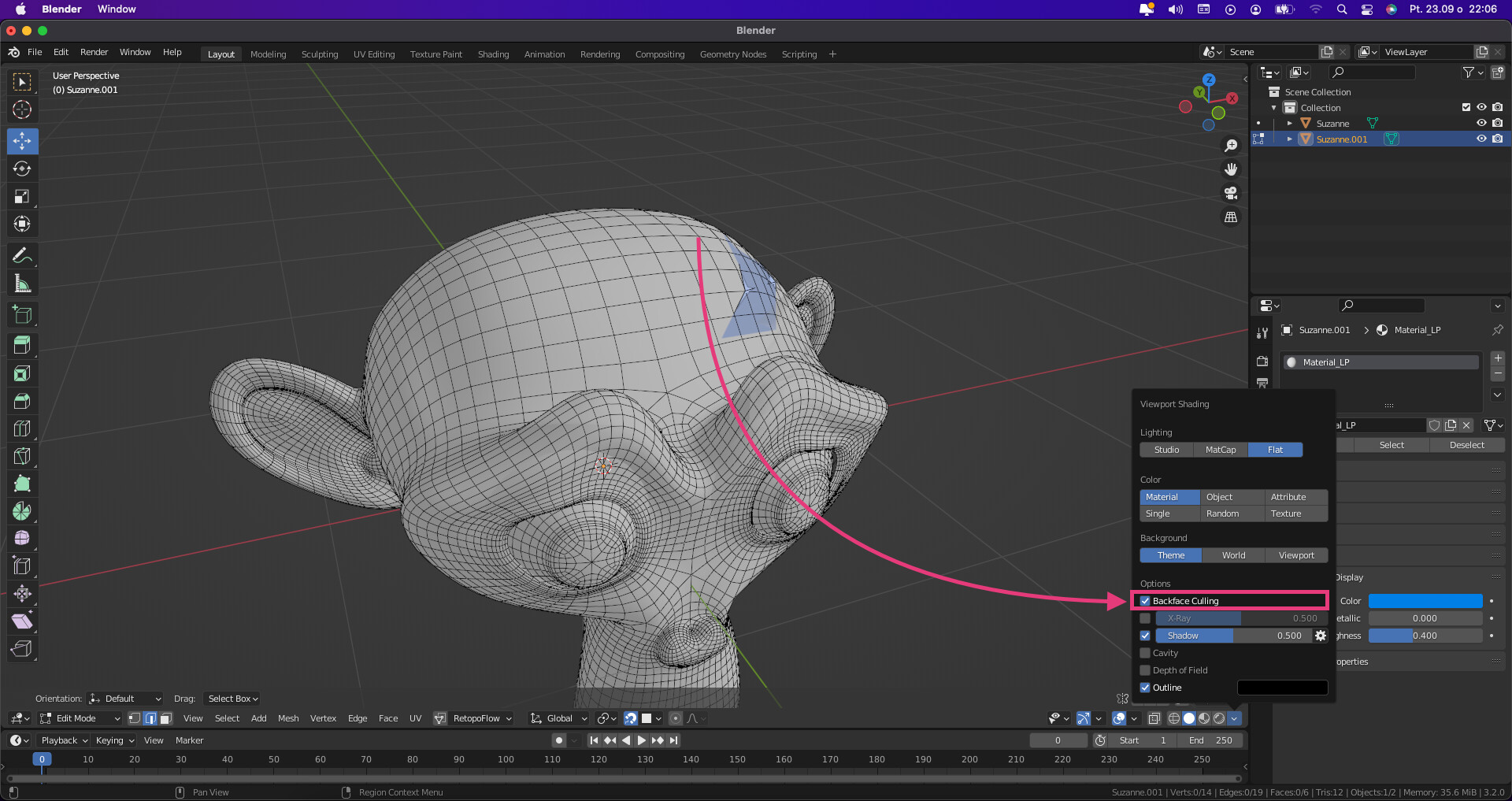
- Select check box “Backface Culling”
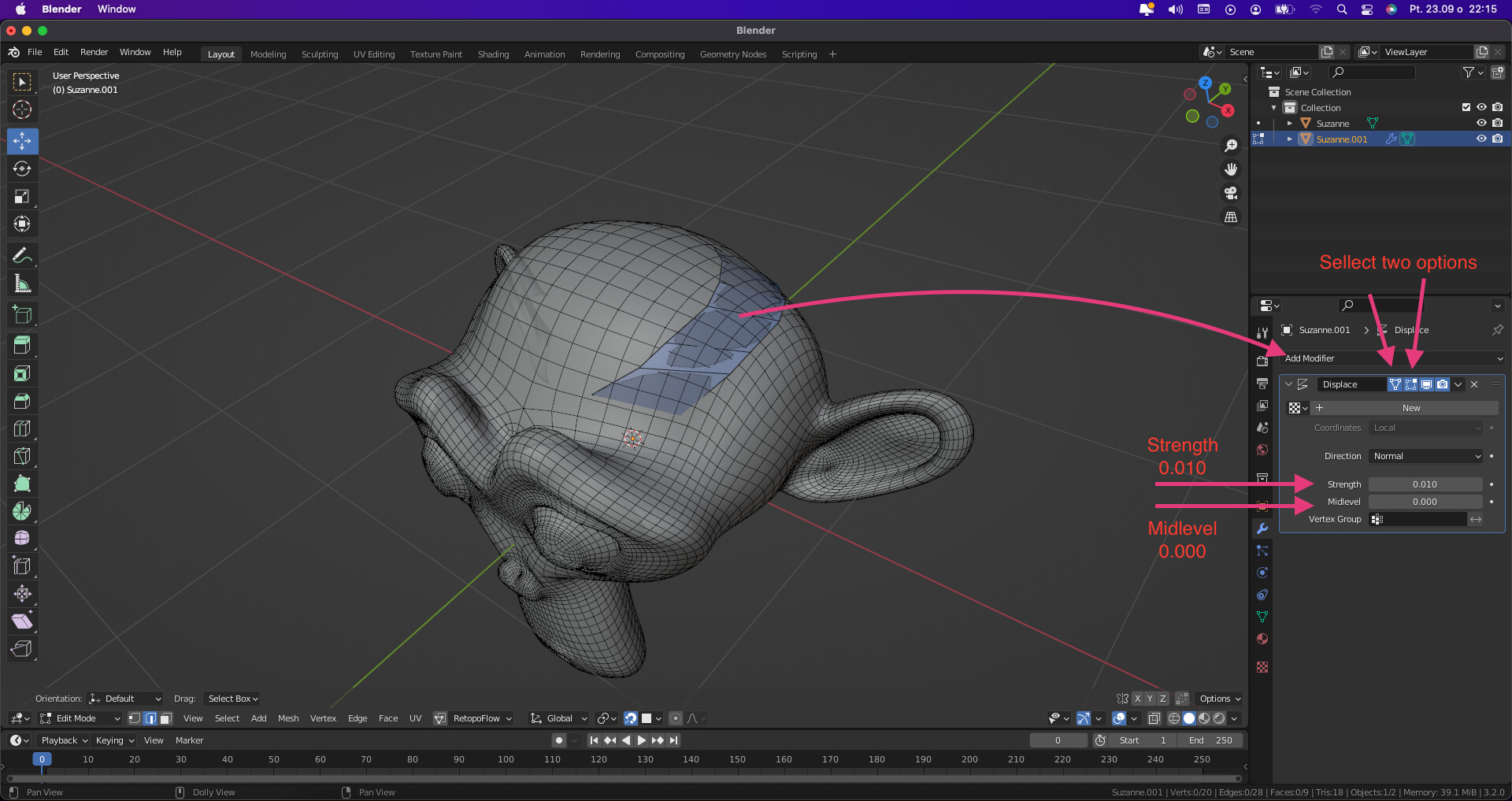
-
Add a modifier to make the wire visible
-
Done

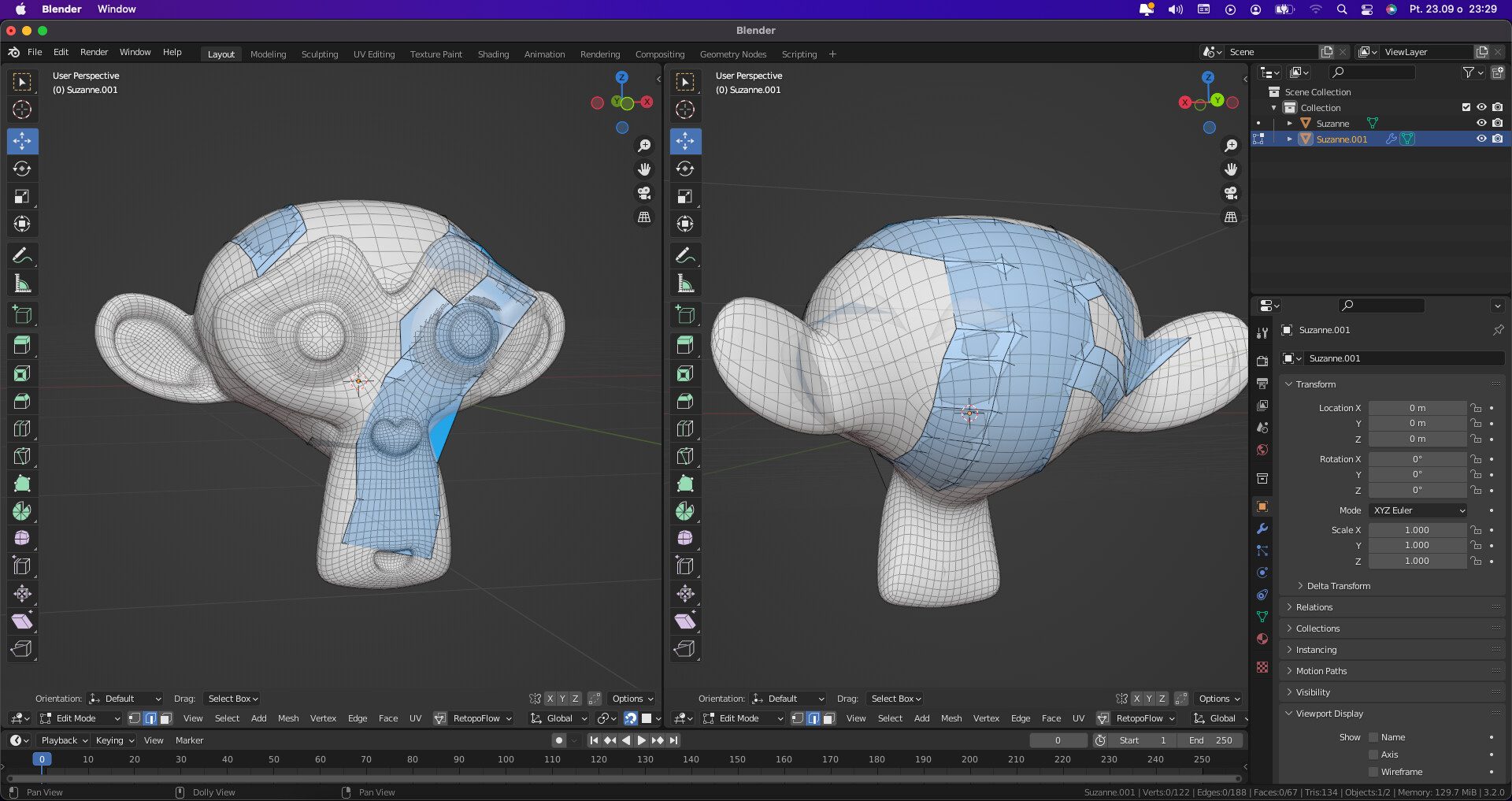
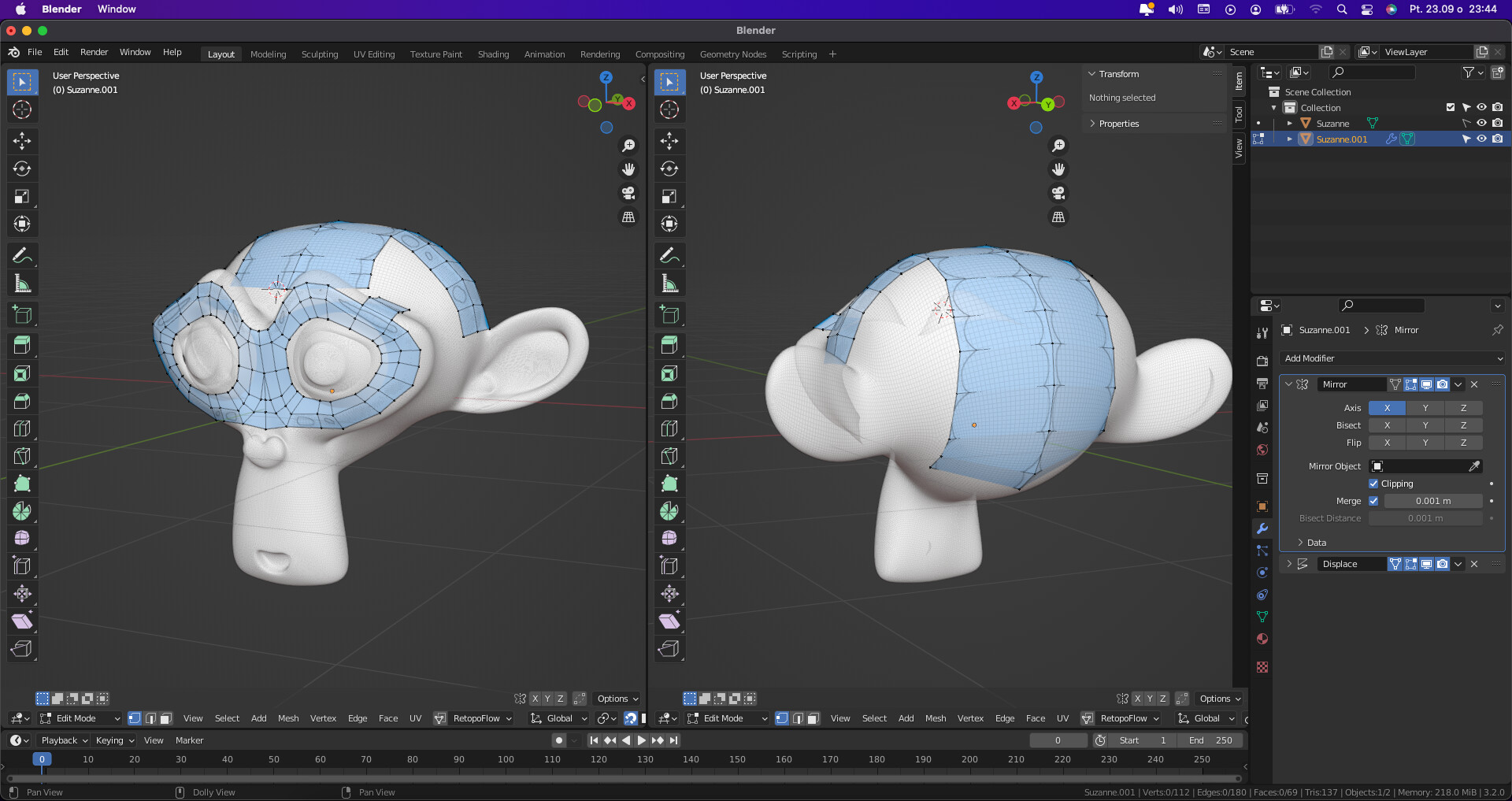
Problems with this technique: Hi-Poly is little bit transparent

Second idea how to solve the problem
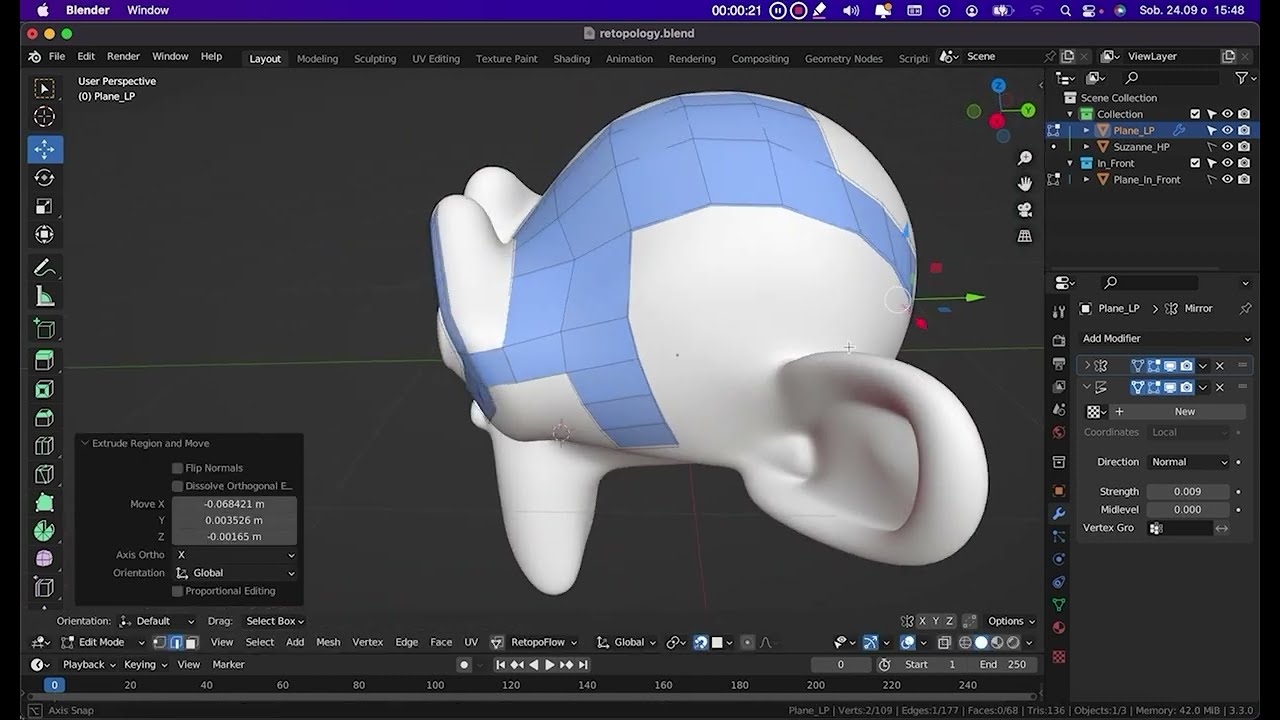
- Create Plane and click Alt + D create instance obiect dont change positon obiect.
- In Plane select check box “In Front” and instance Plane Unselect “In Front”
- Select “Hidden Wire”
- Click Edit Mode on Plane without “In Front”
- Add modifier “Displace” and change value “Strength” : 0.009
- Done
Sorry my English :).