Hi @BD3D I know we have discussed this and I think you don’t agree mainly, but will be great in my opinion to have a method to select, hide, render, or lock all the systems of the same target object at once. I know the alt feature and all, but sometimes when the systems are heavy it becomes a bit tricky. and this will save some time and practicality.
Hi.
What is the fastest way to access global Systems List?
Right now i go trough Biome Scatter Menu > Open Biomes and from there switch to System(s) List if i need a quick look.
For regular use i setup it as a preference area in one of workspaces (and it stays there if I close and open file) but sometimes it would be nice to access it quickly as a pop up with one button.
Yes that’s how we designed it, to stay always open, & sometimes use the biomes when needed
Unfortunately, blender developers do not propose custom workspace for plugin developers (on purpose we believe) so we don’t have a lot of freedom here
Thanks.
Just to be clear: I use Biome Scatter Menu to quickly access global system list. I found that is quicker than going trough edit/preferences/add-ons/Scatter/Enter Menager.
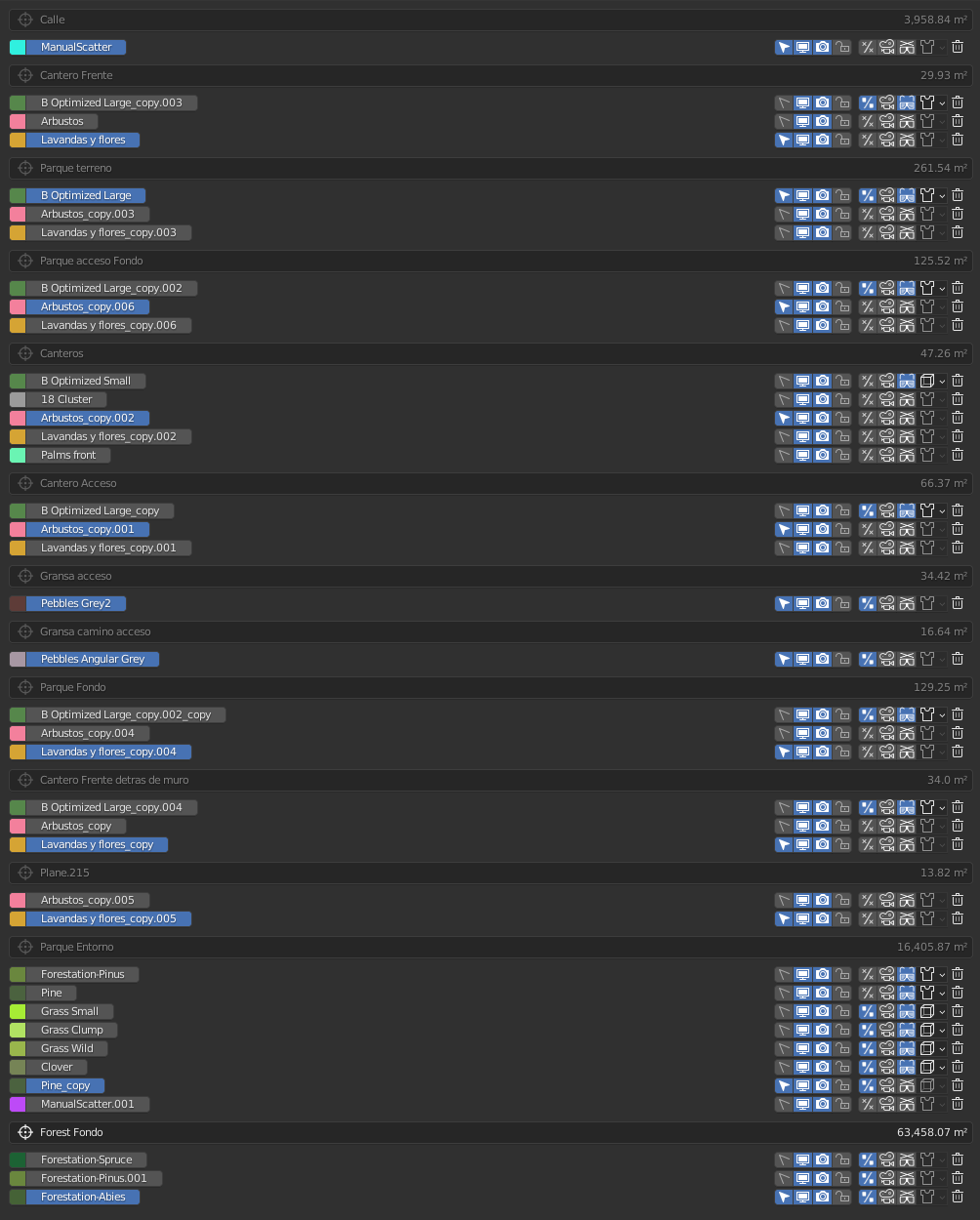
Sometimes after scattering is done and working with other stuff in scene, one can wish to simply turn on or off only some of systems on multiple emitters at once.
Wouldn’t it be great if we could have a single button for All System List. Here somewhere for example
(sorry if I sound greedy)
Hi @BD3D, the simple reason for different curves is that sometimes I want to share only one spline with one system but not all of the curves, actually I’m using that method for one object with several splines on one object.
Great about the lister! It will be super handy for complex scenes, I’m working on one now and it will make things easier to work on a specific part and turn quickly off by target object!
Okay I see now. The problem is that would complexify the workflow, because you’d need to choose addition/substr and operation order. We’d like to avoid having such over complexitied workflow, we might add an « advance culling mask » later on.
The problem is that the culling masks could also have an influence on scale, so we might as well improve the whole settings category
If you don’t know what « aligning the tangent of an instance » is, then it means you didn’t read our online manual, and you should read it
Instances are like any other objects, they have a position, rotation, or scale. In order to define an instance rotation in Scatter5, we are aligning the default Z & Y axis of the instance toward a chosen axis. We call the upward direction of an instance (+Z) the instance "normal ", and the forward direction (+Y) the instance "tangent ". For example, if you’d like your instance’s upward direction to follow your emitting surface inclination, you will need to align your instance’s normals toward the surface faces normals.
Flowmap Alignment, Control the tangent alignment with the help of a texture or vertex-color flowmap data.
bonus: if you don’t know what if a flowmap, we also explain it in the prerequisite page
Flowmaps, A flowmap is a directional information (vector) contained in an image texture or in a vertex-color layer. The Red/Green channels represents a direction in the XY space.*
I’ve been playing with all the checkboxes/sliders there in rotation panel but all seem just to change how instances are rotating on their individial axies.
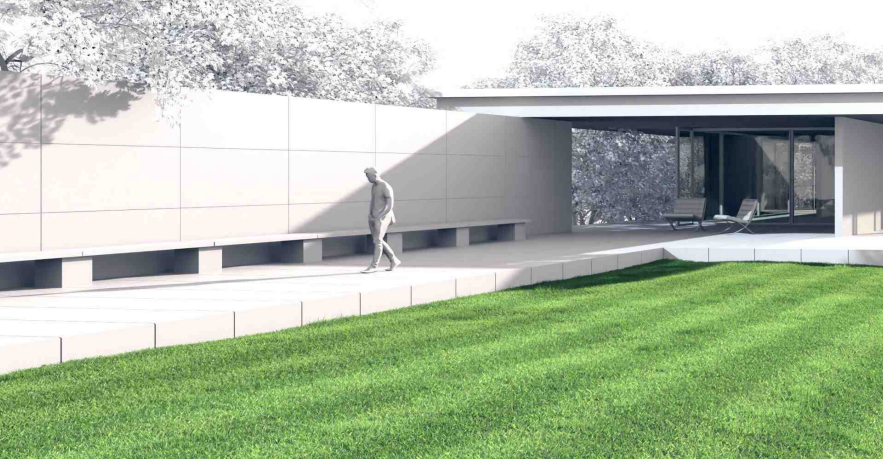
What i need is to change the direction and thickness of the stripes.
I didn’t think that is going to be so complicated.
If I go to rotation > align tangent
pick flowmap and then texture data i have a texture “Stripped Grass Clump”
Do i need to edit that with flow map painter? Can’t I just rotate it so the stripes are 90 degrees the other way?
I didn’t think that is going to be so complicated.
It’s not, fundamentally we are just defining direction axis from a procedural texture
I can understand that 3D rotations can be complicated to understand at first sight, in our plugin case, we couldn’t possibly simplify things further without losing a lot of flexibility
Do i need to edit that with flow map painter?
If you want an ulltimate control over your mowing directions, yes indeed you can do that with the flowmap painter addon
Can’t I just rotate it so the stripes are 90 degrees the other way?
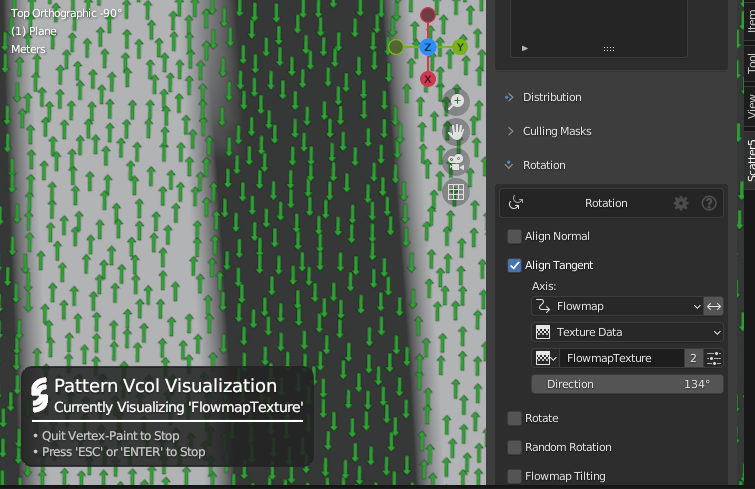
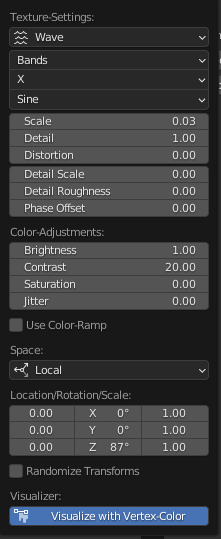
I think that for your case, what you need is to use a black and white wave texture
as you can see the green arrows represents the tangent (also called +Y axis, or forward direction) are aligned depending on our wave texture, that’s exactly what you need in this case
If you’re still having difficulties, perhaps we can add an example file about this case in our online manual ?
just let me know


 not the same interface tho, we are improving the now called “lister” interface in 5.3