not sure about faces, but you can get island indices:

1 Like
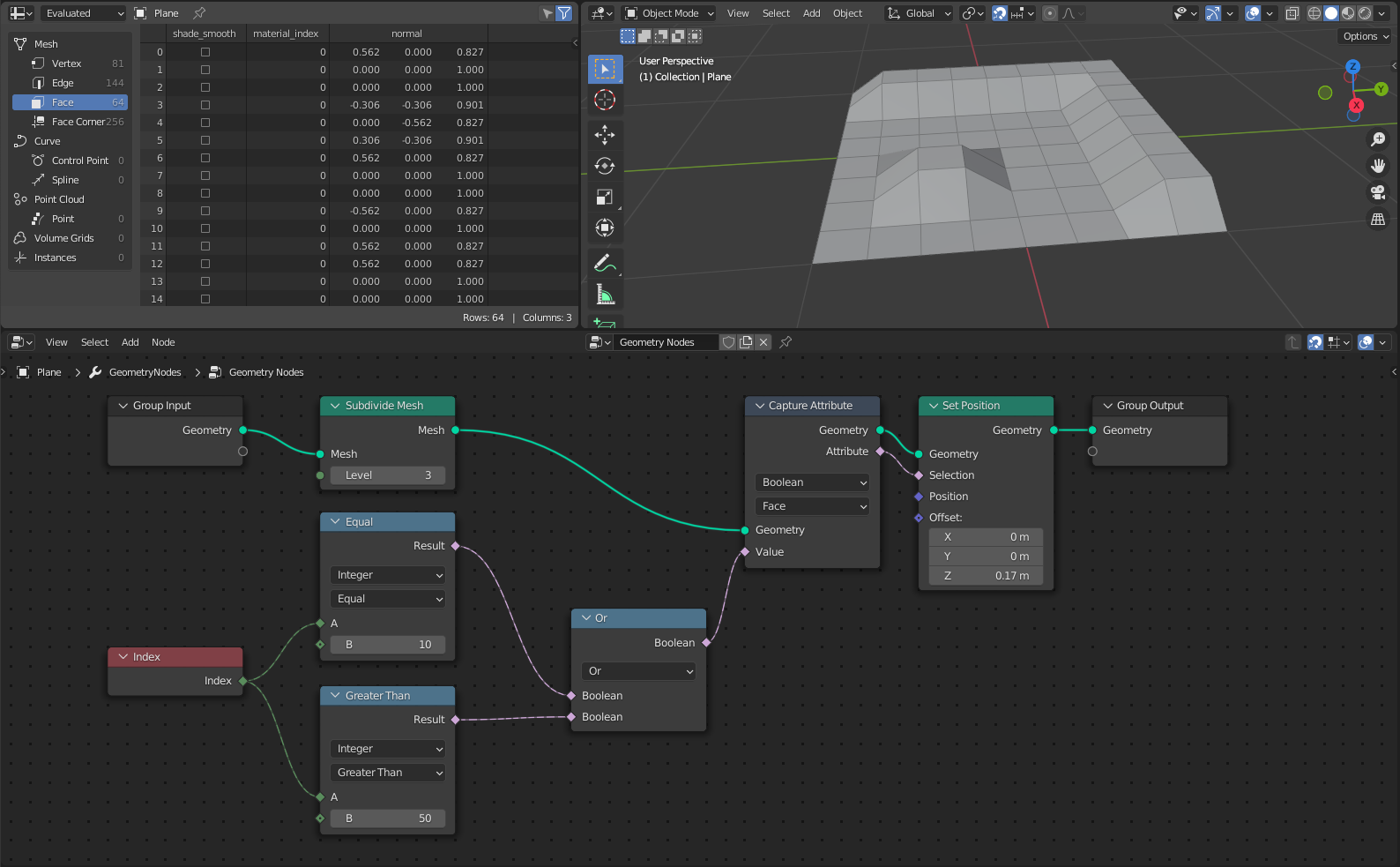
Wow, thanks a lot to all of you! That works well 
3 Likes
check using modulo also - you can do some neat FX with modulo / index and curves / mesh lines.
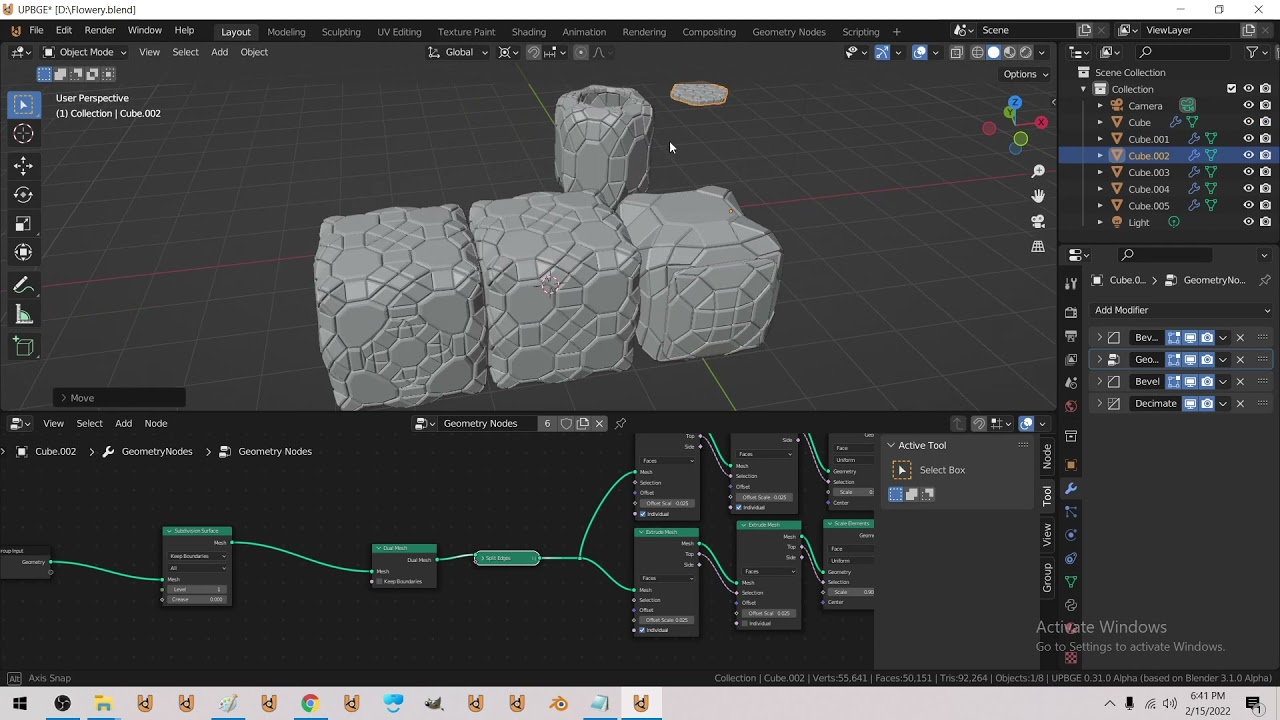
Started to make some basic greebles.
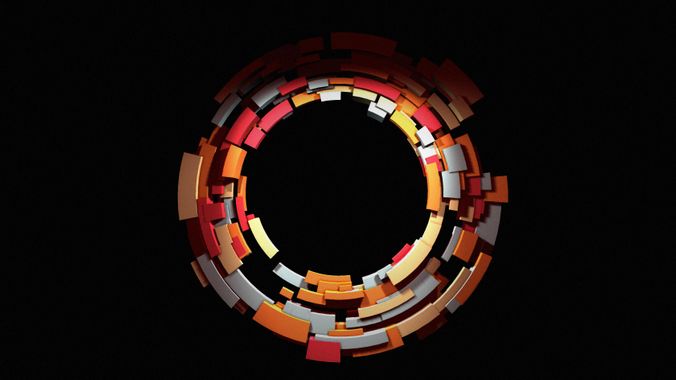
Looking for making greebles on a cylinder/tube similar to this:
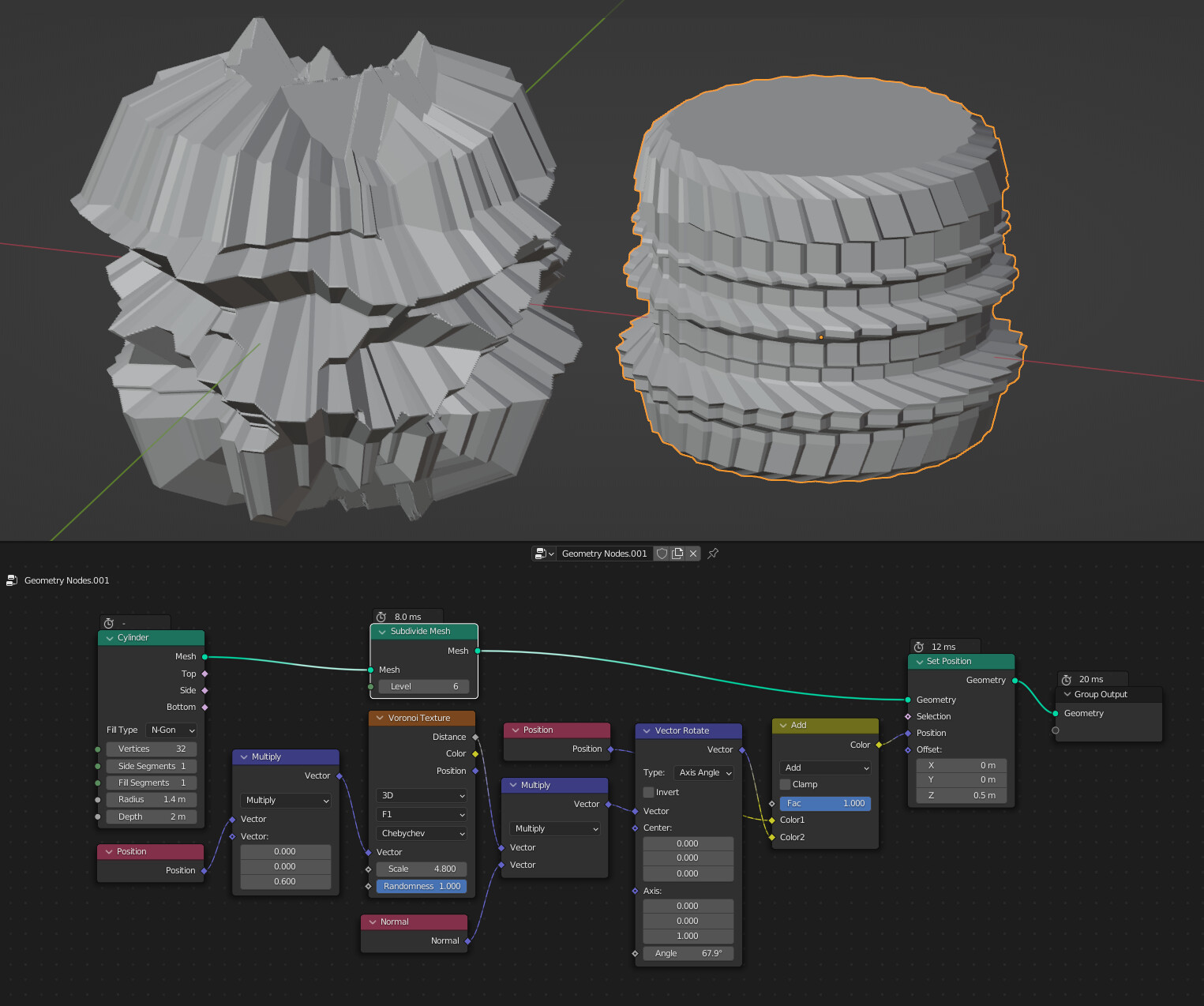
So far I discovered how to make simple transmission gear generator
And something closer with brick texture. The irregularities with smooth mortar looks kinda promising, as they break the basic form.
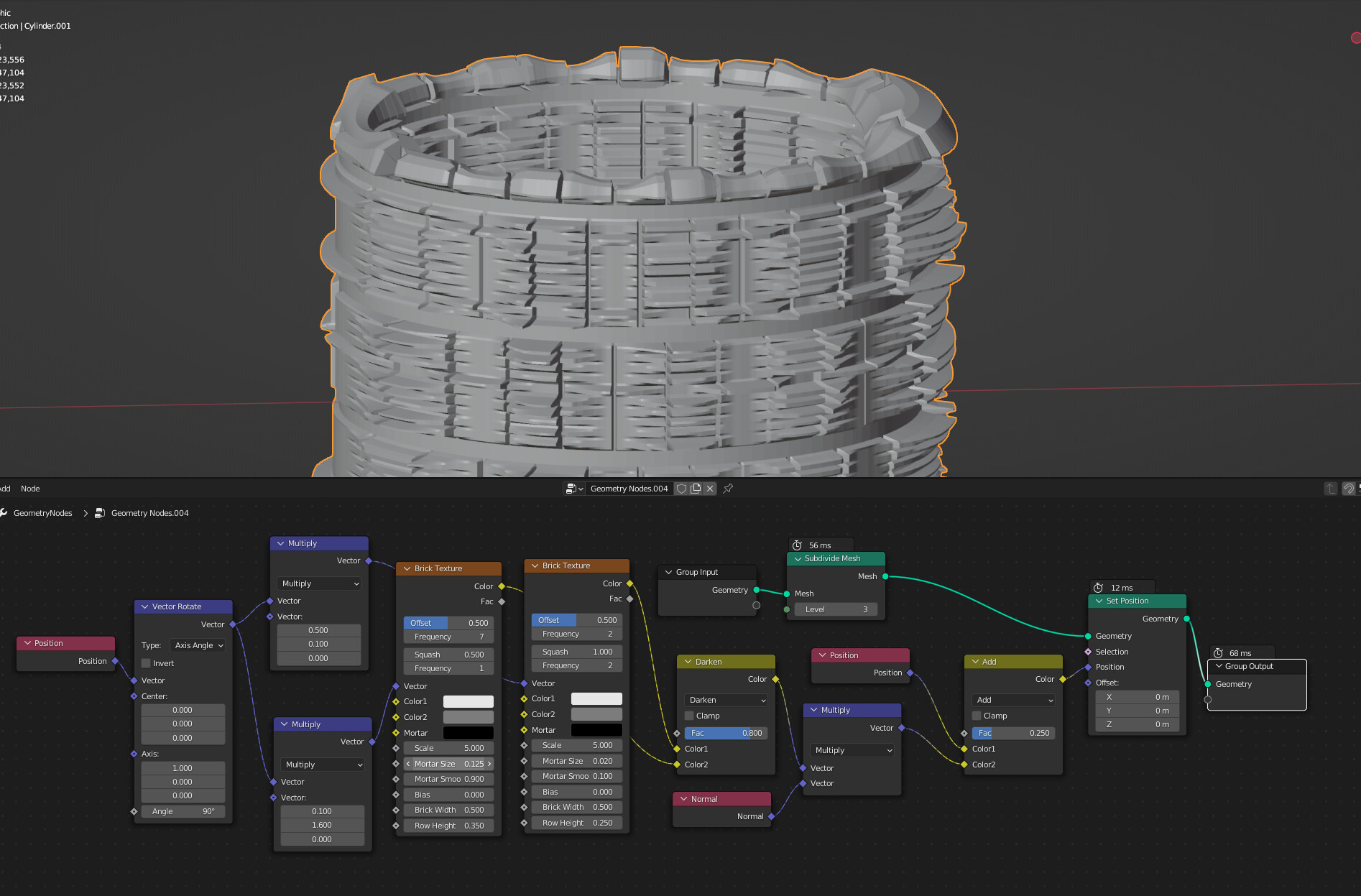
But I’m still can’t make the classic first one.
1 Like
ride_the_spiral.blend (1014.6 KB)
slitherin.blend (866.7 KB)
3 Likes
Is there any reason you are not just generating cube primitives to distribute on the mesh?
Doing it via displacement is not going to work well unless you have a very fine mesh available to push, you are better off just using Cycles microdisplacement and a shader then.
geonodes_thingus.blend (967.3 KB)
- scatter points at least 1 unit out in 2d then add some 3d
2.take points and realize them, capture ‘radius’ extrude and rotate the points by a random value - turn lines to curves - resample at lengths - then set position to position.normalized * radius
- curve to mesh
- added in rotation over time / animations
4 Likes
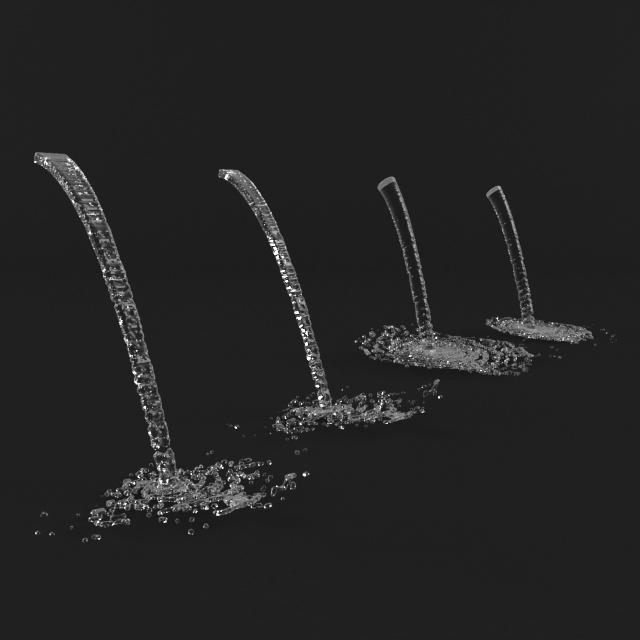
Sorry if my question is irrelevant to discussion, but it’s about geo nodes anyway. Is there a way to implement such animated effect as falling water like shower or fontain with geo nodes? If so where can I see tutorial or node tree to replicate such effect:
1 Like
Yeah use mesh to point to volume / volumes to mesh and push points along a curve using sample curve / set position and modulo
For the random offset use index added to time for 4d noise
1 Like
Physics solver nodes are planned to be implemented at some point. Until then, you’ll have to use mantaflow for this type of simulation.
No no. I don’t need simulation. I just need fake effect, not physicly correct. but more like stylized effect. I need it in realtime and to be easy to set up and control. Here is good example but it’s not water but fire. Very cool node group. I would like to learn to make such geometry nodes effects, but I have hard time to find good tutorials for current version of blender. Most tutorials are outdated for 2.93 version and geo nodes are changed drasticly, there is lot more nodes and some are gone.

1 Like
Thanks @BluePrintRandom
That’s even more that I need.
Sorry to bother you again, but I’ve hit a bit of a snag relating to the translation of the instanced curves.
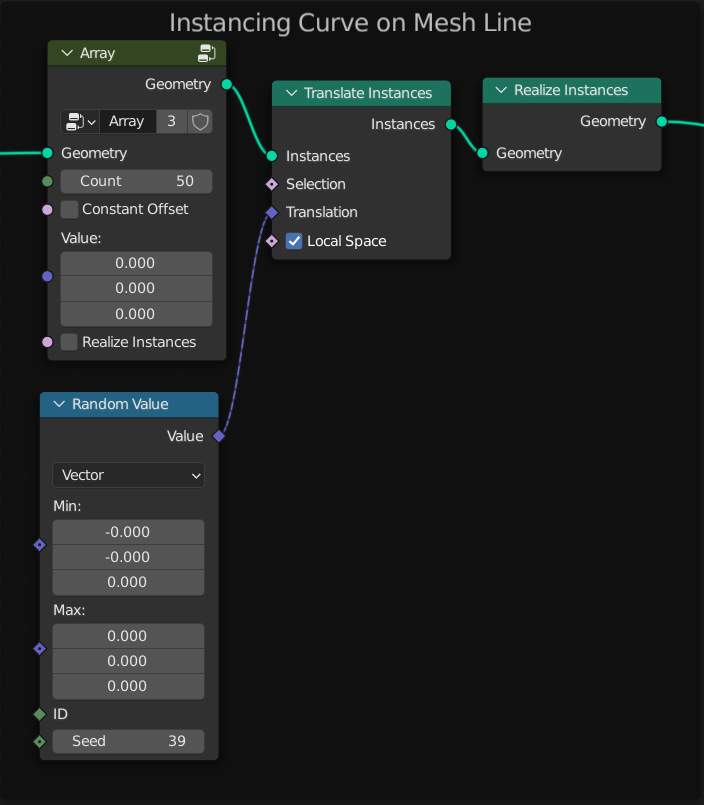
The Random Value vector node works great in controlling how spread out the array of curves are in X,Y,Z, however my current problem is that it’s a constant distance along the whole length of the mesh. In some cases this is fine, but in others it’s a total pain.
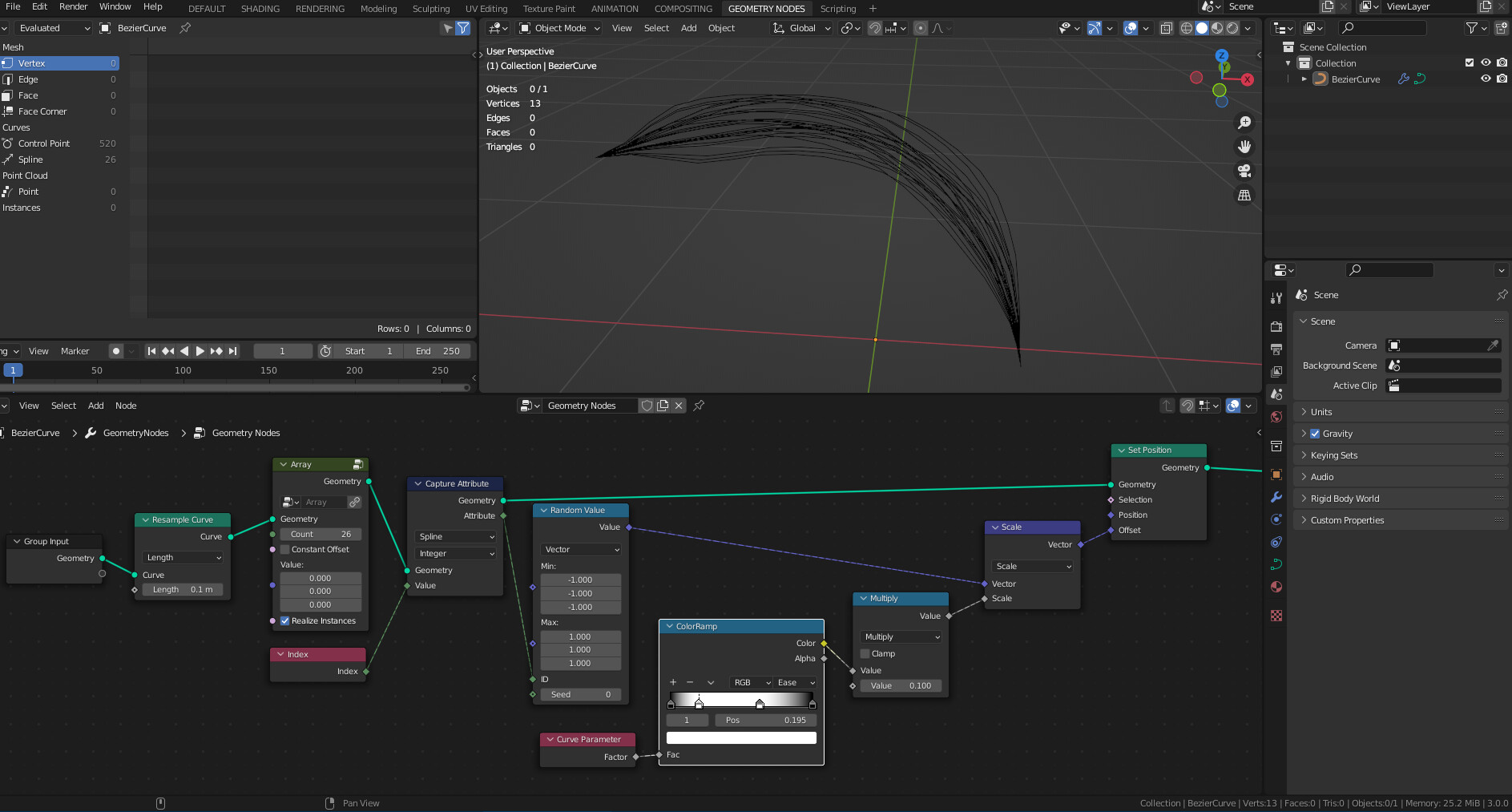
As such, do you (or anyone else reading this) know if it’s possible to control that translation from start to end. Basically a clumping option, where all the curves are more spread out at the start a little less so around the mid point and finally packed all together at the end?
Sweep1.blend (118.1 KB)


Another use for my crazy points-to-mesh node-group 
…
@thetony20 can use my same point-sweep node-group to do what you want…

… easy-peasy.
I really would like points to be supported as profile primitives out-the-box… maybe one day? 
Hope that helps.
4 Likes
Here is example how to achieve it, the node tree its pretty compilated but I labeled what some nodes does
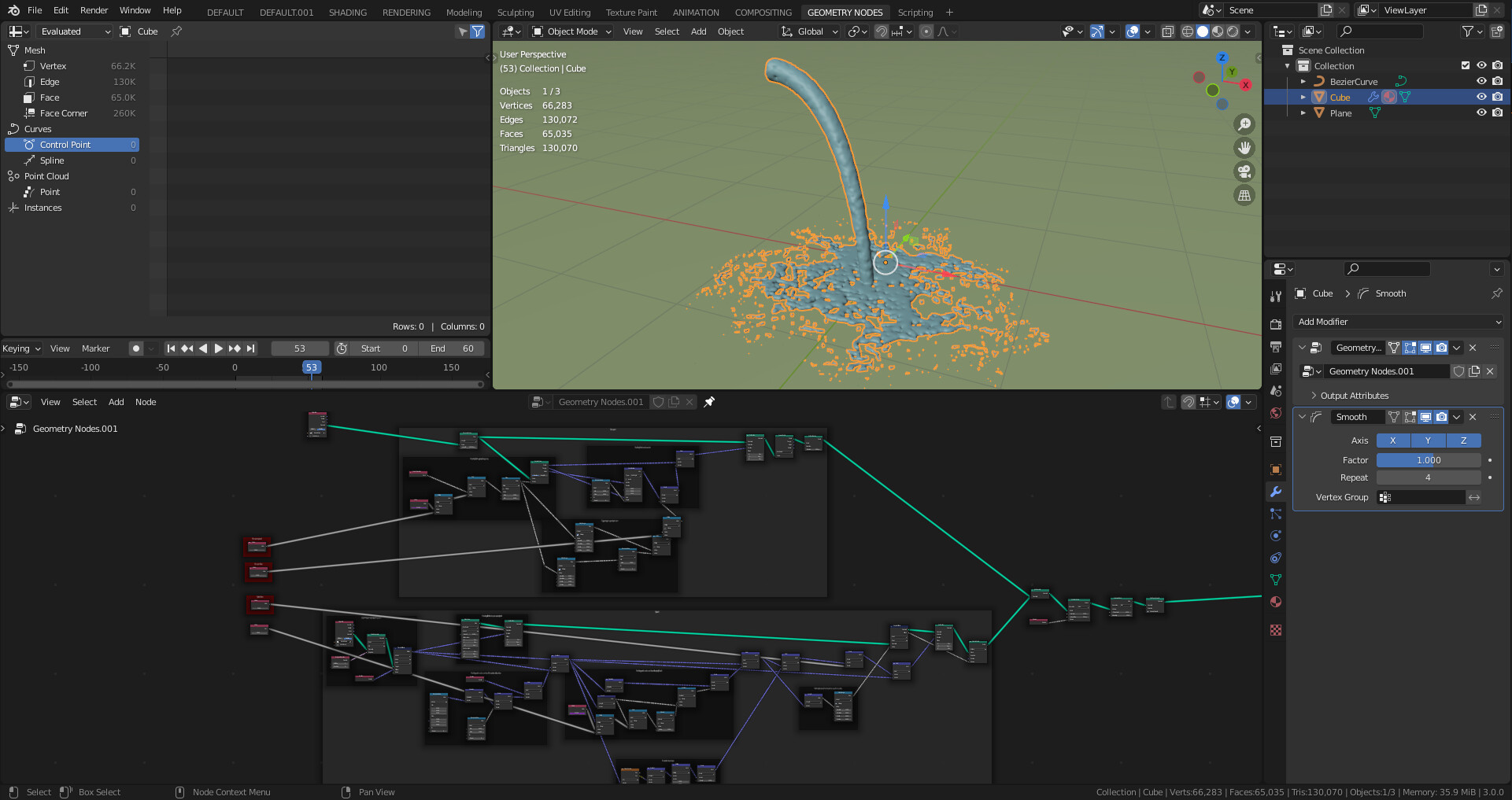
water_stream_curve2.blend (1.3 MB)
25 Likes
wow… amazing… perfect fluid ‘simulation’ realtime
@higgsas think you this amazing fluid geonode can do something like this?
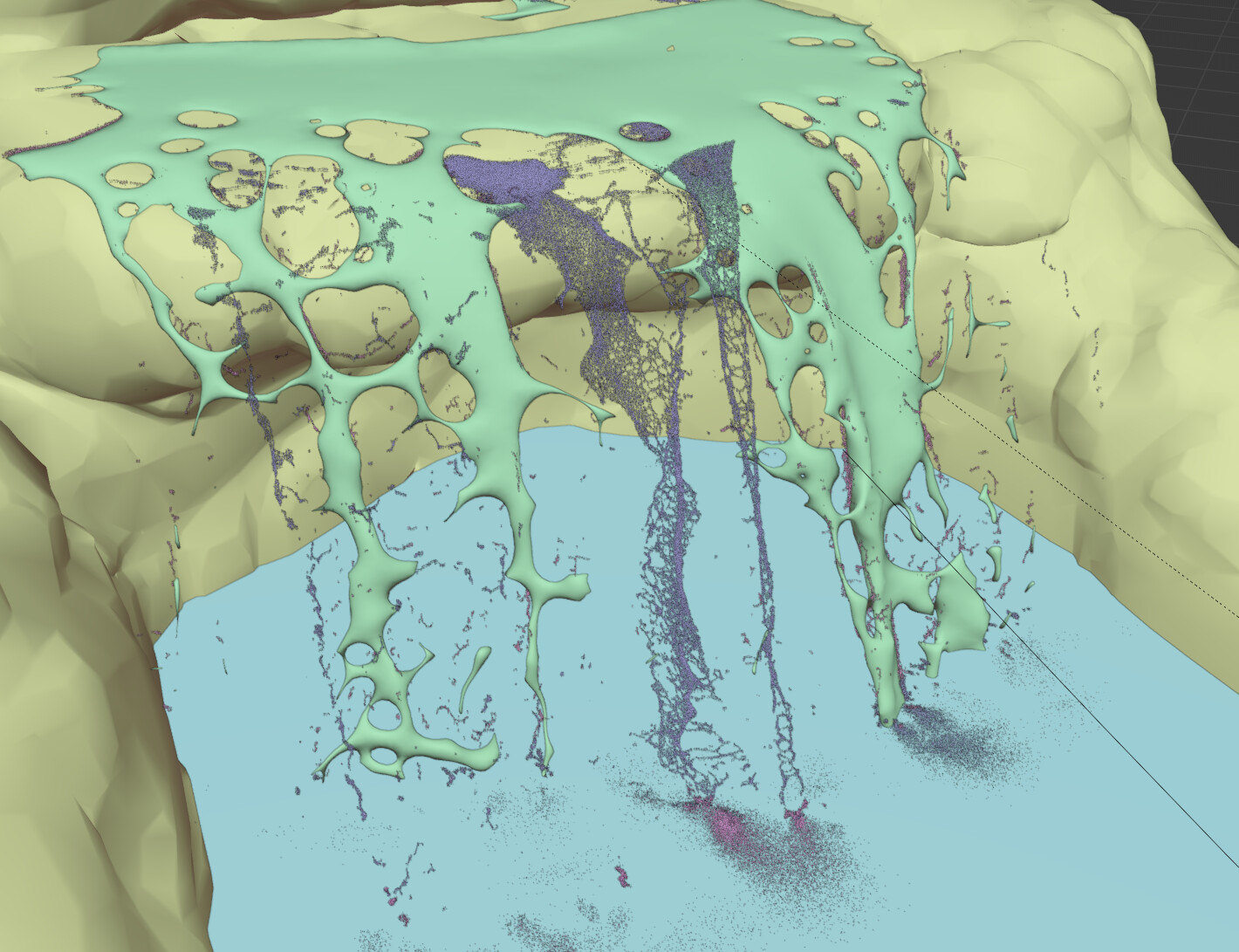
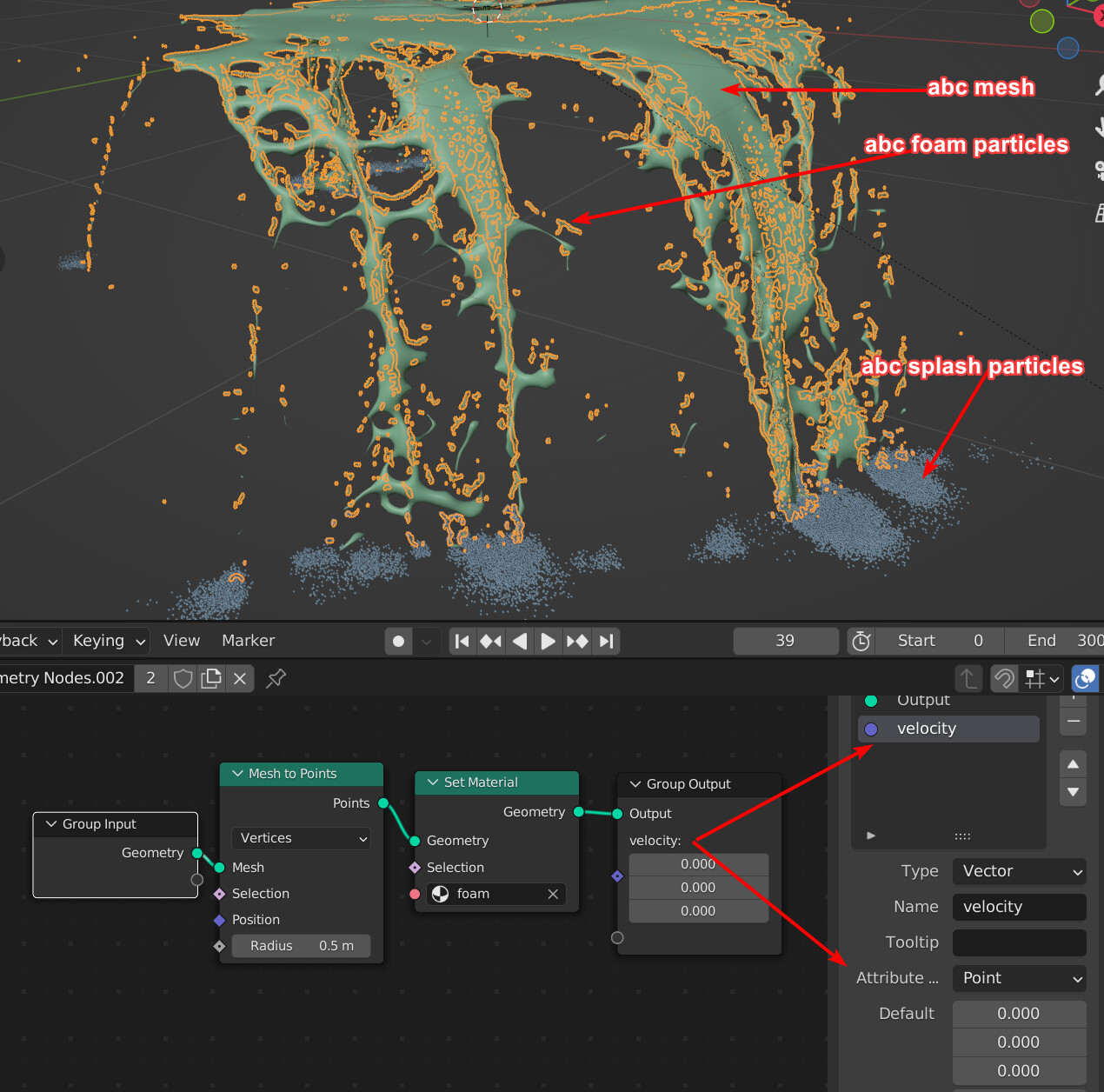
Here we have fluid mesh simulation + foam particles (point cloud) + splash particles (point cloud).
Cycles can’t do motion blur with imported abc particles point cloud, imported abc mesh motion blur works fine, but no with pointcloud. With GN we can set velocity attribute output then cycles render motion blur.
4 Likes