Hi all,
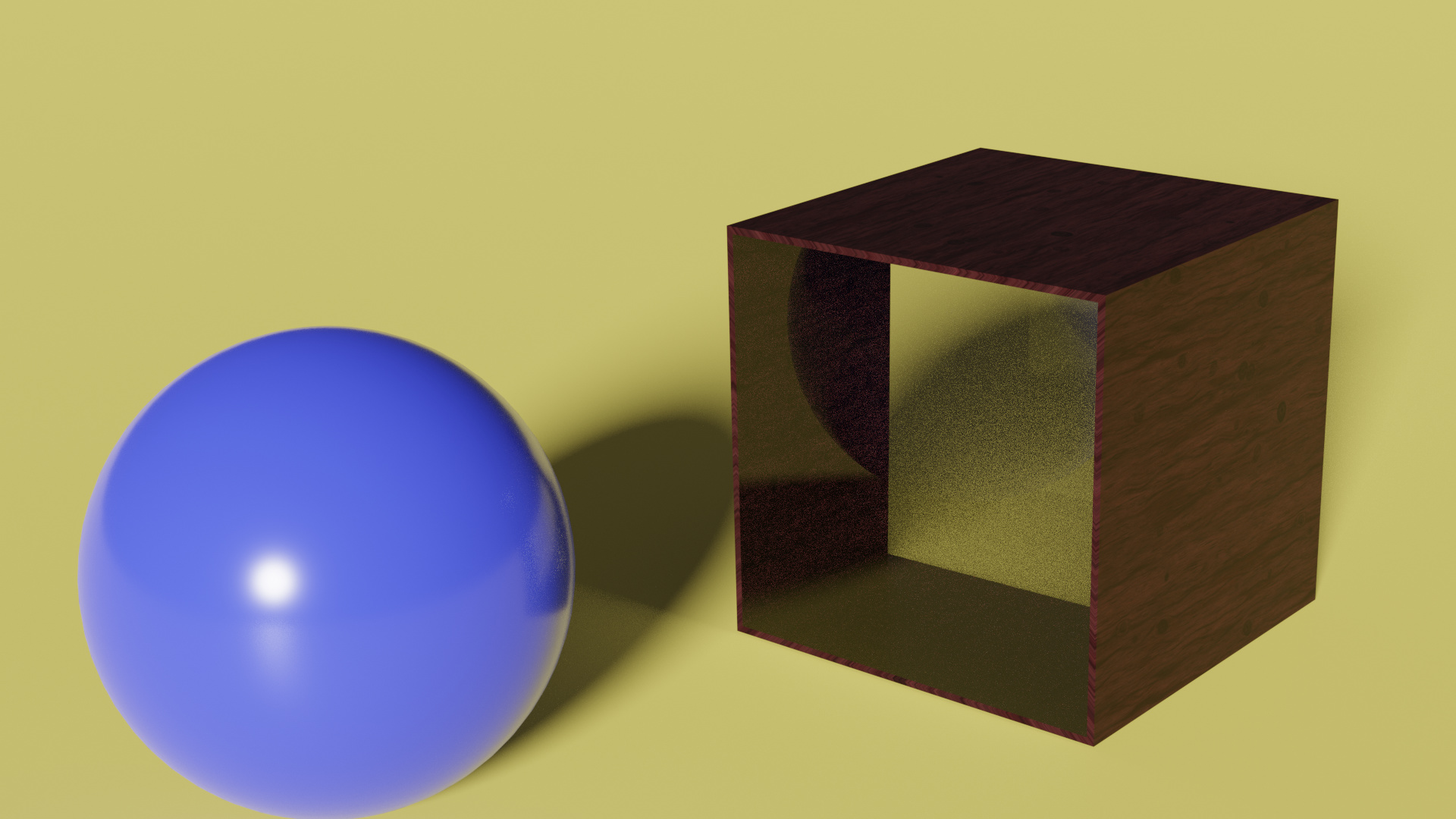
So I’ve just switched over to Blender 2.80 and I thought I’d try to get to grips with Glass, or more specifically, Glass panels, as I know these have caused me issues in the past. But now, I can’t seem to get the node setup right… (please note this is just a simple draft render)
As you can see… The displacement from the back top corner of the wooden frame, compared to the downward side through the front glass panel is way out of proportion.
Also, the shadows through the front glass panel are completely wrong, there’s no way the shadow of the ball should be there considering the light source is behind the camera. If anything, it should be the shadow of the box.
Any help or suggestions would be greatly appreciated.
One light source vs two making a difference doesn’t make sense.
Glass shader needs thickness to work properly.
Refraction based glass needs either thickness or incoming normal->refraction to work properly.
Transparency (via fresnel) based glass needs to make sure IOR is unified for facing and opposite normals.
Refraction based glass for thin panes is only useful if you want refraction roughness. Look it up, as it has been discussed before. Shadows you also need to control.