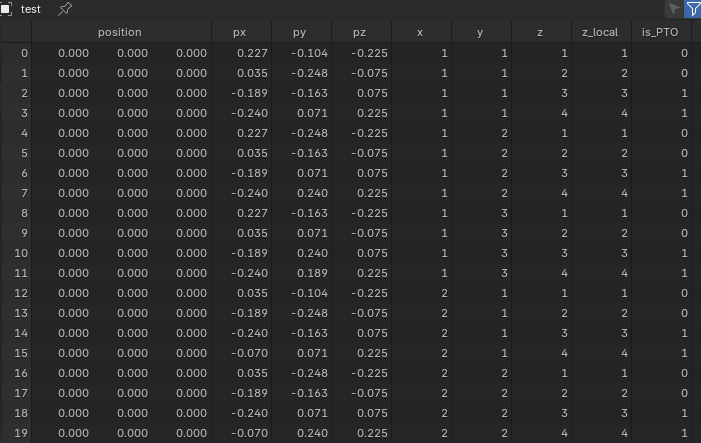
I would like to use this attribute to choose between two different geometries for each point (for example, a sphere when is_PTO = 0 and a cylinder when is_PTO = 1).
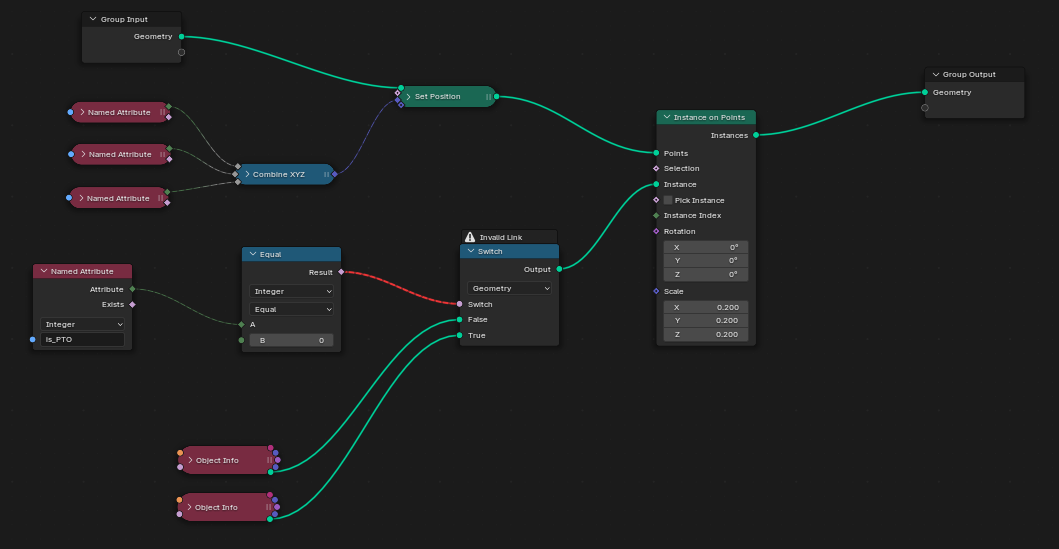
I tried using a Named Attribute → Equal/Compare → Geometry Switch. The Switch works when I use a constant Boolean value, but once I connect the point attribute to the comparison, Blender reports an invalid link.
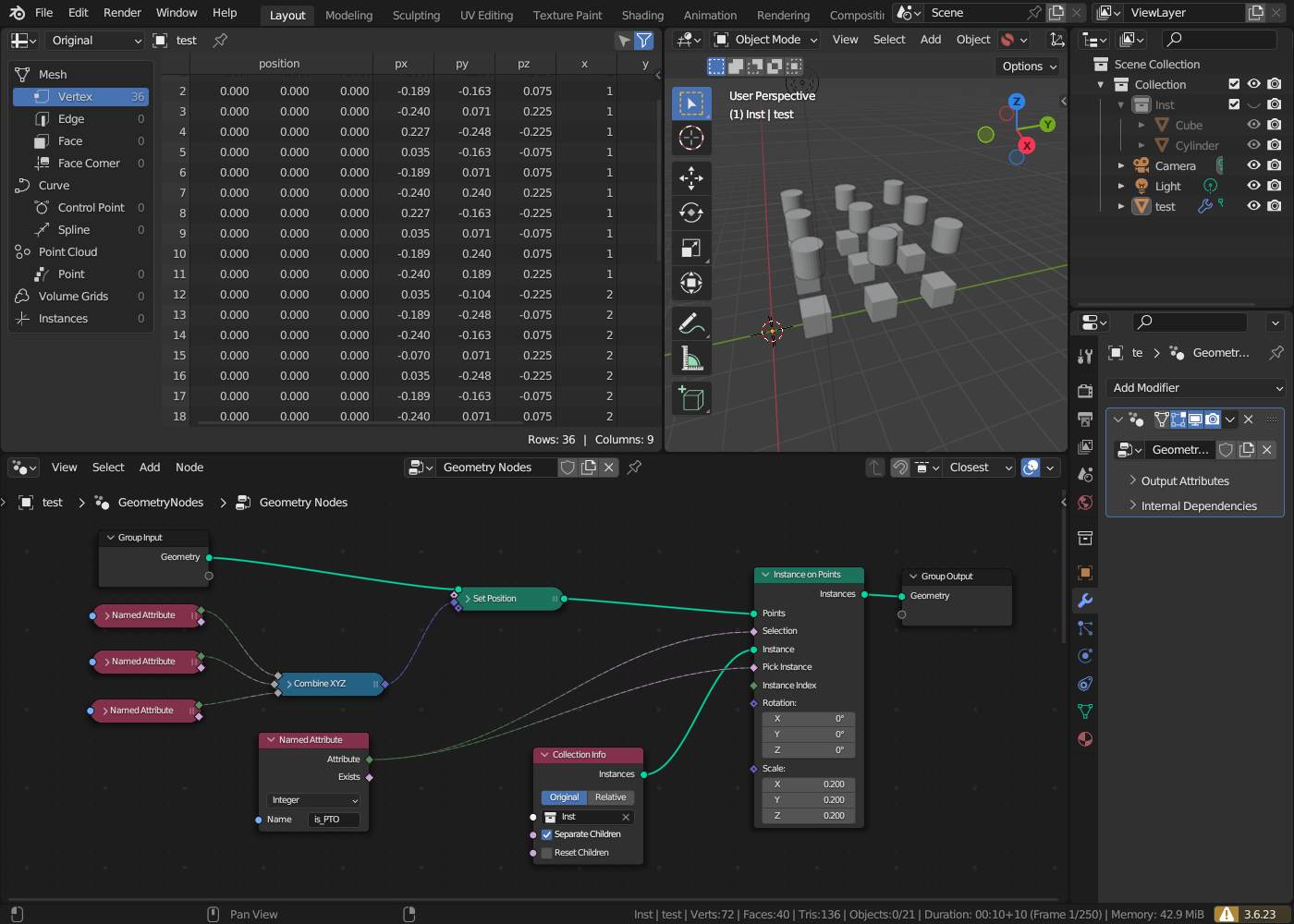
This tree doesn’t seem correct though
You need to use Instance Index input to pick instances based on integer value assigned to the points. And simply check Pick Instance for it to work. Don’t touch selection, because it will exclude points with 0 value completely.
The reason you are getting that red invalid link is that the Switch node set to Geometry cannot evaluate field data. Geometry streams exist as whole data containers rather than per-element fields, so you cannot branch entire geometry flows using a per-point attribute.
The standard, performant way to handle per-point variation in Blender is through the instance indexing pipeline. You don’t actually need the Switch or the Equal node at all, especially since your is_PTO attribute is already clean integer data with values of 0 and 1.
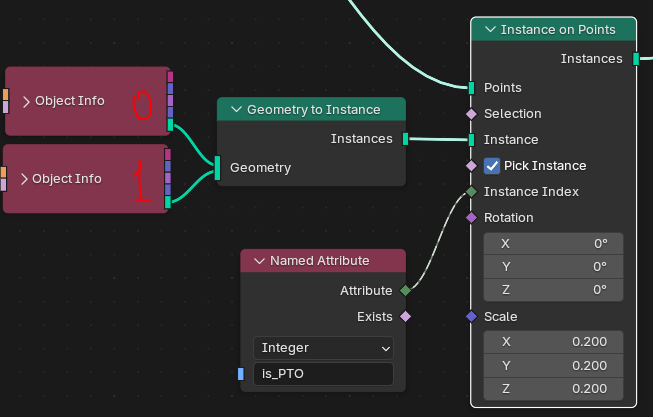
To set it up, grab your two source objects from the Object Info nodes and feed both of them into a Geometry to Instance node. This bundles them into a list where the first input is index 0 (your sphere) and the second is index 1 (your cylinder).
Connect the output of Geometry to Instance into the Instance socket of your Instance on Points node. Inside Instance on Points, make sure to check the Pick Instance box. This instructs Blender to treat the incoming geometry as an indexed list rather than instancing the entire combined set onto every single point.
Now all you have to do is take the attribute output from your Named Attribute node (is_PTO set to Integer) and plug it directly into the Instance Index input on the Instance on Points node. Every point with a value of 0 will spawn the sphere, and every point with a value of 1 will spawn the cylinder without breaking the field flow.