How to create a semi-transparent material based on a JPG texture?
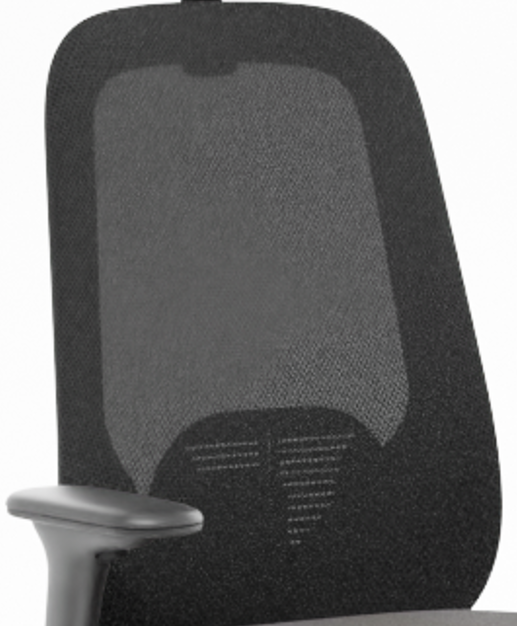
The JPG is a black mesh with large holes on top of a semi-transparent black mesh with smaller holes.
I would like to achieve an effect like in the image: Material_Black_Net_photo.png.
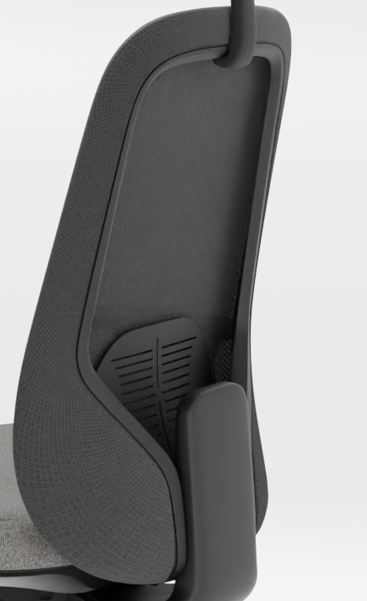
Currently, I have created materials based on the following JPG textures: 3124.jpg, 3124_normal.jpg, and 3124_bump.jpg, as shown in the screenshots from the Shader Editor. I’ve also attached draft renders: Render_draft_front and Render_draft_back.
At the moment, I created two separate materials applied to two overlapping objects, as shown in the screenshots: Material_Black.png and Material_Black_transparent.png, but the result is not satisfactory.
Have you tried using a color ramp when adjusting the bump map that you are using as an alpha map? And do you have alpha overlapping issues? Are you rendering in Cycles or Eevee?
You either have to add an alpha mask to the diffuse image ( you could use the Bump texture, which is actually better used as roughness, since it includes a normal map) in Gimp or PS setting the darkest Black as transparent color.
Or make it in Blender. I used the Base color, and set the color ramp from the COLOR of the diffuse texture, then added in the rest of the nodes as normal…
Thank you for your help, I set your node in the material and the effect is as in the renderer. The problem still remains that the mesh is more white, while it should be black.
Maybe as you say setting the darkest black as a transparent color in PS, making a new map in PS I will get a better result?
Do you mean that the diffuse texture is too light? You can darken it with either brightness/contrast, hue/saturation/value or rgb curves nodes. Or even just mix pure black in it with a color mix node.
Make sure you connected the Diffuse Texture directly to the Diffuse slot of the Principled BSDF. I used the diffuse you provided, so it should not be white. Also, there may be too much difference in your lighting from what I used, as I have only an HDRI for lighting, and you have a white background, which will make a difference in the scattering with the roughness setting.
As shown in the image attached above, alpha should be adjusted using a color lamp.
Transparency is adjusted according to the ratio of white, and if the area is small, it becomes overall translucent.
It is not accurately distinguished in the image, but I think it is one of the two reasons.
I added a new bump map, more black and white to increase the contrast. I duplicated the object and applied a plain black material with a slight transparency.
I was able to get the effect as shown in the screenshot. A material similar to a mesh type material? What do you think?