How can I change the reflection tint of the Coat layer?
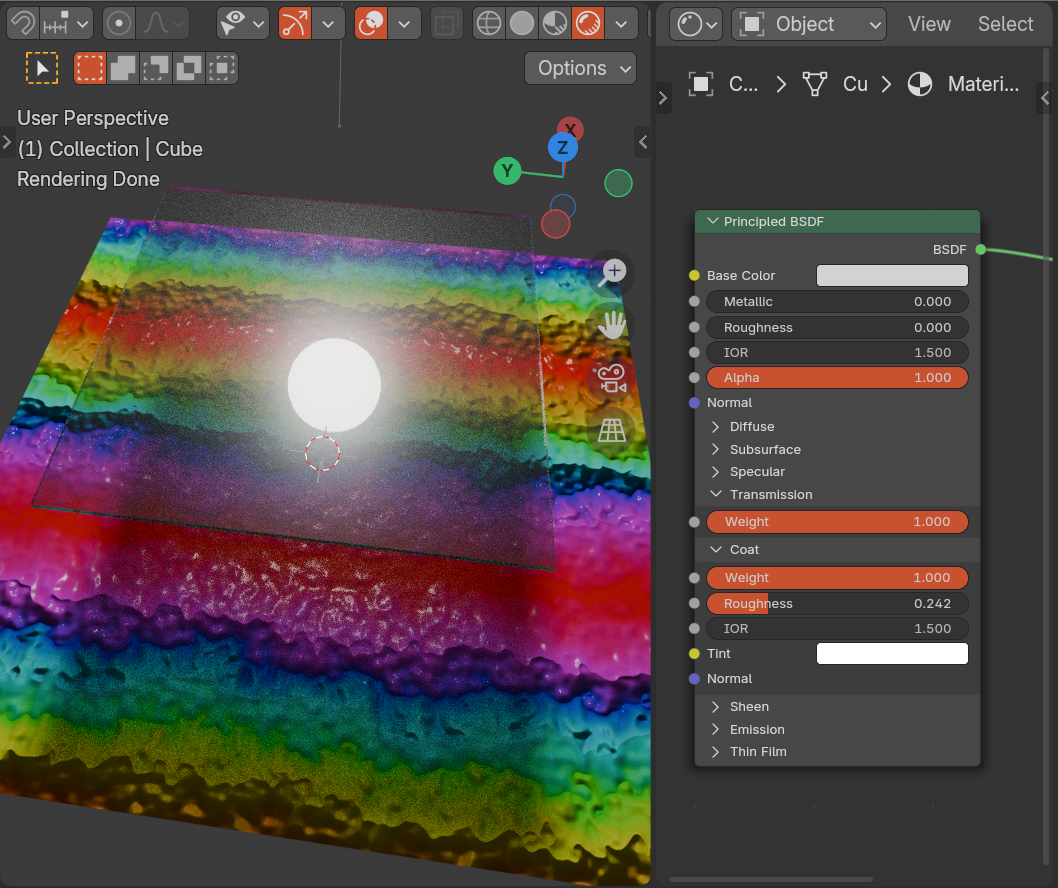
Context:
Currently, it is impossible to adjust the reflection tint (hue) of the Coat layer in the Principled BSDF.
I need a specific type of specular highlight. One with a clearly defined light source silhouette:
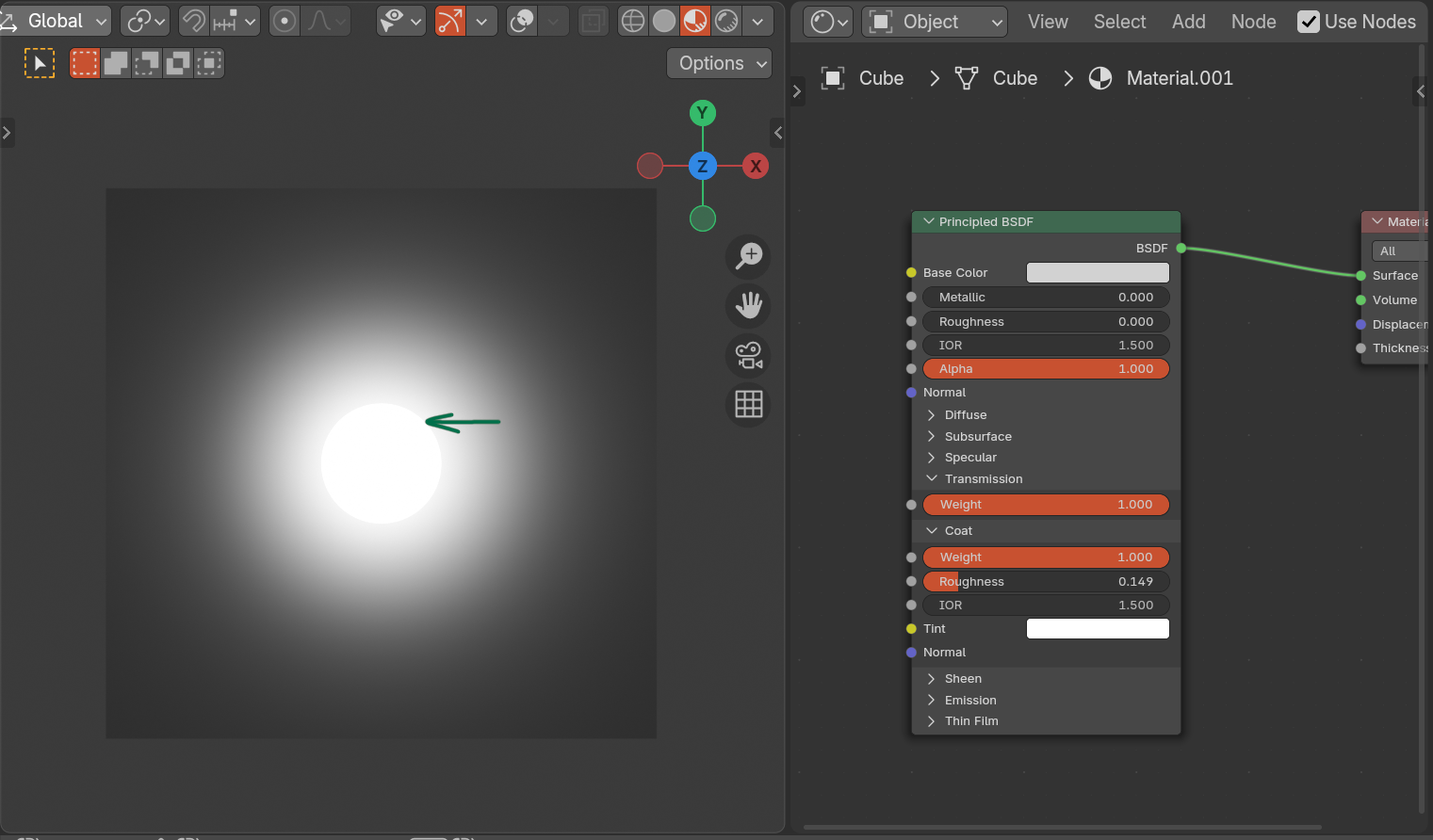
If I try to achieve a similar look using only the primary Roughness slider (without the Coat layer), the sharp edge of the light source disappears. It becomes completely blurred and smooth:

Furthermore, raising the primary Roughness completely ruins transparency—it blurs the transmission details of the glass. However, the primary layer does allow us to adjust the reflection hue via Specular Tint. For example, here the highlight tint is blue:
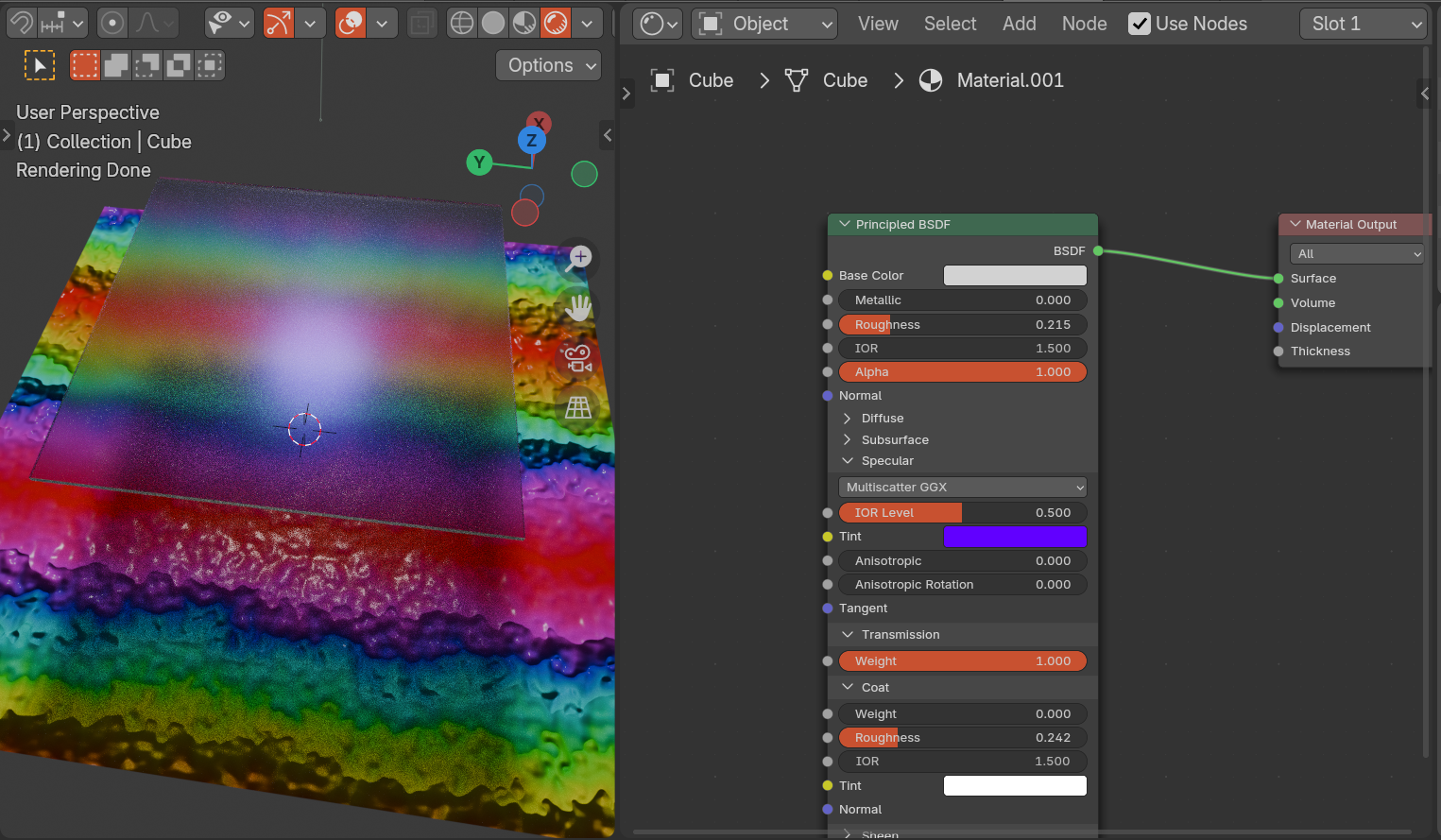
Being able to adjust the reflection tint of the Coat layer would completely solve my problem.
It would provide:
• perfectly transparent glass with crisp transmission details
• a specular reflection that simultaneously has a sharp, clear outline and a smooth outer blur

Unfortunately, changing the reflection tint of the Coat layer is currently not possible.
Is there perhaps a simple way to just give the second layer’s highlight the desired tint, what do you think? Otherwise, it feels like I’d have to crazily overcomplicate the shader just to achieve such a trivial task
Untitled.blend (99.8 KB)