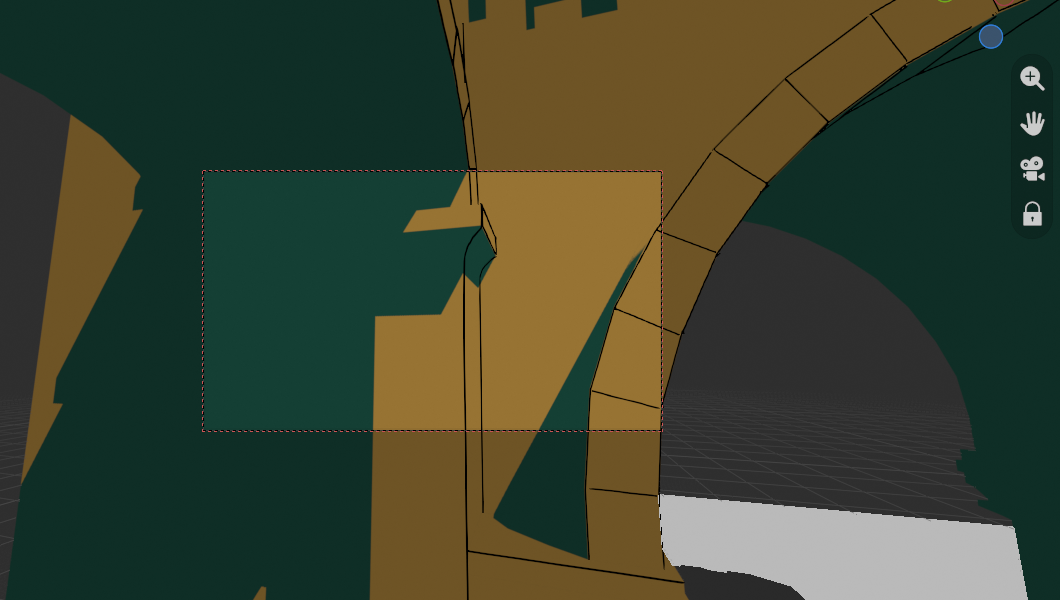
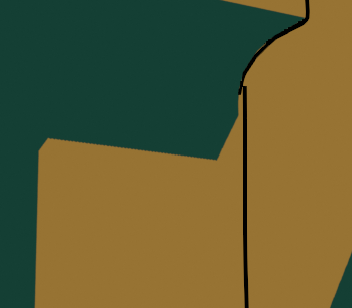
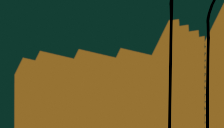
I’m currently working on a 3D animation project in Blender 5.2, using EEVEE as my render engine. I’m trying to achieve a Cel Shading / 2D-inspired 3D art style, but I’ve encountered a persistent jagged-edge issue along the boundary between the lit and shadowed areas of my objects.
Here is what happens:
In the viewport, when I zoom in, the light and shadow boundary looks relatively smooth.
However, after rendering, the boundary becomes noticeably jagged and pixelated.
When I move the camera closer to the object, the jagged edges become smaller and smoother, almost disappearing.
My current setup:
Blender version: 5.2
Render Engine: EEVEE
Lighting: Sun light
Sun Angle: 0°
Shadow filter: 0
Shadow resolution limit: 0
Main issue: Jagged edges along the light-shadow boundary on the object’s surface.
Has anyone experienced something similar? I’d really appreciate any explanations or suggestions on how to fix this while keeping the sharp, clean shadow boundaries required for a Cel Shading style. Ideally, I’d like the light-shadow transition in the final render to be as smooth as it appears when I zoom in within the viewport.
This is a common problem with the current Eevee version (since Blender 4.2) and one of the main reason people avoid it for cel shading.
The shadows in Eevee get a finer resolution the bigger they are on screen. This means that the shadow will get smoother if you approach it. However, the final render is done from far away and without this zoom, so you get the lower quality.
What render resolution are you using? Can you try changing it and see what it does to the shadow?
Have you changed the main shadow resolution slider in the render settings?
Are the objects modeled to real scale? Shadows might act weird if the meshes are tiny or huge.
–
Are you using a sun light or an other type? Sun light works different from the other types.
If it’s a sun light, the camera settings matter for the quality. Clip start / clip end will degrade the shadow if they are too broad. Focal length and sensor size can mess with the resolution adjustment system and allow you to see the pixels more easily if you pick extreme values.
If it’s a point / spot / area light, make sure it’s not really far away from the objects, shadow resolution degrades with distance because those lights spread out.
Best thing you can do is use Goo Engine, or go back to 4.1. The bug for this issue has been open for three years now as “Confirmed”. Doesn’t seem like it’ll be fixed anytime soon
This is hugely important, Check your clipping settings. Most people crank these up so they don’t have to think about them, but there is consequences to overly broad clipping.