clean reinstall didn’t work?
Hi! I seem to be having an issue where enabling the ZenUV addon makes rotating groups made with machin3tools rather stuttery. Not sure if this is an issue that has to do with either of the two add-ons but disabling ZenUV seems to resolve the issue. I’ve already reported it to the ZenUV team. I’ve managed to recreate the issue on two different devices, both clean are clean installs, using the latest version of both Blender and the addons.
See video: https://www.youtube.com/watch?v=TXtg2Ec9Emg
MACHIN3, I’m Alex from ZenUV team. Your addon is great and hope to have good cooperation without interference with each other. We debugged wthat is happening and problem is that you change scene inside depsgraph update handler which recursively calls handlers from other addons

We offer to put things that will trigger again the scene change into the queue

7 Likes
Thank you for investigating this, I’ll look into it as soon as possible.
6 Likes
I also have some problems with the transform gizmos when Machin3Tools (only Grouping) is turned on. Sometimes the gizmos stop to work and the selection tool seems to be called until I turn of the Addon.
It’s a bit hard to reproduce but it seems to happen more often when there are several scenes and linked libraries present. Here is a video demonstrating it:
is it just me or does Save Incremental no longer appear in the save pie? 
It’s you, it’s still there.
Strange, is there a way I can download 1.5 again to test it?
EDIT: Nevermind, it was because I had disabled the fbx addon
1 Like

MACHIN3tools Bevel Shader on DECALmachine panel decals
- per-object bevel shader radius modulation, by adjusting the parent object, not the panel decal itself
- bevel shader with coated materials
- support decal under/over coating
- support DM material overrides
3 Likes
Does anyone know of a script, paid or not, to unhide multiple objects from the outliner? afaik you can only unhide All, unless you want to put everything inside a Collection, and click the Eye icon for each collection you want to unhide…
Looking for this so that doing scene management via machin3tools’ groups could be more doable.
shift+click on eye of the parent object
2 Likes
That really helps @stger , thank you  Do you know if there is any way to bind that behaviour to a hotkey?
no idea, maybe https://blendermarket.com/products/zen-sets helps you?
Check out MACHIN3tools’ Select Hierarchy?
https://machin3.io/MACHIN3tools/docs/select/#select-hierarchy
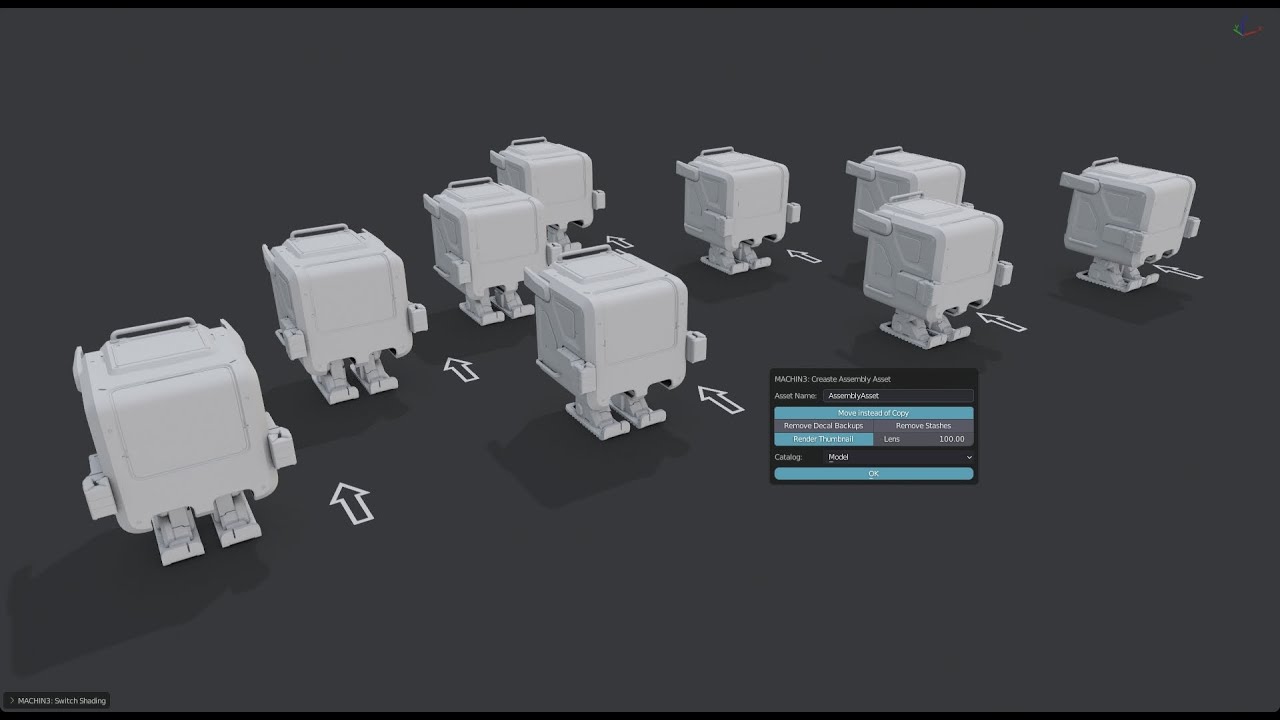
The save assembly asset feature is amazing and I find myself using it more and more for my asset library. However I cant figure out what is the proper way to edit already saved “asset”? Lets say I need to change the pivot.
Is the proper way to just jump into the assetlib file → tab to “assemble instance collection” to basically break the assetlib file and then save it again as a “new” assembly asset?
I hope this makes sense  thanks
Thank you for your input @MACHIN3 , but afaik that function cannot be used when in the Outliner to unhide a selected parent & children (though it can do so when in the viewport, as your YT vid shows).
Why do you insist on doing it in the outliner?
You could do that yes. You can also go to the blend file the asset is stored in. With the MACHIN3tools Filebrowser tools activated you can use the O and ALT + O keys in the asset browser to open the folder of an asset blend, or the blend itself in a new Blender instance. You can then look for the Collection of the asset and edit the contents.
I’m gonna take another look at this very soon as it also relates to HyperCursor.
1 Like
Thanks, The things is that even in that asset blend file once it’s saved as “asset” It shows like this in the outliner

So I cant edit it unless I do this
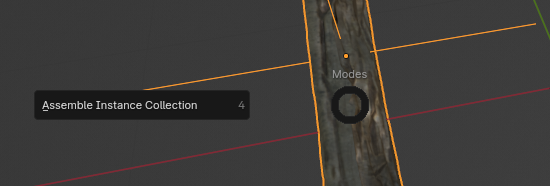
but that breaks the asset link as far as I know so if I want to update the asset I have to resave it as a new asset and delete the old one 
Because it’s more convenient, afaik. The outliner is the go-to place for scene management. I might be thinking stubbornly about what I believe are best practices though.
Say I’m working on videogame assets, managing my HP and LP, and I don’t work with the group empties visible, for less visual clutter in my scene. I’m constantly showing or hiding in the outliner each group depending on what I work on. To do this…
-
I click on the LP / HP root in the outliner…
-
…and hide it (& its children) with the press of a button.
Likewise, if I wish to unhide sth, I would do the same, and press a button.
Afaik, currently to do this unhide op when using groups, there are 2 ways: just shift+click the eye icon in the outliner (seems to be more convenient), or, using your tool, click the group in the outliner, then drag the mouse to the 3D scene, then activate your tool.
I think the main advantage of your tool is to quickly select an obj + cutter objs to move everything, in a group or not, which can be more convoluted to do otherwise.
1 Like