OK, right to it…
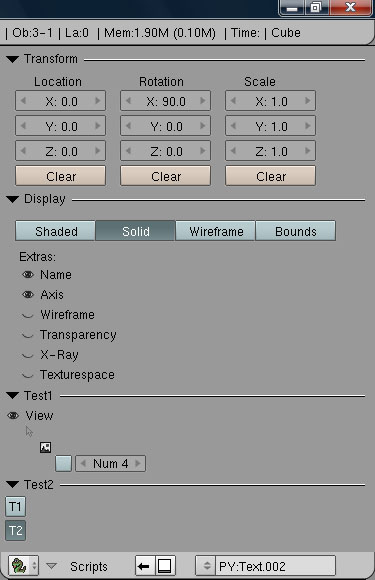
Got a fair bit of the clean-up I wanted done. Then decided to throw caution to the wind and start adding controls to my test script. Only had one minor issue to fix. The other 99% worked right out of the gate if I do say so myself.
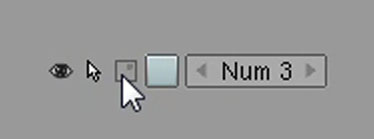
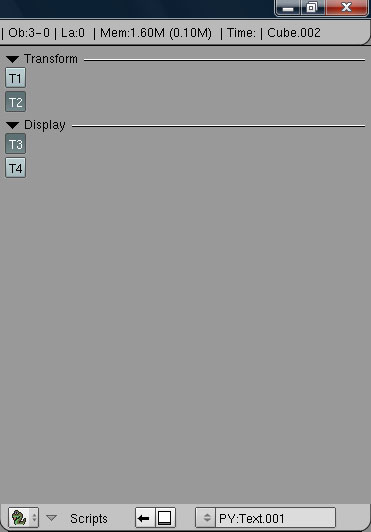
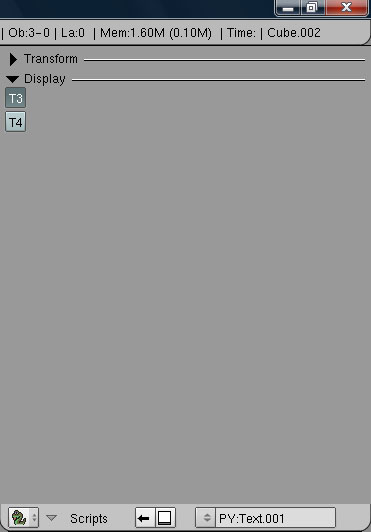
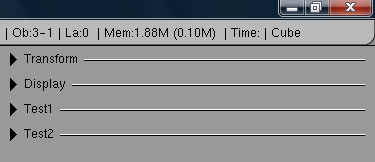
Here is my test UI (I need a proper Checkbox but for now the “Outliner Eye” will do as a stand-in:
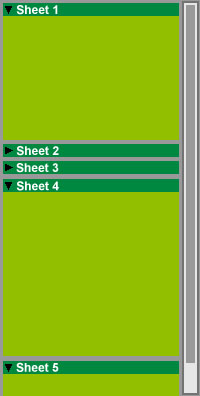
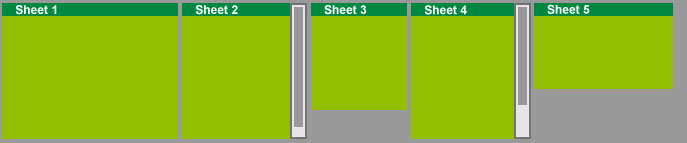
At this point I’m ready to start the auto-scrollbar implementation. And probably should. But what I REALLY want to do is code the auto-layout (H vs V) features. Ah well, I’ll try to resist that temptation for now and stick with scrolling.
def gui():
	global testIcons1
	global sheets, transform_butons, display_butons
	global buttons

	sheets[0] = DrawX.Sheet("Transform", 1111, sheets[0].val, "Transform Widgets")

	x = 10
	DrawX.Label("Location", x+15, 5, 60, 10)
	transform_buttons[0] = DrawX.Number("X:", 100, x, 20, 90, 20, transform_buttons[0].val, -10000.0, 10000.0, "Location X")
	transform_buttons[1] = DrawX.Number("Y:", 101, x, 45, 90, 20, transform_buttons[1].val, -10000.0, 10000.0, "Location Y")
	transform_buttons[2] = DrawX.Number("Z:", 102, x, 70, 90, 20, transform_buttons[2].val, -10000.0, 10000.0, "Location Z")
	transform_buttons[3] = DrawX.PushButton("Clear", 103, x, 95, 90, 20, "Clear Location")

	x = 115
	DrawX.Label("Rotation", x+15, 5, 60, 10)
	transform_buttons[4] = DrawX.Number("X:", 200, x, 20, 90, 20, transform_buttons[4].val, -10000.0, 10000.0, "Rotation X")
	transform_buttons[5] = DrawX.Number("Y:", 201, x, 45, 90, 20, transform_buttons[5].val, -10000.0, 10000.0, "Rotation Y")
	transform_buttons[6] = DrawX.Number("Z:", 202, x, 70, 90, 20, transform_buttons[6].val, -10000.0, 10000.0, "Rotation Z")
	transform_buttons[7] = DrawX.PushButton("Clear", 203, x, 95, 90, 20, "Clear Rotation")

	x = 220
	DrawX.Label("Scale", x+15, 5, 60, 10)
	transform_buttons[8] = DrawX.Number("X:", 300, x, 20, 90, 20, transform_buttons[8].val, -10000.0, 10000.0, "Scale X")
	transform_buttons[9] = DrawX.Number("Y:", 301, x, 45, 90, 20, transform_buttons[9].val, -10000.0, 10000.0, "Scale Y")
	transform_buttons[10] = DrawX.Number("Z:", 302, x, 70, 90, 20, transform_buttons[10].val, -10000.0, 10000.0, "Scale Z")
	transform_buttons[11] = DrawX.PushButton("Clear", 303, x, 95, 90, 20, "Clear Scale")

	sheets[1] = DrawX.Sheet("Display", 2222, sheets[1].val, "Display Widgets")

	#Draw.BeginAlign()
	display_buttons[0] = DrawX.Toggle("Shaded", 500, 10, 10, 80, 20, display_buttons[0].val)
	display_buttons[1] = DrawX.Toggle("Solid", 501, 90, 10, 80, 20, display_buttons[1].val)
	display_buttons[2] = DrawX.Toggle("Wireframe", 502, 170, 10, 80, 20, display_buttons[2].val)
	display_buttons[3] = DrawX.Toggle("Bounds", 503, 250, 10, 80, 20, display_buttons[3].val)
	#Draw.EndAlign()

	DrawX.Label("Extras:", 10, 40, 60, 10)
	#DrawX.Checkbox...
	display_buttons[4] = DrawX.ImageButton("Name", 510, testIcons1, 15, 55, 16, 16, 2, display_buttons[4].val, 0, 0)
	display_buttons[5] = DrawX.ImageButton("Axis", 511, testIcons1, 15, 75, 16, 16, 2, display_buttons[5].val, 0, 0)
	display_buttons[6] = DrawX.ImageButton("Wireframe", 512, testIcons1, 15, 95, 16, 16, 2, display_buttons[6].val, 0, 0)
	display_buttons[7] = DrawX.ImageButton("Transparency", 513, testIcons1, 15, 115, 16, 16, 2, display_buttons[7].val, 0, 0)
	display_buttons[8] = DrawX.ImageButton("X-Ray", 514, testIcons1, 15, 135, 16, 16, 2, display_buttons[8].val, 0, 0)
	display_buttons[9] = DrawX.ImageButton("Texturespace", 515, testIcons1, 15, 155, 16, 16, 2, display_buttons[9].val, 0, 0)

	sheets[2] = DrawX.Sheet("Test1", 3333, sheets[2].val, "Test1 Widgets")

	buttons[0] = DrawX.ImageButton("View", 111, testIcons1, 0, 0, 16, 16, 2, buttons[0].val, 0, 0)
	buttons[1] = DrawX.ImageButton("", 222, testIcons1, 16, 16, 16, 16, 2, buttons[1].val, 16, 0)
	buttons[2] = DrawX.ImageButton("", 333, testIcons1, 32, 32, 16, 16, 2, buttons[2].val, 32, 0)
	buttons[3] = DrawX.Toggle(" ", 444, 50, 48, 16, 16, buttons[3].val, "My test Toggle")
	buttons[4] = DrawX.Number("Num", 555, 70, 48, 70, 16, buttons[4].val, 0, 4, "My test Number")

	sheets[3] = DrawX.Sheet("Test2", 4444, sheets[3].val, "Test2 Widgets")

	buttons[5] = DrawX.Toggle("T1", 223, 0, 0, 20, 20, buttons[5].val)
	buttons[6] = DrawX.Toggle("T2", 234, 0, 24, 20, 20, buttons[6].val)