[ Update 19 dec 2022:
Now the parenting is made comparing the bone’s center with the geometrical center of the objects, instead of the bone’s head vs object origin. This solves many problems of the former method, when more than one bone share the same head position. I changed the text below to reflect this.]
Hi!
I made this very simple addon to aid in mechanical rigging: Parent Object to Nearest Bone.
It works like this. Suppose you are to rig a robot made of many rigid and undeforming parts, each a separate object.
The best way to rig this would be to parent each object to a different bone in your armature, but you will have to:
select one bone in pose mode.
switch to object mode
deselect
select the object to parent
shift select the Armature
hit Ctl+P (Parent menu) and choose “Bone”
repeat all of the above for each object and bone to parent
This is very time consuming.
With this addon you can:
Select ALL your objects at once (using lasso, for example)
shift select the armature to make it active object
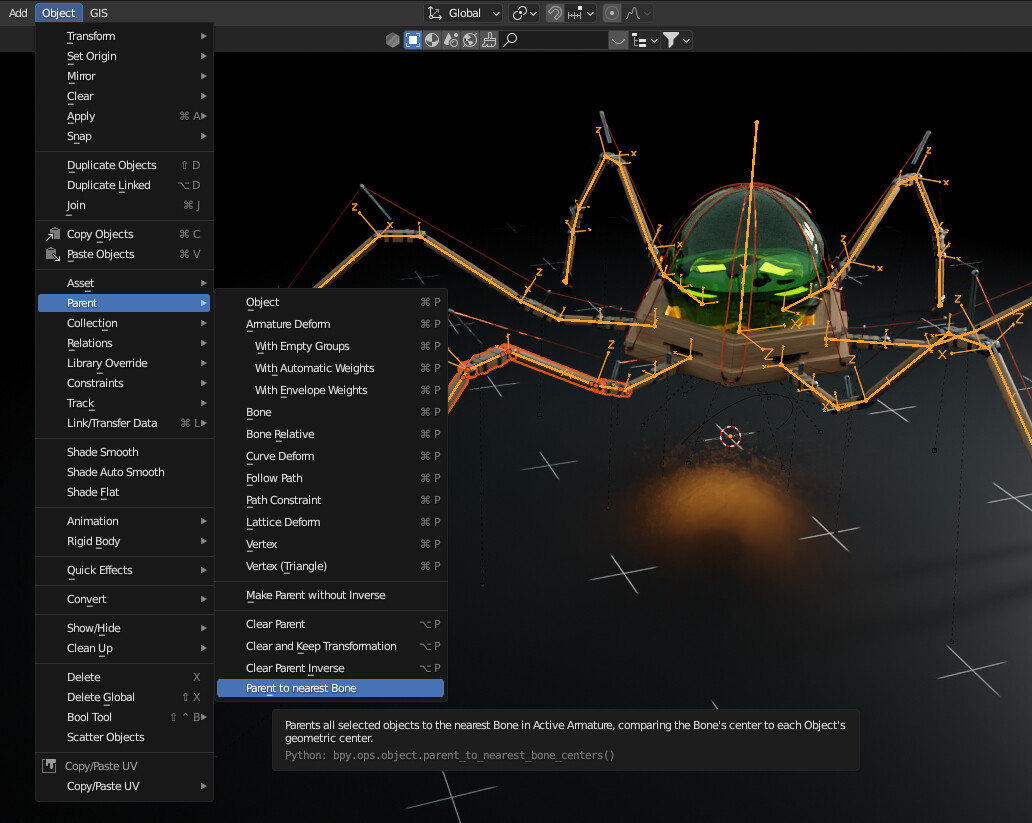
Goto the menu Object–>Parent–>Parent to nearest Bone
And voilá, the script parents each object to the nearest available bone in your Armature
Notes:
The script compares the geometric center of the object (not the origin or the pivot point) with the center of the bone. This worked flawlessly on all the tests I did. If you find an issue, please tell me.
The operator is in the Object–>Parent menu, I couldn’t find a way to make it appear in the CTL+P menu. If you know how to do it, and want to help, please tell me
This addon was inspired in a request by the awesome Polyfjord in this tutorial. Go watch his stuff, he’s a wonderful artist.
DISCLAIMER: I’m not a developer, just a user with limited scripting skills. This may have errors, or stuff not done properly. If you have an idea to improve it please tell me.
I’m releasing a new version. Now the detection is being done using the bone center instead of the head, to avoid the “bones sharing head” problem, and the geometric center of the object, instead of the Origin. I’ll upload it soon and update this post accordingly.
import bpy

# Define the custom menu class
class OBJECT_MT_custom_parent_set_menu(bpy.types.Menu):
    bl_label = "Custom Parent Set Menu"
    bl_idname = "OBJECT_MT_custom_parent_set_menu"

    def draw(self, context):
        layout = self.layout
        # Add Hello World label
        layout.label(text="Hello World")
        # Add "object.parent_set" operator to the menu
        layout.operator_enum("object.parent_set", "type")

# Define the operator to show the menu via a shortcut
class OBJECT_OT_show_custom_menu(bpy.types.Operator):
    bl_idname = "object.show_custom_menu"
    bl_label = "Show Custom Menu"

    def execute(self, context):
        bpy.ops.wm.call_menu(name=OBJECT_MT_custom_parent_set_menu.bl_idname)
        return {'FINISHED'}

# Register the operator and menu
def register():
    bpy.utils.register_class(OBJECT_MT_custom_parent_set_menu)
    bpy.utils.register_class(OBJECT_OT_show_custom_menu)
    # Add shortcut to keymap
    wm = bpy.context.window_manager
    km = wm.keyconfigs.addon.keymaps.new(name="Object Mode", space_type="EMPTY")
    kmi = km.keymap_items.new("object.show_custom_menu", 'P', 'PRESS', ctrl=True)

def unregister():
    bpy.utils.unregister_class(OBJECT_MT_custom_parent_set_menu)
    bpy.utils.unregister_class(OBJECT_OT_show_custom_menu)
    # Remove the shortcut from keymap
    wm = bpy.context.window_manager
    km = wm.keyconfigs.addon.keymaps.get("Object Mode")
    if km:
        for kmi in km.keymap_items:
            if kmi.idname == "object.show_custom_menu":
                km.keymap_items.remove(kmi)
                break

if __name__ == "__main__":
    register()
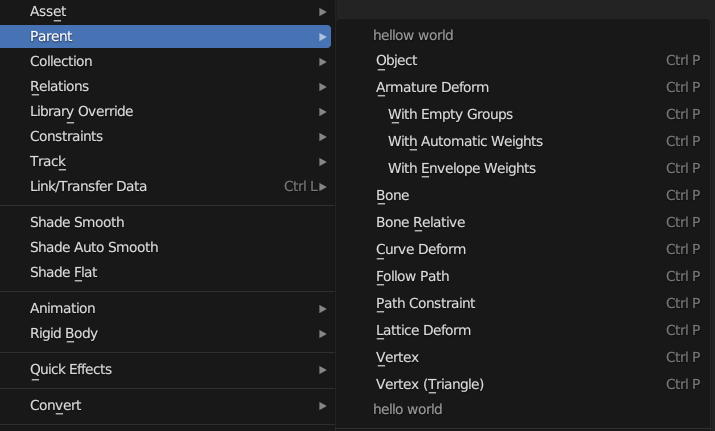
Does this method work?
This is a way to create a new CTRL+P operator menu and override it.
On second thought, it would have been simpler to call Menu directly…
import bpy

# Define the custom menu class
class OBJECT_MT_custom_parent_set_menu(bpy.types.Menu):
    bl_label = "Custom Parent Set Menu"
    bl_idname = "OBJECT_MT_custom_parent_set_menu"

    def draw(self, context):
        layout = self.layout
        # Add Hello World label
        layout.label(text="Hello World")
        # Add "object.parent_set" operator to the menu
        layout.operator_enum("object.parent_set", "type")

# Register the menu and add the shortcut to the keymap
def register():
    bpy.utils.register_class(OBJECT_MT_custom_parent_set_menu)
    # Add shortcut to keymap
    wm = bpy.context.window_manager
    km = wm.keyconfigs.addon.keymaps.new(name="Object Mode", space_type="EMPTY")
    kmi = km.keymap_items.new("wm.call_menu", 'P', 'PRESS', ctrl=True)
    kmi.properties.name = "OBJECT_MT_custom_parent_set_menu"

def unregister():
    bpy.utils.unregister_class(OBJECT_MT_custom_parent_set_menu)
    # Remove the shortcut from keymap
    wm = bpy.context.window_manager
    km = wm.keyconfigs.addon.keymaps.get("Object Mode")
    if km:
        for kmi in km.keymap_items:
            if kmi.idname == "wm.call_menu" and kmi.properties.name == "OBJECT_MT_custom_parent_set_menu":
                km.keymap_items.remove(kmi)
                break

if __name__ == "__main__":
    register()