Check About This:
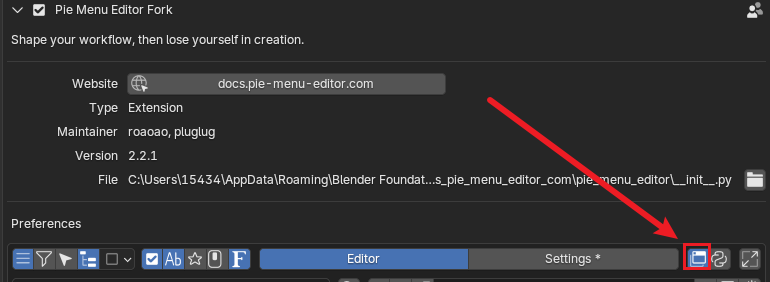
Can Create Buttons on Headers
1 Like
Consider providing users acess of changing the color of the heading line?(blue is fine but i really prefer gray,Hahaha)
1 Like
That’s a nice, compact layout!
You can replace the default Topbar UI as shown in the video. PME’s standard UI extension feature adds content before or after the existing layout, so removing the default UI requires a Python monkey patch.
Save the following script as startup/my_header_patch.py inside Blender’s user scripts directory. This is separate from PME’s scripts/autorun/ folder.
# C:/Users/myname/AppData/Roaming/Blender Foundation/Blender/5.2/scripts/startup/my_header_patch.py

from bl_ui.space_topbar import TOPBAR_HT_upper_bar

_original_left = None
_original_right = None


def patched_draw_left(self, context):
    # Add your custom layout for the left side here.
    # Leave this as pass if you want to add the UI through PME.
    pass


def patched_draw_right(self, context):
    # Add your custom layout for the right side here.
    # Leave this as pass if you want to add the UI through PME.
    pass


def register():
    global _original_left, _original_right

    if _original_left is not None:
        return

    _original_left = TOPBAR_HT_upper_bar.draw_left
    _original_right = TOPBAR_HT_upper_bar.draw_right

    TOPBAR_HT_upper_bar.draw_left = patched_draw_left
    TOPBAR_HT_upper_bar.draw_right = patched_draw_right


def unregister():
    global _original_left, _original_right

    if TOPBAR_HT_upper_bar.draw_left is patched_draw_left:
        TOPBAR_HT_upper_bar.draw_left = _original_left

    if TOPBAR_HT_upper_bar.draw_right is patched_draw_right:
        TOPBAR_HT_upper_bar.draw_right = _original_right

    _original_left = None
    _original_right = None
After restarting Blender, the default content on both sides of the Topbar will no longer be drawn. You can then use PME to add your own UI to either side. UI added by other add-ons through append() / prepend() will remain.
You can find the original UI implementation in scripts/startup/bl_ui/space_topbar.py, included with Blender:
bl_ui/space_topbar.py
If you need help arranging the UI into a compact layout like the one in the video, feel free to ask!
1 Like
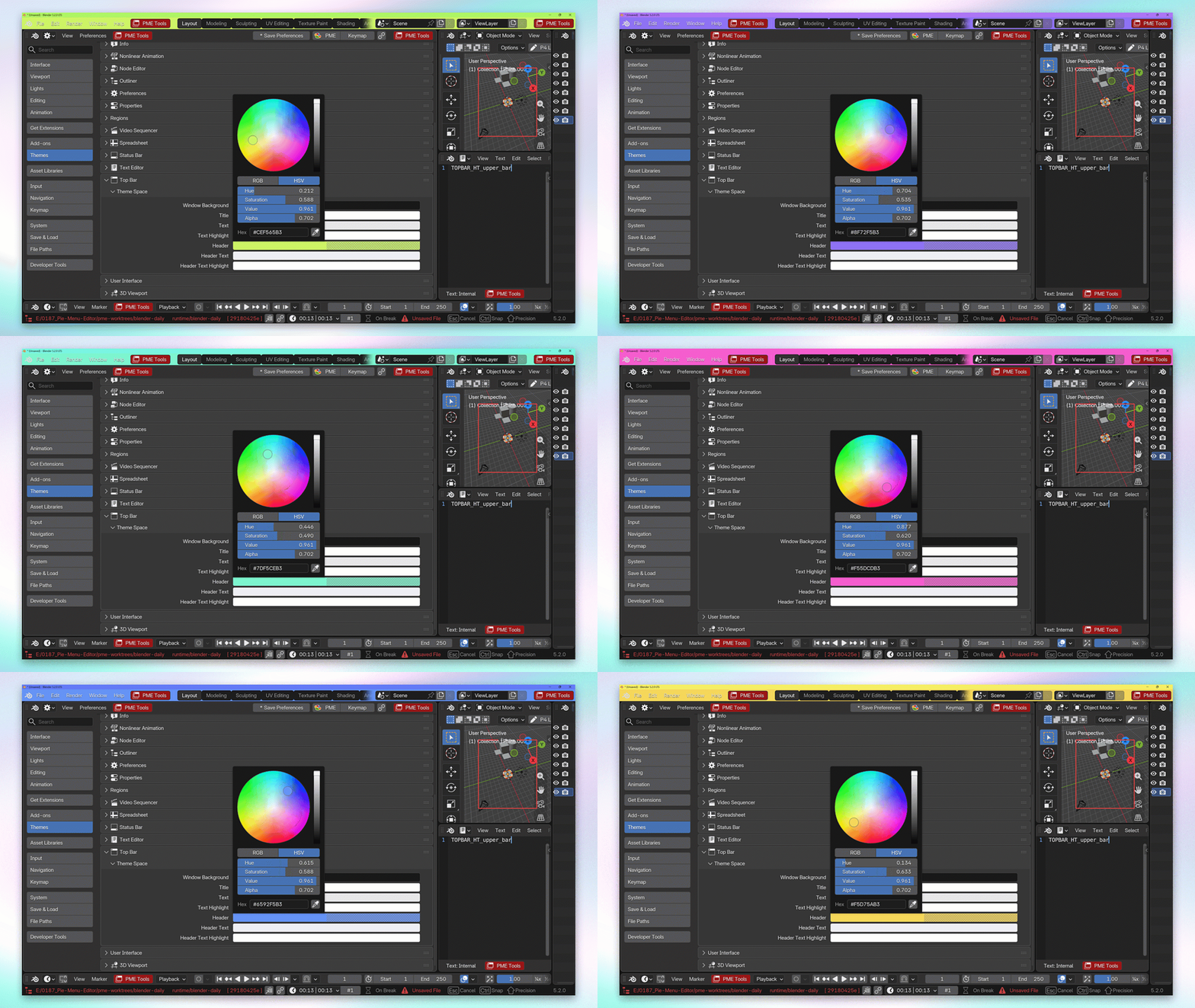
Hi! Blender widget colors are generally configured in Preferences > Themes. You usually can’t set colors individually for each widget.
This might be the property you’re looking for. Changing the color based on status could be a nice idea:
C.preferences.themes['Default'].topbar.space.header
Custom GPU drawing doesn’t have that limitation, so FloatingPanel command buttons currently support custom background colors.
Me again!
I just checked one of an old macro and found this error message:


and error log
AttributeError: bpy_struct: attribute “TRANSFORM_OT_shrink_fatten” from “MESH_OT_extrude_region_shrink_fatten” is read-only
PME Macro unavailable: Macro “create float_panel_edge_macro” was not registered
i didn’t touch this macro in years (maybe that’s the issue)
blender seems stopping on the first operation so not the py file causing it (that py does not contains any shrink fatten op):
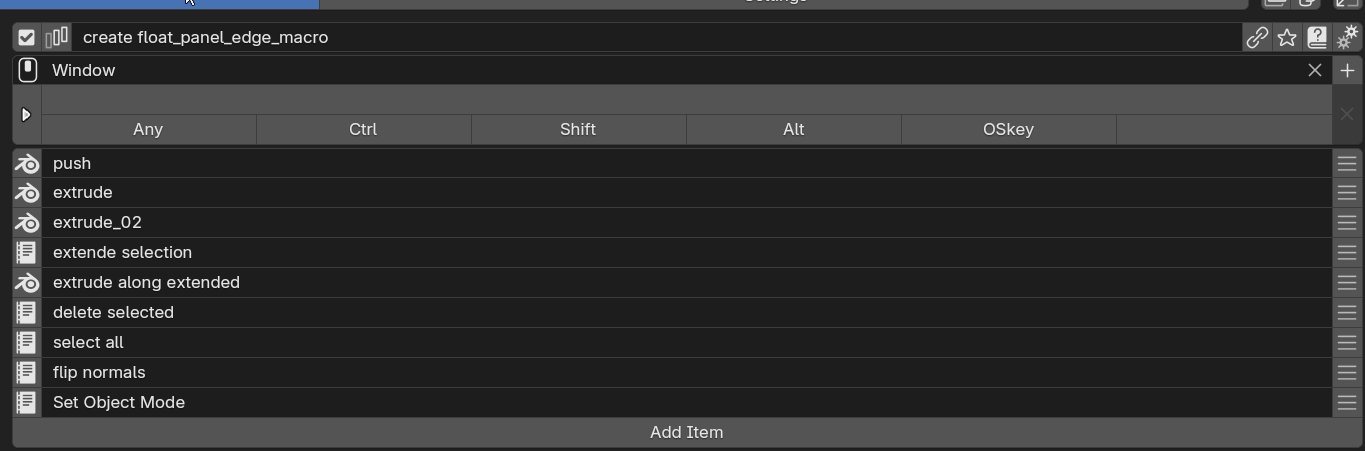
tbh this is a very dummy little macro, i’m more curious why i have that error message in PME, and how can i fix errors like this in the future?
Thank You for the answer in advance!
Thanks for reporting this! Could you export both the parent and child macros shown in your screenshots as JSON and share them here? Please also let me know which versions of Blender and PME you’re using.
Even if the external .py file doesn’t contain that operation, an extrude operation in the macro may use shrink_fatten internally. The issue might be in how PME handles those settings, so I’d like to check the saved commands and parameters.
bug_20261026.zip (7.1 KB)
One json with the parent child macro, and a txt with the versions (Blender 5.2.0 LTS), PME 2.2.0)
Didn’t attach the py file, but let me know if You need it, just some old rubbish 
1 Like
Thanks very much for the details! I’ve looked into it and confirmed that it’s a bug in PME. Sorry for the trouble.
The fix will be included in the next release. Please do let me know if you spot anything else!
2 Likes
Pie Menu Editor Fork 2.3.0 Release
- Improved Vector Menu and Floating Panel performance, especially in projects with heavy rendering workloads and when dragging across multiple controls.
- Added Expand to Vector Menu to the Vector Slot Menu, making it easier to turn an existing item into a submenu and edit it.
- Added script editing from the Slot Editor and script management in Settings and the Text Editor.
- Removed the Beta label from Floating Panel, and improved embedded panel display and interaction.
- Improved menu reference tracking and export, along with other editing and bug fixes.
See the full changelog for details.
1 Like
I noticed that the new feature supports quickly providing sub-items for the Vector Menu. This is very convenient and great. I think a similar function could also be provided for the Pie menu, which would be very helpful.
2 Likes
Thanks for noticing the new feature! I’m glad you find it useful. Linking menus together is central to how Vector Menus work, so this shortcut felt essential. I can see how it would be helpful for Pie Menus too. I’m still thinking about how broadly to apply it, though—I’d like to keep the basic interface simple.
Your suggestion also got me thinking: what if there were a few quick-add options, such as “Create a submenu,” that let you get started without having to configure everything in the Slot Editor? They could help new users discover what they can do, while saving experienced users a few steps.
What do you think of that approach?
3 Likes
Yes please!
2 Likes
Yes, this will be very helpful. The process of creating a new Pie menu and assigning it to the main menu involves too many search steps, and this is not just for the Pie Menu. The same applies to assigning a Menu to a Button and then expanding it.
2 Likes
Nice addon!
2 Likes
It’s ready. It will be available in the next release.
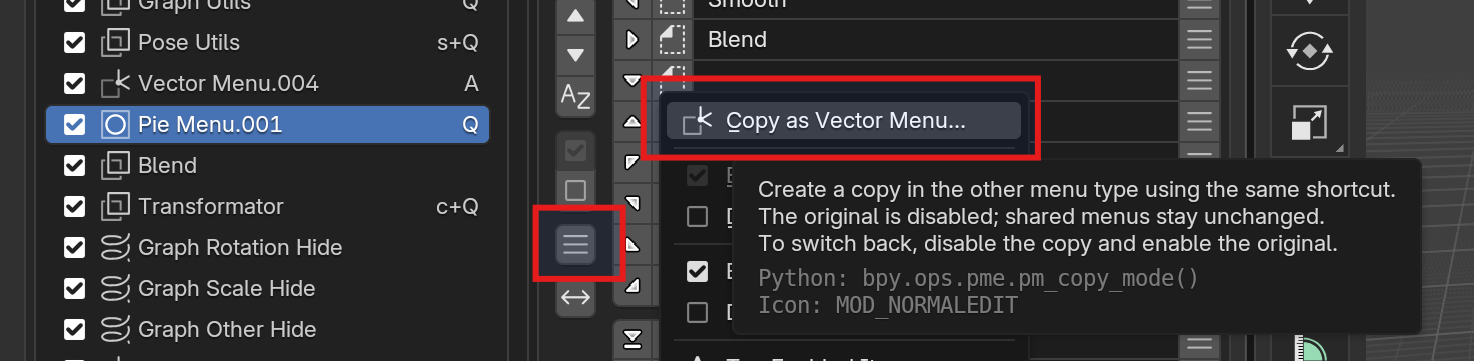
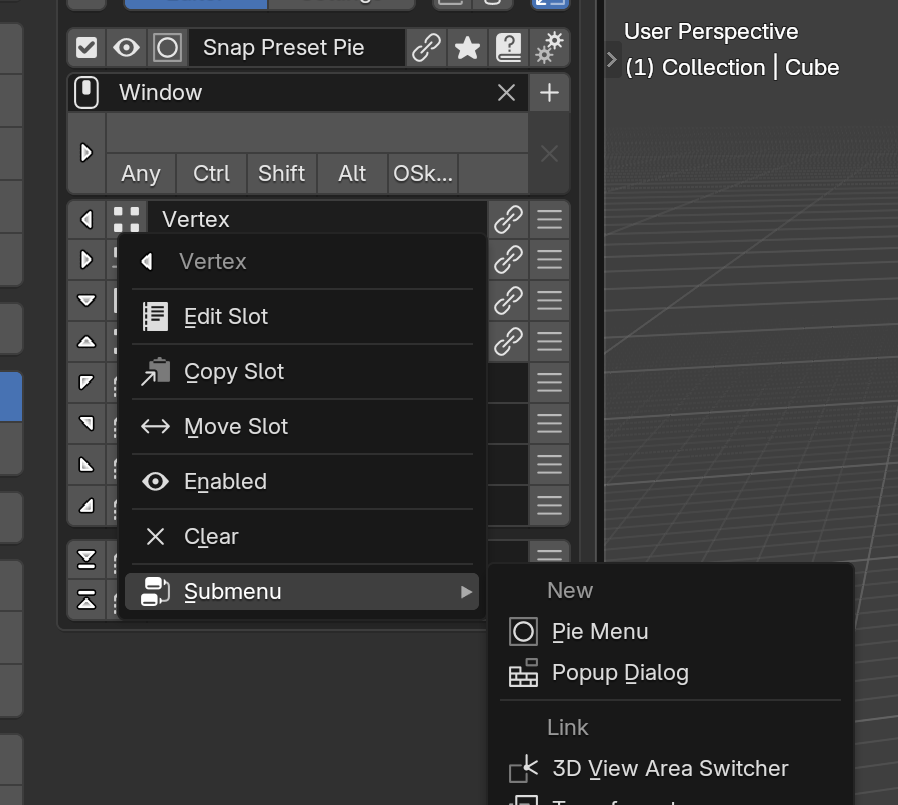
This is also done. For now, I’ve kept it focused on creating and linking submenus. Other quick-add presets are on hold while I figure out which ones would be most useful.
2 Likes
Pie Menu Editor Fork 2.3.1 Release
- Added conversion between Pie Menus and Vector Menus, and between Popup Dialogs and Floating Panels, preserving existing menu items in the converted copy.
- Added Submenu to the item menu for creating and linking child menus.
- Improved Sticky Key and Stack Key interaction within Vector Menus, allowing continued operation without closing the menu.
- Improved Vector Menu and Floating Panel performance when updating values, icons, and control states.
- Fixed embedded list scrollbars, editor row alignment, and returning to the original tab when using Addon Tabs.
See the full changelog for details.
1 Like