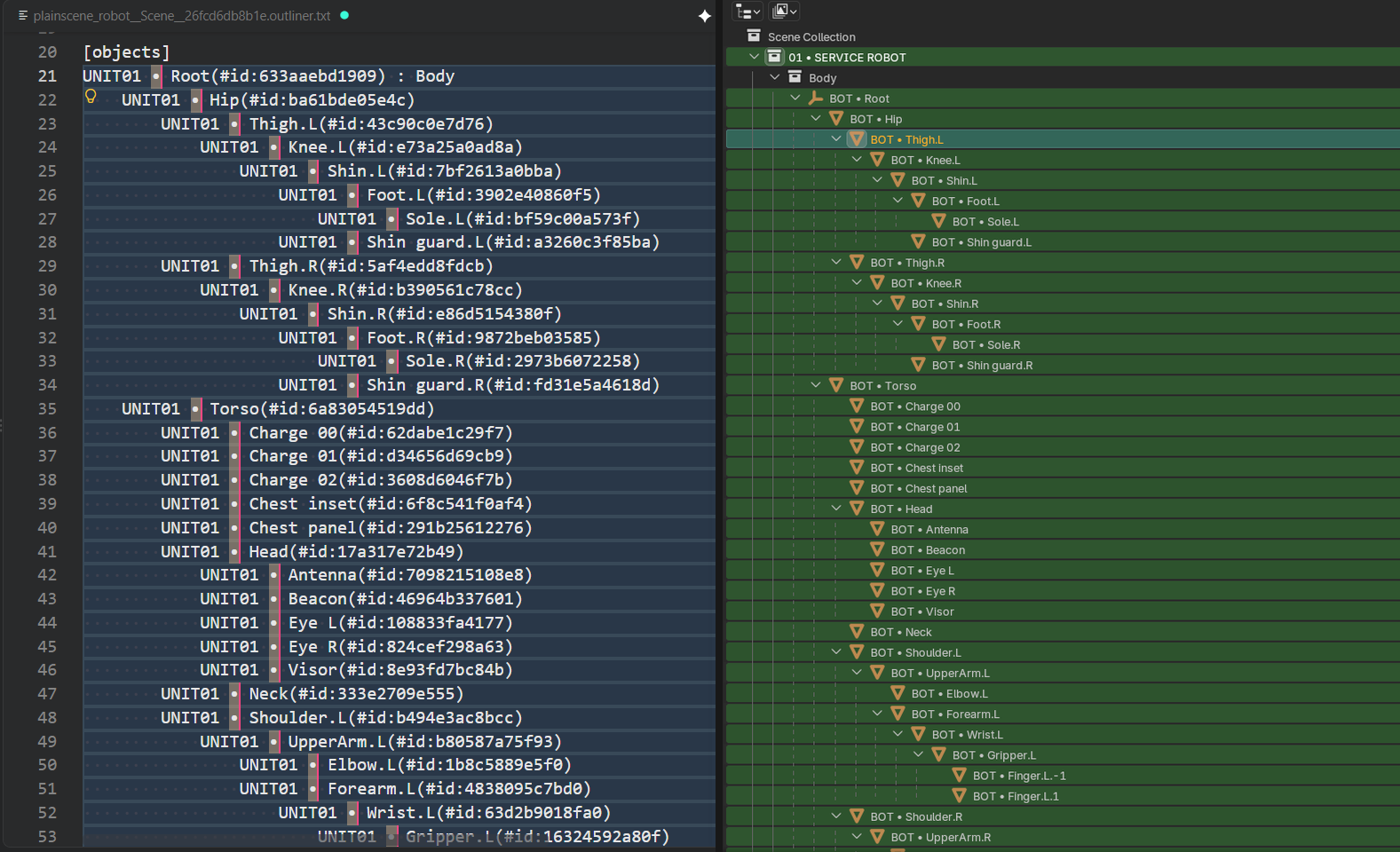
Plainscene writes the outliner out as an indented text file, opens it in the editor you already use, and applies your changes when you save.
Working in the outliner always frustrated me. I wanted to do that part in the text editor I use every day, and make renaming and moving things simple. That is why I made this.
What it does
- Rename many objects at once — multi-cursor, find & replace, regex
- Reparent a whole branch — Shift+Tab / Tab on a selection
- Change collection membership — edit one line, everything under it follows
- Bone hierarchies and bone collections, in the same format
- Works with any text editor. A VS Code extension is included (highlighting, folding, hints) but it is optional
What it will not do
- Rewrite your file on its own. When the scene changes, the panel tells you and waits
- Silently overwrite. Saving an out-of-date file stops as a conflict, and you choose which side wins
- Apply text it cannot read. It is held, and nothing changes
- Add or delete objects. That stays in Blender, on purpose
Details
- Blender 4.2 or later, tested on 5.2
- GPL-3.0-or-later, full source included
- Launch price $14.25 (25% off) until October 14, then $19
Superhive: https://superhivemarket.com/products/plainscene
Gumroad: https://kijitora.gumroad.com/l/plainscene/LAUNCH25
Parts of the code were written with an AI coding assistant, then reviewed, tested and integrated by hand. It went through six rounds of independent review by a separate AI model before release.
Questions are welcome here. Bug reports and feature requests: support@kijitora.dev