Hi everyone,
As my library of addons grew over the years, managing them through Blender’s default Preferences window became a constant friction point.
Finding a specific tool in a flat alphabetical list takes too much time. Newly downloaded addons get lost in the crowd if you don’t memorize their exact names. And constantly breaking your creative flow just to open Preferences to toggle a tool or an asset library is exhausting.
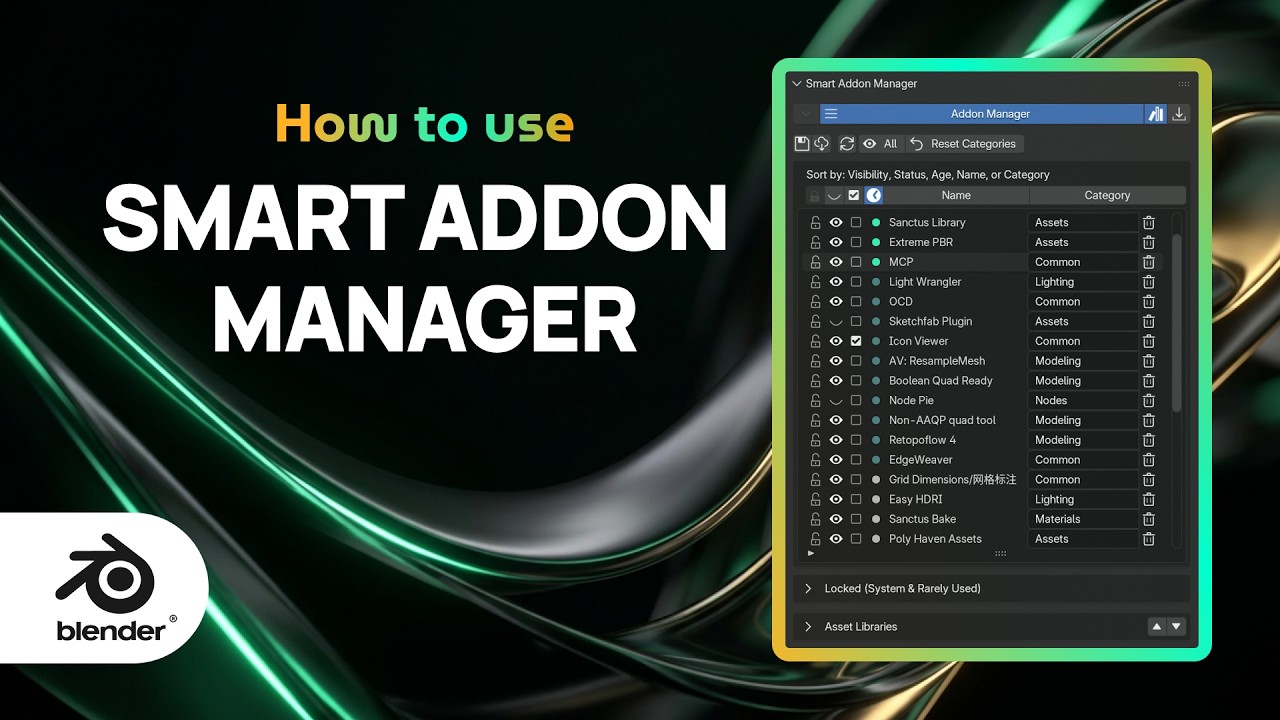
To solve this for my own daily workflow, I created Smart Addon Manager (SAM). It brings your entire addon and asset library management directly into your workspace.
Core Workflow Features
-
Instant Access & Toggles
Turn addons on or off instantly with checkboxes right next to your scene. No need to stop your work and dig into Blender’s Preferences window. -
Smart Auto-Categorization & Custom Grouping
SAM uses a built-in database to automatically distribute your addons into 19 logical categories (Modeling, Lighting, Assets, Materials, Nodes, etc.). You keep full control: rename or merge any category on the fly, or restore default factory names with a single click.
Chronological Sorting (Find recent downloads)
Click the Clock icon to sort your entire list by install date—your newest tools jump straight to the top. Visual color markers show exact freshness: bright green (installed this week), dark green (within a month), and gray (older). You’ll never lose an addon you downloaded yesterday just to test out.

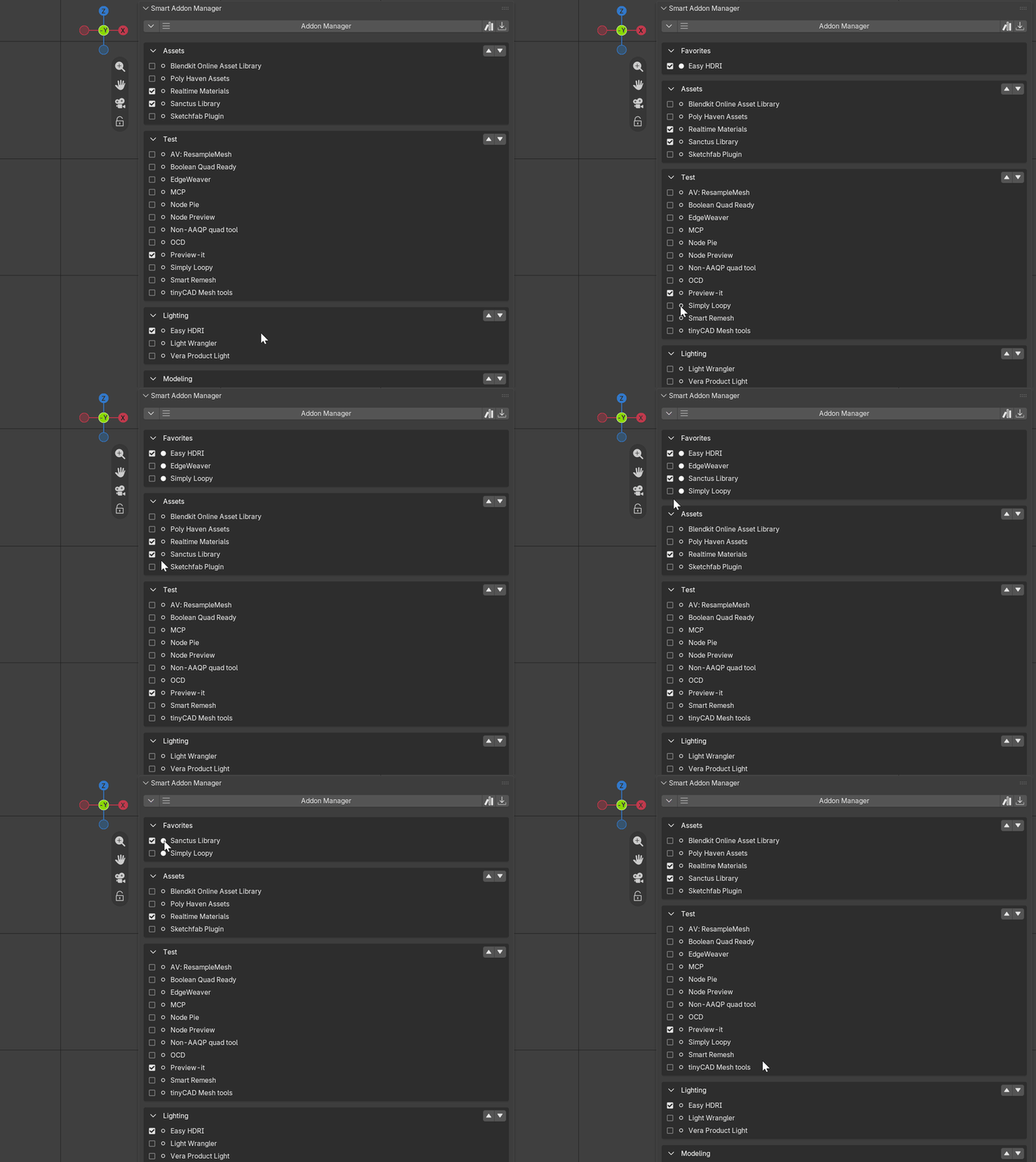
- Favorites Panel
Pin frequently used tools or heavy asset packs to the very top with one click on the circle icon. The panel automatically hides itself when empty to keep your screen clean.
- Noise Reduction & Locked Drawer
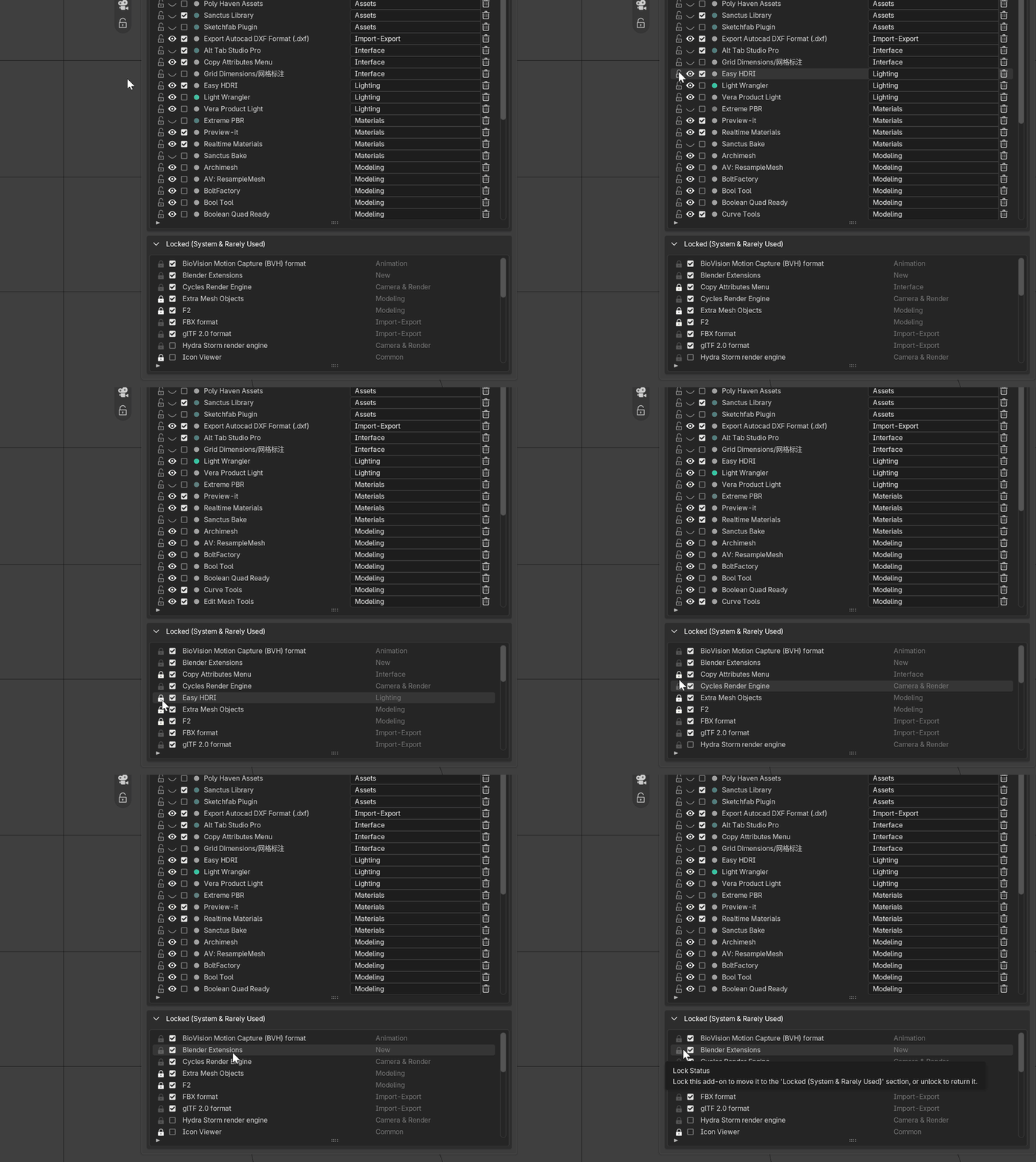
System modules and “set-and-forget” addons (like Node Wrangler) can be tucked away into a dedicated bottom drawer. They stay active in Blender, but don’t clutter your daily view. You can also use the Eye icon to hide any addon from your main dashboard while keeping it active.
- Direct Asset Library Controls
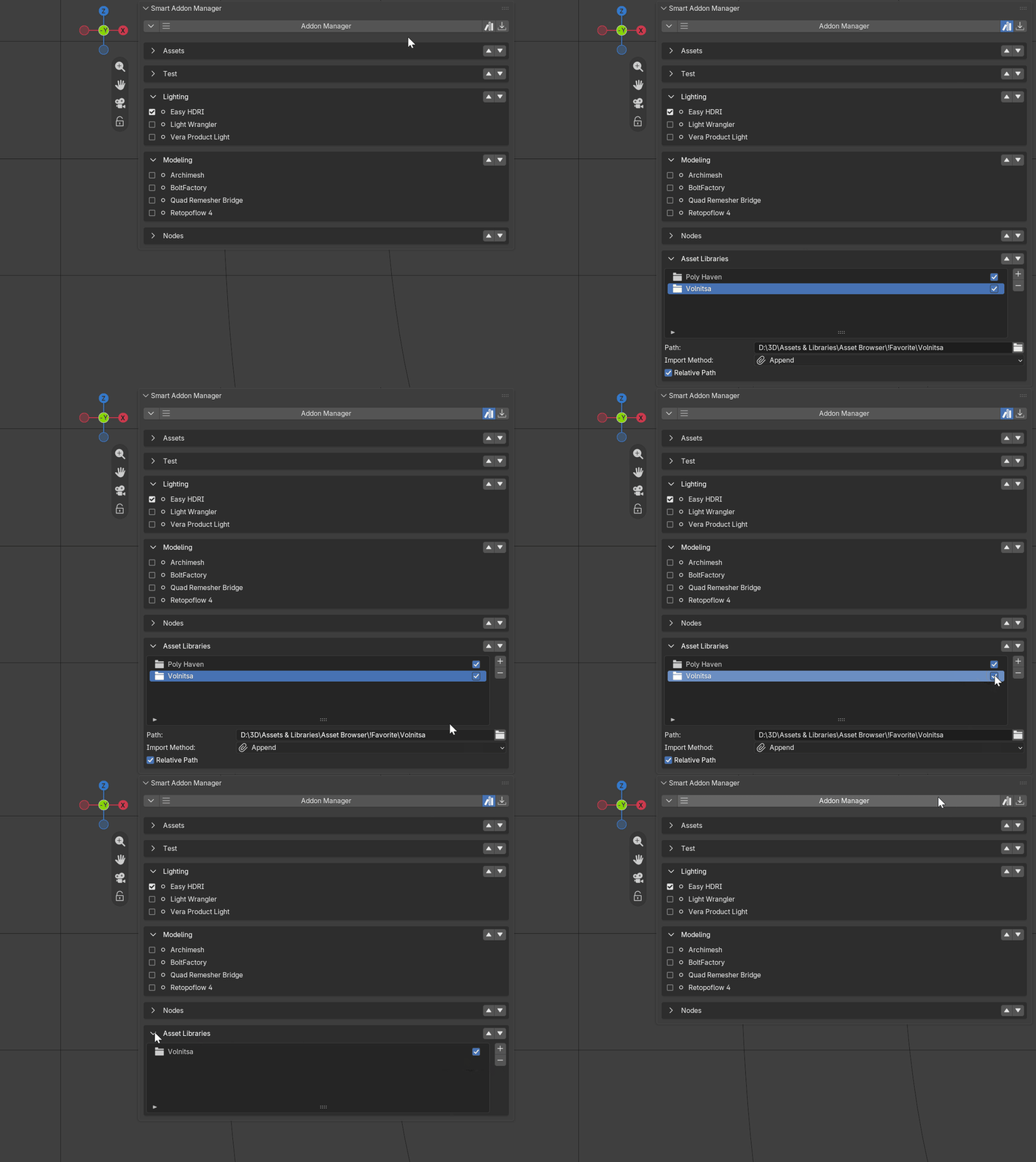
Manage your Asset Libraries directly on the fly: add or remove folder paths, configure import methods, and toggle libraries on/off (in Blender 5.2).
- Safe Configuration Backup (JSON)
Export your entire layout (custom category names, favorites, hidden and locked states) to a single JSON file to quickly migrate between Blender versions or machines. The export intentionally skips saving active “on/off” states to prevent Blender from hanging when bulk-activating heavy addons on a fresh install.
Compatibility & Links
- Compatibility: Blender 4.2 LTS through 5.2 (Extensions ecosystem compatible).
- Superhive Market: Smart Addon Manager on Superhive Market
- Gumroad: Smart Addon Manager on Gumroad
I built this tool to keep my own workspace clean and focused, and I’d really appreciate your feedback, suggestions, or ideas for upcoming features.