I took a look at that video, and I have only the haziest idea of what you’re doing, I’m completely new to all this “node-based” stuff  , but - it LOOKS AWESOME!! Keep up the good work, man!
Yes, of course! This already is a feature of ProcGenMod. Every modifier is applied the instant you connect the node or preview the mesh in realtime. Check this out:
- Bevel modifier (on the left)
- Selected a resulting edge (Used manual selection node)
- Applied bevel operation (not modifier) on that edge
- Boolean modifier (after converting it back to object mode)
Now, changing any value (either modifier or operator node) works as you would expect.
Cheers 
2 Likes
Visual programming is being used in many different areas like programming (UE4 blueprints), shader building (Unity shader graphs), material authoring (Substance Designer)…
Even blender has its fair share of node based utilities (shader/texture/compositing). It basically helps a user to put together little scripts of code without actually programming.
1 Like
Thanks! I actually am aiming for Houdini SOPs and hoping to replicate them inside Blender, but if you want something that resembles Grasshopper then check out Sverchok addon (https://github.com/nortikin/sverchok).
2 Likes
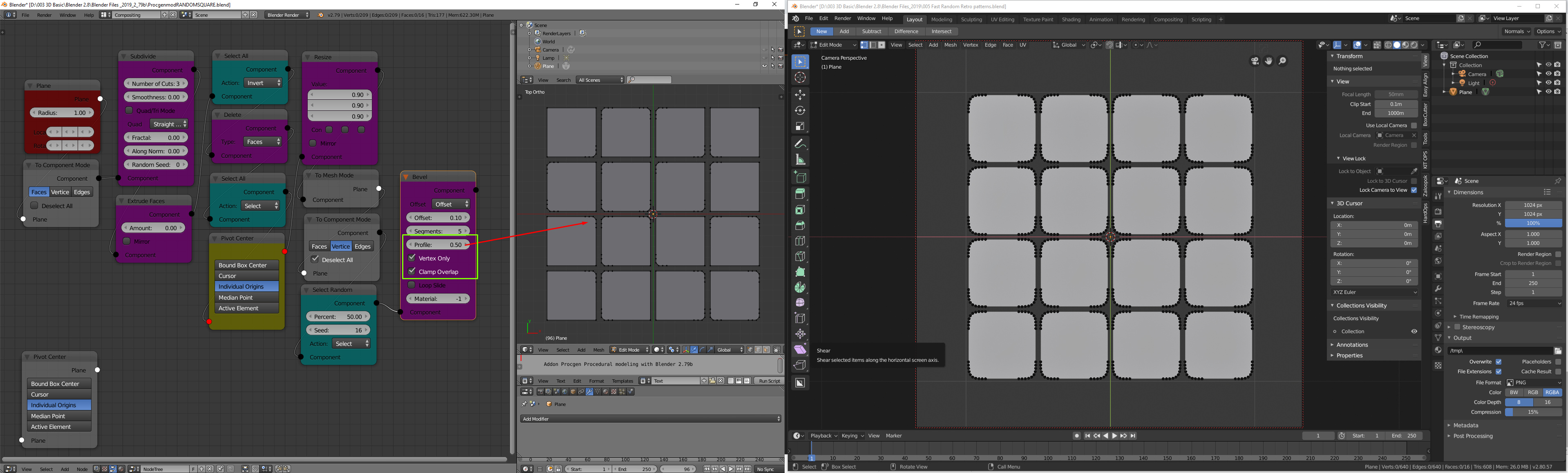
I think there is a problem with the bevel profile if you for example want to make round corners for the vertices or maybe i do it the wrong way , can you take a look to it 
Thanks for pointing it out! I fixed it and updated the repository. I also added a “Split” node to split the active component.
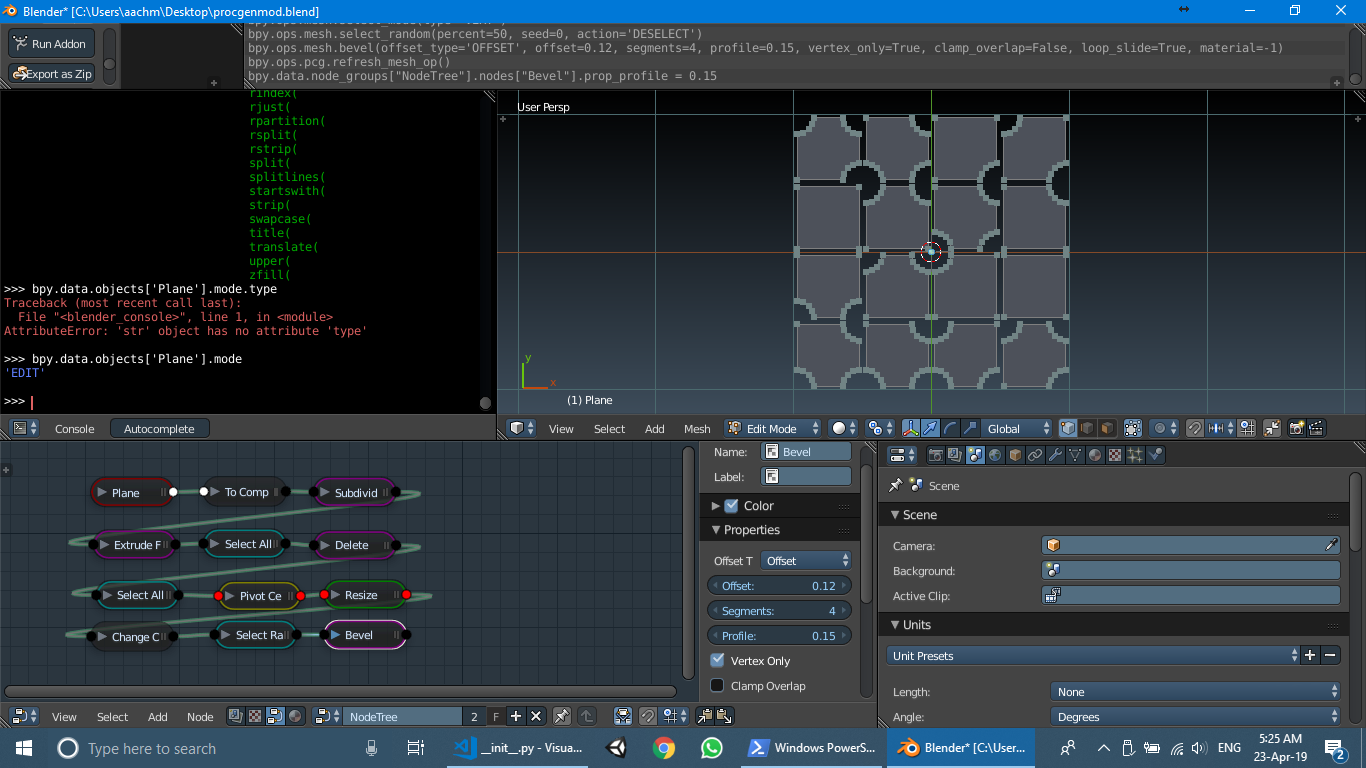
Now it should work correctly. Also, you don’t have to change the mesh to Object mode and back to Edit mode in order to change the mode type. Use the “Change Component Mode” node instead.
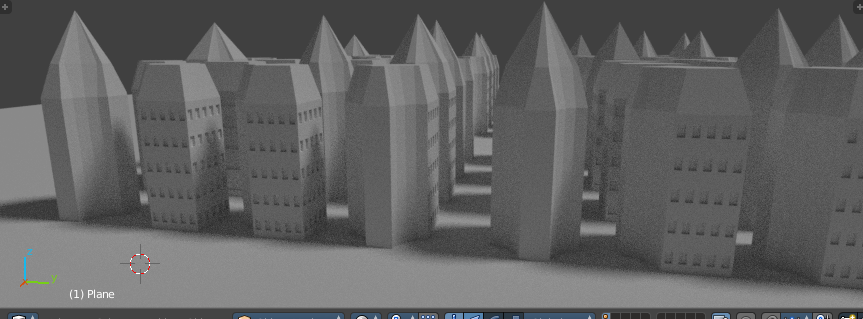
EDIT: I extended your node network to create my first ever low poly weird looking buildings using ProcGenMod 

4 Likes
Excellent, thanks for the fix and the tip for change component node
Another basic example : just to try this nice addon

1 Like
Hi,
Looks, amazing! Will there be 2.8 version?
thx
1 Like
Where can i report some small minor bugs 
This is something I am wondering myself. I did go through the 2.8 documentation, but it is still being updated quite frequently. Without proper docs on the new collection system and multi-edit, it would be difficult for me to port it over without introducing major flaws. Also, EverythingNodes may be released as a default feature in 2.8 or 2.81 so you wouldn’t even need ProcGenMod later.
Create an issue on GitHub.
1 Like

Thank you very much for the explanation! it is just amazing to be able to do that !!
what would be amazing too is to have a houdini merge node to be able to make a non linear procedure , but i know that maybe requires a new type of node with 2 inputs

another great feature would be to have an mesh input node , that way we could apply procedural operations to a destructively modeled objects in the viewport 
1 Like
The merge node will be released by the next commit. It actually is rather simple to code, and can be used to merge multiple meshes (input pin will have the ability to link with more than 1 node).
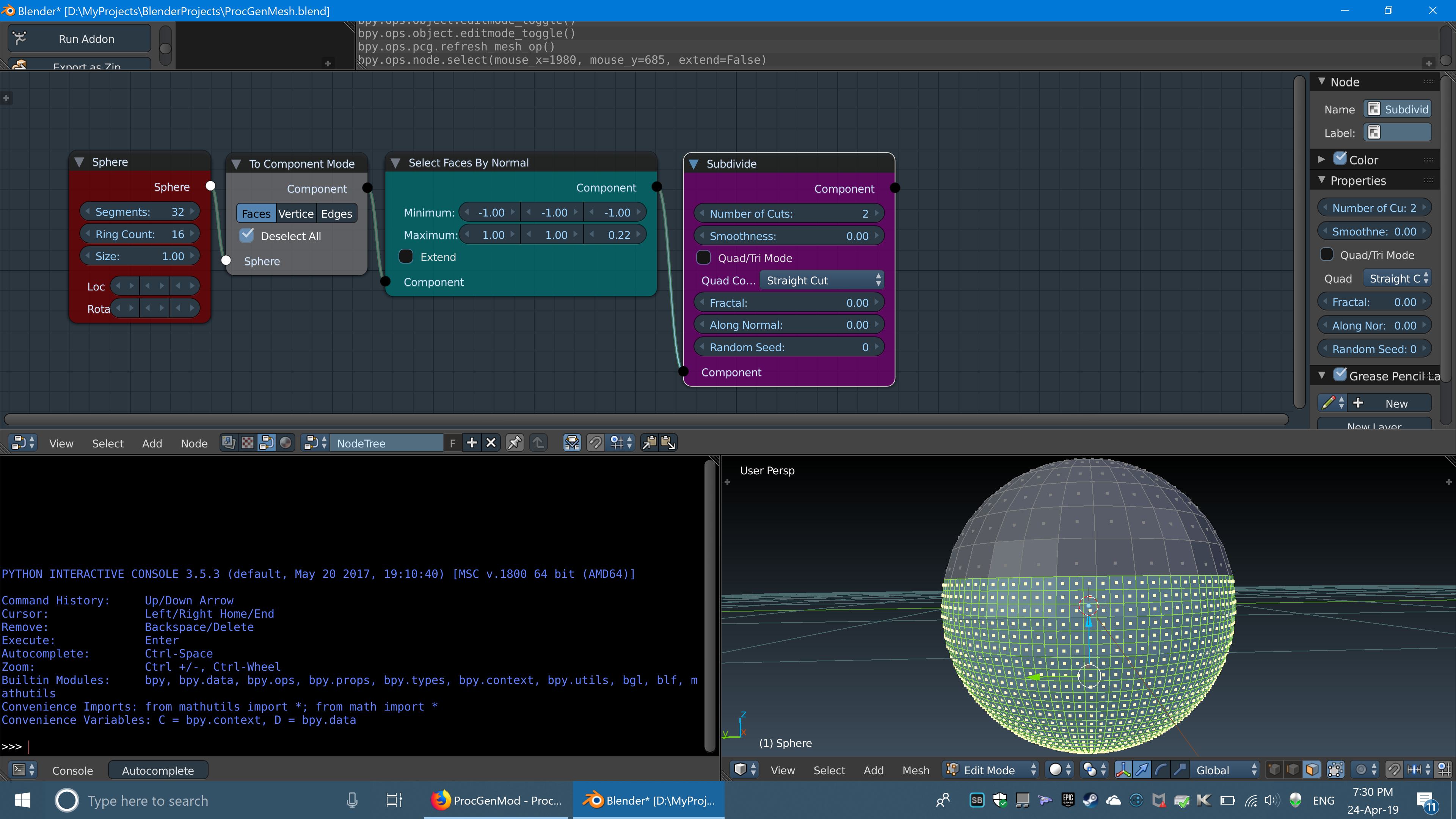
For the given network in Houdini, there is an alternative way to do it in ProcGenMod:
Create a single sphere → use “Select Faces by Normals” node to select lower half → subdivide
(don’t even need to create a different mesh)
Like this:
As for a mesh input node, it will take a while to figure out how to store the selected mesh in node, as any operation will actually deform the geometry and it won’t be able to regenerate the original mesh without a backup of mesh data.
(No worries though…it will be implemented sooner or later  )
)
6 Likes
Great beginning! Very ambitious!
In Houdini nodes placed vertically, it saves space and it’s easier to work with huge node-trees. It would be really convenient make so in Blender. But looks like new Node system is needed, current one is too limited: no verticality, no custom buttons on nodes, no custom nodes shapes etc.
1 Like
Placing nodes vertically rather than horizontally doesn’t reduce the space, rather it’s the grouping of nodes that can be collapsed to create more space. Although I agree that blender node system is limited (like I was once on the stage considering making nodes using UE4 blueprints and exposing the variables through live-link or a plugin), it does however provide APIs for creating custom buttons, variables, sockets and certain node properties like color, multi-links, …
2 Likes
A move/rotate/scale node(s) will be able to retain his values if you doodle directly in the 3D view, instead of digiting numbers on the N-panel?
No, because the nodes assign the values to the object’s transform matrix, not the other way around. This is definitely a feature to be added later, but as of now, any changes made in the viewport are not reflected back to nodes.
Hello everyone,
I have updated the repository and created a progress tracker board on Trello (added link above) so that you can see which nodes were added by the latest commit (you can also read the last commit’s description) and which nodes are planned/on the way. I have also provided a link to github issues above. Any feature request, bug or enhancements can be reported there as well. I already have closed 3 issues by @Benny_G and hope to solve even more  . It’s also fine if you prefer to use this thread.
As of now, there are a total of 83 nodes  in ProcGenMod divided in 10 categories. I have provided a list below for reference. This last commit marks the first milestone for this project as it covers most of the basic functionalities of Blender. After this point, I will focus more on creating systems which are crucial in procedural modeling, e.g. scatter/jitter node, random value input node, exposing values as input pins, etc. Given my current schedule, I can safely say that the time between each commit will increase significantly
  . Nonetheless, I will try my best to create good enough system for procedural content generation.
And lastly, I want to thank each and every one of you to support this project. I recently discovered that this topic is on the top for this week’s list  with more than 1.3k views, so a HUGE THANKS for that as well. I will keep adding features and I hope you keep trying out new things with it. Special mention to @lucaspedrajas for sharing it on BlenderArtists (even before me) and sticking with it upto this point
  .
.
I will start with the next thing on the list right away.
Have an awesome day!
-PA
P.S. Hopefully, I can use ProcGenMod in the upcoming UE4 game jam as my primary tool for modeling

Nodes Reference:
Inputs
PlaneNode, CubeNode, SphereNode, CylinderNode, ConeNode
Transform
LocationNode, RotationNode, ScaleNode, TranslateNode, RotateNode, ResizeNode
Modifiers
ArrayModNode, BevelModNode, BooleanModNode, CastModNode, CurveModNode, DecimateModNode, RemeshModNode, ScrewModNode, SimpleDeformModNode, SkinModNode, SmoothModNode, SolidifyModNode, SubdivideModNode, WireframeModNode
Conversion
ToComponentNode, ToMeshNode, ChangeModeNode
Selection
SelectComponentsManuallyNode, SelectFaceByIndexNode, SelectAlternativeFacesNode, SelectFacesByNormalNode, SelectAllNode, SelectAxisNode, SelectFaceBySidesNode, SelectInteriorFaces, SelectLessNode, SelectMoreNode, SelectLinkedNode, SelectLooseNode, SelectMirrorNode, SelectNextItemNode, SelectPrevItemNode, SelectNonManifoldNode, SelectNthNode, SelectRandomNode, SelectSimilarNode, SelectSimilarRegionNode, SelectUngroupedNode, SelectEdgesSharpNode, SelectFacesLinkedFlatNode
Deletion
DeleteNode, DeleteEdgeLoopNode, DissolveFacesNode, DissolveEdgesNode, DissolveVerticesNode, DissolveDegenerateNode, EdgeCollapseNode
Operators (edit mode)
BeautifyFillNode, BevelNode, BridgeEdgeLoopsNode, DecimateNode, ExtrudeFacesNode, ExtrudeEdgesNode, ExtrudeVerticesNode, ExtrudeRegionNode, ExtrudeRepeatNode, InsetNode, MergeComponentsNode, PokeNode, ScrewNode, SolidifyNode, SpinNode, SplitNode, SubdivideNode, SymmetrizeNode
Operators (object mode)
MergeMeshesNode, SetOriginNode, SetShadingNode
Settings
PivotNode, OrientationNode, CursorLocationNode
Outputs
MeshNode, DrawModeNode
11 Likes
It’s a pleasure to share a project like this one! 
Amazing work man !! i’m very expectant about the progress of this project! 
1 Like