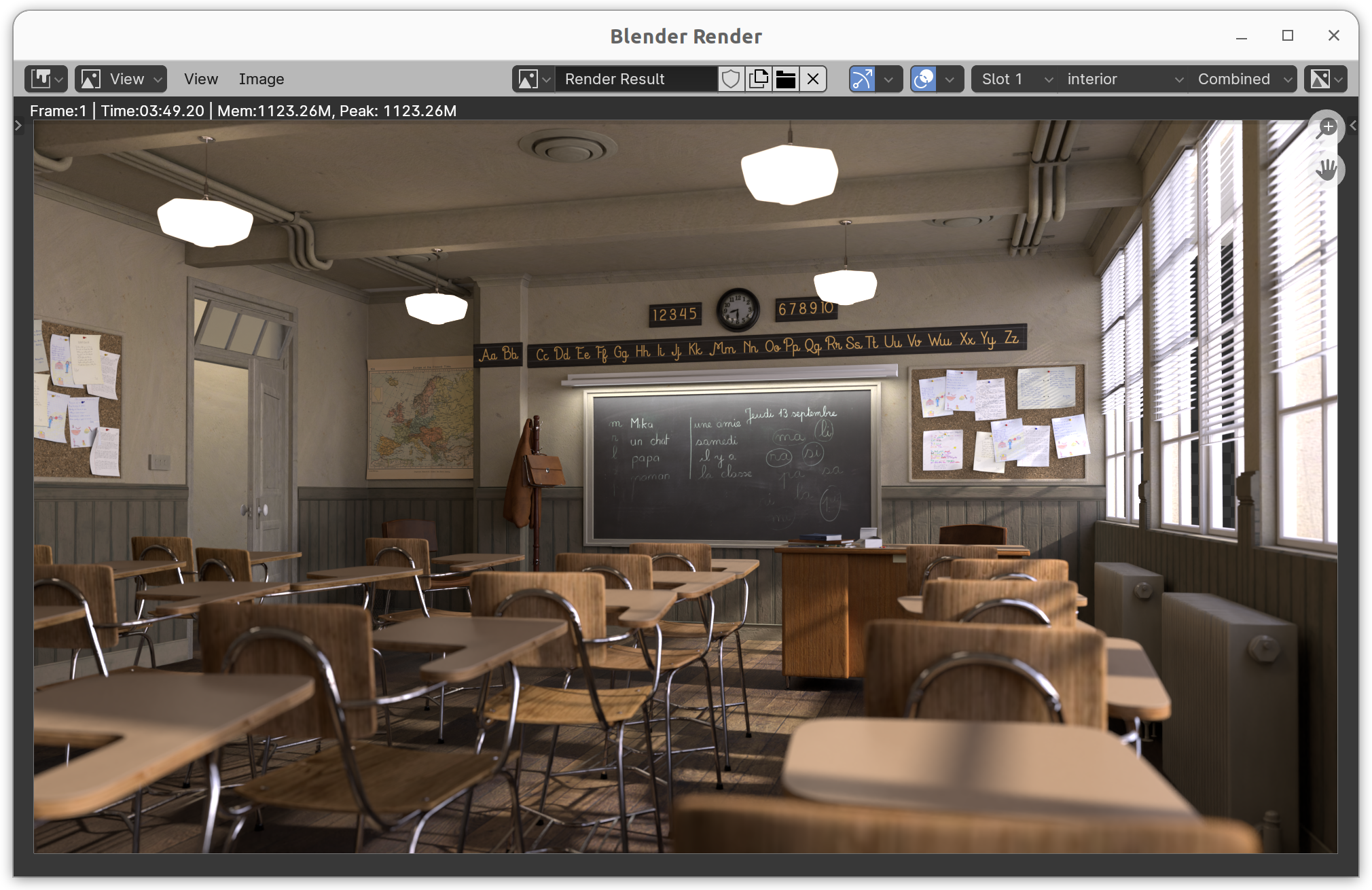
Blender-Test 4.1
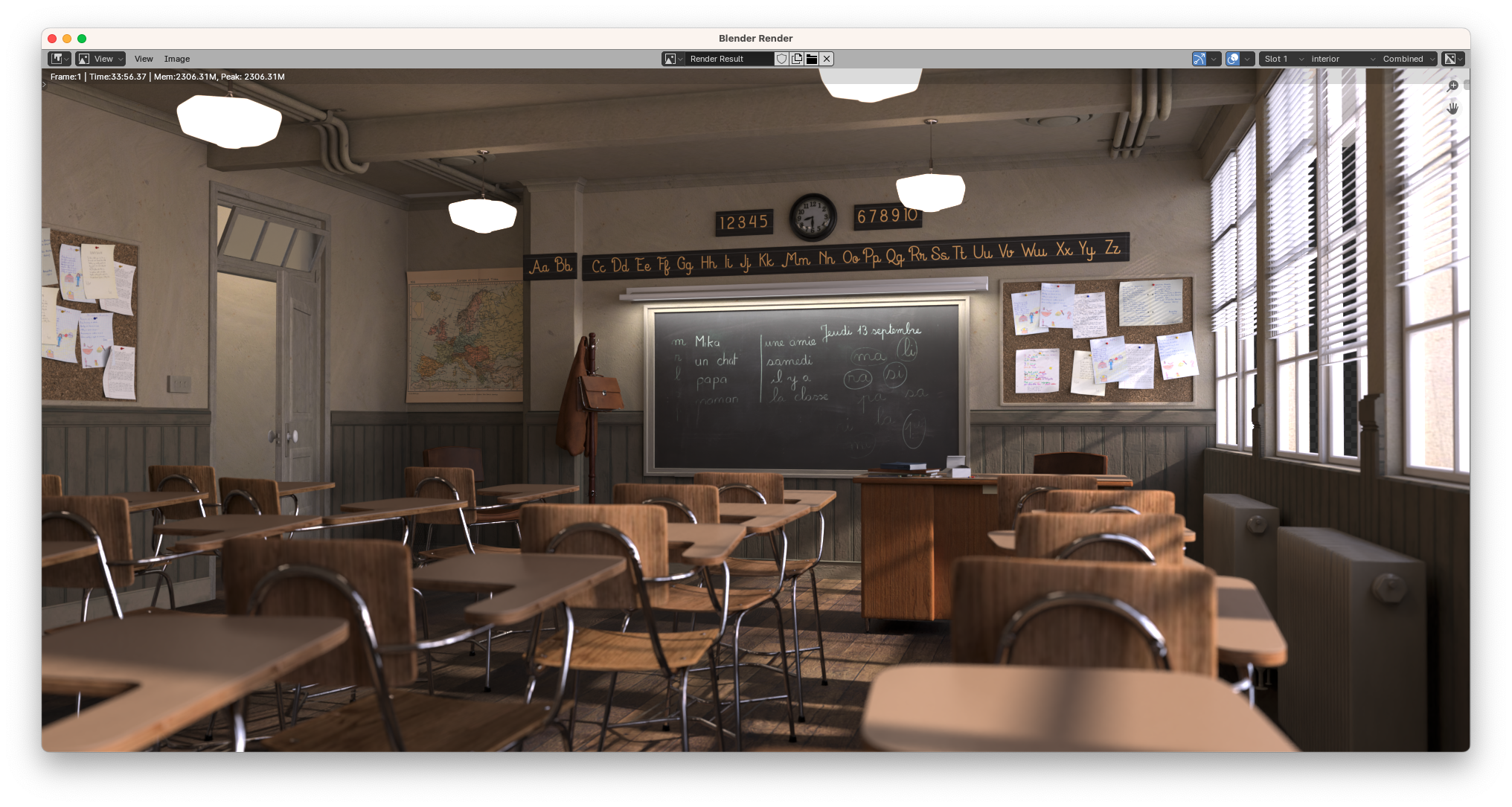
4096 Samples. Classroom.
M1 Max: 12:21.75 minutes
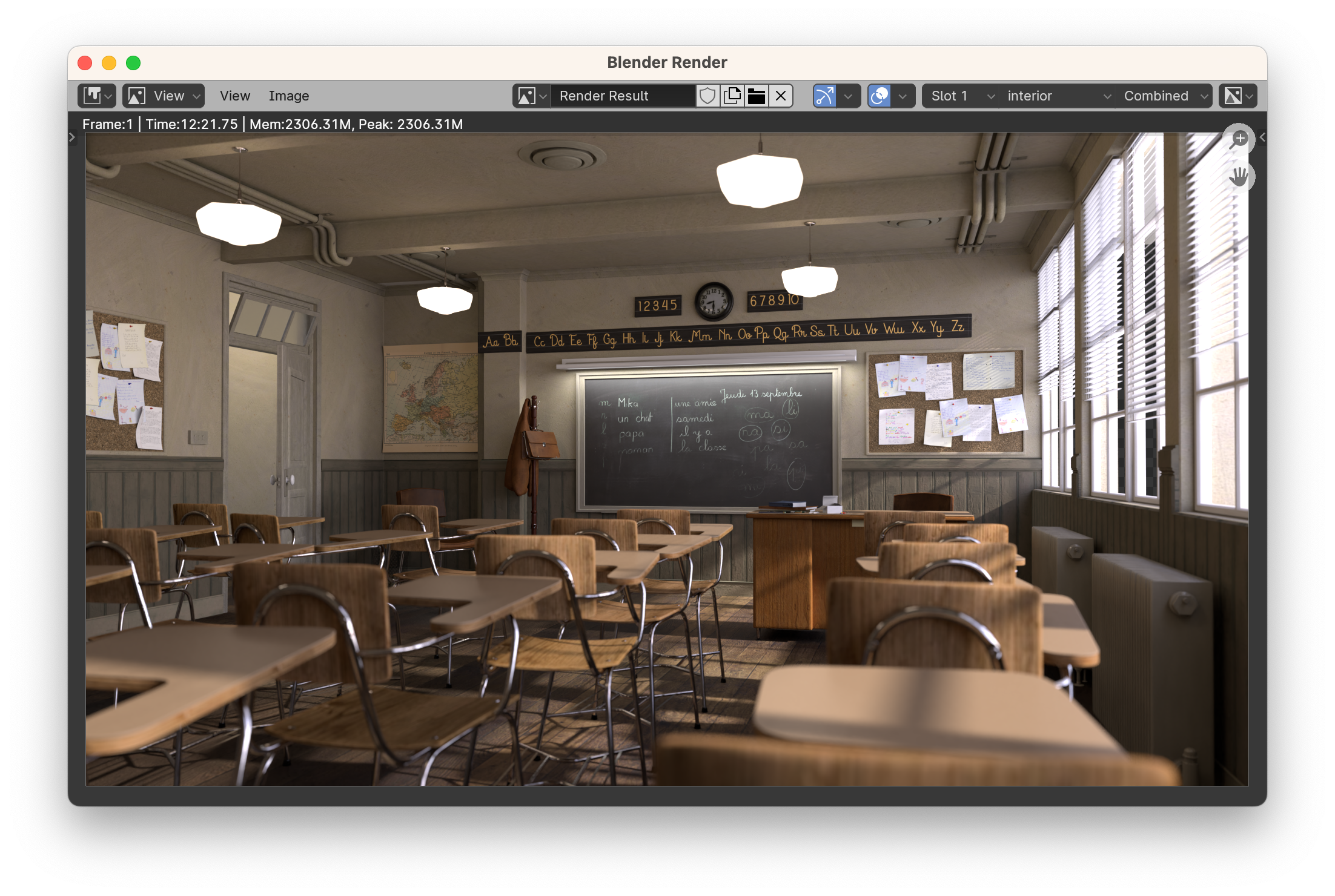
HP-PC, Windows. i7, RTX2080: 4:20.64 Minutes


The HP PC cost 1,599 euros in 2018. The RTX2080 2020 730 euros.
Blender-Test 4.1
4096 Samples. Classroom.
M1 Max: 12:21.75 minutes
HP-PC, Windows. i7, RTX2080: 4:20.64 Minutes
The HP PC cost 1,599 euros in 2018. The RTX2080 2020 730 euros.
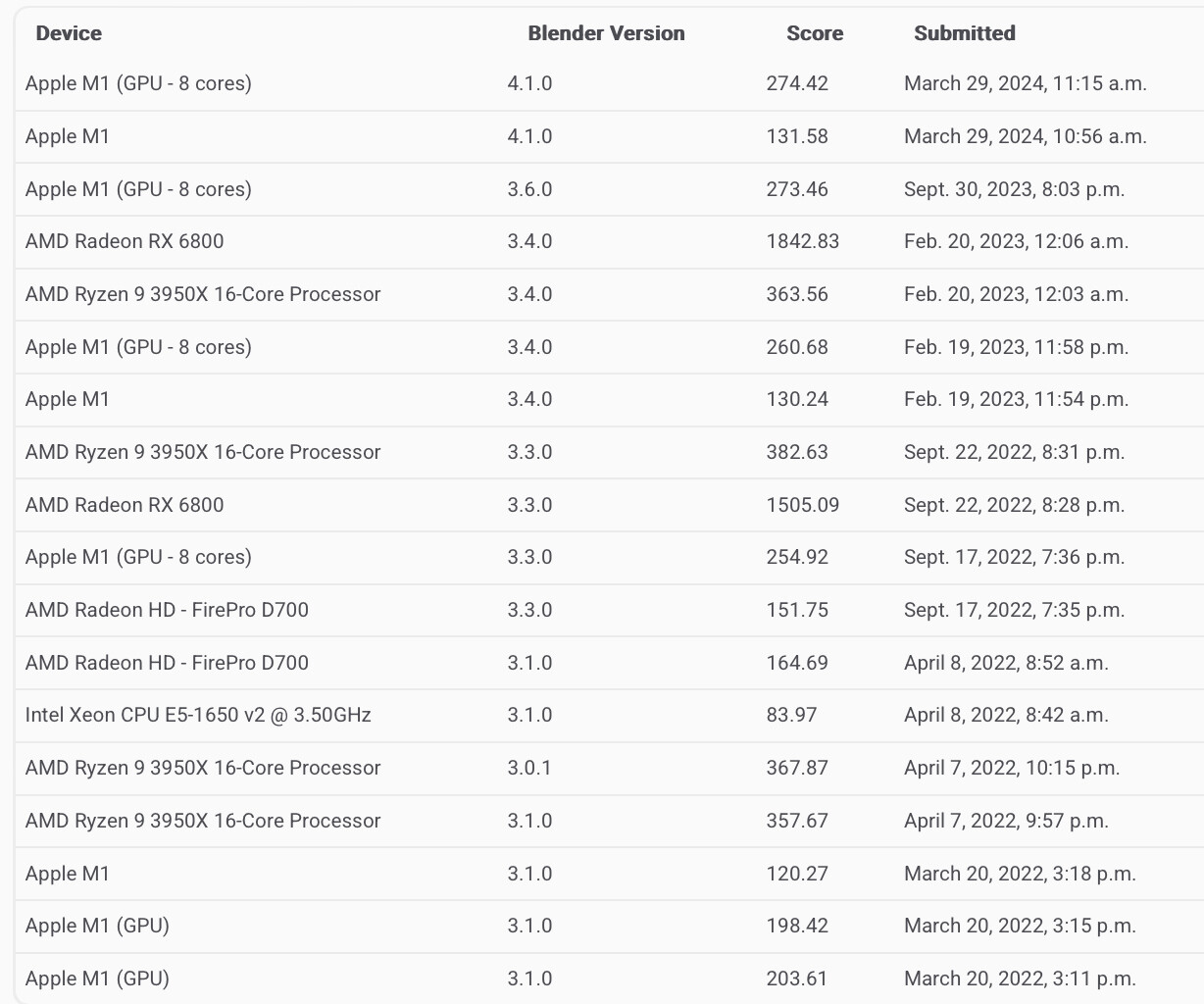
Interesting to see, mac 4.1 opendata results are faster than 4.0, which were faster than 3.6; M3 max 40 cores is particularly impressive.
Nvidia is the opposite: from the top of the range to the lower cards, my 2060S, sadly, too.
from:
Apple M3 Max (GPU - 40 cores) METAL macOS 3.6.0 3029.23
to:
Apple M3 Max (GPU - 40 cores) METAL macOS 4.1.0 3743.32
I mean:
Blender 3.6.10 almost never crashes for me. Mac Studio M2 Ultra, 128gb ram.
The only crash-prone feature (which I always avoid) is working with a viewport set to Cycles Render View. If I change values quickly, like drag a color slider, it always crashes. Apart from that: once a week max.
This is what I love to read, thanks guys! 
Pity, seem to be M2/3 only accelerations.
I do not see a difference between 3.6 and 4.1 by my M1 Mini
in Blender Benchmark.
(But i see a 38% performance increase between 3.1 and 3.6)
ha sadly the use case you avoid is basically how i need to work, so i’m crashing darn near constantly (worth noting this is eevee in material preview or rendered mode where it happens for me)
How strange. You’d expect newer versions of Blender to have more Metal optimizations. Could it be that Blender in general has become a bit more bloated?
I guess that the later metal optimizations are related to the newer part of hardware, while the decline in performance across all devices might be because Blender implemented more complex calculations, that resulted in regressions.
I think that my 2060S has its score declined since 3.1 or thereabout
But I tested Classroom again.
Usually around 5:40.
Then I activated denoising and it went down to 4:37.
Means 23% faster. Not bad.
But now I realize I like the grain.
It’s all gone.
And I switched from no color correction to AgX.
Looks even more artificial, cold and less artsy 
Possible that Classroom does have its shading setup to take maximum advantage of the more realistic grading provided by AgX, remember the old thing about technically wrong values in materials to compensate for the tonemapping.
As for the artificial and cold look, the average school here in the US at least does not exactly look warm and lively everywhere, especially since the florescent lighting often used tend to produce a somewhat harsh light with a slight blue tint.
The only time I’m not in render view is when I’m modeling; constant crashing would make blender unusable for me.
I prefer Viewport shading, many of my scenes are way too complex to work in render mode. Some scenes have 30" of scene building and BVH volumes before the render can start.
worth noting my issue happens for me with eevee, and happens in both rendered view and viewport shading, which are both eevee shading essentially.
additionally i think the issue is aggravated if i have any sort of audio playing on my mac while i work (can be a music program or safari tab or whatever). i believe apple silicon has some sort of fault in how it handles audio and causes system instability. usually i hear a cloud crack in whatever audio is playing on my system when blender freezes.
its been that way the entire life of the computer and is probably the biggest issue i’ve had with apple silicon.
that said blender will also sometimes crash with no audio playing too! 
Same here, always when OIDN denoising the music is disrupted by some sharp noise.
It may be a Blender (Mac) issue though. whenever Blender is open, some “coreaudiod” process is active putting up quite some CPU load even when I never use Blender audio (whatever that may be).
Don’t understand really what that process is doing and why Blender runs it permanently.
Blender Google Summer of Code is working on changes for Blender’s UI for Mac users bringing it more inline with Mac native apps.
I added a comment about broken mouse focus on 2 monitor support, that would be my nr1. But quicklook previews will be great too!