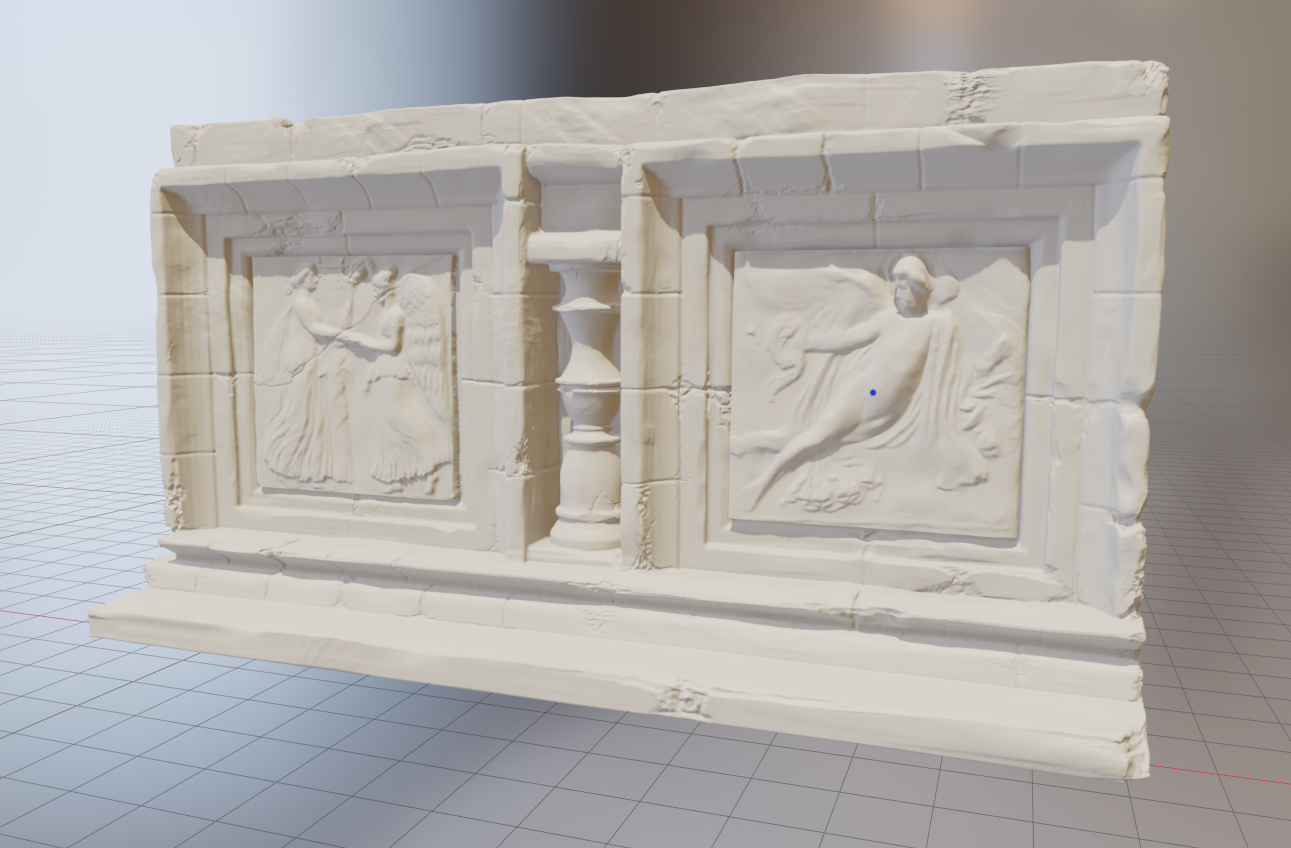
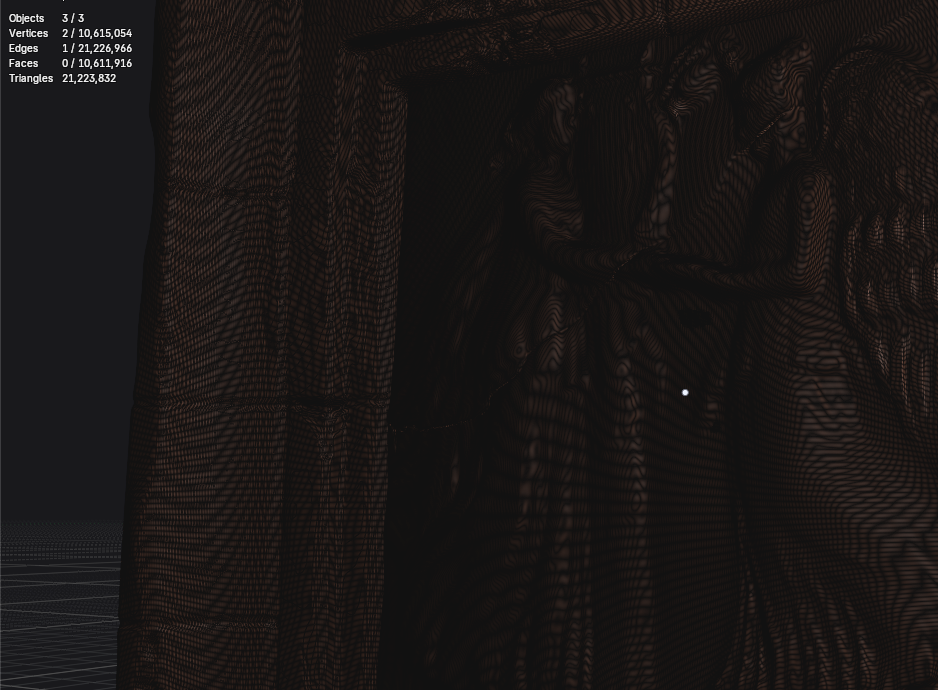
This is my work in progress of a model im doing with the help of a course. I’m planning on putting it as a game asset for indie devs to blow their pc’s. But over used jokes aside, as a beginner in making game assets I’m curious about what you’d consider a good game asset and how you go about making it.

3 Likes
I often bake them down to normal maps using high to low poly baking, it’s a little hard to explain on my side of things, so here’s a well made video on it.

But at it’s core model the lager details that effect the overall shape and then you can bake the smaller details like cracks surface details, sculpted details on the surface and others!
Side note:)
you also want to bake down textures to images if your are using procedural textures for the game engine.
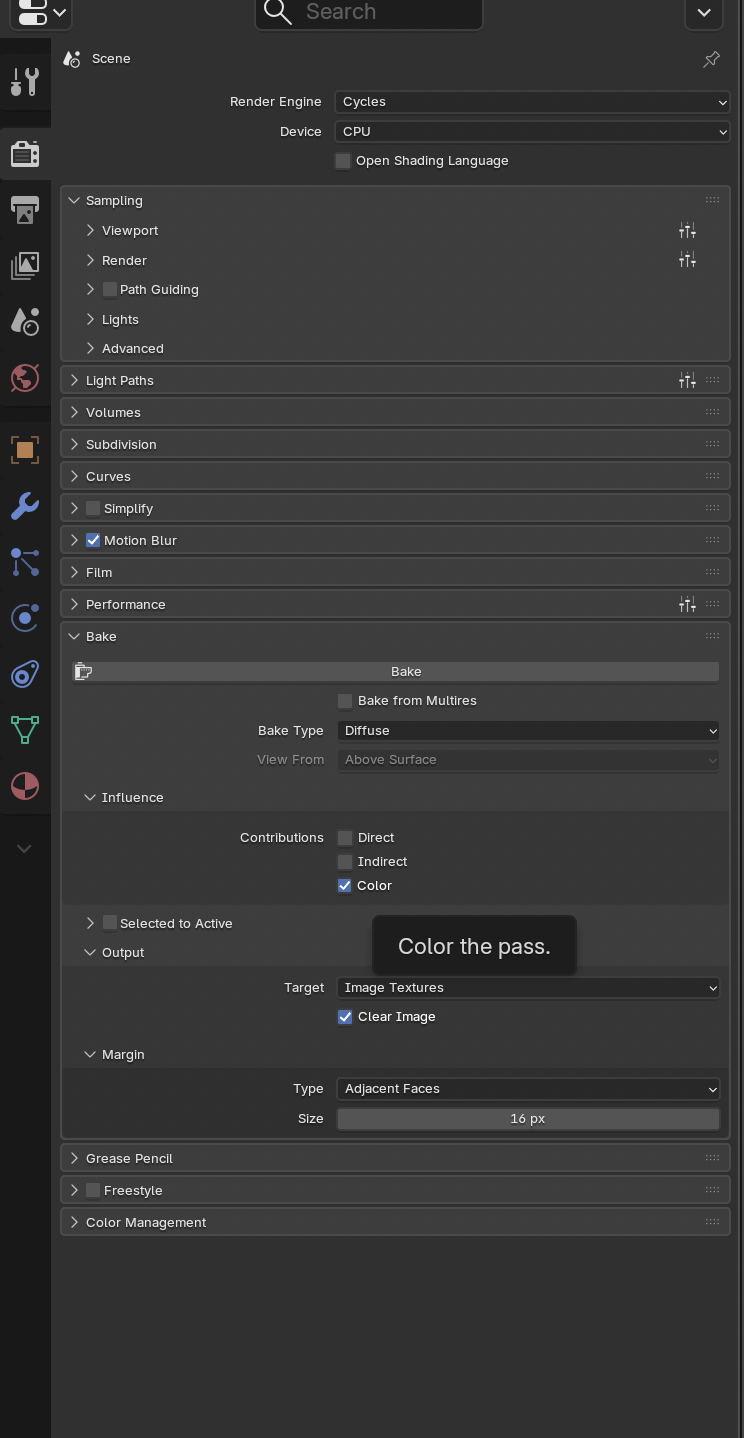
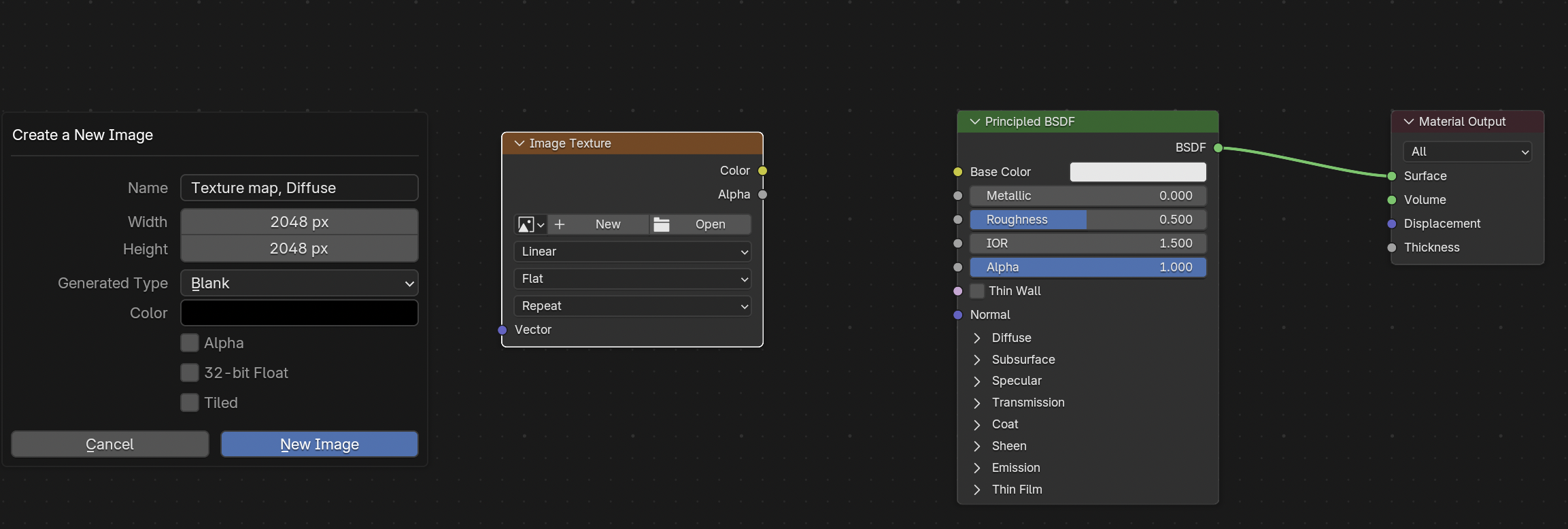
(click on new and set your image settings for the texture, note set image textures for stuff like normal maps to non color before baking.)
Decimation.
If you don’t need clean topology like a non deforming object for games you can also decimate it to remove a lot of geometry without effecting the actual look of the object, just don’t go to high otherwise it might cause shading problems.
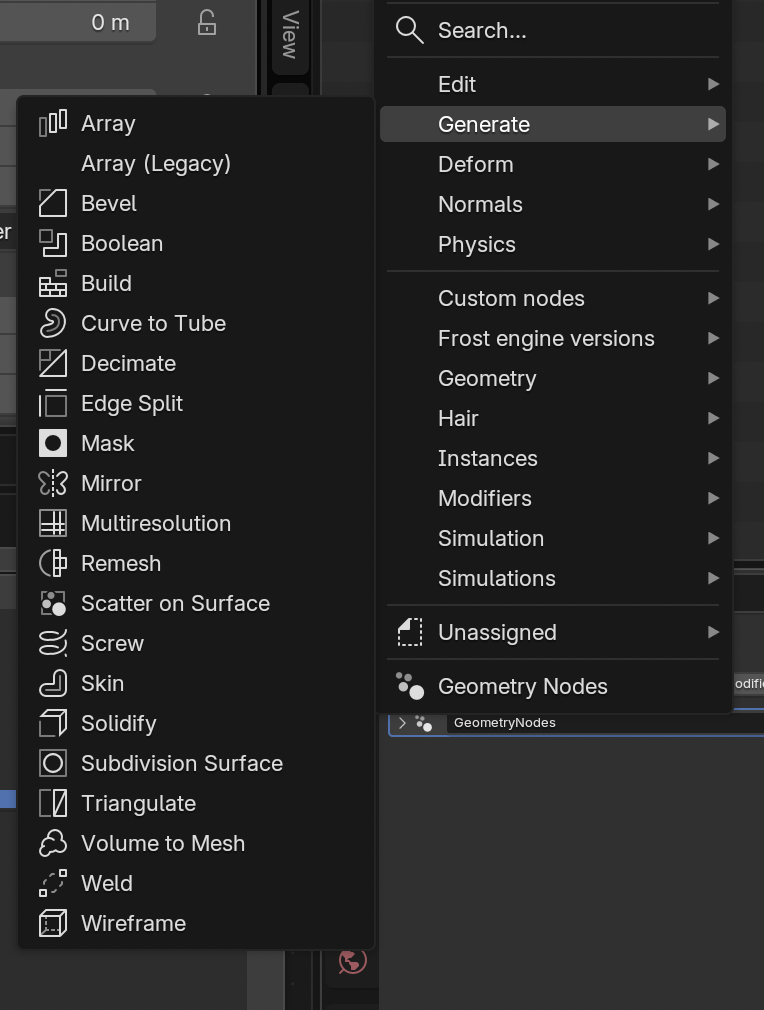
Triangulation.
Since the mesh is eventual converted to triangles by most engines, to prevent strange shading you can triangulate static objects as well, using the triangulate modifier or hitting triangulate on the decimation modifier.
Modifiers.
modifiers are useful as they are non destructive until you apply them so you can always change things later just make sure you are happy with it before applying on export.
Of course there a near infinite ways of going about something in blender but those are some common methods and tricks used.
Good luck and best wishes, your model is already looking for nice!
2 Likes
Thanks for the response! those are really good things to keep in mind when i finish this, so based on what you said, for architectural and static objects such as buildings walls roof and etc, i don’t necessarily need to have Quad topology? i can just decimate it without the need to do retopology?
1 Like
Everything gets converted to triangles in the end by the GPU so having quads is not necessary no but it does make a lot of things easier
For example you can use the decimate modifier to un-subdivide the mesh down to a low poly version much easier and the triangulate modifier works best when there are no n-gons
Doing manual retopology for an asset like the one you are making is generally a waste of time, just bake the normals and textures and apply them on a much, much, MUCH lower poly version to simulate all those details like @NerdY1 explained
Once you have the baked textures you can load it onto the mesh and start decimating it, that way you will see how far you can go before the shading breaks
1 Like
I see, I’m already on that right now, trying to figure out the best way to uv unwrap it. thanks for the info!
1 Like
Yep @Khamurai explains quite well, you can often decimate static models to create low poly versions.
You can also create multiple versions for LODs (level of detail) as if you are far away the shape of the object is what you will see in real life and the general colors, it’s only when you get close enough you start to see the smaller details of something, this is useful in games, films and various other areas of 3D. You mostly want quad topology for deforming objects such as characters, animated cables ect!
Decimation and LODs.
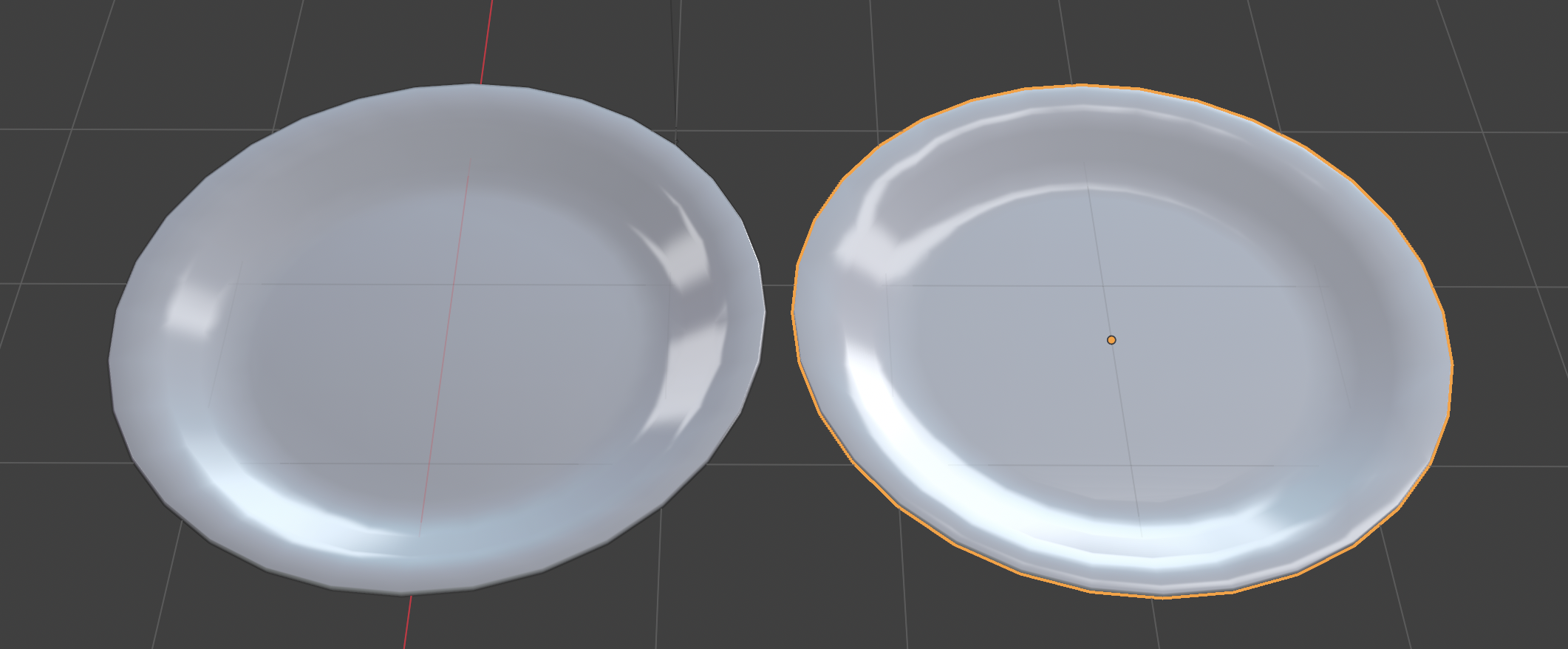
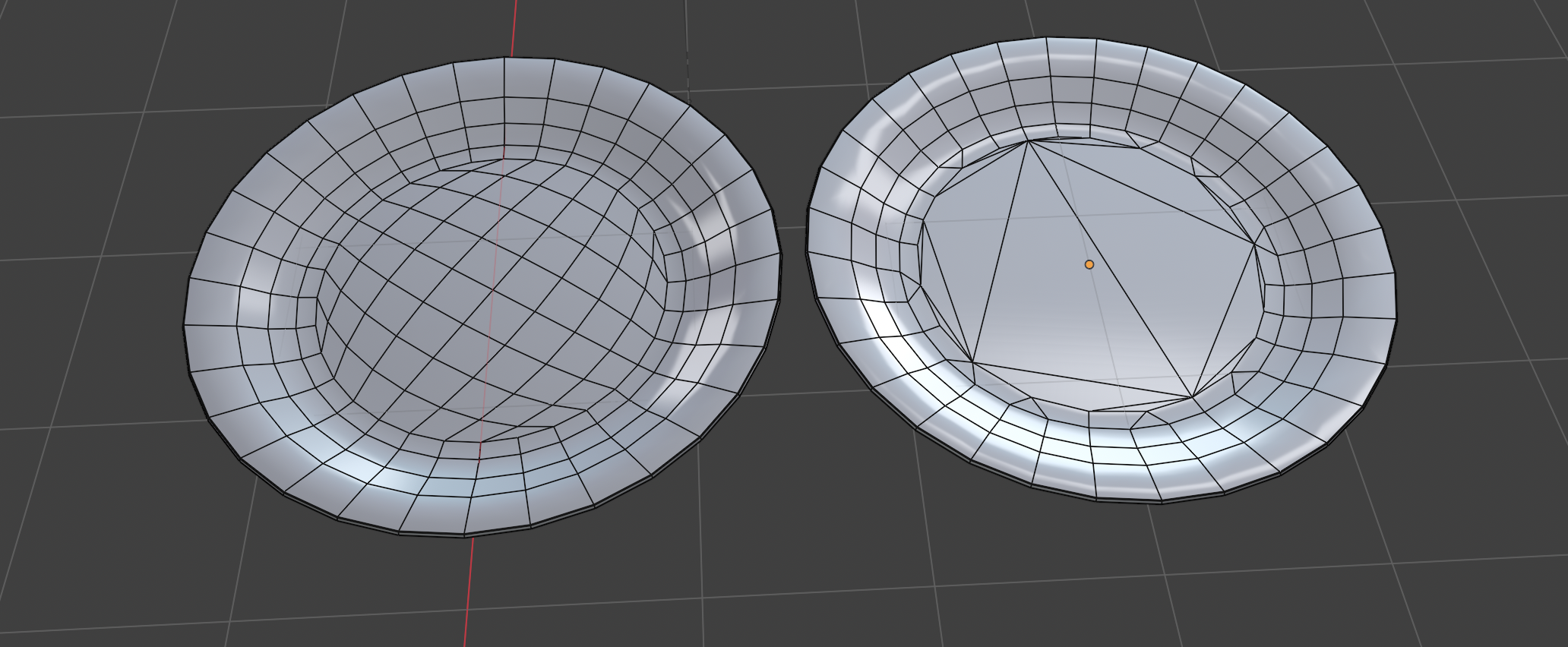
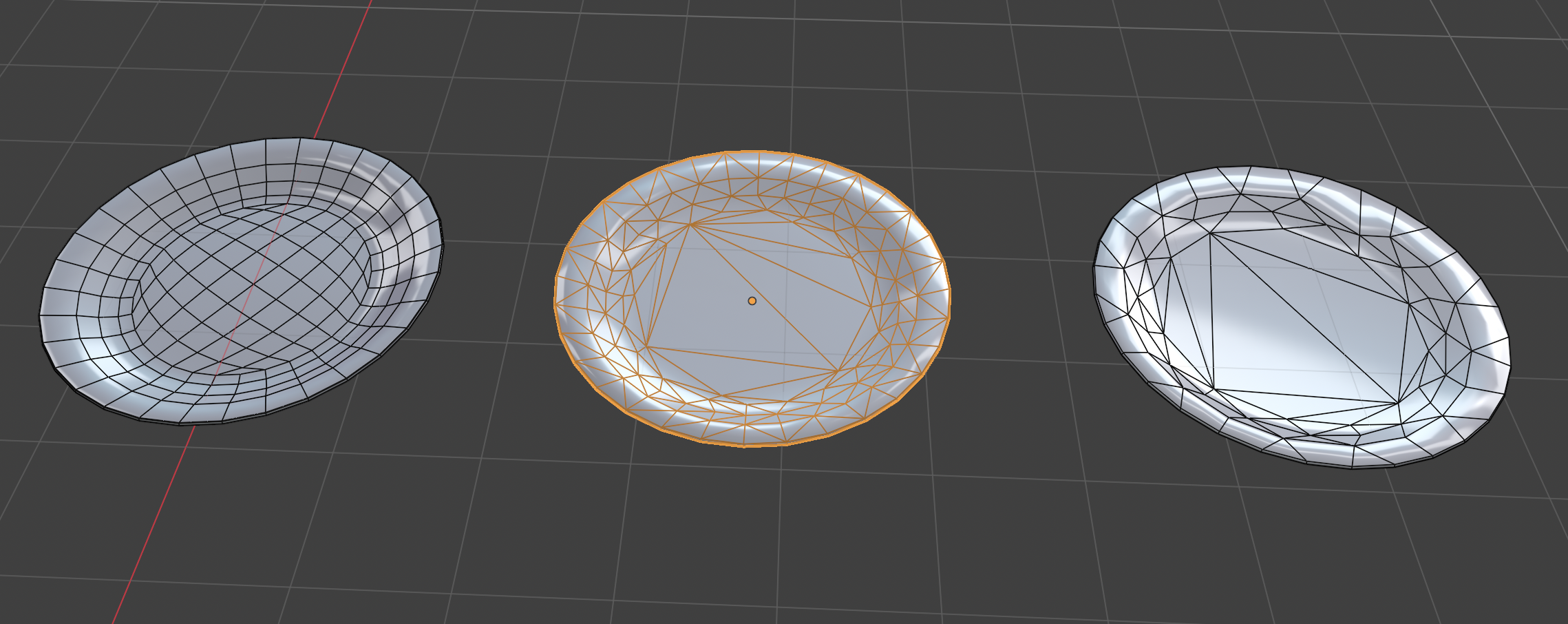
Here is a comparison using a reflective mat cap for the decimated and non decimated simple plate.
And some LODs created with the decimation modifier.

And triangulation.

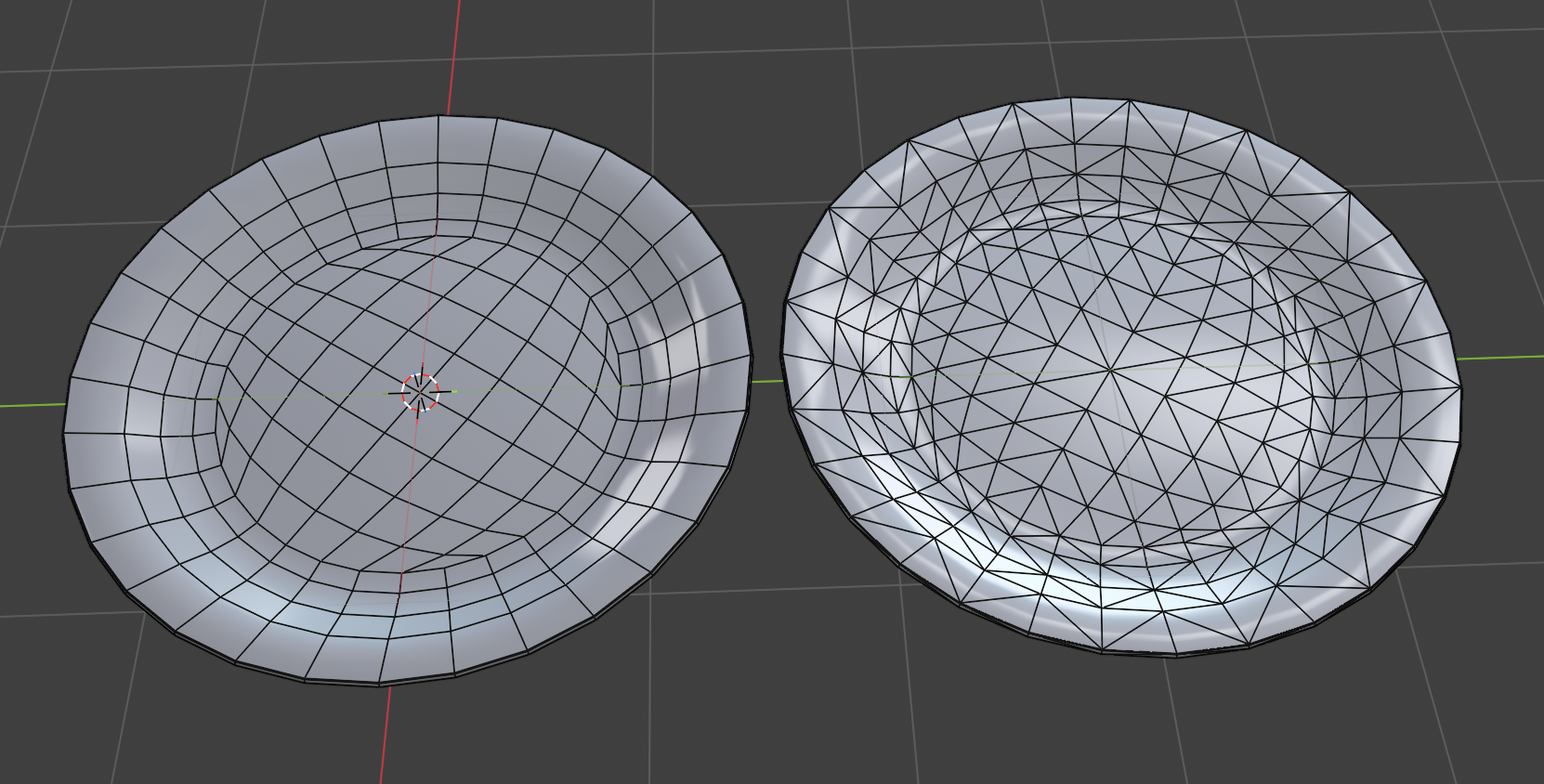
I recommend modeling with quads as these are much easier to model with, edit and UV unwrap then triangles, it’s really up to how you prefer to model and create as there are many different ways to create the same thing.
As Khamurai said though, you can just decimate and see how far it will go.
1 Like
ahh Right that makes sense, quick question about LODs, is there anything i gotta do for game engine exports when making LODs? or are they basically just a low poly model and you assign them as LODs in the game engine instead? BTW the work is done and I’ve already posted it here if you like to see it, it’s probably on my account or in the recent posts.
thanks for the feedback.
1 Like
Yeah to my knowledge you export as usual although it depends on the game engine you use, for example i simply use them like usual objects but put them father back in my scenes, while other system you assign them to be swapped at a certain distance.
At it’s core though they are just a lower poly version of the original object.
Great job on the model, you have a lot of very cool renders in your portfolio! looking forwards to seeing what else you come up with!
alright that makes sense, thanks!
1 Like
It does depend on the engine. For Unreal Engine, for example, you need to name the objects accordingly (LOD0, LOD1 etc.), and parent them to an empty and export it all together. Then the Engine picks up on what is what. It can also generate automatic LODs from what I remember.
P.S. This is an abridged version of making manual LODs for UE, but you didn’t specify the engine, so I won’t bore you with unnecessary detail.
Congrats on completing your project btw.
2 Likes
ahh I’ll keep that in mind in my upcoming projects, thanks! side note do you know how i can change this from work in progress to finished? considering the fact that this project is complete and i don’t know how to make this topic no longer be categorized as Work in progress
1 Like
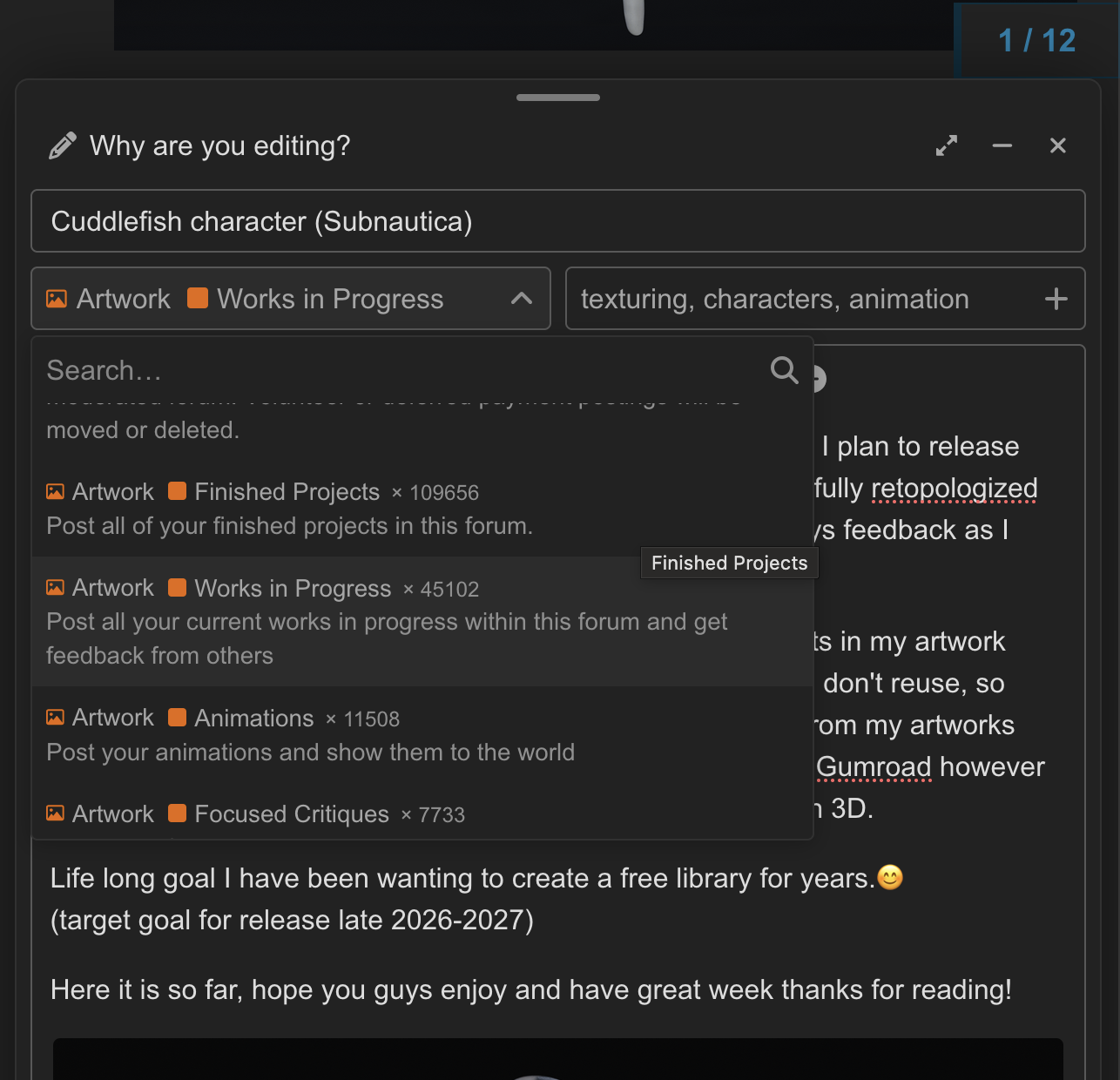
You you can click on your first post and edit the tag like this, and change it to finished projects.
2 Likes
oh wow, that’s real handy, I always thought only moderators could move threads lol.
2 Likes
i thought that’s the case but i can’t edit the post anymore
1 Like
yeah I move my threads around all the time, funny though it was weeks before I realized I could adjust the tag of my threads!
I think after a certain amount of time it seems your post stays locked, but for a good while after posting you can edited it, you can also mark a post as solved as well if you are done with it depending on the type of thread.
Good luck on your projects!
2 Likes
appreciate it, good luck on yours too!
1 Like