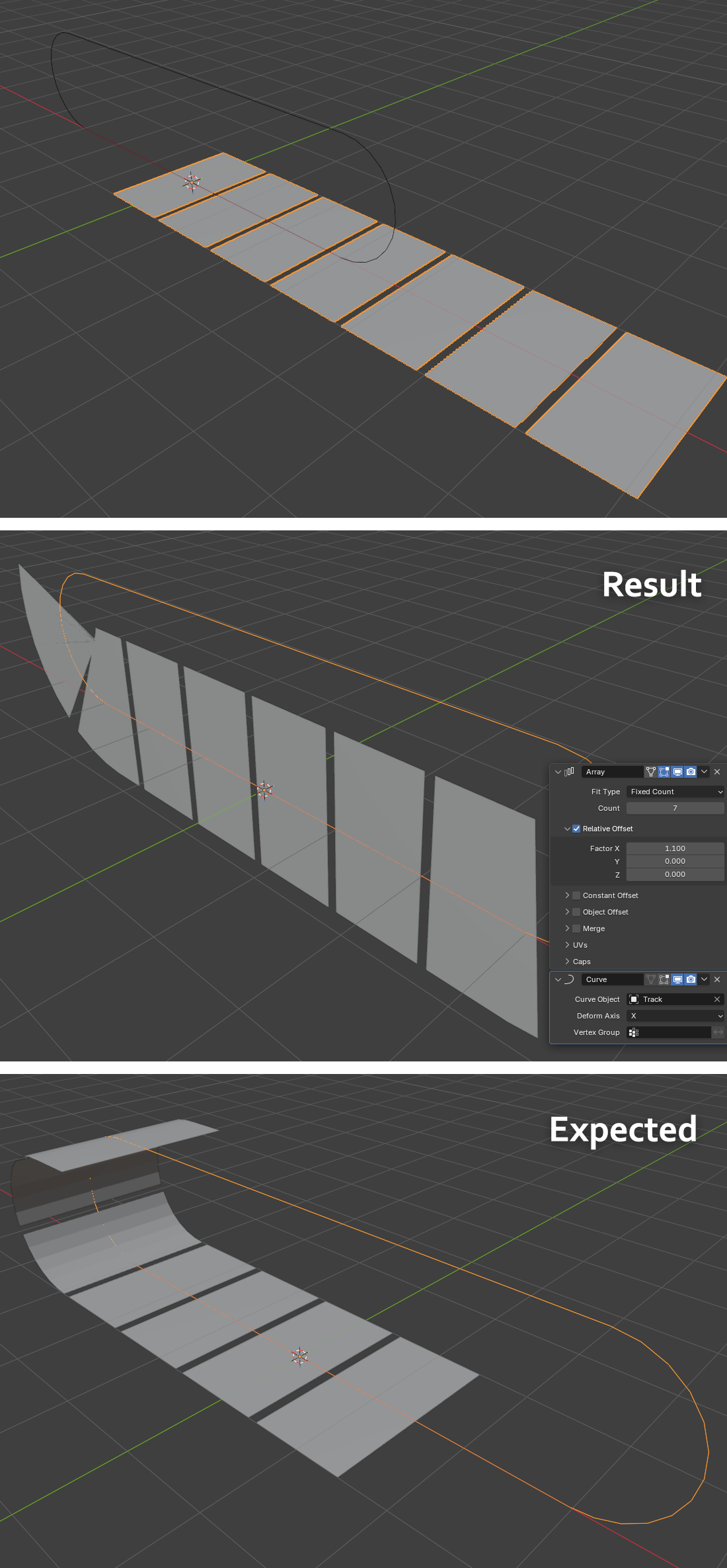
I have a simple plane with an Array modifier, and I want it to follow a curve using a Curve modifier.
The setup seems correct, but as soon as I assign the curve as the Curve Object, the mesh rotates instead of following the path properly.
If I change the Deform Axis to -X, it kind of works, but all the planes end up upside down. I expect it to work correctly with the default X axis.
Is this expected behavior or am I missing something?
Both the plane and the curve have all transforms applied.
I have attached screenshots for reference.
thoslos
May 3, 2026, 11:08pm
2
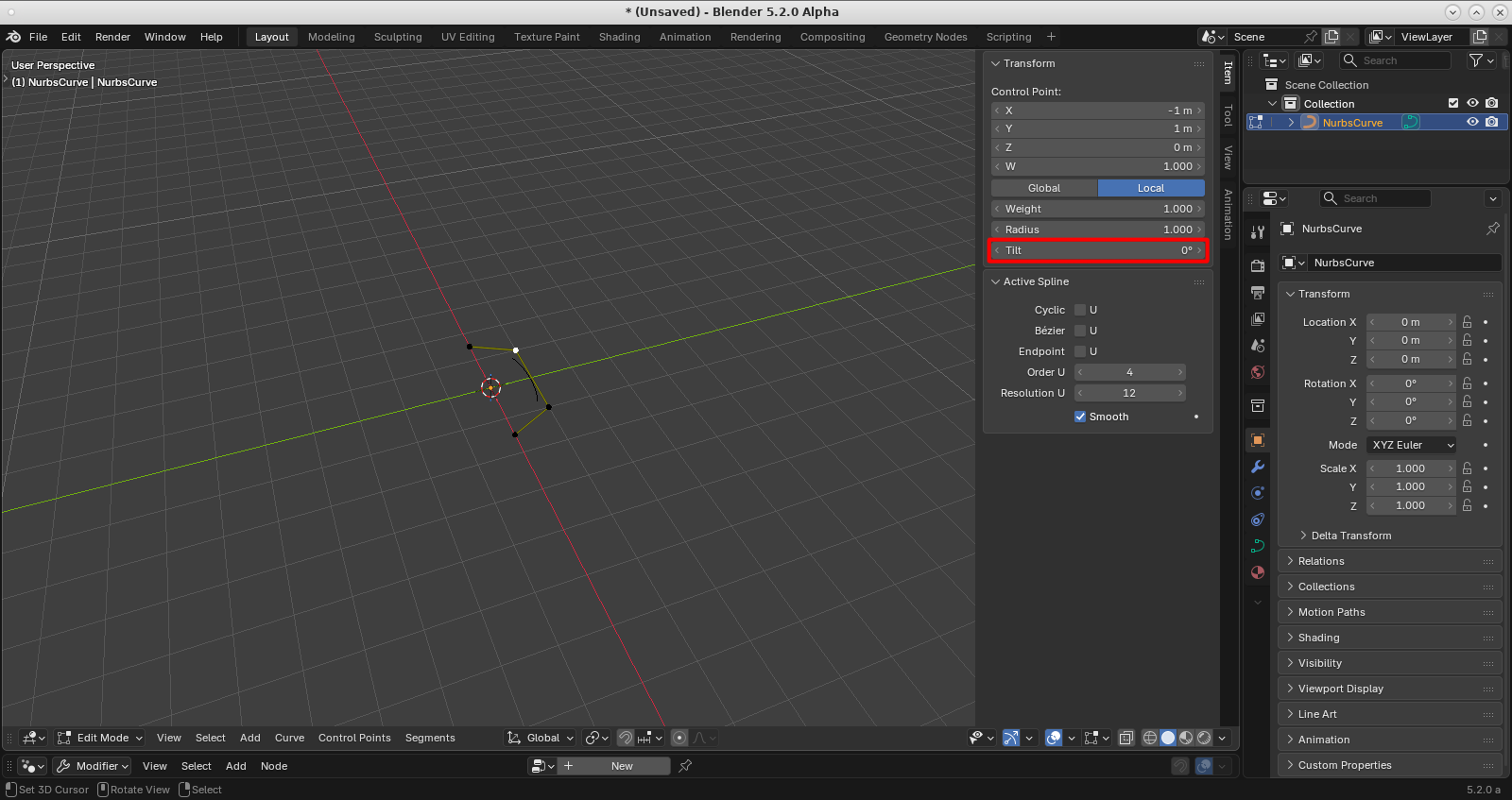
Check the tilt values on your curve’s control points. It looks like you need to add/subtract 90 degrees from them.
RSEhlers
May 4, 2026, 4:15pm
3
Make sure the plane and curve have the same origin.
Use the Legacy Array Modifier.
Make sure that you have set the rotation and scale for the plane and curve.
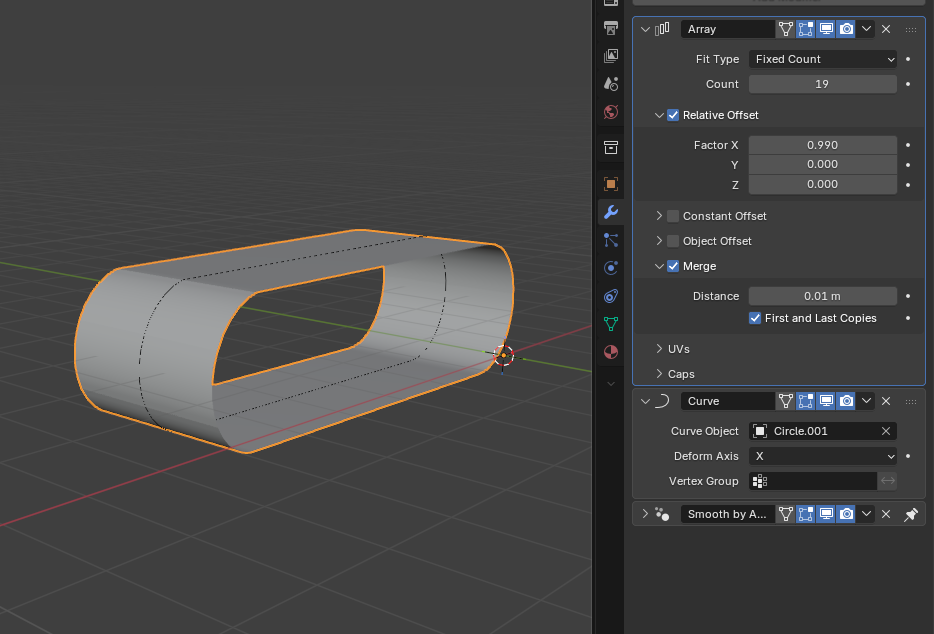
I made the curve from a mesh object …
Result…
Axis depends on curve and object origins orientation i guess. The simplest solution is to tilt curve.https://b3d.interplanety.org/en/how-to-arrange-objects-along-a-curve-without-distortion/
That solved it. Setting the curve Tilt to 90 degrees in Edit Mode fixed the issue.
It turns out the problem was that I had applied all transforms on the curve. Since it was originally created from a plane and rotated 90 degrees, I should have only applied the scale, not the rotation.
Thank you, that really helped
Thanks for taking the time to test this. The issue ended up being the curve Tilt set to 90 degrees.