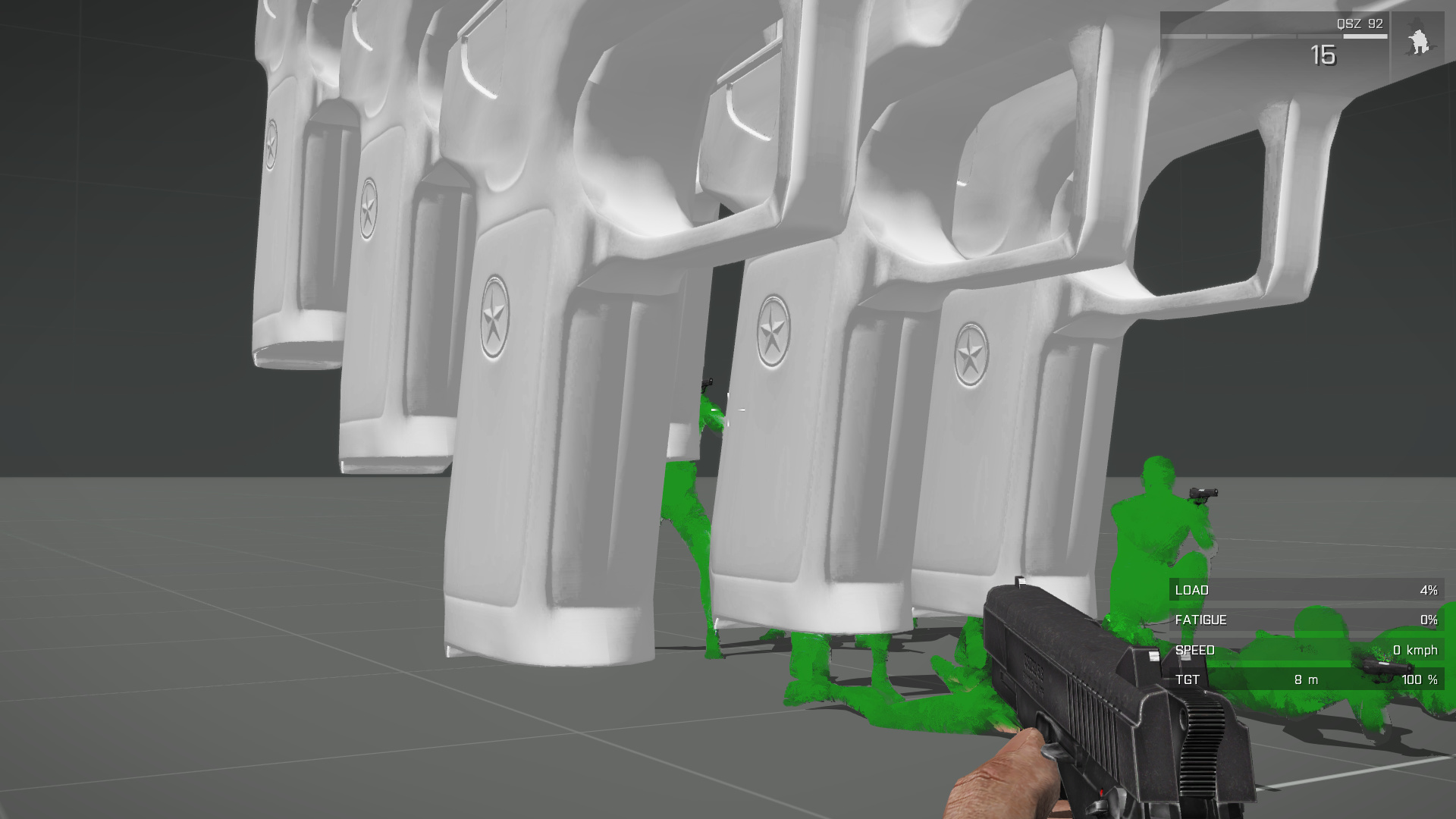
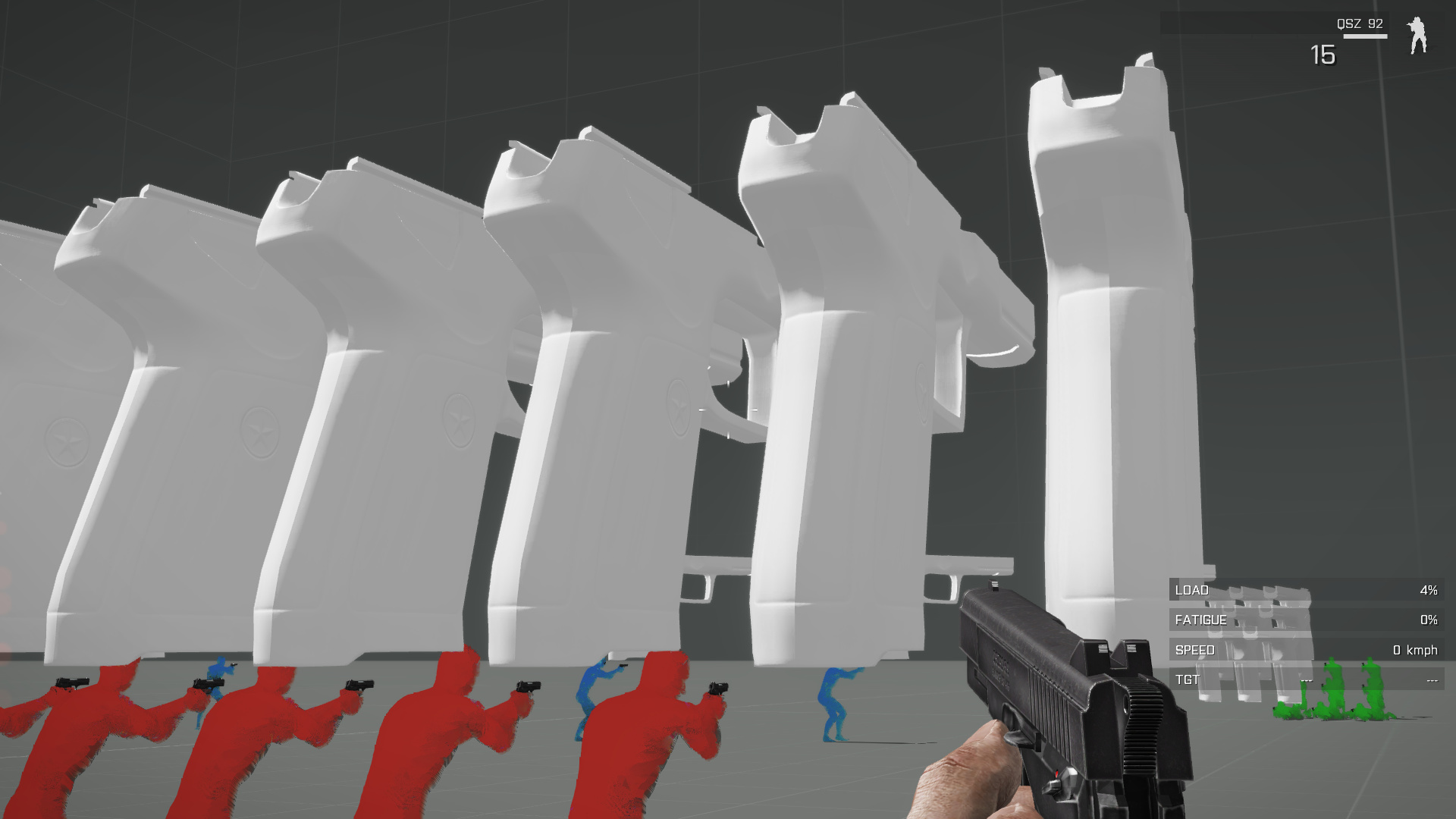
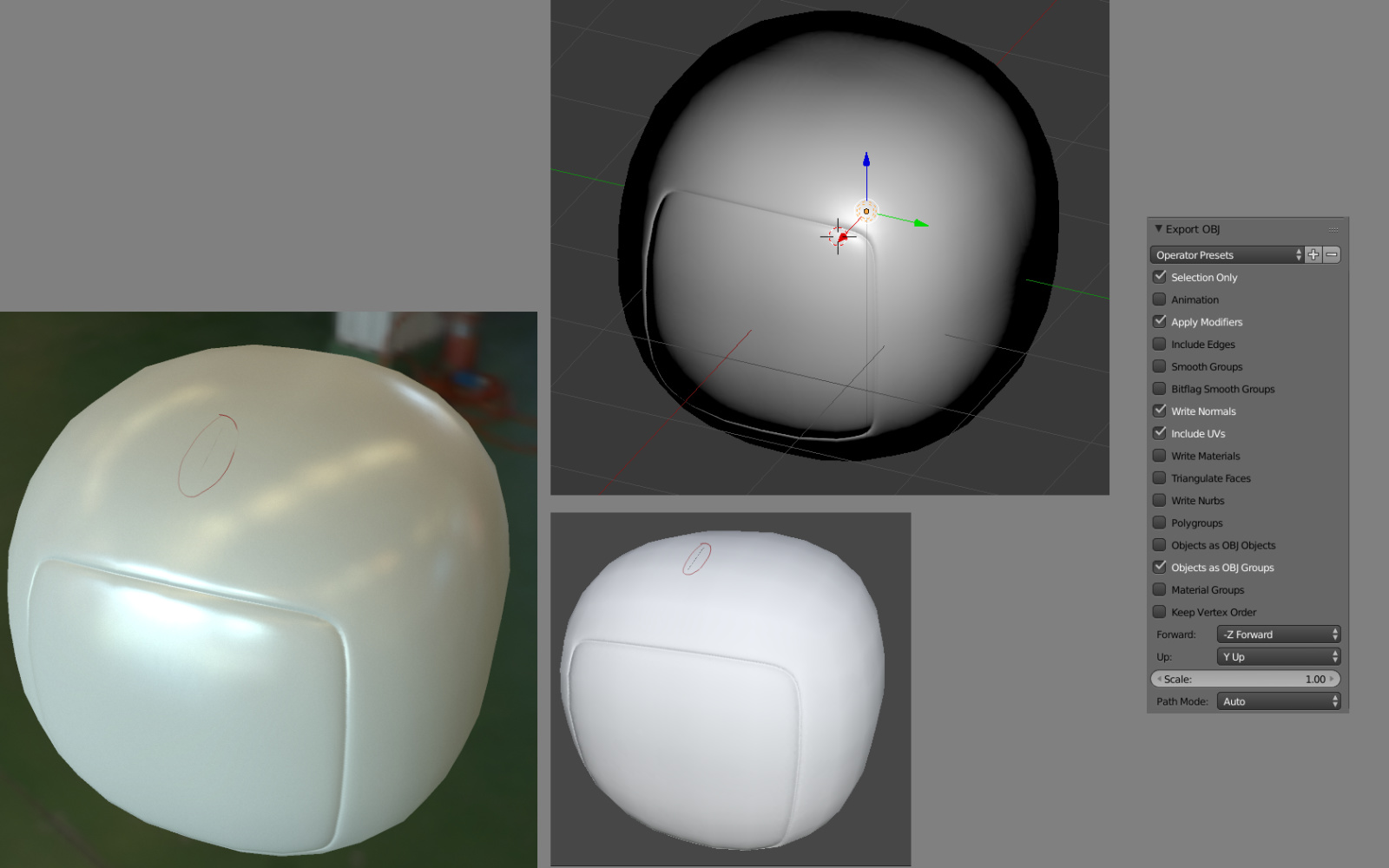
I’m start learn Blender in last year and try to model a pistol for AMRA3,I finish the models,and then I bake normal map from high poly model to low poly model,but when I imported the low poly model into the game with normal map,I found something wrong with my pistol,you can see the problem in the picture
at first,I thought may be I didn’t have the correct UV map,but no matter how I change the UV,the model still have the same problem,so I decide to make a simple model to make sure is not the UV problem
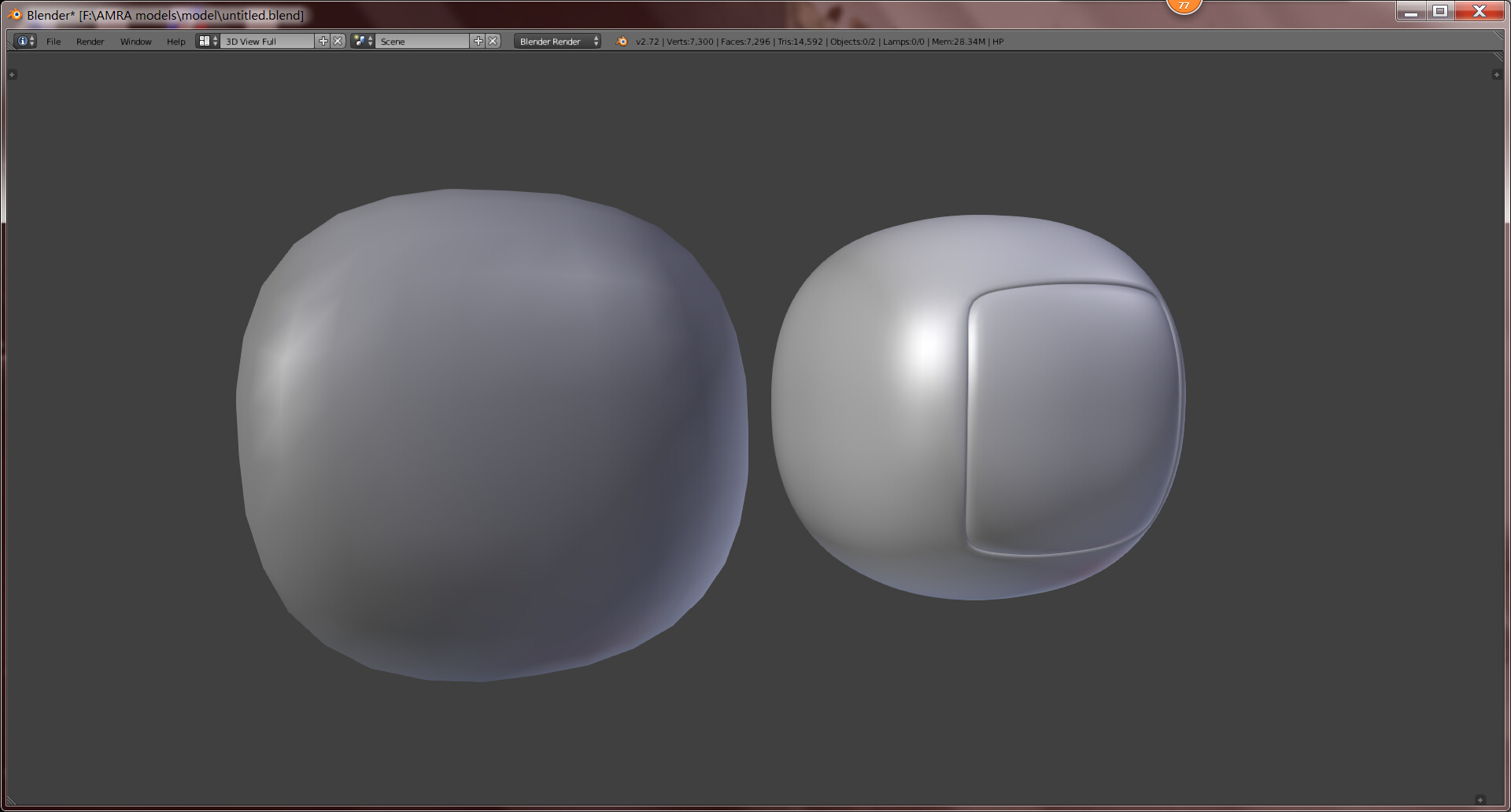
I creat a cage in blender and sudivide smooth it several times, I use subdivide surface modifier and made simple detail on it,then I made the low poly model only subdivide the cage.the hige poly and low poly model :
I marked the UV seam on the low poly model ,when the low poly model overlay the higy poly,the seam will across the center of the square on the high poly,
;
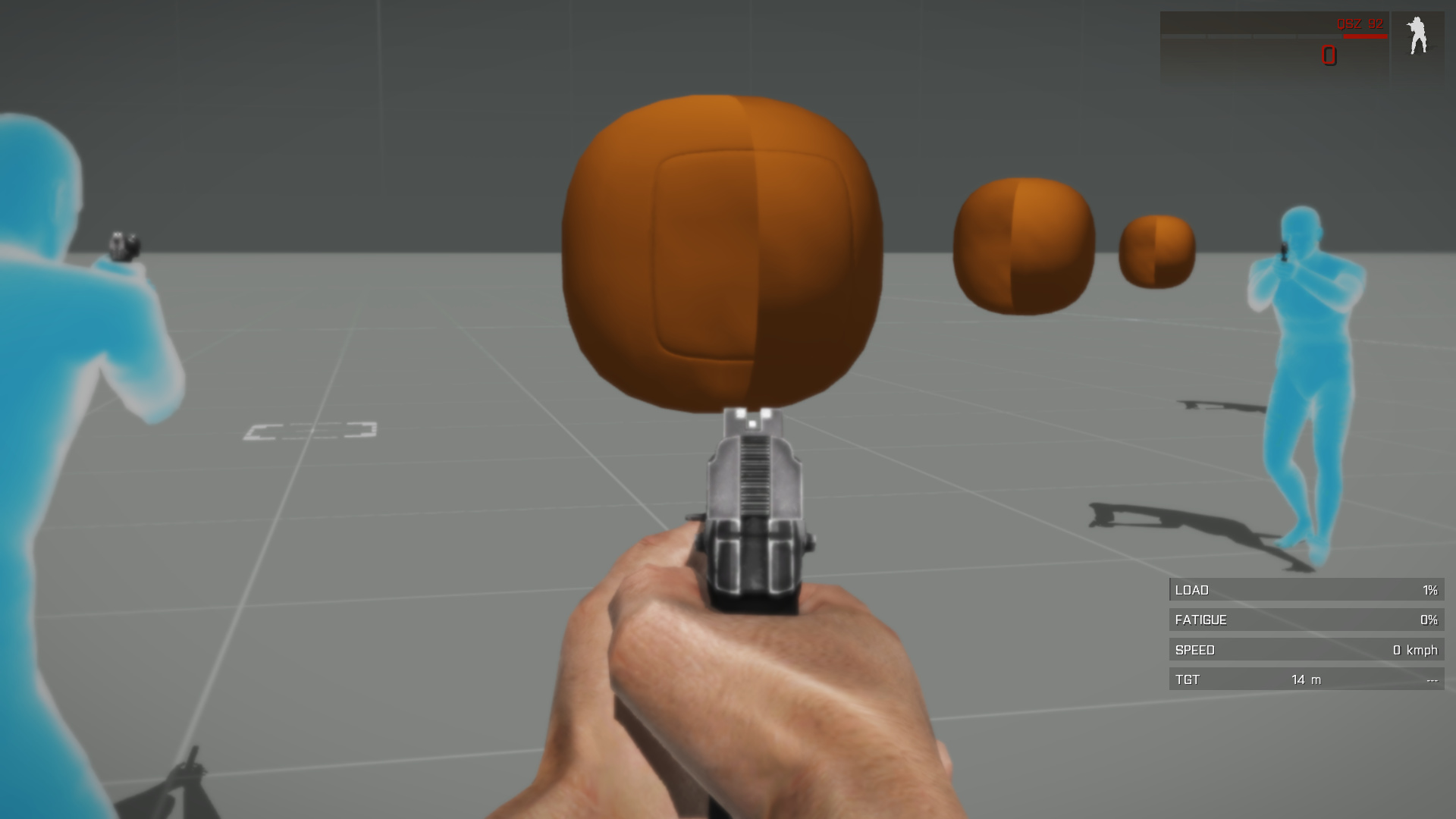
but when I import it into the game ,it still have same problem,it have same problem on the p3d.in,here is the link:http://p3d.in/iqSta,
I spend many months try to solve this problem but don’t have any solution. It’s very pleasure if you guys can help me to solve it
I creat a cage in blender and sudivide smooth it several times, I use subdivide surface modifier and made simple detail on it,then I made the low poly model only subdivide the cage.the hige poly and low poly model
Your cage should not need to be subdivided and should have the same number of polys as your lowpoly model.
when the low poly model overlay the higy poly,the seam will across the center of the square on the high poly
You should also have no seams added to your highpoly, this wouldnt be needed as your using a low poly for the model.
Could you show your UV layout for me to get a better idea, it’s hard to say what your problem exactly could be, have you added a seam or split these areas within the UV? (this looks like the cause imo) and if so this will cause these seams also make sure your Green channel on the normal map is correctly fliped to suit the arma3 engine (im not familiar with this engine) but sometimes (depending on the engine) you may need to flip the greenchannel of the normal map in photoshop or some other paint app for it to correctly display.
may be I didn’t descriput it correct there is no seam on the high poly,only on the low poly model;the cage actually I mean is cube,my english is not good
I would suggest creating your seams more like this [ATTACH=CONFIG]353181[/ATTACH] instead of straight down the middle.
Here is a quick setup (similar to your spheres) thrown together that may help https://dl.dropboxusercontent.com/u/55994486/Quick_Nrm_test.rar
From what i can see the shading on 1 half of the sphere looks flipped from the other which maybe caused by your placement of the seam and your cage mesh should not be a cube it’s better to duplicate your lowpoly mesh and press Alt S to scale it up alittle larger than your highpoly and lowpoly mesh.
I cant open the link of attachment 353181 and rar file.you may be misunderstand what I say,I think I shoud improve my english skill :P.the high poly model and low poly model are made by a cube which have been sudivide smooth for three times,then I duplicate the low poly and press alt s to scale it as you say.I already try everything I could think of,I use UVlayout to make uv and bake normal map by Xnormal,but it still have same problem,also I try to rotate the one UV of two part of it ,every time I rotate it in 90 degree,but it didn’t work too
hi, ive checked your file and made a test. Everything looks fine, however there is some small problem that i marked. I wonder how to solve it. For comparsion, blender viewport glsl, marmoset 2 and unity.