Blender 5.0 and later:
Why does the median point change (even if only by a few decimal places) when switching from Object Mode to Edit Mode?
Can you share the screenshots between edit mode and object mode where it happens?
The median point in Object mode uses only the origins position of selected objects.
While in Edit mode, it uses the position of all selected elements positions (verts, edges, faces).
So, they are not the same thing and the median point is suppose to be different in those modes. (thought, sometimes they can be the same, that’s purely coincidental)
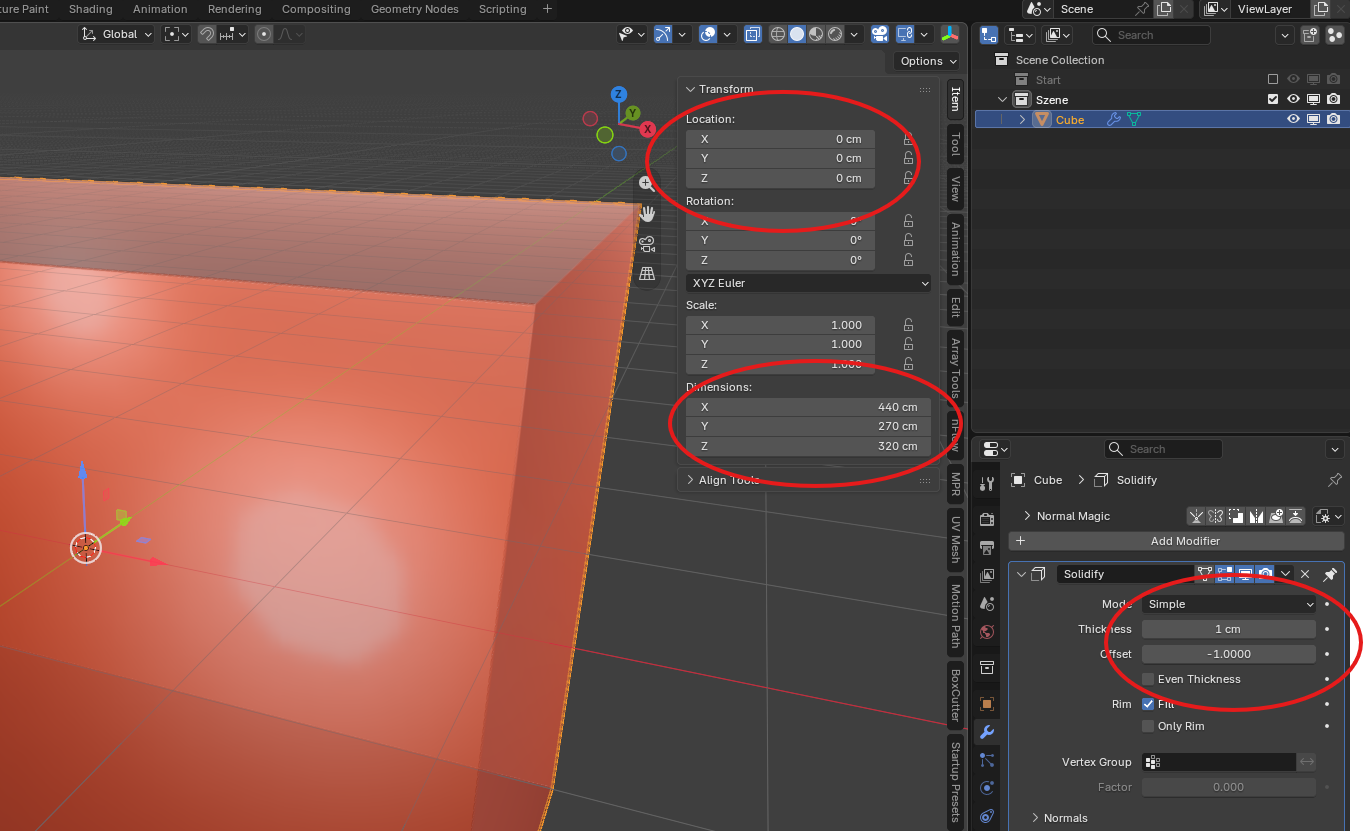
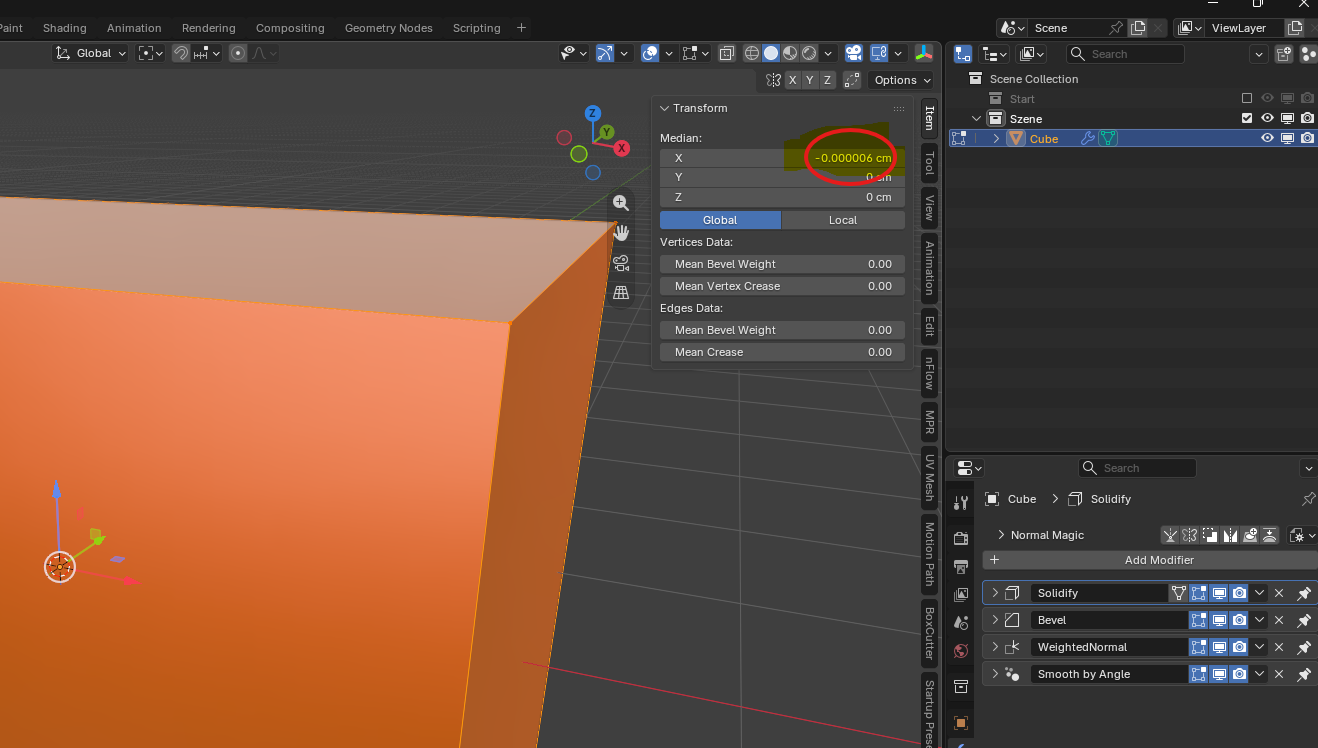
I am certainly aware of the differences.
Please take a look at the pictures I sent to GrimZA.
Well. Cube object may have not been moved in Object mode.
But Cube mesh may have been slightly moved, may not be perfectly centered in Edit mode.
Theoretically, gor a difference to look weird, you have to check if position of faces is not coherent with expected pivot position.
Faces perpendicular to X axis may be perfectly spaced by 440cm with their X coordinates being -220.000006 and 219.999994.
But, in practice, that is a display bug produced by a specific operation.
Blender is not supposed to handle more than 6 digits.
Resetting one face, at its supposed coordinate, should correct display.
I haven’t shifted the cube in any way.
I repeated the process several times, taking meticulous care not to shift anything. Everything remained exactly in place.
Checking the six faces is quick, after all.
Each face is correct on its own; the tiny error only appears when I consider all of them (whether it’s all vertices, all edges, or all faces).
Please post the blend file with that object.
I’m sure there’s something there that you may be missing, and a different pair of eyes may spot it.
I believe this is just a consequence of floating point numbers, and rounding error.
Untitled.blend (111.5 KB)
Thanks for the file.
It looks that @Sid18020 was right and it’s showing a floating point rounding error.
But I don’t think something like this should happen. It’s a major, glaring bug.
That said, I did manage to find the cause of the error.
For this project, I had changed the setting under “Scene → Units → Length” from meters to centimeters. When I switch back to “meters,” the rounding error no longer appears. It occurs quite far to the right of the decimal point, after all.
Still, I think the developers really need to address this. It is—and remains—a bug.
By the way: I can speak and write English, but when I need to do things quickly, I use Google Translate. Is that okay for describing my problem?
Normally Blender truncates floating point values to 4 decimal places.
In that panel, I don’t know if it’s intentional or not, but if it isn’t then it’s a tiny bug.
But floating point imprecisions are inevitable at some point.
You can also notice the small imprecisions in the vertices positions of that mesh (that aren’t visible in the UI).
>>> for v in D.objects['Cube'].data.vertices:
...     v.co
...
Vector((-2.200000047683716, -1.350000023841858, -1.5999999046325684))
Vector((-2.200000047683716, -1.350000023841858, 1.5999999046325684))
Vector((-2.200000047683716, 1.350000023841858, -1.5999999046325684))
Vector((-2.200000047683716, 1.350000023841858, 1.5999999046325684))
Vector((2.200000047683716, -1.350000023841858, -1.5999999046325684))
Vector((2.200000047683716, -1.350000023841858, 1.5999999046325684))
Vector((2.200000047683716, 1.350000023841858, -1.5999999046325684))
Vector((2.200000047683716, 1.350000023841858, 1.5999999046325684))
Is this the data for my “cube”?
I’m really surprised by what it looks like behind the scenes.
It’s amazing to me how Blender programmers handle this.
But that’s not really my area of expertise.
I always assumed that if I drew a cube with fixed, predefined specifications, that’s exactly what it would be.
So, I’ll just ignore it. Even though I find that hard to do.
Thank you for looking into this so thoroughly.