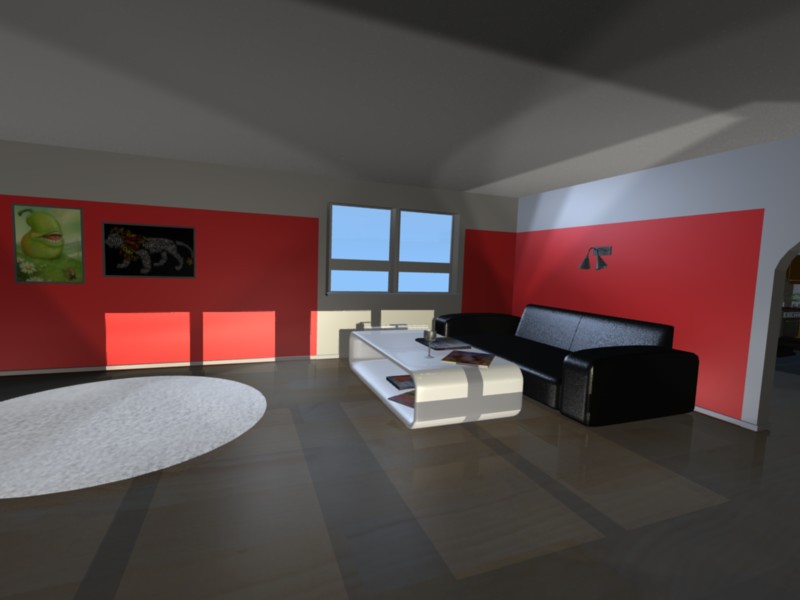
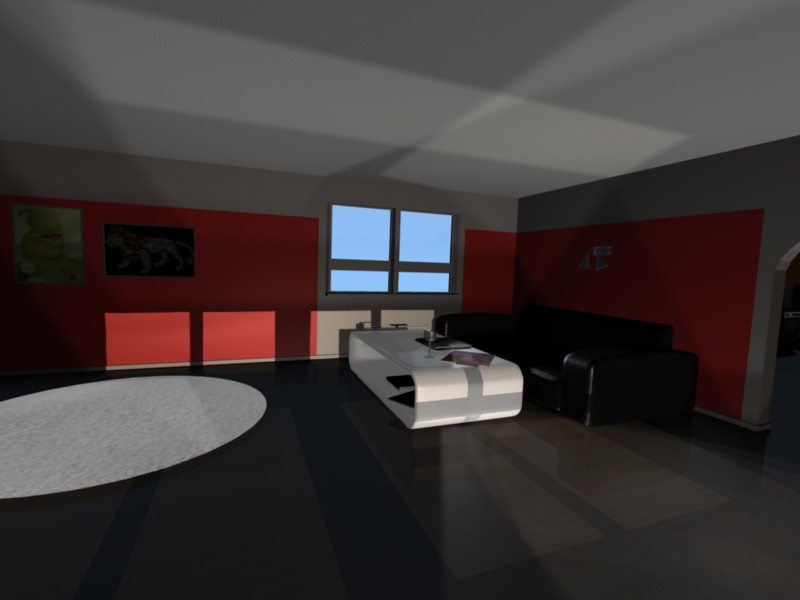
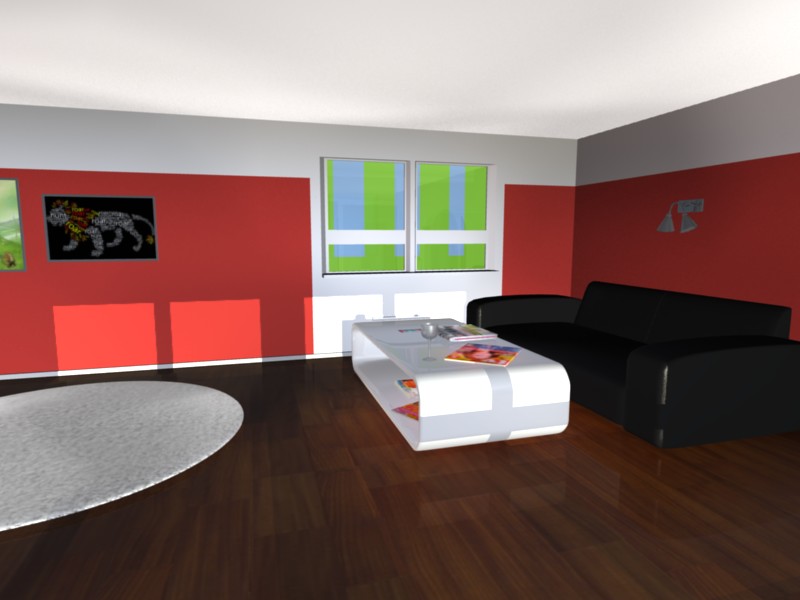
Hi, in school we had to pick a project to work on and I was kind of out on ideas so I took a huge risk and decided to do something with Blender 3D.
My goal is to make a house, with interior, and present it with the work with different screenshots. Since I have so many things and also lack the skills and experience, I simply cannot perfect it. Since I cannot make it look very good I’ve decided that I will try to stay away from close ranged shots and focus on “medium” ranged.
I just found out right now that it’s probably best to start to light up the whole place before proceeding with material but it’s a bit too late for that. I’ve been doing the complete opposite!
Anyway to the point, please take a look at my .blend file for one moment. As I pointed out it’s my first “real thing” outside simple tutorials so the whole thing is a huge and complete mess and I apologize for that. What I need help with is to setup the lighting, I’ve read the manuals about lighting but I’m still completely lost. Therefore I’ve turned to you, the community, in hope to get some advice.
Now back to the real point (again!): Please take a look at the .blend file, I need to make a day time and bright environment. I need plenty of advice, tips, hints and (nice) flames on how to make this whole project good.
“First, place some soft spotlights pointing to the roof, anywhere where the key lights are hitting the floor. This is the bounced light and should make the whole room glow. The corners of the room and perhaps some other areas will still be too dark.”
I tried pointing it the ground and it looks kinda cool I guess but the roof is completely dark and if I point it to the roof the floor will be completely dark. What am I doing wrong since he does mention that pointing it to the roof should make it all glow up!
Yeah but I’ve already placed my “first” lights (the sun ones) so I suppose these are the secondary lights. o_O
I tried putting two spotlights nex to each other though, one pointing down and one pointing up and it looks pretty good but most of the other areas that are a bit too far away from the windows are still all dark.
I also don’t know what I should be using as ambient light, let it stay black or change it to let’s say, white.
Hi, I’ll give you some pointers to light the scene. I downloaded your scene.
Here is some quick advice to light the scene quickly, but to effectively light a CG scene, you really need to do some reading.
In the real world, when a lamp turns on the light rays spread out, hit an object and bounce to hit another object, until they eventually lose energy. This doesn’t happen in CG. If you want your light to bounce, you must add a separate bounce light.
Remember to give everyone of your lights a motivation. Before adding the light give it a motivation of either, (in the case of a sunny day at 12:00pm) sunlight, skylight, or bounce light. Every light you add should simulate one of those three motivations.
In your scene you had multiple suns. This is unnatural and you should only use one sun.
Add lights in random places pointing to your windows. Color them light blue and disable either buffer shadow or ray shadow, these are your skylights and should not cast shadows. These lights should have a low intensity.
Add lights pointing up through the floor, also give them low intensity and disable either buffer shadow or ray shadow. Point these lights in random directions and give them the same color as the diffuse color of the floor in your house. These are your bounce lights.
Remember to give both your skylights and bounce lights a low Spot Bi value. This value controls how intense the edges of the light will be. The sun light should be set to a low Spot Bi value because sunlight casts hard shadows.
Hope that helps. With the new indirect lighting feature of blender 2.5 you wouldn’t have to do any of that. But its really not that hard. I’d tell you how to use that feature, however I just can’t get it to work. Maybe someone else can help you with that. In the mean time, you should get good results using the strategy I just told you about.
I’ve played around for a bit and I am a bit incertain about how right I’m really doing it.
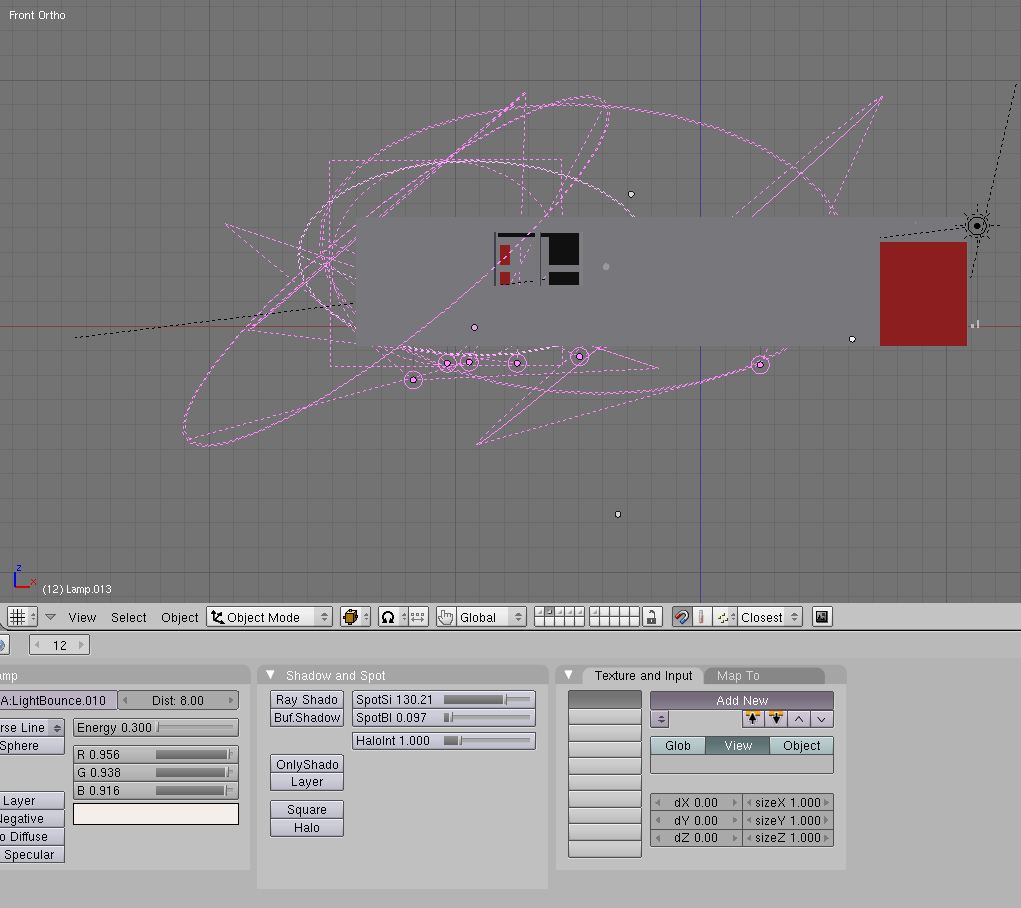
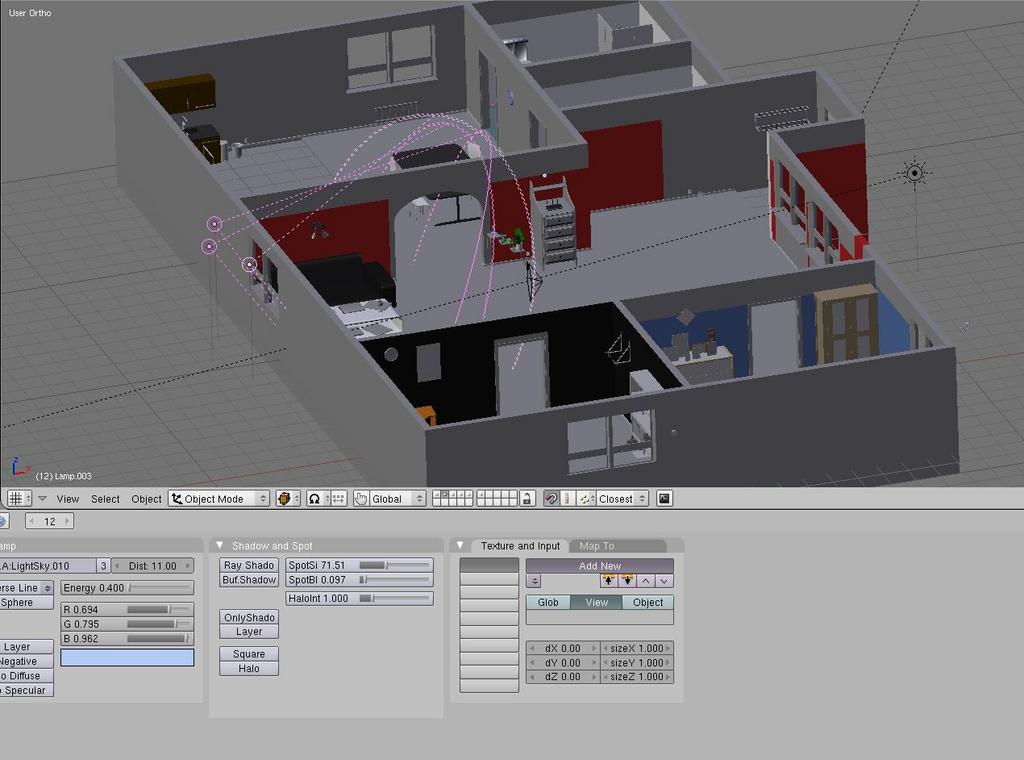
I’ve uploaded some pictures on a testscene just to ask if I understood you right. The skylights should be outside like on the picture? And the bounce lights should be placed below the floor. Should I stick to circles or squares? When I look around in my own room it seems it’s more square-ish than round shadows! Are the spotlights too big/wide, too few, too many?
That’s not too bad. The reason you see square shadows in your room is because of the square windows of course. Yes, shoot the sky light through the windows. The bounce lights should be below the floor pointing at the walls and objects mainly. The higher the Spot Bi value, the more the lights will blend together to provide more uniform lighting. I’d say the most important thing that you need to do is increase the Spot Bi value for the bounce lights and sky lights, so that the lighting is more uniform. Add more bounce lights too, it doesn’t look like you have enough from your picture.
You can also create other bounce lights with different colors for a more realistic result such as bounce lights pointing out from the red walls with a red color. You’ll have to do some tweaking though because the red light will be more noticeable than the grayish brownish floor, so you should play with the intensity value.
And I also forgot to mention, click “no specular” on every light except for the sun light because specular highlights should not come from bounce or sky lights.
Here’s yet another update:
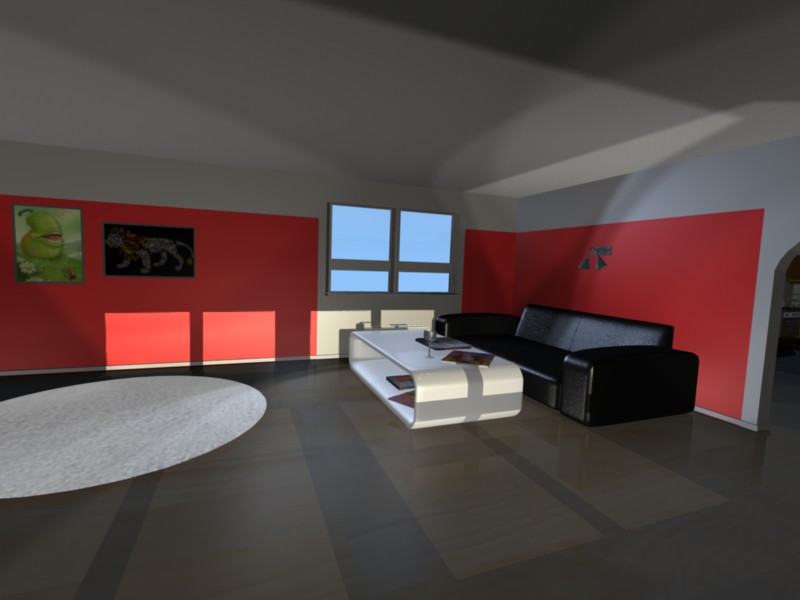
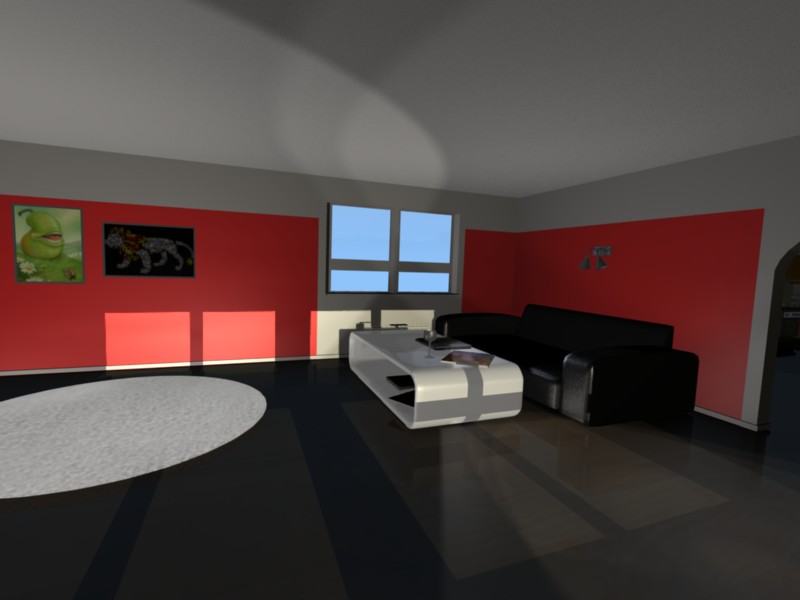
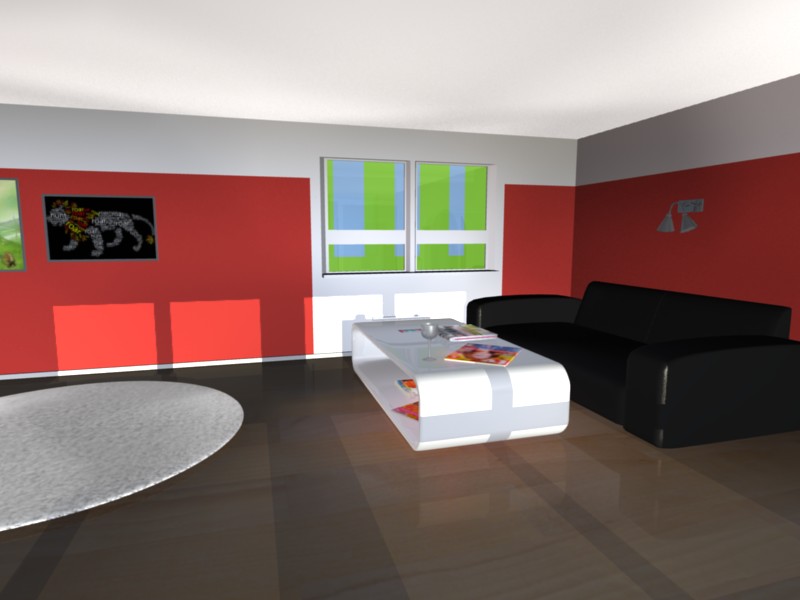
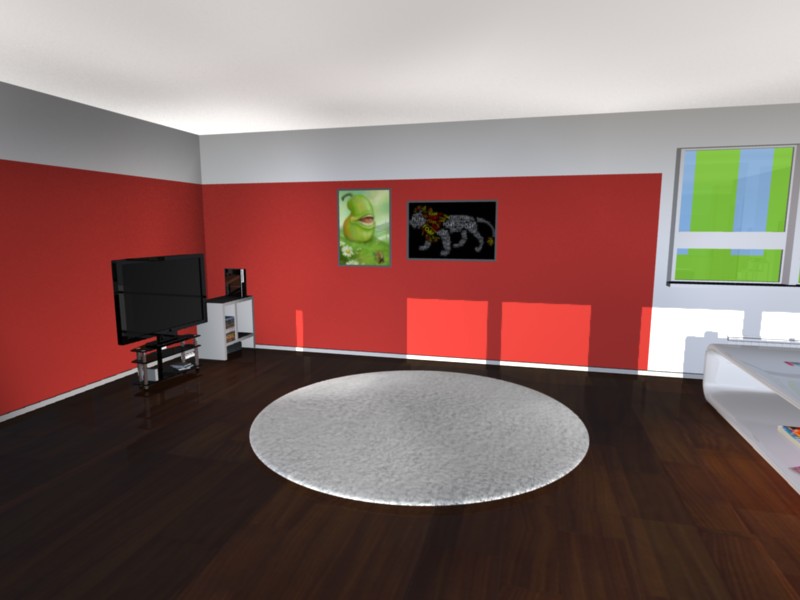
I removed all the bounce lights from the picture above and started out fresh. The bounce lights have a distance of 10, energy of 0.400, SpotSi at 103 (around half) and Bi at 0,372 (around one third). I’ve tried to add some of those red wall bounce lights, as the roof shows.
No Ambient Occlusion is enabled, I’ve added glass to the window and some green stuff outside just as test, On the papers and magazines on the table I added some emit and also tried to add some red small spotlights next to the red magazines to make a red “reflection” on the white table…
Personally I kinda like what I got here, right side with the wall, couch and lamp could use a lot more light perhaps though…
That looks nice! The only thing that I have to say is add some more bounce light simulating light bouncing from the ceiling illuminating the floor and the sofa a little more and brighten the side of the room with the sofa like you said.
Other than that, I think you’ve got the hang of lighting indoor areas.