Problem is there. This refractions is not accurate.
Show me the better way. Again, if you just wanna say no, we can be done talking. I showed how the technique I am describing works. Now it’s your turn.
You are correct. To get around this, I added a separate volume object that is slightly inset to avoid surface artifacts.
That way, you can have accurate refractions and volumetric effects. It takes a little more setup, but it’s all there.
OR, you could just forget to invert the normals and use an IOR smaller than one. 
It works, I am just still trying to figure out how to configure the surface.
1 Like
I found a solution, and too easy.
- Intersect your fluid with Glass surface (not 0, a little big than interior surfaces)
- Apply Solidify modifier on Fluid object.
- Thickness = 1 mm (or any value for interior surfaces lesser than glass interior surfaces)
- Material Index = 1 Rim Index = 1
- Flip Normals
Index 0 Mat = Fluid IOR
Index 1 Mat = Glass IOR / Fluid IOR
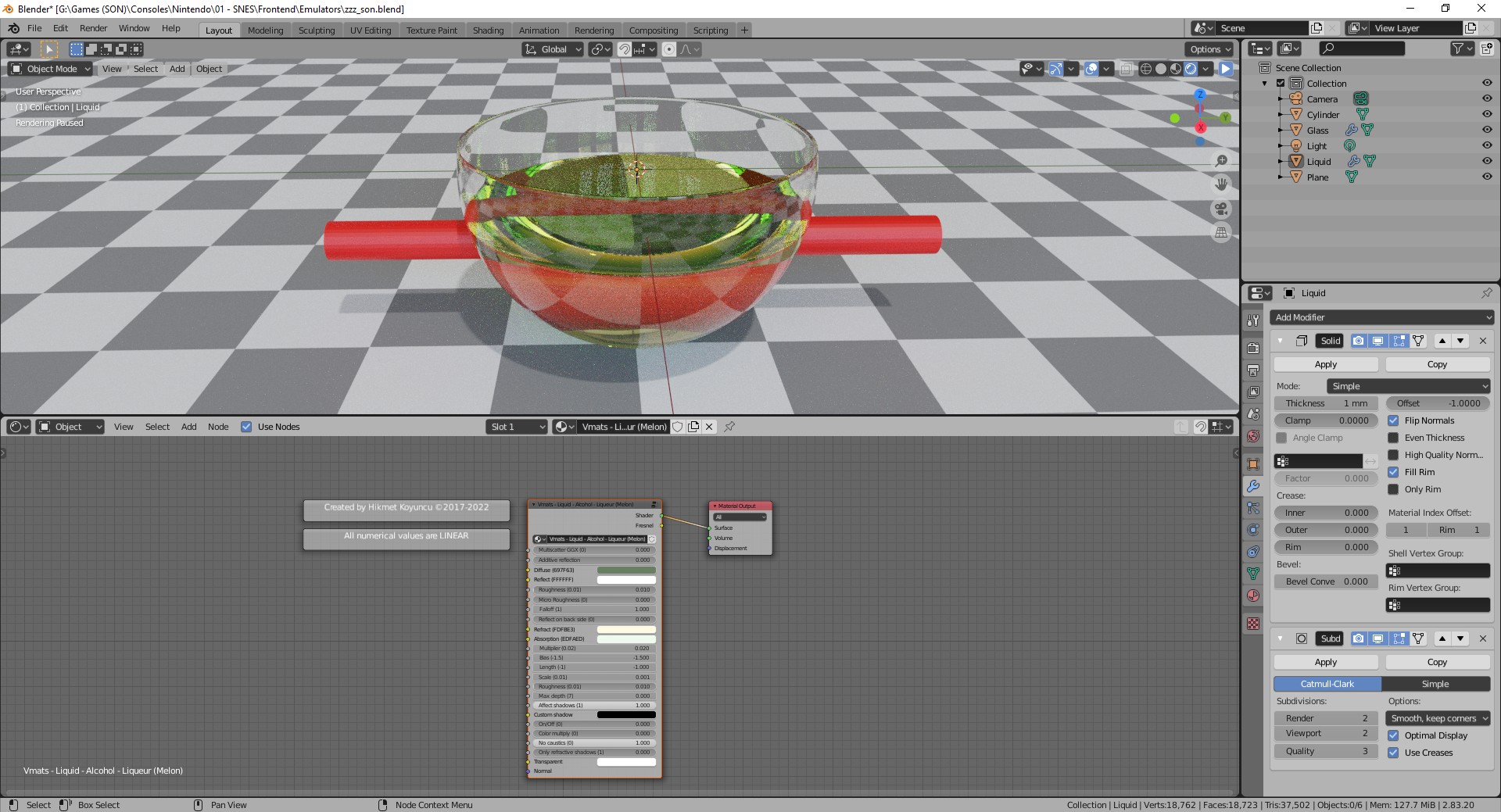
I figured out the best way to work with that is having everything joined in the same object since the volumetrics work weird if they are in different objects, I don’t know why. Also, another thing that doesn’t work so well when you tint the liquid is the color of the surface tension area behind is stronger than it should. I saw some reference photos and it works like the changes I made.
On the left is the glass I modified, with no inversion of the inside juice normals, IOR of the glass: 1.5, IOR of the juice inside 0.87, IOR of the surface material 1.33. Inner juice and surface with a blue volume absorption with the density of 5.

I believe that could make your work a bit simpler.
3 Likes
Maybe it’s just the example geometry you are using, but that doesn’t look right to me.
Maybe I’m just not understanding what you are doing.
Yeah, all coloring should be done volumetrically. Tinting the color of the liquid surface doesn’t make sense from a physics standpoint.
1 Like
So, now you don’t need to create a second geometry to have the volumes working with that technique. It’s pretty simpler, right? By the way. I found out that to have exactly the same result as the distortions of the refraction of the original model the surface IOR should be 1.352.
Totally right, absorption works and you can use with simulation.
fake_nested_dielectrics.blend (837.4 KB)
Can you provide the blend file?
Sorry, I was unable to connect BA for more than a year. It simply stopped working on my computer. Sure, I can share the .blend file. If you are still interested it’s here.
glass_test.blend1 (1.7 MB)
2 Likes