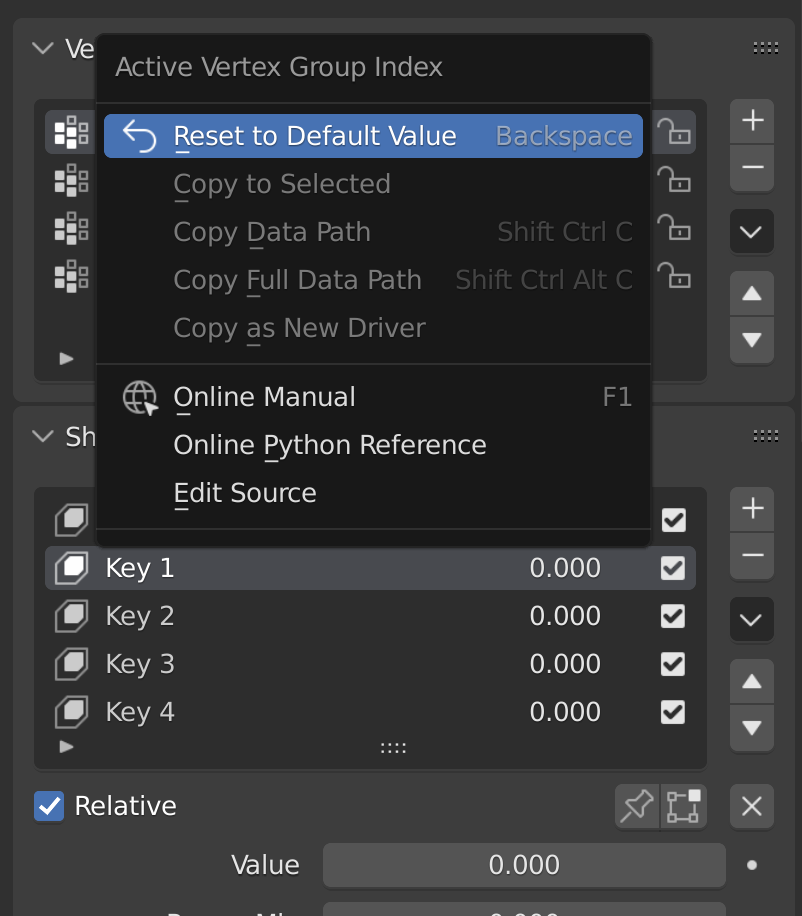
And it turns out there is an elegant way of doing this, at least for custom made UI lists.
First and foremost, in the UI list’s draw_item method store the item in a dynamically created and globally accessible variable via layout.contex_pointer_set(item, “arbitrary_name”) and then create a custom drawing method that will be appended to a built-in UI_MT_button_context_menu.
This custom drawing method will handle the layout or GUI content added to the right click context menu.
Here’s a really simple example of such implementation:
#TESTED IN BLENDER 4.1

import bpy
from bpy.props import IntProperty, StringProperty, CollectionProperty, PointerProperty
from bpy.types import Operator, Panel, UIList, PropertyGroup

# ---------------------------
# Property Group for List Items
# ---------------------------
class PersonItem(PropertyGroup):
    name: StringProperty(name="Name", default="John Doe")
    age: IntProperty(name="Age", default=30, min=0, max=120)
    birth_year: IntProperty(name="Birth Year", default=1990, min=1900, max=2020)

# ---------------------------
# Custom UI List
# ---------------------------
class PERSON_UL_List(UIList):
    def draw_item(self, context, layout, data, item, icon, active_data, active_propname):
        # Set context pointer for right-click
        layout.context_pointer_set("person_item", item)

        # Display item info
        row = layout.row()
        row.alignment = 'LEFT'
        row.prop(item, "name", text="", emboss=False)
        row.separator()
        row.prop(item, "age", text="Age:", emboss=False)
        row.separator()
        row.prop(item, "birth_year", text="Year of Birth:", emboss=False)

# ---------------------------
# Right-Click Context Menu
# ---------------------------
def draw_context_menu(self, context):
    item = context.person_item
#    item = get_attr(context, "person_item", None) #alternative
    layout = self.layout

    layout.separator()
    op = layout.operator("object.print_list_item", text="Print Item Details")
    op.name = item.name
    op.age = item.age
    op.birth_year = item.birth_year
# ---------------------------
# Operator to Print Item Data
# ---------------------------
class OBJECT_OT_PrintListItem(Operator):
    bl_idname = "object.print_list_item"
    bl_label = "Print List Item"

    name: StringProperty(default="")
    age: IntProperty(default=0)
    birth_year: IntProperty(default=2025)

    def execute(self, context):
        print(f"\nItem Details:")
        print(f"Name: {self.name}")
        print(f"Age: {self.age}")
        print(f"Birth Year: {self.birth_year}")
        print(f"------------------")

        return {'FINISHED'}

# ---------------------------
# Panel to Display the List
# ---------------------------
class OBJECT_PT_CustomList(Panel):
    bl_label = "People List"
    bl_idname = "OBJECT_PT_custom_list"
    bl_space_type = 'VIEW_3D'
    bl_region_type = 'UI'
    bl_category = 'Tool'

    def draw(self, context):
        layout = self.layout
        scene = context.scene

        row = layout.row()
        row.template_list(
            "PERSON_UL_List",
            "",
            scene,
            "people_list",
            scene,
            "people_list_index"
        )

        col = row.column(align=True)
        col.operator("object.add_person", icon='ADD', text="")
        col.operator("object.remove_person", icon='REMOVE', text="")

# ---------------------------
# Add/Remove Operators
# ---------------------------
class OBJECT_OT_AddPerson(Operator):
    bl_idname = "object.add_person"
    bl_label = "Add Person"

    def execute(self, context):
        person = context.scene.people_list.add()
        person.name = f"Person {len(context.scene.people_list)}"
        person.age = 20 + len(context.scene.people_list)
        person.birth_year = 2000 - len(context.scene.people_list)
        return {'FINISHED'}

class OBJECT_OT_RemovePerson(Operator):
    bl_idname = "object.remove_person"
    bl_label = "Remove Person"

    def execute(self, context):
        index = context.scene.people_list_index
        context.scene.people_list.remove(index)
        context.scene.people_list_index = min(
            max(0, index - 1),
            len(context.scene.people_list) - 1
        )
        return {'FINISHED'}

def add_generic_items():
    for i in range(6):
        person = bpy.context.scene.people_list.add()
        person.name = f"Person {i+1}"
        person.age = 30 - i
        person.birth_year = 1995 + i

# ---------------------------
# Registration
# ---------------------------
classes = (
    PersonItem,
    PERSON_UL_List,
    OBJECT_OT_PrintListItem,
    OBJECT_PT_CustomList,
    OBJECT_OT_AddPerson,
    OBJECT_OT_RemovePerson,
)

def register():
    for cls in classes:
        bpy.utils.register_class(cls)

    bpy.types.Scene.people_list = CollectionProperty(type=PersonItem)
    bpy.types.Scene.people_list_index = IntProperty()


    # Register context menu
    bpy.types.UI_MT_button_context_menu.append(draw_context_menu)

def unregister():
    # Unregister context menu
    if draw_context_menu in bpy.types.UI_MT_button_context_menu._dyn_ui_initialize():
        bpy.types.UI_MT_button_context_menu.remove(draw_context_menu)

    for cls in reversed(classes):
        bpy.utils.unregister_class(cls)

    del bpy.types.Scene.people_list
    del bpy.types.Scene.people_list_index

if __name__ == "__main__":
    register()
    add_generic_items()