is there only PNG can hold alpha channel?
@Oyster… Yes, PNG and GIF are only two formats that can hold an alpha channel. This is concerning a true alpha channel, of course. Transparency maps can be used with JPG and BMP, and others by using varying color values from black to white. This can be achieved in LuxRender using the original material panel, or with nodes. I have updated my Addon Converter to handle those kind of transparency maps as well as the PNG true ‘alpha channel’ kind. Now if there is a transparency map identified in Blender Internal, like where black is transparent - then the LuxRender Converter will place that in a transparency node and render accordingly. A good example is in DAZ3D type models where hair is simulated with transparency maps. Leaves of trees and other materials can be handled that way too. I have discussed this and the updated Converter in my blog.
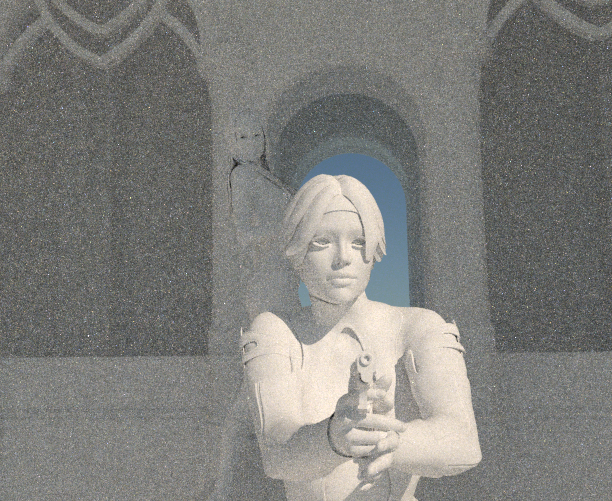
Here you can see a clay render (10 min.) that shows hair polygons, like eyelashes. No bumpmaps show on clay renders, either.
The same camera shot with materials rendered, and you can see the JPG image map transparency worked on hair and eyelashes:
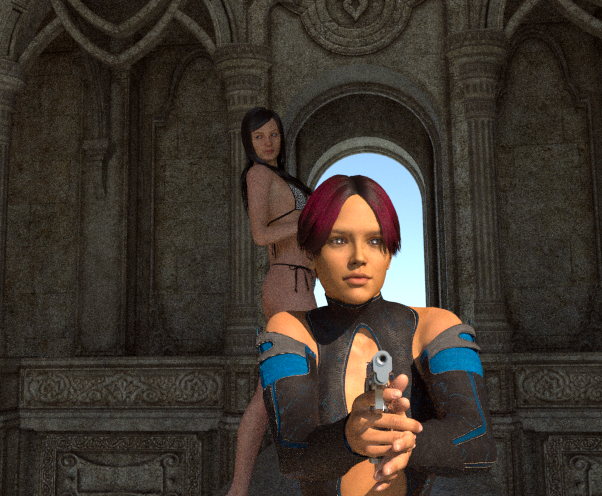
Since the render was only 10 minutes, the eyes haven’t had enough time for light rays to penetrate beyond the eyereflection material and cornea to illuminate the color of the iris. At about 125 samples per pixel, that would clear up and look more normal. I have little doubt that with particle hair and render time allowing about 700+ samples per pixel, the image would look like a real photograph. With longer renders, sub-surface scattering becomes more evident as well. If I have any updates as time goes on, I will post.
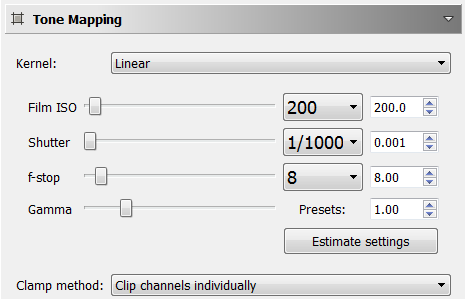
For that second image, I did use manual tone-mapping while rendering. The automatic linear tones were getting hammered by the Sun+Sky light. These are the settings that work best in my opinion:
will this give pressure on luxrender developers to improve the luxrender speed? 
DOH!! That is the second time I have done that. I used a previous link to add URL and I changed name since first version. It is corrected now.
Yes, Luxrender can be slow - but good things come to those that wait! I remember when it was faster than Cycles, but now Cycles is a bunch faster. The new API for LuxRender (LuxCore) has faster engines to render with, but not all of the materials work in nodes with it (last time I tested). It can use your GPU which also helps with speed. Currently this converter is geared towards legacy API of LuxRender. I will be testing and enhancing the converter for LuxCore, as that is the future of LuxRender development.
Confirmed! Works fine now:
http://www.tinkeringconnection.com/wp-content/storage/materials_lux_converter_v1_5.zip
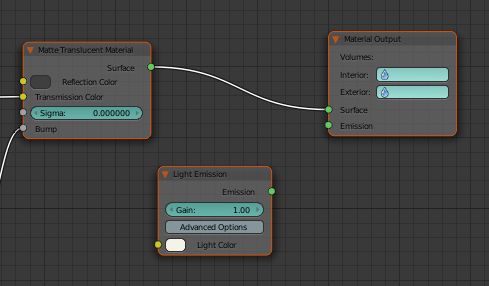
LuxBlend (LuxRender has changed)! I just used the update function in ‘Preferences’ and it updated all the scripts in my folder and I noticed a few things. First off, my Add-on won’t work with light emission or area lights. The developers added volumes, so the slots on the nodes are a little different now. Now the intended light node plugs into ‘nothing’. I will update accordingly. I will see what other changes have happened and see what I have to do to correct. I also noticed they added a tool to convert directly from Cycles materials to LuxRender. This is a great built-in addition. It does not render my LuxRender Converter obsolete, as that is intended to convert materials from Blender Internal, which can come directly from a number of sources like OBJ, 3DS, or any other format that imports with intact materials into Blender. A simple test I perform is after importing a model or scene, I turn on ‘texture’ for the 3D View as opposed to ‘solid’ or ‘wireframe’. If it displays with the materials or at least mapped textures, I know it is a good import. I will get cracking on this task and update. I like LuxRender update feature where it automatically downloads updates. That would be cool to implement.
Very interesting project.
If you have any questions regarding the sometimes quirky internals of LuxRender/LuxBlend, feel free to ask me in the Lux forums (I do not check blenderartists very often).
Thanks BYOB, you were helpful in that other forum on the issue with the shading anomalies.
I have updated the LuxRender Materials Converter to now work with the LuxCore API. Developers for LuxRender like BYOB, will be concentrating on future development around the new API. Until recently, I have been avoiding it because it did not use nodes and some materials didn’t work either. Now there are nodes and as far as I can tell, all materials seem to work, thanks to the great developers at LuxRender.net! Why is LuxCore important? Well, first of all - speed. I used to love the Bidirectional engine and Metropolis sampler in the Classic API, but some of those complicated scenes could take up to 12 hours to complete. If your rig is equipped with a modern GPU, it uses OpenCL as an option. My current favorite setting for LuxCore is Path engine and Metropolis sampler with Log Power light strategy (minimizes fireflies in my experience). So I have been concentrating on compatibility with that API as well. I have tested and it is ready to be released into the wild.
All features for LuxCore will be in the colored box (see next post - the first image dropped off due to 3 attachment limit). The latest feature is your choice to flat-shade every object in the scene while the conversion is taking place. This was necessary due to the render aberrations I found (mentioned in first line of this post) when rendering with LuxCore API chosen. It turns out it is less forgiving than Classic API when handling shaded faces. Careful attention to smooth-shaded faces abutting flat-shaded faces has to be made. If you have the time and it is a simple scene, you can correct with edge-split modifier and picking/choosing faces to change shading while in Edit mode. However, I am testing with scenes that have hundreds of objects and some over 700 materials (That seems insane, right?).

But then again, that is the reason for this Converter. That would take months to change those from Blender Internal to Lux individually! I was worried that having everything flat-shaded would look jagged and sharp. As far as I can tell, it doesn’t show. Regardless, it does not have to be used - your choice. Examples rendered in LuxCore (about 10 minute renders).
Using Homogeneous Volume as Fog:
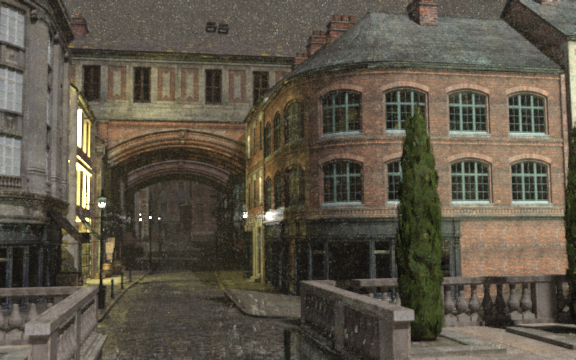
Daylight with Sun + Sky Lamp:
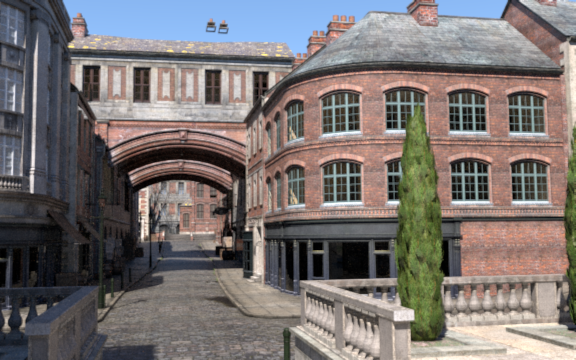
Interesting about images above - same Sun + Sky lamp in both, but the fog (Homogeneous Volume) obscures sunlight enough so that it looks close to evening. All lights converted by Addon are on in both renders, but you can only see them with a thicker atmosphere. I like using Vue and it has some cool atmosphere settings. Maybe it would be fun to incorporate a GUI that dials up fog settings and the like for LuxRender, and by the same token, Cycles in Blender as well? Perhaps there is already an Addon like that.
DOH!! Just noticed invisible chimneys! Back to the code. Have to see if it is due to LuxCore materials or bogus in Classic as well…
The latest Addon is here. Since I am using versions, if you have already installed the Addon, take the new one and remove the ending version part and copy over the existing in the user folder currently in. More thoughts on the tools can be found here.
Tried latest (1.6.2) and it gives me an error:
Traceback (most recent call last):
File “C:\Users\se\AppData\Roaming\Blender Foundation\Blender\2.76\scripts\addons\materials_lux_converter_V162.py”, line 2672, in execute
AutoNode(False)
File “C:\Users\se\AppData\Roaming\Blender Foundation\Blender\2.76\scripts\addons\materials_lux_converter_V162.py”, line 1749, in AutoNode
if texambientuse == True:
UnboundLocalError: local variable ‘texambientuse’ referenced before assignment
location: <unknown location>:-1
Got model set for BI but conversion doesn’t work, it just switches to LuxRender.
OK. I see what happened. I got messed up with versions in folders and using BitBucket. I am now back to a simple workflow, the repository will only have the original Converter name and when updated, will be merged. There were two folders in my local drive it was pulling from and messed up what I thought was latest version. I was trying different things to see what was happening with invisible chimney in previous postings, so it may have been missing some code. Turns out it is not the Converter, but something with exporting in LuxRender when rendering. That is being worked on currently.
The latest code is up there and it does not bail with an object having no texture. That is what would cause that ‘referencing’ error just mentioned. I also found an issue with diffuse color conversion that wasn’t always translating. That is also taken care of.
The materials always seem to show up using the Classic API (not checking LuxCore on the Converter). They just render slower. Here is that same chimney using the Classic material conversion:
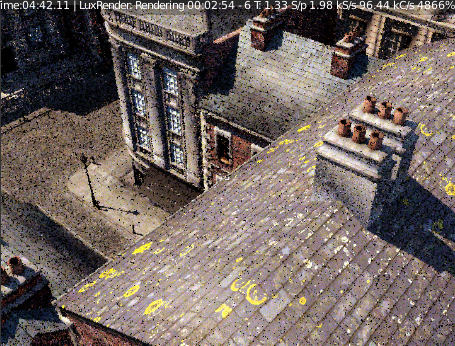
Latest files found here: www.bitbucket.org
Started back with 3D modeling again. Prompted by LuxRender 1.6 update and Blender 2.78. I still run tests with my Converter with OBJ scenes imported into Blender. I don’t know if it is code in LuxRender Lux Core, or the Blender 3.X Python, but some conversions failed in some materials where I was sure they worked before. Went over code and made a few changes here and there. Seems to handle all scenes I throw at it without any hiccups.
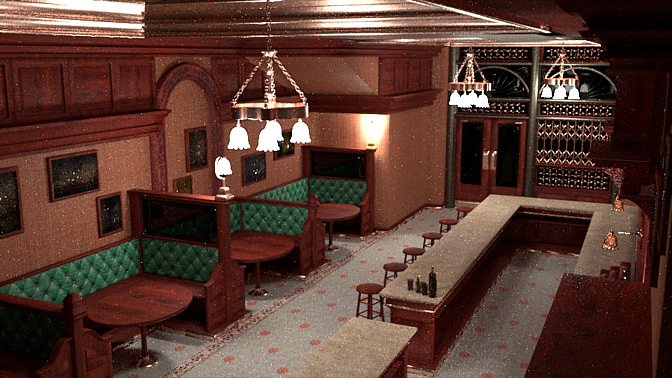
That scene is an undoctored convert from a scene I either purchased or got free from DAZ3D recently.
I also noticed something else…All OBJ scenes or objects with materials using images that had spaces in the path were not loaded. I think this may have happened starting in Blender 2.77, as I didn’t notice previously. I tweaked the Blender OBJ importer, so that it works with pathnames that have spaces. Whether it had it previously or not, I have it importing with spaces in pathnames now. I did not search to see if this was solved by someone else already, but needed to get it to work so I could continue testing my Converter. Just replace the existing one in your addons folder (io_scene_obj).
Both files can be found here: MarsThunder/blender-python/src
Thank you very much indeed, MarsThunder for the updates.
Does this still work?
I tried using it and it gives out errors and reverts back to Blender’s default render engine.
(with 2.78a and latest luxrender plugin for blender)