[Addon] UniV Pro 4.0.0 - Over 100 UV Mapping Operators

UniV

Blender Addon for UV Editor which aims to cover all sorts of operators for working with UV

UniV Pro 3.1.6

Buy pro version:

Free Download:

There is much more to UniV operators than you might think at first glance.
Many operators are context-dependent, for example, on Sync state, selection mode (Verts, Edge, Face and Islands), as well as on pressed Ctrl, Shift, Alt (CSA) keys and combinations thereof.

That is, before pressing the LMB button press CSA, then other modes of the operator are called. And these modifications are subject to a certain logic, which in most cases works:

  • Ctrl - To Cursor for transform or Deselect for select
  • Alt - Alternative operation that is fundamentally different from the default.
  • Shift - Individual, Inplace for transform or Extend for select

But you don’t have to use the CSA keys, because a panel appears in the lower left corner where you can change the properties

Also, the addon doesn’t impose its hotkeys on you, but you can easily enable them in Settings->Extensions->UniV->Keymaps. But some operators due to their specificity can be called only through keymaps (QuickSnap, SplitUVToggle, SyncUVToggle).

Operators

Quick Snap - allows you to transform an island or geometry elements by Vertex, Edge Center and Face Center. There are two methods of calling the operator via the keys:

  • V - quick start, the nearest transformation element is selected immediately
  • Alt+V - here you can safely select the necessary element and change the modes to Island or Element mode

QuickSnap

Stack - overlap islands with similar geometry:

Stack

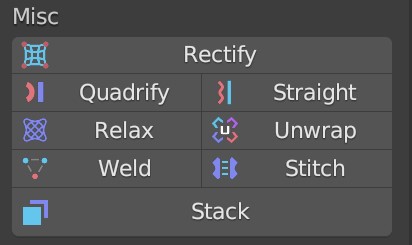
Weld - [W] connects selected vertices by common vertexes, if there is nothing to connect, it works as Stitch

  • Alt+Weld Button - connect by distance

Stitch - [Shift+W] connects islands to each other, preserving the islands’ proportions. When called via keymap with sync enabled, the target island becomes the closest:

  • Alt - finds all common island edges that have at least one face selected, and connects through them.

Stitch

Unwrap - differs from the built-in operator in that it unwrap inplace.

Relax - combination of minimize stretch and unwrap borders.

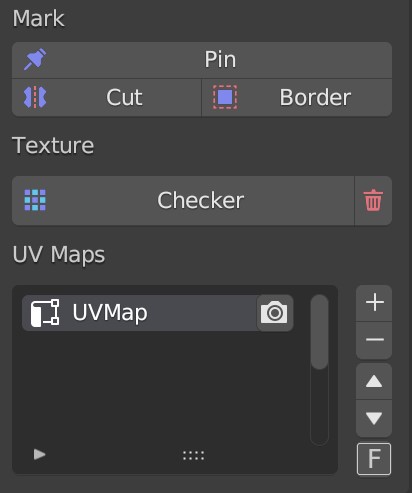
Cut - [C] - sets mark seams by border selection and at the same time expands the island

Quadrify - [E] align selected UV to rectangular distribution

Straight - [Shift+E] straighten selected edge-chain and relax the rest of the UV Island

Sort - sorts islands, also aligns for more compactness.

  • Axis - default is auto, which gives double priority to width, from the original boundary box
  • Reverse - sorting by Increasing
  • Orient - aligns the islands, making the sorting as compact as possible
  • Overlapped - saves overlaps of islands
  • Subgroups - creates subgroups of sorted islands by type

Distribute - similar to Sort, but the goal is to arrange the islands evenly according to the original position

  • Spase - creates an even distance between the pivots of the islands
  • Break - divides islands by angle, by Mark Seams, Mark Sharps, Material ID

Crop - proportional tile filling

Fill - it is similar in everything with Crop, but without preserving the proportions

Orient - orients islands along the axes, maximally filling the area according to the boundbox. In a 3D viewport, it .

Orient3D - orients islands according to world coordinates.

Align - straightens, moves islands or vertices, places a 2D cursor on bound boxes, etc.

Random - randomly transforms islands to break down repetitive patterns.

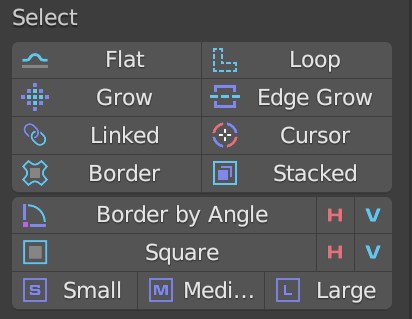
Linked - [Ctrl+Shift+Mouse Scroll] - Select Linked

Cursor - Select by Cursor

Border - Select border edges

Border by Angle - Select border edges by angle from 2D

Inner - Select inner edges by mark sharps, angle

Square - Select square, horizontal or vertical island

SyncUVToggle - [~] toggle sync mode with element selection preserve

SplitUVToggle - [Shift+T] open, close, toggle UV or 3D View area

24 Likes

This might be one off the most impressive and polished UV Addon I seen in a long time! Great job! Its very well needed, and this add-on has a lot of nice stuff!

Just bought a copy to support the development!

2 Likes

This looks really good! :clap: :clap:

1 Like

Thanks for the support.

Glad that you noted the ergonomics of the addon, I tried to make everything as compact as possible and that nothing is not annoying (especially hotkeys, although there is a bug with the Align operator that uses arrows, but they are already busy for animation and for some reason more specialized for the current window hotkeys have a low priority).

Plus the addon uses more efficient functions for transforming, calculating islands, etc. I compared the speed of my Stack operator with the Stack operator from RizomUV, it turned out that my operator is 5 times faster, even though Rizom uses C++ and I use Python (who doesn’t know Python is 40-80 times slower).

I have about 90 more ideas in my TODO, so this addon aims to be the best one yet

PS. Thanks for supporting Modifier List :slight_smile:

3 Likes

I love the fact that a add-on developers focus not only on usability, but also on performance! I tested some of the functions and compared them to existing add-ons, and you are doing great so far!

I have come across so many add-ons for Blender that could be made literally up to 1000x faster with just some small code changes. At this point, it’s just getting ridiculous how little many people seem to care about the performance of their code.

I honestly cannot wait for the future of the add-on! Also, it’s so nice and very generous that it’s also, or very soon available, on the extension platform as well!

It’s going to honestly make Blender so much easier to recommend since there will be an awesome free UV tool available in a few clicks. Just hope enough people are willing to support the project!

Addon approved on Blender Extension, now you can download directly from the program

8 Likes

Is there any difference from the free license to the buyable?

There is no difference between the paid and free version, you can use for free, and if you want to support the development of the addon at any time

10 Likes

thank you very much.
Very generous.

It seems that some features are really useful.

UniV 1.8.8 Changelog

This update mainly fixes and improves the current operators, the next release is expected to be richer in new operators.

Add:

  • Add Between Selected mode for Stack operator
  • Add information about the amount of found islands for Stack operator
  • Add Alt+S (UV-area) keymap for Stack operator
  • Add Correct Aspect for Rotate, Orient, Random, Box and Normal operators
  • Random, Normal, Box, and Orient3D operators work in all interaction modes
  • Additional Angle for Orient3D operator
  • Mark Seam inner island property for Unwrap operator
  • Add distance type, and rename properties for Weld by Distance operator
  • Separate keymaps with conflicts from other keymaps
  • Speedup x1.05-1.45 operators that use transformations
  • Speedup x1.5 Weld operator

Remove:

  • Single operator
  • Select by View operator
  • Move Cursor mode from Align operator

Rename:

  • Plane operator to Normal
  • Rename Inner operator to Non-Splitted and move to inspect

Fix:

  • Most stable behavior of the Unwrap operator (islands don’t rotate)
  • Fix context, operators could be called with other object types
  • More correct context handling for SplitUVToggle operator if it was called outside the viewport
  • Fix flips for overlapped islands of Flip operator, and remove Flipped Individual mode (Flipped now works as Flipped Individual )
  • More correct selection by the SyncUVToggle OT in Vertex and Edge mode
  • Correct edge welding for Weld operator, when the islands were only connected by a single vertex.
  • Improve Unwrap Along behavior for Unwrap operator
8 Likes

The new release of the UniV. It includes such operators as Edge Grow, Grow, Checker Map, Adjust, and strongly improved analogues of built-in operators: Normalize, Pack, Pick Select, Check Overlap. Also improved operators: Relax, Align, Orient2D.

Add:

  • Add Edge Grow Select operator [Alt + Scroll Up/Down]
  • Add Pick Select operator [Shift + Scroll Up/Down]
  • Add Grow Select operator [Ctrl + Scroll Up/Down]
  • Add Normalize operator [Shift + A]
  • Add Adjust TD (from unselected islands) operator [Alt + A]
  • Add Checker Map system
  • Add Overlap Check operator
  • Add Pack operator [P]
  • Add Seams by Border operator
  • Add Pin operator
  • Improve Relax now uses the SLIM algorithm [Alt + R]
  • Relax: The number of iterations is multiplied, when called repeatedly on the same island
  • Add Organic(SLIM) mode for unwrap
  • Normal Project OT: Add Mark Seam options and working with unselected faces
  • Orient2D OT: Edge oriented by longest edge
  • Orient2D OT: Island Orient works like Edge Orient when only the edges are selected
  • Preferences: Improve Keymap ui
  • Preferences: Add Keymap Conflict resolve system
  • Keymap System: Added notification of completed actions
  • Improve buttons for Align Operator
  • Non-Splitted: Add Non-Seam mode
  • Add more descriptions and improve UI

Fix:

  • Straight: Doesn`t work in multi-window mode
  • Stack: Fixed grouping in Selected Between mode
  • Fixed options for Fill operator
  • Flip OT: Alt context key now change flip axis
  • Fixed operation in local mode
11 Likes

Added all sorts of options and features to Normalize Operator:

  1. Scale Independence
  2. Shear
  3. Correct Aspect Ratio
  4. Lock Overlaps
  5. Works in all editing modes
  6. Works in 3D window
  7. Detects islands with zero area
  8. Tells if all islands are normalized
  9. Tells if the object has not been scaled.
  10. Levelizes anisotropic scaling (simulate apply scale)
  11. Normalize by Median (this is very convenient)

And so we get the best normalizer of islands :slight_smile:

10 Likes

Soon we expect a rather large release, which fixed a lot of bugs, added a lot of options, as well as added about 15 operators.

One important point will be the division of the addon into a free version, which will also be actively improved, and a paid Pro version, in which you will find quite interesting operators (Pro version you can get for free from the Discord channel).

9 Likes

Nice.
So, the free version will still be available on blender extensions website?

Everything will be updated and improved as before, but without the advanced operators.

3 Likes

Introducing the operator favorite of the next release - Rectify.

It can straighten islands by points, unlike analogs, this operator has a more advanced system of finding short paths, and find their correct order, even on complex shapes.

And also you have control over the operator, with the help of Boundary priority factor option - you can customize the operator to an acceptable result.
Rectify

11 Likes

Drag OT

This operator is similar to the QuickSnap operator, but has fundamental differences:

  1. It works only with islands
  2. Moves only one island
  3. Unselects all other elements and selects the picked island.
  4. Faster manipulation, LMB + Alt + Drag moves the islands, if you release LMB - the operator ends.
  5. Can pull out overlapped flipped islands.
  6. Snapping is not a key and intrusive feature.
    Drag
10 Likes

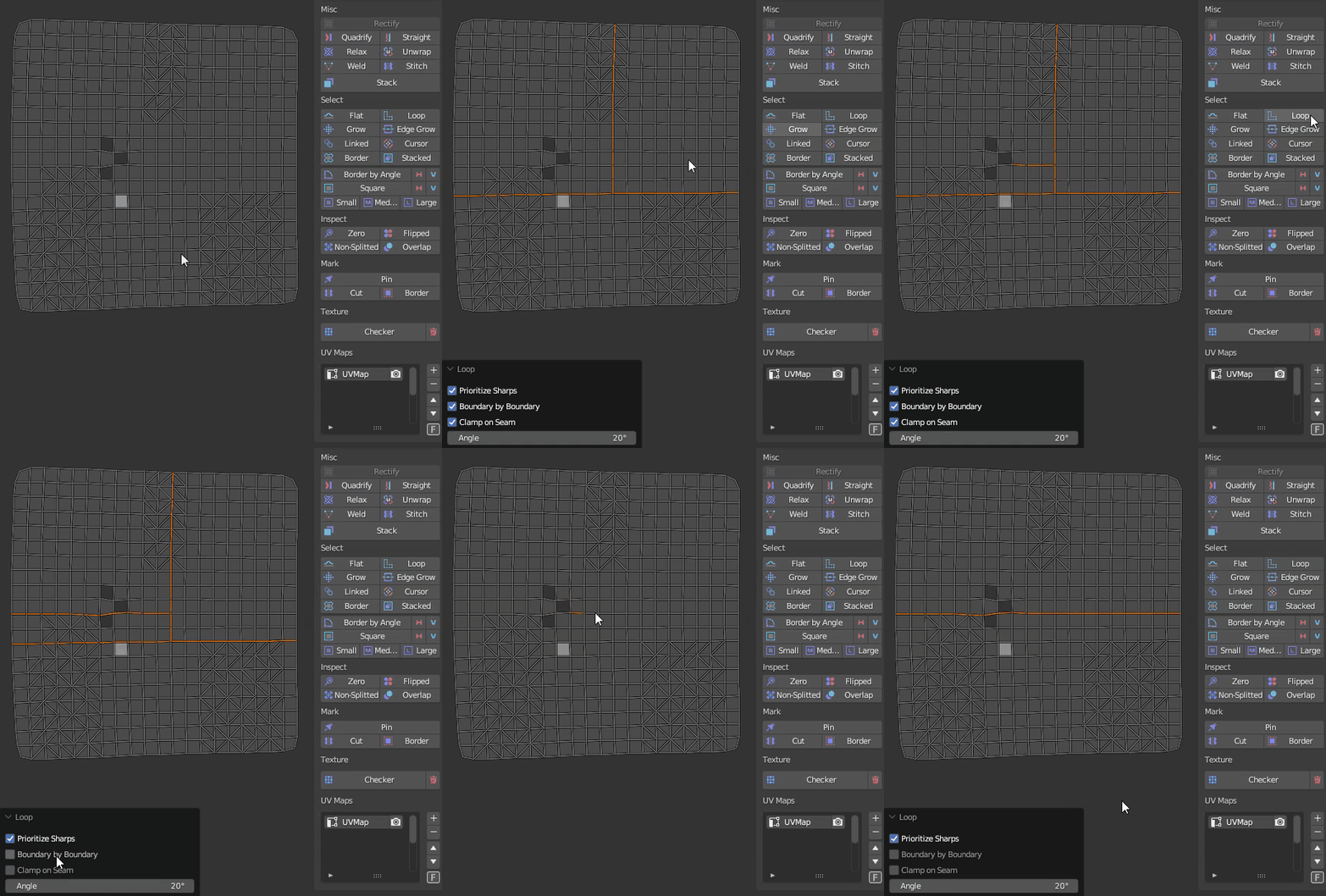
The next advanced operator: Select Loop.

It can work with triangles, and has more advanced behavior in quad geometry, it can clump on seams and selected edges.
Select Loop 3D
Select Loop 2D

7 Likes

All of these new features are just game changers! Really hyped! :rocket:

Any news on realase date? (Also love the new UI, so much easier to find stuff!)

I’ll probably release in 3-4 days, now I’m preparing a trailer, in parallel I’m finding bugs and fixing them.

2 Likes