I can understand that. Which is why I typed it out the way I did – using nodes instead of layers is not something I want to do at this point.
3 Likes
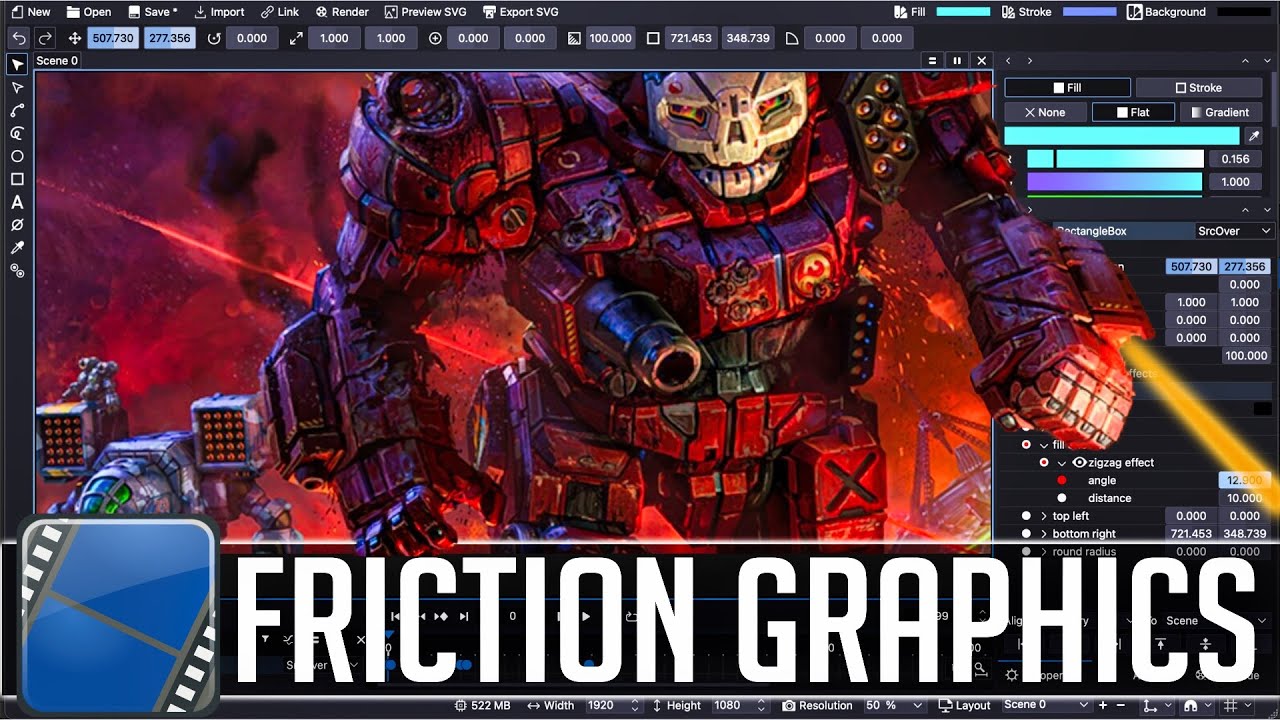
Well ,this may have potential
4 Likes
Awesome , I didn’t know about it ! It’s a fork of Enve I looked into long time ago !
Looks indeed very promising !
1 Like
I’ve done some mogfx with Resolve and while the nodes are OK, working in the timeline is kinda cumbersome. Layers with ability to show/iso keyframes in AE is nicer to me.
Bringing SVGs into Resolve Fusion is a PITA. Every object becomes 3 nodes (color, path, merge). A simple piece of art with 4 separate objects is 12 nodes inside Resolve. Now imagine keyframing some property on one of those and organizing the nodes to make it easy to recall which is which.
1 Like
The work I do is a lot closer to mograph than viz effects and photorealistic; I definitely prefer layers. Much faster to setup (and reuse setups), as well as use transfer modes quick and easily as in photoshop.
1 Like
Of course, communicating this… weirdly, is the best way to make customers to run away as fast as they can…
…so usually when talking about a big company one does think they know what they are doing, because why did they got big in the first place. …or why did the customer trust them in the first place.

I’m so thankful that the last adobe product i was using was the PDF-reader. And this was decades ago when it got soo blown up that i used something at least four times smaller ( ← exxaggerated ? guessed… but something like this). Even if it was for free it was simply… getting “clumpsy” (and filling up my RAM).
This said i never understood the “arguments” why subscription is better than buying and every two years also getting the upgrades… Well… you do not have to pay for it when you do not use it… but when you have certain times when you do not use it then you may not need it ? And… if you even have to be only for it… and there is some internet problem… even if not when the company shut off the license servers…
So i ever thought: there must be a backup plan (i’m not even talking about open source here)… but “the stuff” have to be used to use some other applications…
…but then people always tell me that i do not know… and sometimes they do exactly what i was suggesting some week, month (sometimes years) ago.
The most weird reply is: “I do not believe that this is doable.” or more directly “You can not do this.”

This is a very important distinction to be made in discussing node based Compositing versus layer based.
layering 2D motion graphics vs visual effects
I was an after-effects user from Adobe after effects version 4 all the way up to after effects CS6, (which I still have installed mostly out of nostalgia like C4D, TBH.)
In my experience, where after effects starts to fall apart, is when you begin stacking, actual visual effects particles, etc.
where the effects are obviously cumulative on the entire comp.
Inevitably you’d find yourself with the need to go back in your layer stack and tone down glows or lens flare effects to keep the composition from being “overblown” or change a particle birth rate or some other tweak.
I was running a lot of popular third party after effects plugins available from Andrew Kramer’s video Co-Pilot.
It usually did not take long for you to be forced to start folding up these third party effects into nested precomps to keep the program from becoming totally bogged down.
This made it extremely cumbersome if you had to go back edit one of the effects that was folded up in a nested precomp Because you had to “unpack” that nested precomp just to adjust that particular effect.
Carefully re-select all the effects layers from that unpacked pre comp and then re-bake them back into a precomp to get your performance back.
Once I briefly tried a true node based compositing system called Natron.
( An open source nuke clone)
I realized the true workflow advantage of being able to just quickly pan around my node tree, select and edit any particular effects node at any point in time in a completely nonlinear fashion as we can do with Davinci fusion.
2 Likes
Yeah, doing 2D motion graphics with nodes is not fun at all, it becomes unnecesarily complex really fast, that’s what keeps AE still relevant.
For compositing 3D renders and VFX, programs like Nuke, Fusion, and Natron are way better.
4 Likes
Fusion does make that easier, as it doesn’t really have stellar options in the way of lensflares in the first place. 
I was running a lot of popular third party after effects plugins available from Andrew Kramer’s video Co-Pilot.
Same. And related to the above - I’m a big fan of Optical Flares; nothing like this available for Fusion.
This made it extremely cumbersome if you had to go back edit one of the effects that was folded up in a nested precomp Because you had to “unpack” that nested precomp just to adjust that particular effect.
I can see that, but i think the hassle depends on how you structure your projects.
One thing i find easy and fast to do in AE is to import a multi-EXR, and the comp comes in precomposed with all the layers. Set some quick transfer modes, add a couple filters - and I’m done. If i want to keep that as a “template style”, I can just import another EXR and drop/replace it on the comp.
In Fusion - soooooo much more effort to even create the comp (pull in all the layers, start playing merge node/merge node/merge node/merge node/merge node/merge node + whatever else), and swapping out the source footage - even so much more effort. I’ve tried 3rd party scripts, you name it… maybe if I were to pay a fusion script developer, some better solution would be possible. But native Fusion - it’s not made to work like that.
And for the record - I own the full pro version of Resolve. I highly prefer vid editing compared to Premiere, and the audio tools are massively superior to anything Adobe offers. But for comps - I’ve tried for weeks to “prefer” Fusion, and it’s not happening.
3 Likes
Actually, I thought that Flash was a very good truly compiled language, appropriate for its task. I did a lot of work in it at one time, using the “Haxe” open-source compiler (which out-performed what Adobe offered). I never understood why Adobe Flash was voted off the island. For 2D animation work, it had everything you needed.
In particular, I can scarce believe that JavaScript (and a smattering of “WASM”) is what replaced it. With all sorts of crutches, like “just-in-time compiling in the browser(!)” to try to make it perform decently. JavaScript is a language that was basically invented in a weekend, and it definitely shows. The complexity, and the size, to me is dumbfounding.
I never understood why Adobe Flash was voted off the island. For 2D animation work, it had everything you needed.
It was more a matter of it being
“voted off of the internet” due to it’s incompatibility with touch screen devices after the advent of the smart phone.
It is still a viable format to create 2D animation that is ultimately delivered as flat video footage for the internet or image sequence files for video editing for films/TV shows.
1 Like
Because Apple basically blacklisted it for their mobile devices.
1 Like
One thing i find easy and fast to do in AE is to import a multi-EXR, and the comp comes in precomposed with all the layers. Set some quick transfer modes, add a couple filters - and I’m done.
Quite true
Bringing in precomposed 2D comps and avoiding manual node tree building is a huge time saver
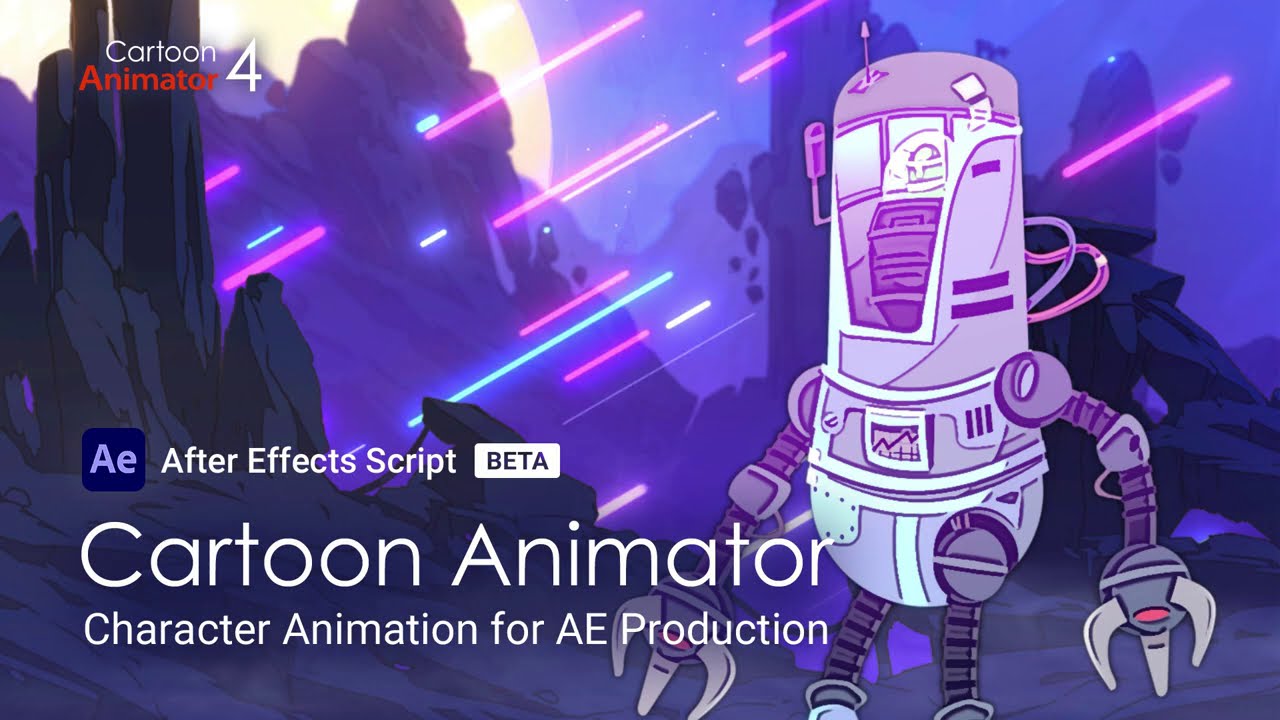
We actually have an export pipeline for doing this from Reallusion Cartoon animator.
1 Like
From what I can tell, fusion has two different ways you can bring in an EXR file. One is as “source footage” and the other is using the loader node.
The former makes it easy to work with in terms of replacing footage in the bin, but the set up for the composing takes for freaking ever.
The latter makes the import fast in the compositor, but since there’s a no pointing directly to the source, easily replacing footage is just not really a thing. So then you have to redo all of the set up over again.
This isn’t such a big deal with a couple of clips, but if you have 70 different shots that’s just unworkable. I would spend all week just reconnecting nodes…
Maybe there’s a solution out there that people use that I just don’t know about; if that’s the case, I would love to hear about it.
If I really had to give up optical flares, I could try and find a way to cope with that. But I can’t justify spending 20 hours doing something that right now it takes me about 20 minutes.
2 Likes
Yeah that’s right. He did a talk at some forum where he said they also were required by Adobe to pay a license fee to use/dev for Flash, he didn’t want to, and said he instead allocated resources to HTML 5 and Flash was done. How true anything a CEO says is, that’s anybody’s guess.
As a former longtime Mac user (who still keeps an old imac on hand just for internet. )
I was never a really big fan of Steve Jobs.
But there’s certain technical facts that made it inevitable that flash would be abandoned.
One: it was a terrible development environment that still remained optimized for people accessing the internet on 56K dial up modems.
Two :the flash browser plugins apparently. presented an unacceptable security risk
And ,as previously mentioned, a lot of the flash website functionality was based on computer mouse over activation, which made it a non-starter for the capacitive touchscreen devices that eventually became the dominant way that people accessed the internet.
1 Like
There definitely should be one ! That’s basically the problem you face on any professional grade production. Given Fusion is aimed at that, I’m sure it’s doable.
But it could be also that’s something studios would use scripts for.
It’s basically the same with Nuke. It’s very powerful, it’s very usable when you have a few shots. But if you want to start automating things and have templates that you can use on different shots then there isn’t any built-in solution.
But each studios build their own workflow around their existing pipeline.
Anyway, it shouldn’t be too difficult to hack something quick and dirty to have something working ! Did you tried asking on some fusion forums if there is any ?
I haven’t yet. (I mean, I’ve read about what I believe exists, but not about writing something new)
I lurk on a couple of their forums, but I didn’t want to be that guy that walks into the room and for my first post say “I need a script who wants to write it!”
Their API does look pretty decent though, so I wouldn’t be surprised if it’s something that could be created.
1 Like
Just spent another 45 mins in Fusion playing with this. Another fun thing I forgot…
-Clip in Media Pool has the actual filename.
-Drag this into a fusion comp
-Node is called “Media 1”
After you drag several clips in there, now you have “Media 1, Media 2”, and so one. Freaking impossible to keep track of what is what, unless you manually rename EVERY node when you drag in the clip. Why doesn’t Fusion just automatically give the MediaIn node the name of - you know, the source file? The way AE gives the layer … the source file name. Who knows.
More fun: Seems you cannot select a clip, then automatically create a Fusion composition using it as a basis. You have to just create a new, empty fusion composition, then manually type in the duration, then manually start dragging in nodes. Which you have to then rename, see above. And then drag/drag/drag/drag/drag/drag merge all of it, JUST to have your basic elements in the comp.
And after all that, we still haven’t even done any tweaks to anything in the clip. NOW you can finally - you know, start to add an effect.
Such an utter hassle.
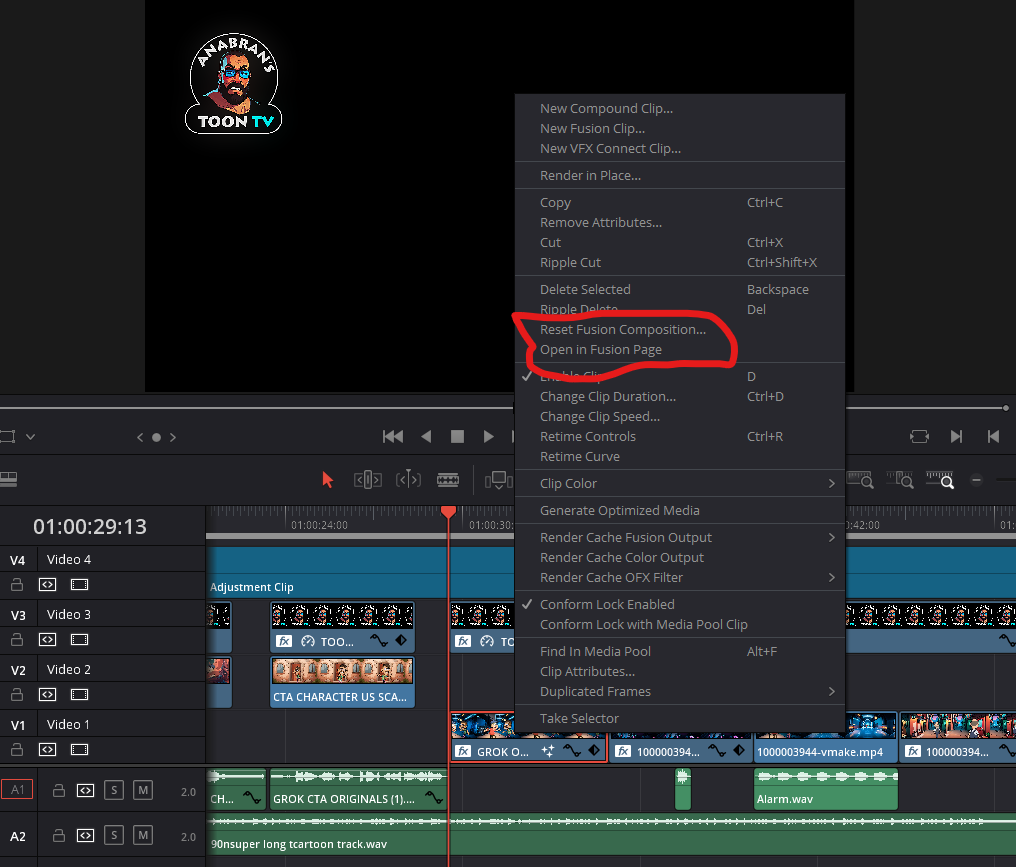
First,Right click media in the editing timeline and choose” open in fusion page” and it will create a new comp after switching to the fusion page
Now there my be pipeline workflow reasons why you may not wish to inherit the original source file names as you organize your media in the node tree
because you in the post effects dept
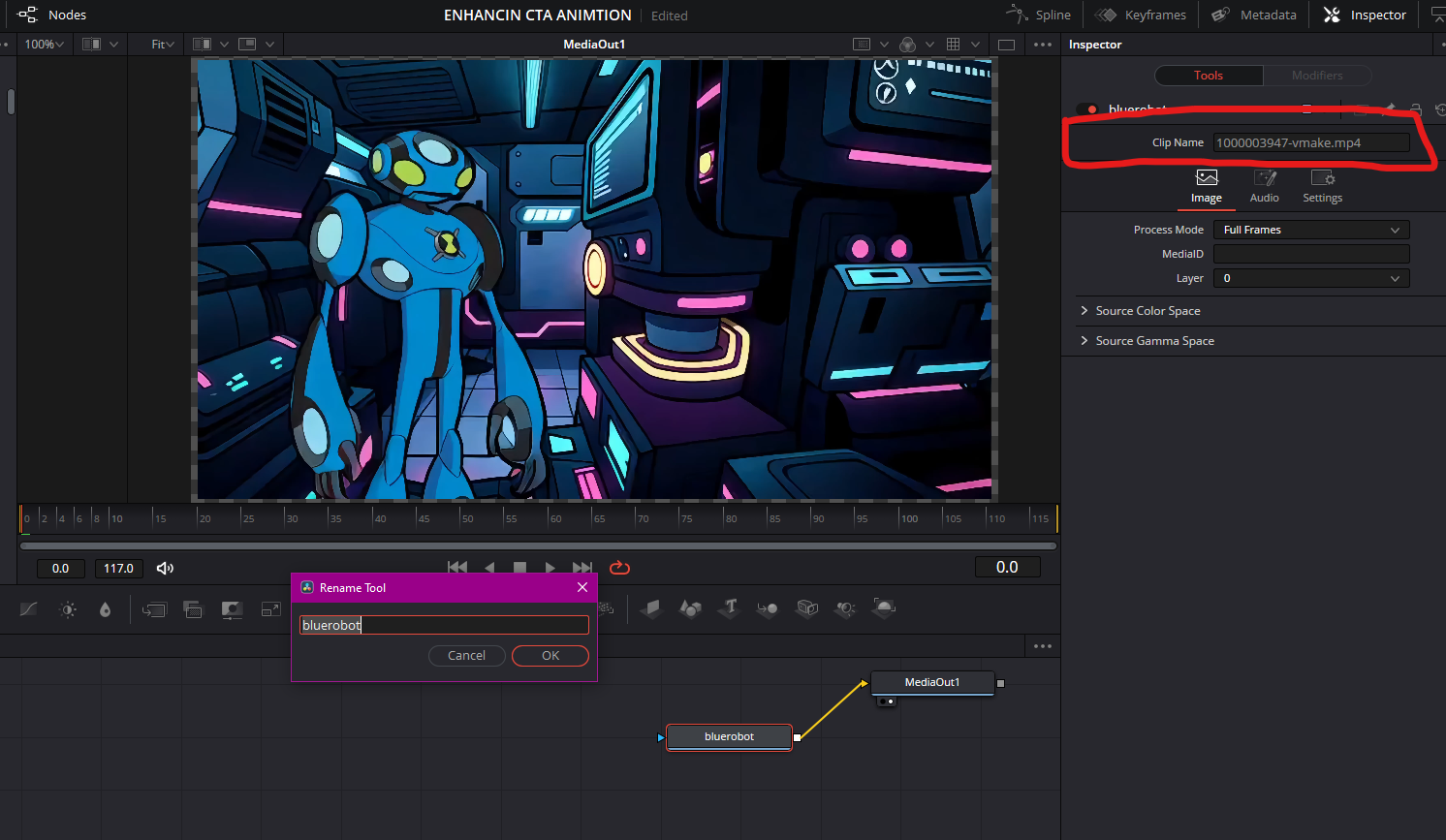
may not have been the person choosing the file names of the rendered media at render time but just told to get them from a server folder marked “ready for post 021226” so just keep a finger over/near the F2 key and hit it to rename the selected media node with a name that makes sense from your node tree building perspective
(ie “background dudes “)
and if you forget and drag in alot of media and create nodes “Media 1, Media 2” etc, their actual source file names are displayed in the inspector and can be copied and pasted into the rename field after hitting F2
Hope this helps.
2 Likes