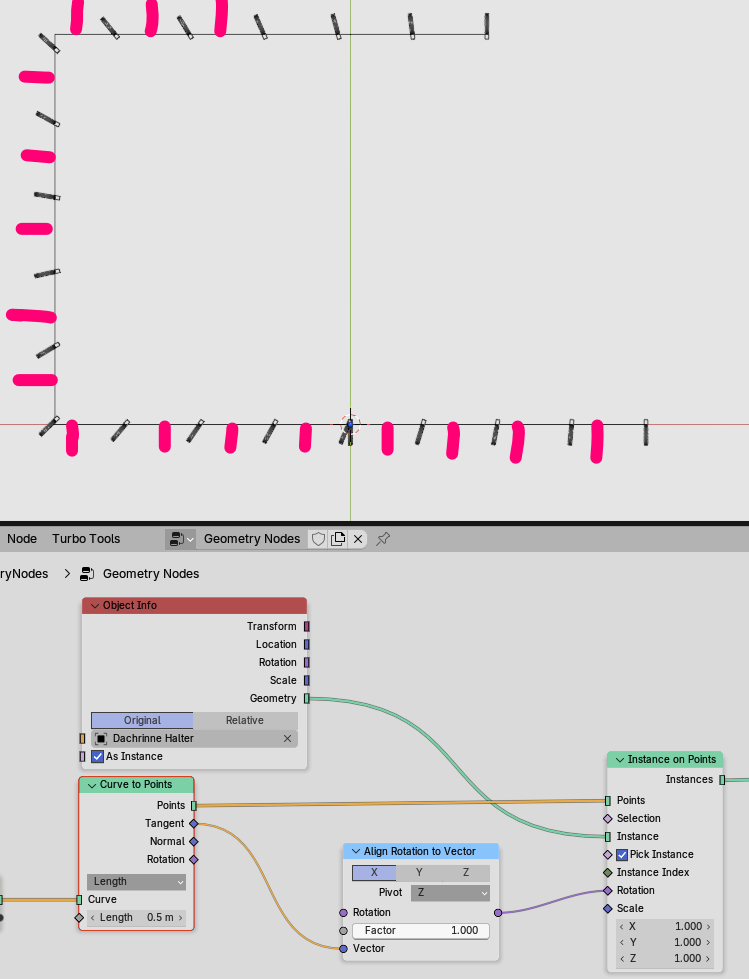
Hi all, i want to add instances aligned along the line, always 90 deg from the z-axis (like shown with the pink lines in the picture). Can anyone help me here and tell me what i have to add? Thanks.
You might look ( for example) into this:
1 Like
Found some kind of a solution, a subdivide curve node set to something like 100 does the trick.
Another option would be to convert to mesh, do an edge split and convert back to curve… This way there won’t be any interpolation…
1 Like
yes, both is working. after that just connect curve to points node’s rotation to instance on points rotation.
1 Like
Thanks, now it works. I added a curve to mesh into a split into a scale (at 0.9 so that the object sits not on every corner point) back into a mesh to curve node.
The problem is that i now want to extrude an object/mesh/curve along that same curve, which gives me the same problems. No matter if i use curve to mesh or extrude mesh i get weird results. Splitting the curve works here not, because then i only have the straight parts, but not the edges. Any ideas?
I quoted the other topic mainly because: this can be very complex and the “best way” to solve any individual use case is to engage with the possibilities of blender… sometimes studying specific solutions for similar task. And i didn’t looked too much in your problem  .
.
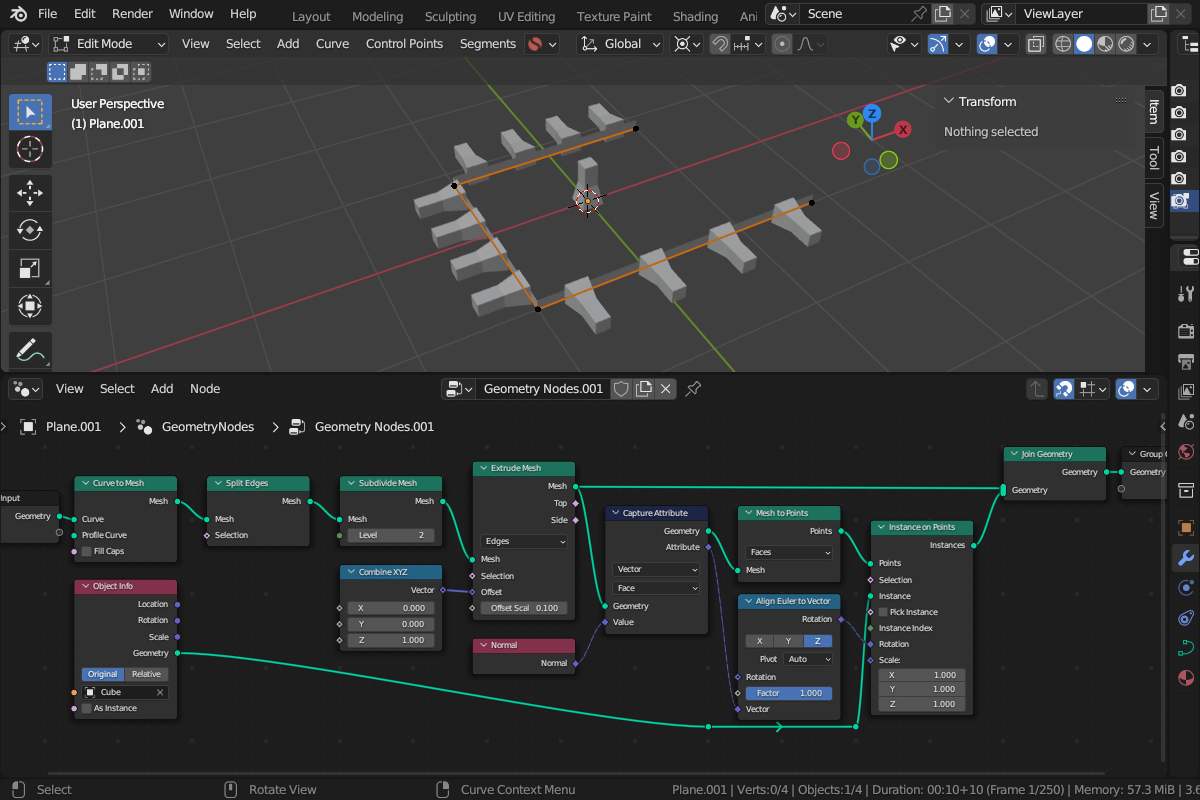
The “problem” might be that the curve has no proper normals… so i tried to extrude this upwards and used the normals form that mesh that build faces to “align” some instances to that normals (using edge split like @sozap suggested). Not sure about the wanted “distribution”.
2 Likes
Well, cant get the same results as you, maybe you have used to many acient nodes  What i want to archive is the model in the screenshot … in one geometry node with just one path. As mentioned one part works fine, now i have a problem to expand a profile to create the rain gutter. In my example i used bevel in the curve tools on a copy of the same path.
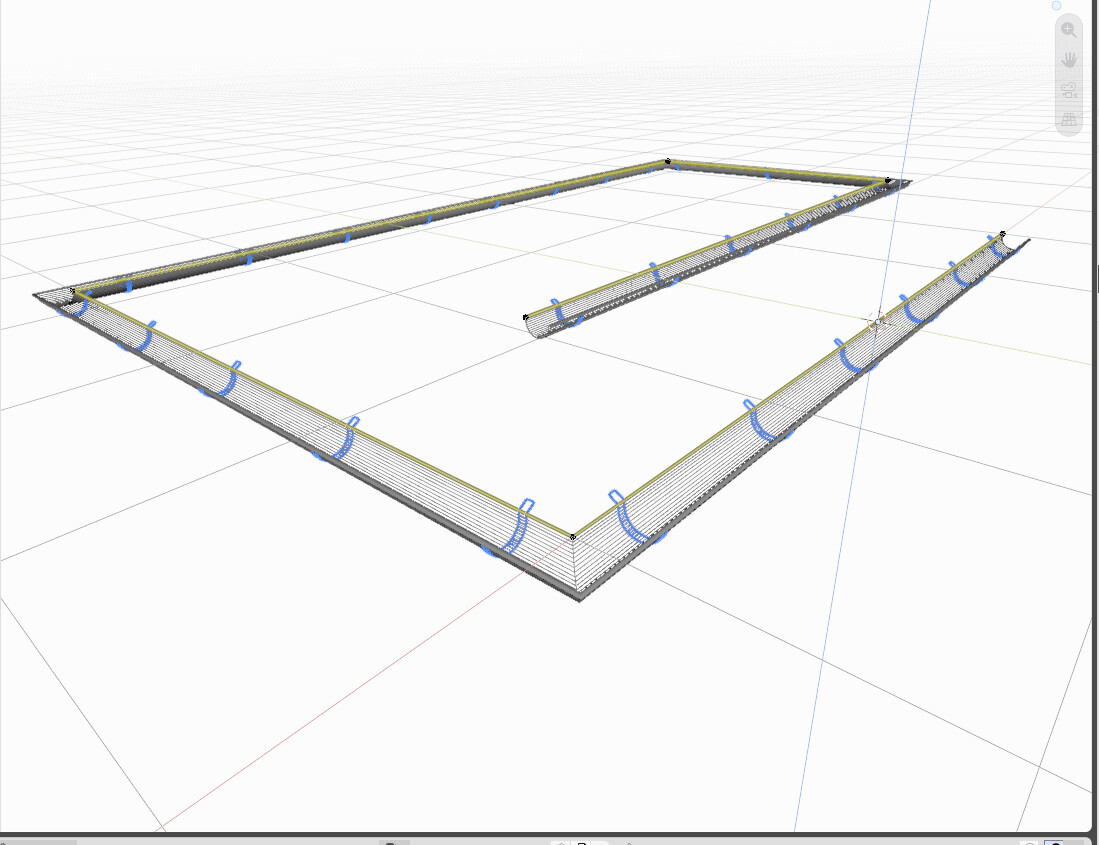
Well… when you share your setup maybe someone knowing the “modern” nodes can give a hint 
Yeah, whats wrong with Blender 2.8  Here is what i have so far, now i need to add the extruded rain gutter.

I used version 3.6 because i’m only at my internet PC…  and it’s only the renanmed “Euler” node… so this seems to work on a curve (i didn’t checked because )
Ohh… according the other problem: is mostly (the ancient ) “curve to mesh with even thickness” problem task like so :
or
and also here:
Yes, thats it … ancient but still existing. With the curve bevel tool it works, just not on the same path the geometry nodes are using.