Hi everyone,
I’m currently working on a conveyor belt animation and could use a bit of help.
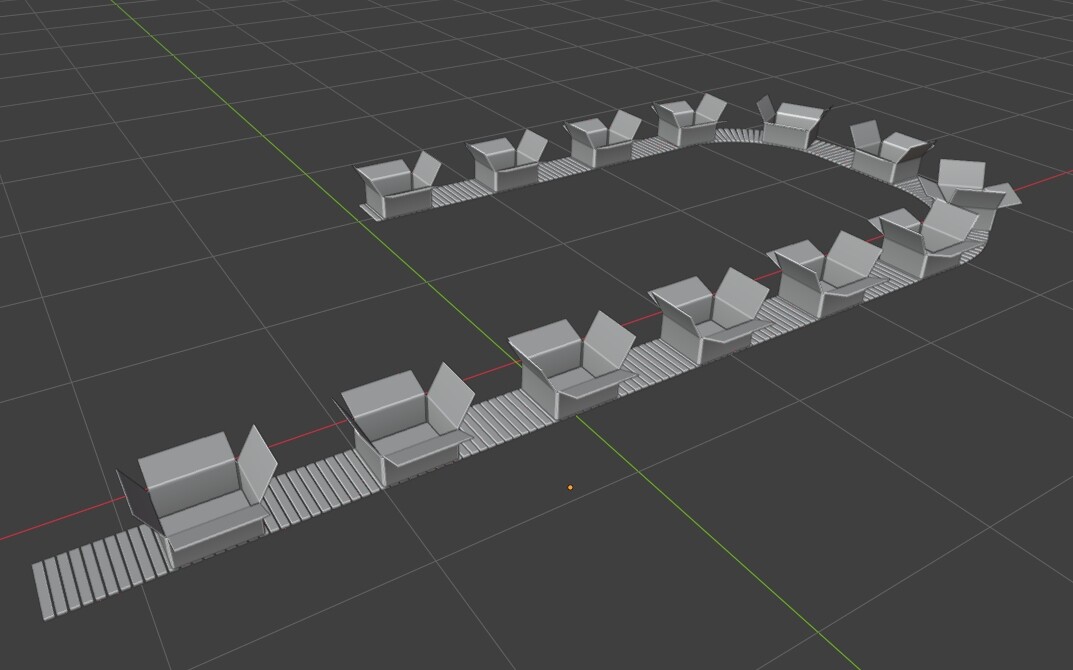
So far I’ve managed to create a simple animated conveyor belt and a procedural cardboard box (including the opening and closing flaps). The part I’m stuck on is opening the box at a specific point along the conveyor path.
I’ve managed to get this far, and I have a feeling that the solution might involve the “For Each” node. My first attempt was using “Instance on Points”, but then I realized that animating the box opening is probably not possible that way.
I’ve watched a bunch of YouTube videos and read several forum posts about the “For Each” node, but I still can’t figure out how to make this work.
Could someone point me in the right direction?
Thanks!
conveyor_belt_animation_01a.blend (226.9 KB)
Yes, animations on a object applies to all of its instances.
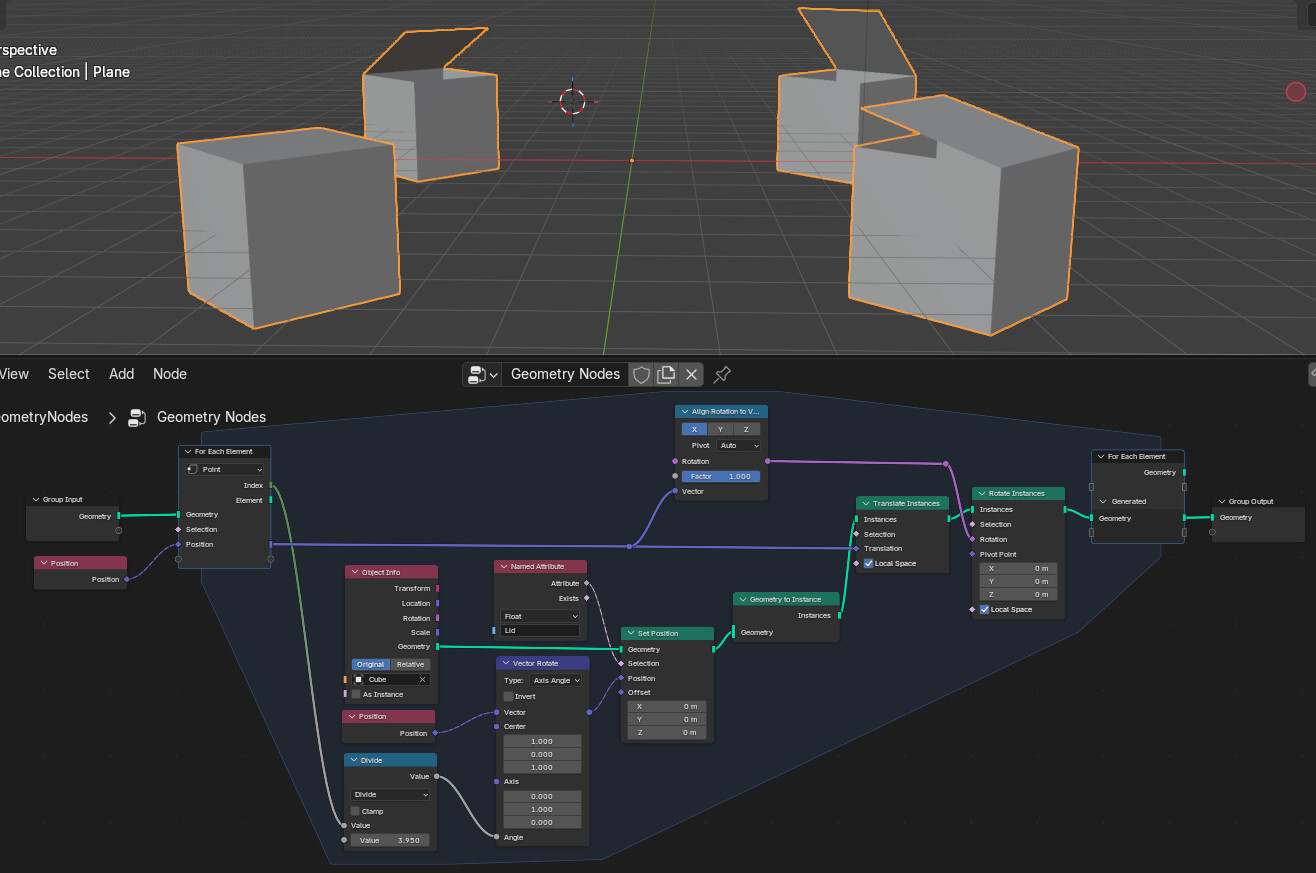
You would need to use the For Each Element node:
…e.g. here is simple example with a cube with a “lid” node-group with some operation to open the lid. The For Each Element will generate a new instance for every corner of a plane with different lid angle.
For now, there is no mechanism to “drive” keyframes from within GN… so doing something like this can get GN heavy and be a bit of a pain.
Good luck.
@zeroskilz thanks for pointing me in the right direction!
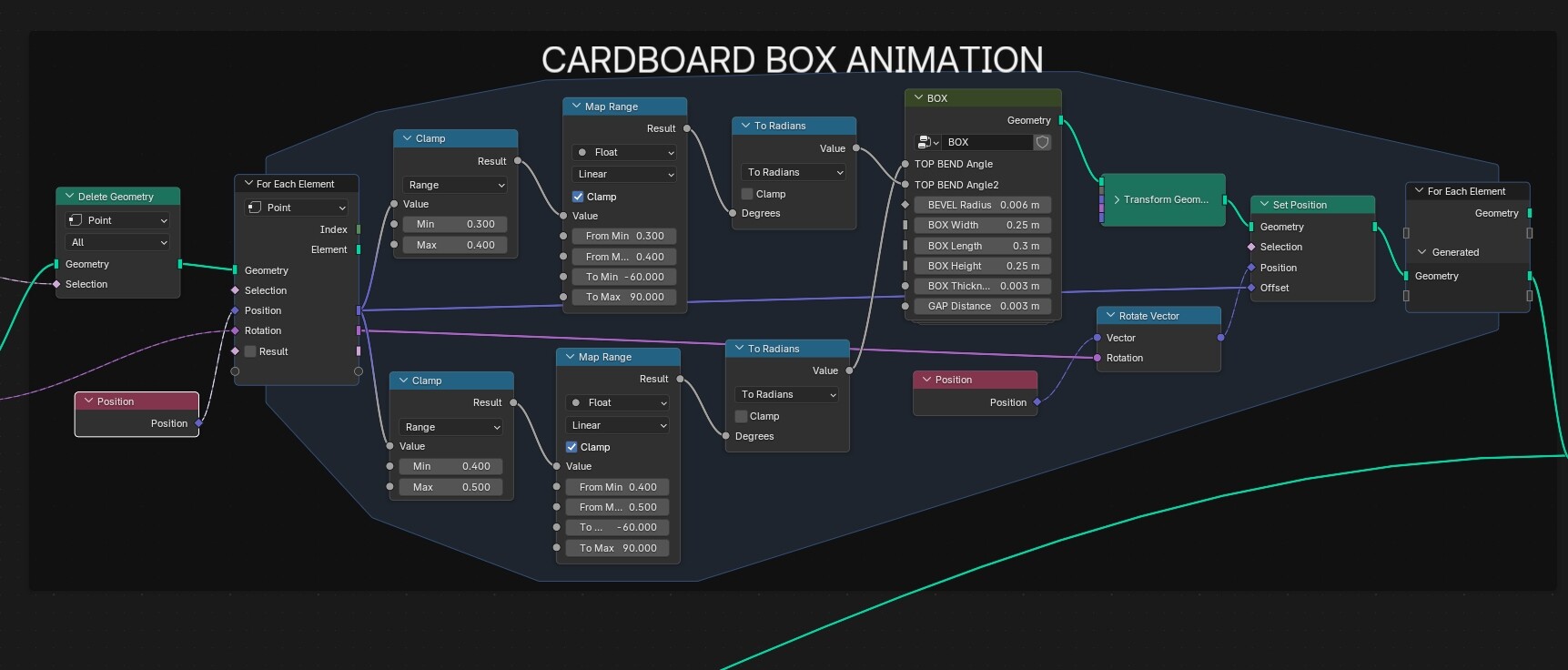
I eventually managed to solve it using the For Each Element node, although a bit differently than in your example. I’m attaching my solution in case someone else runs into a similar problem in the future.
Thanks again for the help!
conveyor_belt_animation_02a.blend (228.2 KB)
I realized that using the “Position” node to decide where along the curve the box should close might not be the most reliable approach. Since the Position node outputs the 3D coordinates of the geometry, the result depends on the curve’s actual shape and orientation in space.
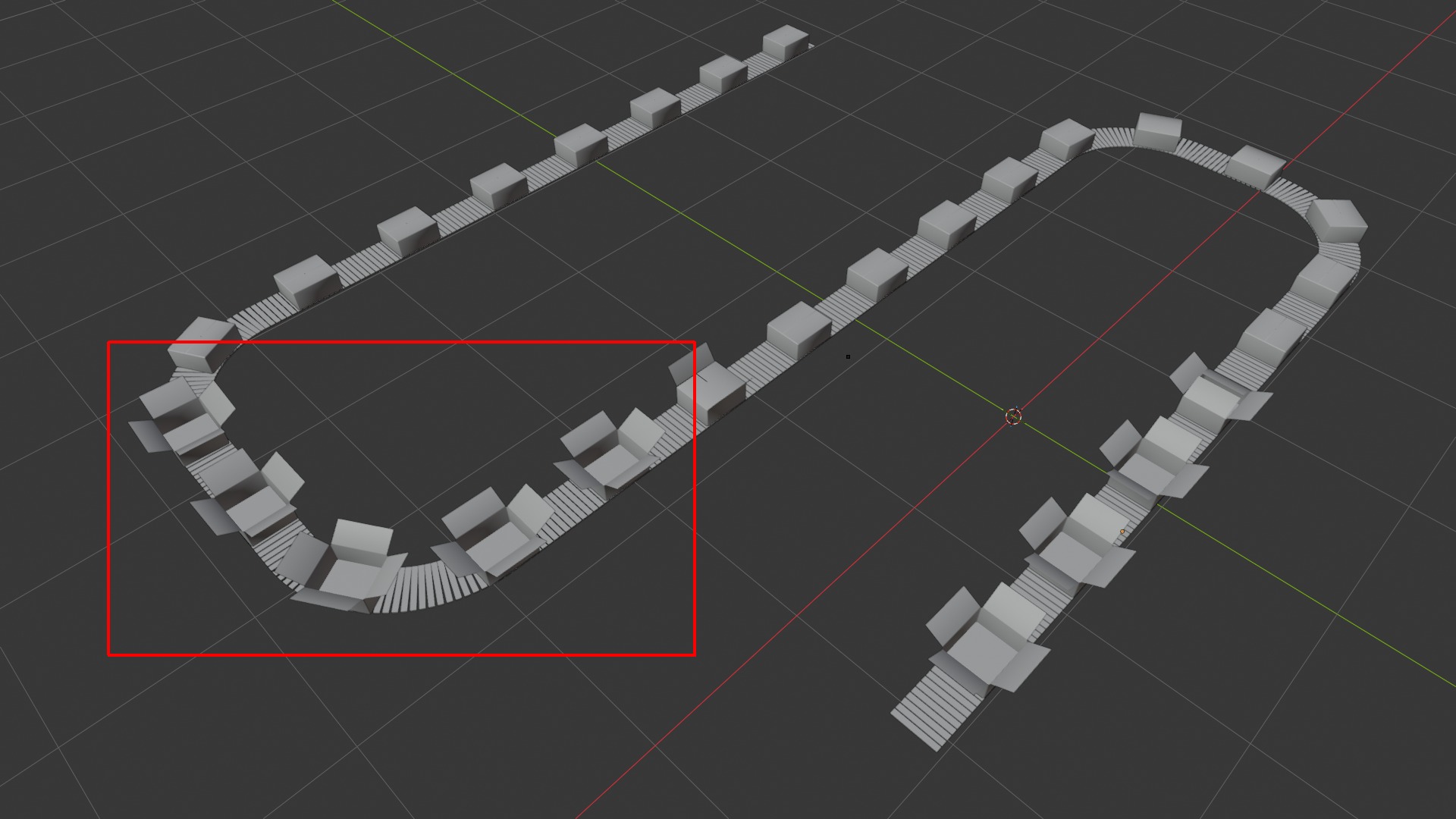
This becomes a problem with more complex curves, such as the example shown in the video below: near the end of the curve, the boxes start opening again.
Is there a node or a setup that uses the normalized position along the curve instead of the 3D position, so the result is independent of the curve’s shape?
I finally solved it! The value used for the Factor input of Sample Curve must be captured with Capture Attribute before Delete Geometry.
Previously, I used the same value directly, bypassing Capture Attribute. However, because most of the points were deleted by Delete Geometry, the remaining points were reindexed, which produced incorrect results.
Thanks to @Hadriscus for suggesting the Spline Parameter node. It did not work in my particular setup because I use Sample Curve to determine the positions and then create a new point cloud with the Points node.
For anyone struggling with the same problem, I have attached the working node setup.
conveyor_belt_animation_02b.blend (230.6 KB)