Any plans to make cloth simulation GPU based?

I am tired of puzzles Marvelous designer v6 makes me. Bought their Xmass deal of permanent license years ago but never liked it much.

But whenever I tried to do cloth in Blender it never looked real enough, not as good as MD at least. I need it not every day so perhaps just lacking experience and deep understanding of sliders . But it’s so typically slow you can’t really grasp it well . So i wonder if there any developing to make it gpu based ?

Should I look in nodes for this ? is it easier there ?

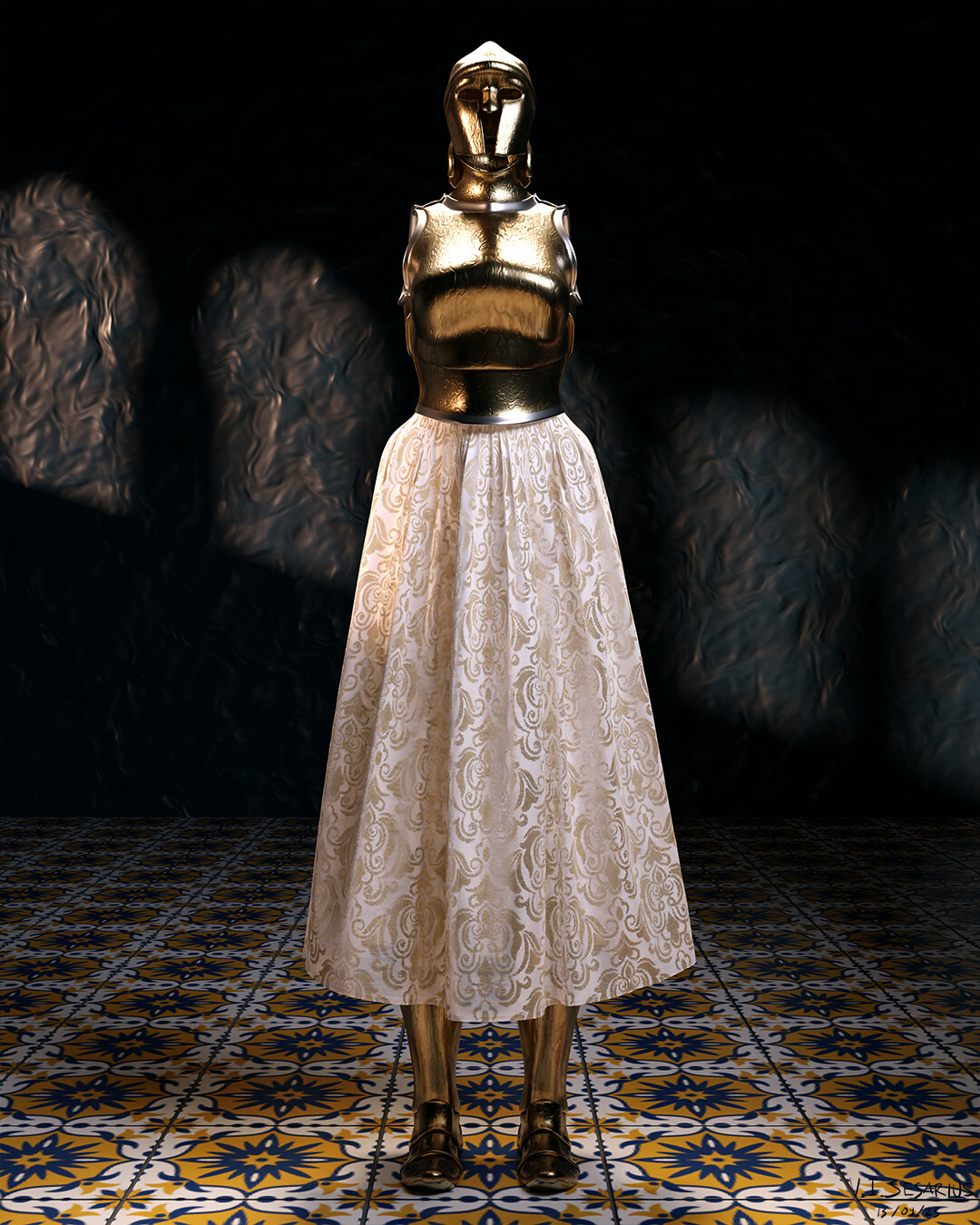
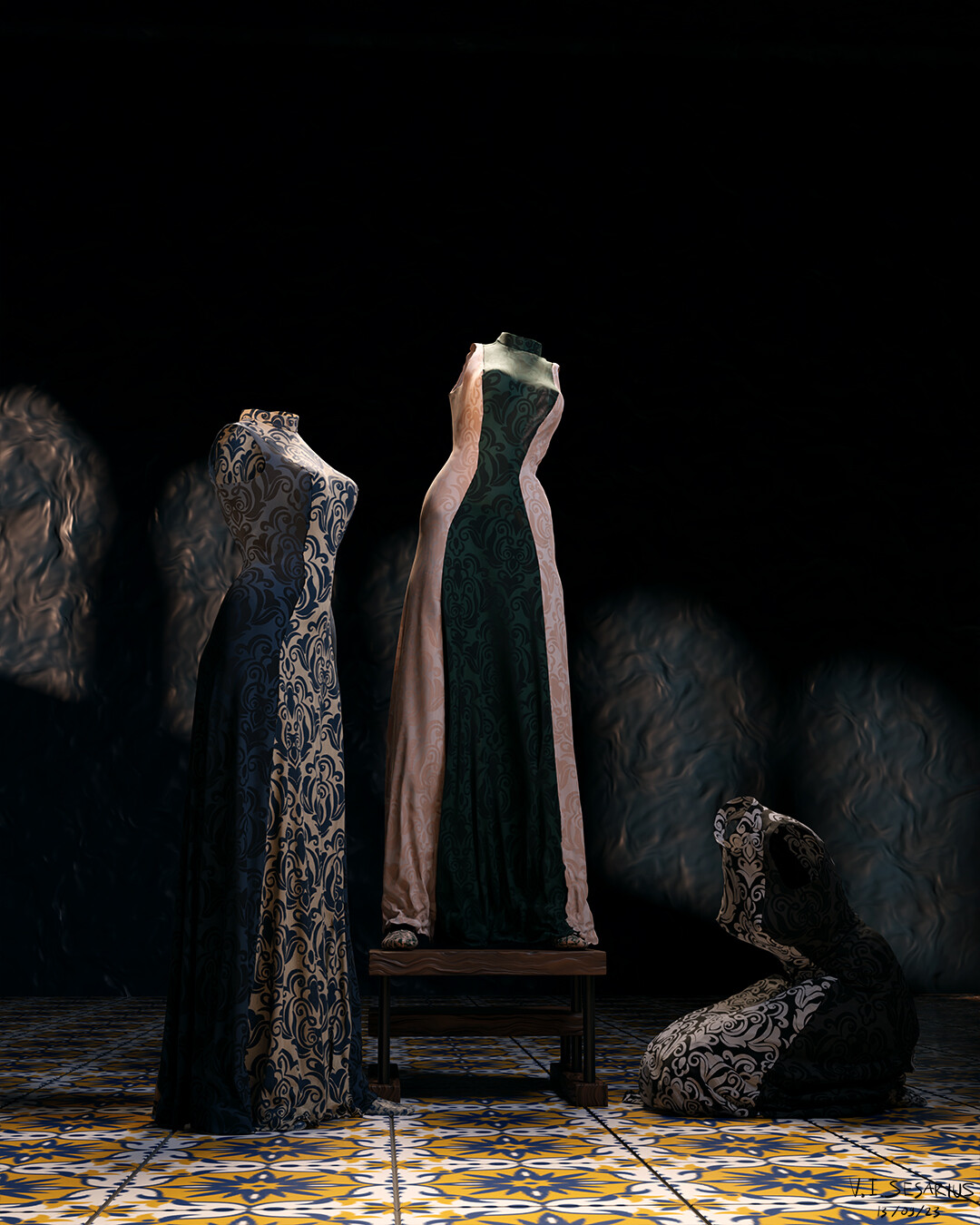
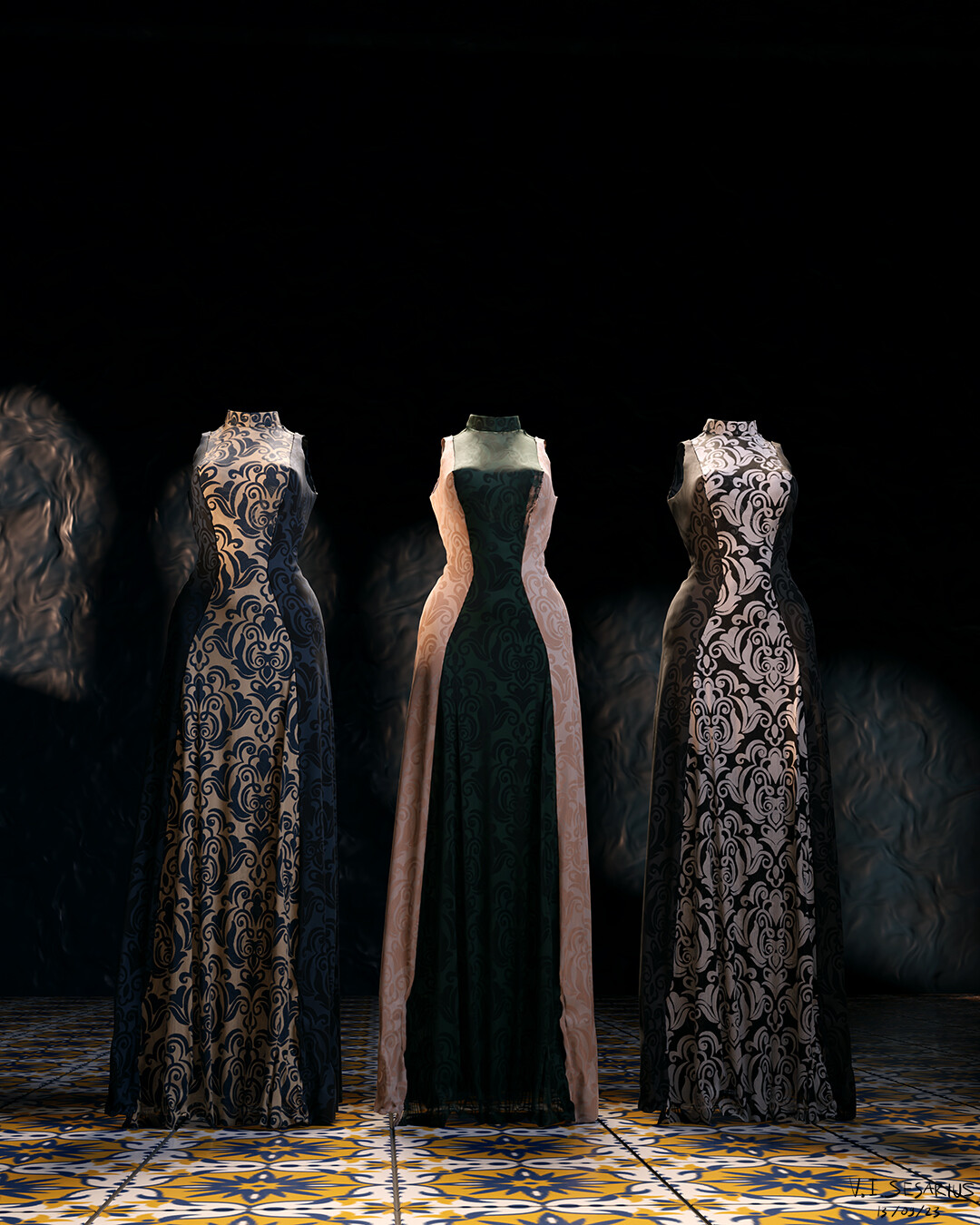
I really hope I can prove the statement of how Blender’s cloth simulation being inferior to that is of MD wrong with these:

Depending on how big the cloth is, with 1cm division, I can get between 0.2-8 fps of simulation time. For me it’s more than fast enough to get satisfactory results. Even if it’s not, we can always bake the simulation so we can play the simulation in real time.

As to the plans to make cloth simulation GPU-based, unfortunately, I don’t think there is. As far as I know, the reason why cloth simulation is using CPU in the first place, and keeps doing so, is because GPU is not fit for such task.

The thing is, as with other physics-based simulation, cloth simulation is a continuous process from start to end frame, e.g. if you run a cloth simulation from frame 1-10, frame 1 is dependent on frame 0’s cloth state, frame 2 is dependent on frame 1’s cloth state, and so on. That’s the reason why if you’re running cloth sim, and then you click at random frame in the Timeline, the cloth sim will freak out.

CPU is great at this particular task, because it’s super quick and powerful, but it does one thing at a time. They’d do frame 1, finish it, and only then they’d move on processing frame 2, finish it, and only then move on to the next frame.

On the other hand, GPU is actually not that super quick and powerful, but it has like thousands of cores, and each core can do things in random order.

Rendering is an ideal task for GPU, because each one of those thousands of cores only has to do a very small and simple task, rendering 1 pixel at a time. And because each core can do so in random order, it can jump from one part of the rendered picture to the other, where ever it’s needed most.

You’d notice this effect when you turn on view port shading in Cycles, that some spot render quicker than others. Usually the darkest and brightest spots are the longer parts to render.

So I guess, imagine running cloth simulation in GPU. One core would process frame 1, and the other would process frame 9, and the other would process frame 44. By the end of simulation, you wouldn’t get a nice continuous simulation, but a random mess.
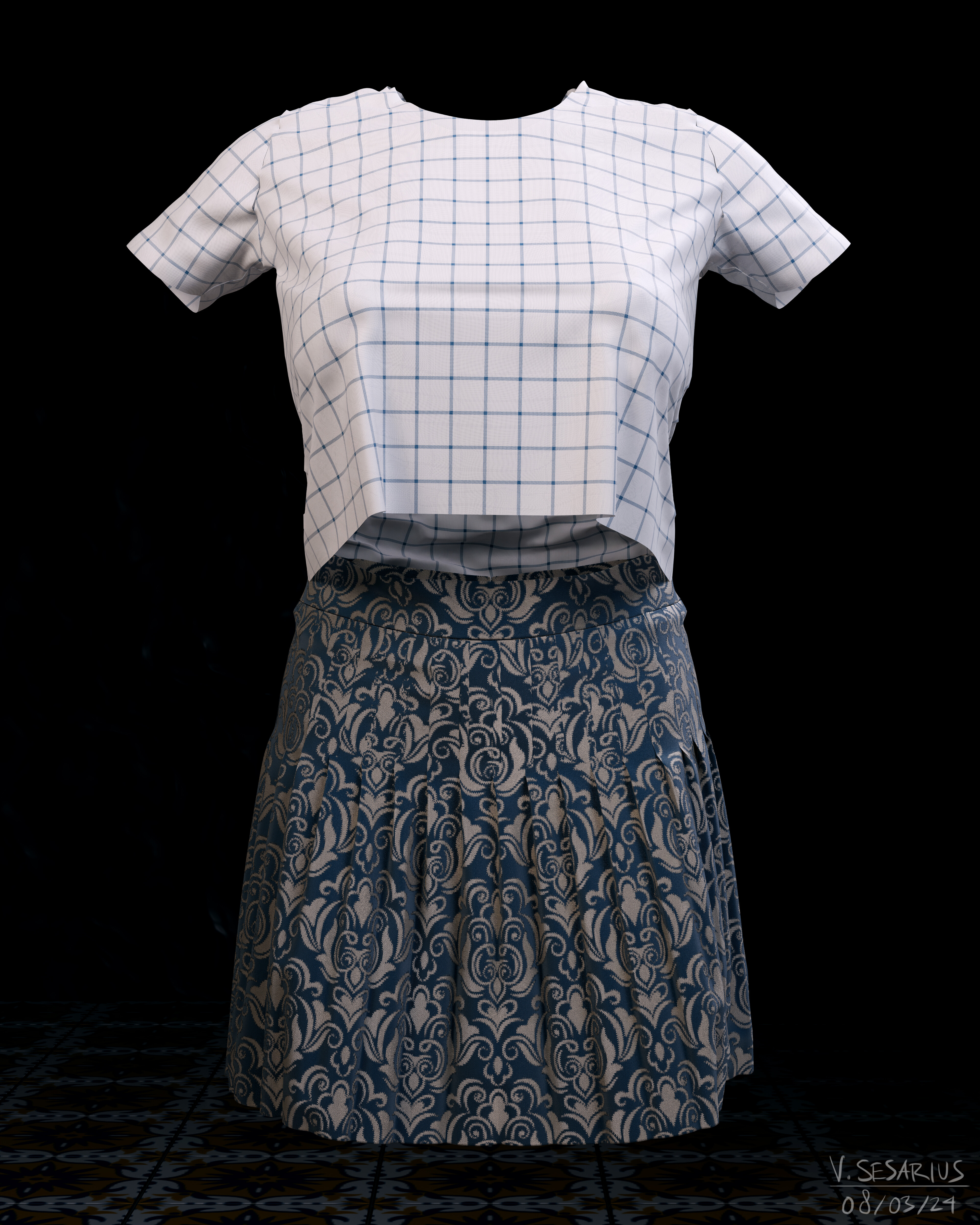
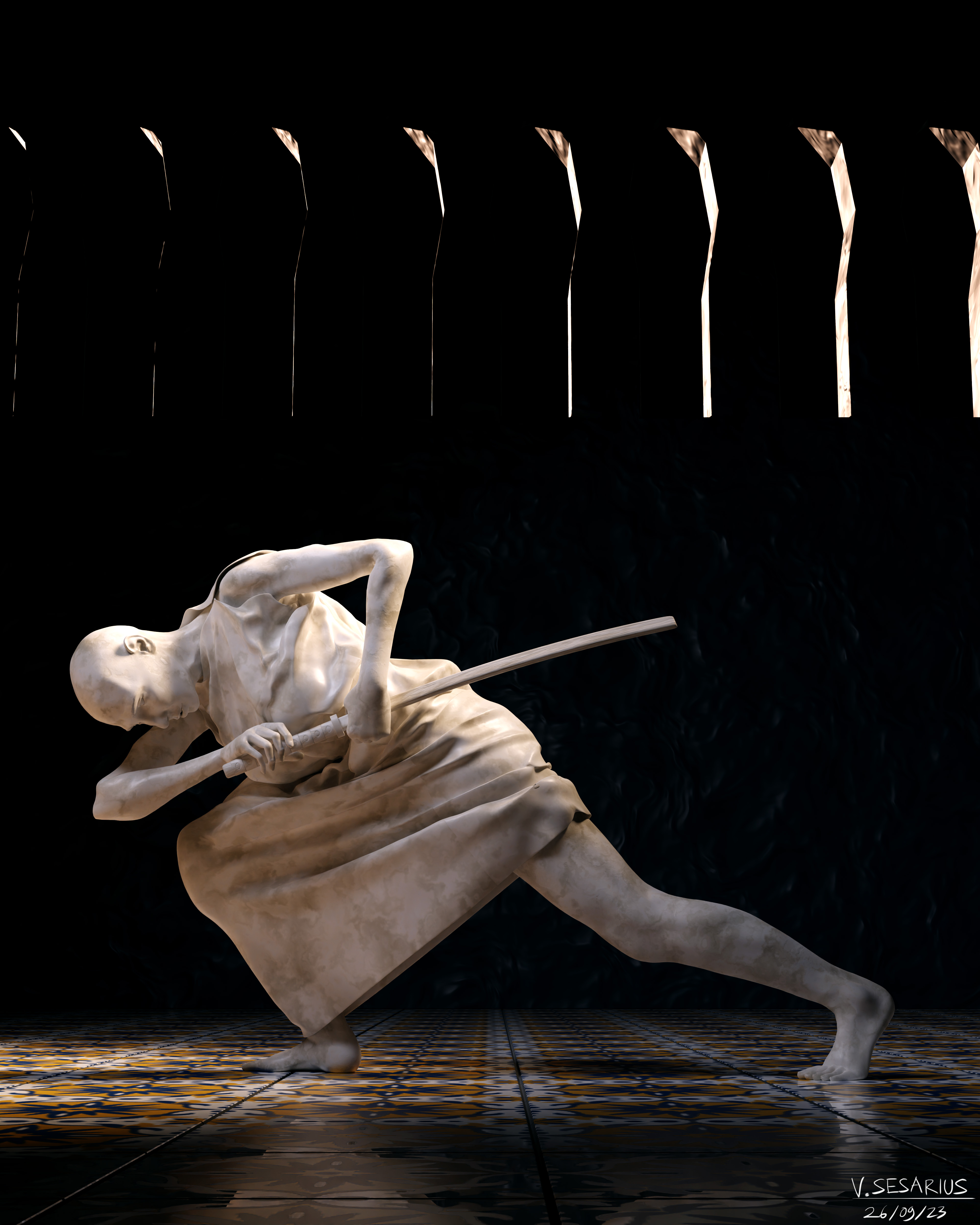
Tthanks Sandtail for your comment. I believe any modern cloth sim could do pretty result . The question is only how simple and effortless it could be. Blender cloth IMO takes too much of not so obvious tricks to be nice looking.

They did it on gpu and it’s super easy. To bad my old version can’t do it

Well, even though initially I explained for how cloth simulation works in Blender, but the principle difference between CPU and GPU remains the same for MD too, but it just that they have figured out a way to go around it for working and tweaking purpose. The technology for GPU based simulation in MD, I guess, is very much like Eeevee in Blender.

Just like Eeevee, it’s not physics based, but rather algorithm based. They use mathematical calculations before hand, and that’s probably why you’d see like one second freeze time between the time you press Simulate and when the cloth starts moving.

In MD, you’d mostly use GPU simulation for previews and tweaks, and use Normal, Complete, or Complete Non-Linear for final result and animation. Because in the end, if you want the result really nice and natural looking, the cloth sim has to be sequential.

But yes, GPU simulation is actually pretty cool, and convenient above all else. But I also know it’s true that in Blender, by using physics based simulation, the setting is much straight forward. I only changed 4 default settings for every single cloth I make, and all of those 4 changes remain constant after years of me working on cloth making.

I created this small playlist on Youtube some time ago, and it seems that it has helped a quite few people understand about Blender’s cloth making workflow. I hope it will help you as much as it has helped others.

Thanks for the list Sandtail

But all of those are just simulation to a still image. Now sure it all looks very good, but what happens when you then fully animate the character and need to do all the cloth simulation over a constantly deforming mesh.

If you have any videos showing that and how well Blender can do it, I’d love to see them.

For the OP, I wouldn’t expect any GPU acceleration any time soon (as in not in the next few years).

The current Cloth and Hair system (the cloth simulation is actually based on the particle hair simulation system) is like a decade old and not had any development time for the past few years.

It’s all expected to be replaced by a Geometry Node system at some point and as far as I know, nothing about GNodes is GPU based or accelerated, it’s all CPU.

Next week there is a planned workshop at Blender HQ for Hair simulation within the new system. This should in theory get the whole design ball rolling and start to allocate dev time to finally update and replace the simulation systems in Blender. I rather expect that once Hair is sorted out, Cloth will just be an extension of it all.

I would think Blender could use the open source Nvidia PhysX cloth SDK to have it fast.
https://docs.nvidia.com/gameworks/content/gameworkslibrary/physx/guide/Manual/Cloth.html

The intro implies that PhysX requires CUDA cores to do the magic, so compatibility with AMD cards or Mac systems seems problematic.

IMO, moving a bad cloth simulation from the cpu to the gpu will just give you a faster bad cloth simulation.

I think blender’s cloth sim is good for a few things, like flags in the wind, table clothes dropped on a table, and curtains too. But for clothing on an animated character, forget it.

Randy

It appears on the 50 series even Nvidia has dropped PhysX support. :roll_eyes: , so much for that. PhysX seemed so good, but was never used by anyone.

I use it every time I play Borderlands 2 :smirk:

…that’s true regardless of the API though.