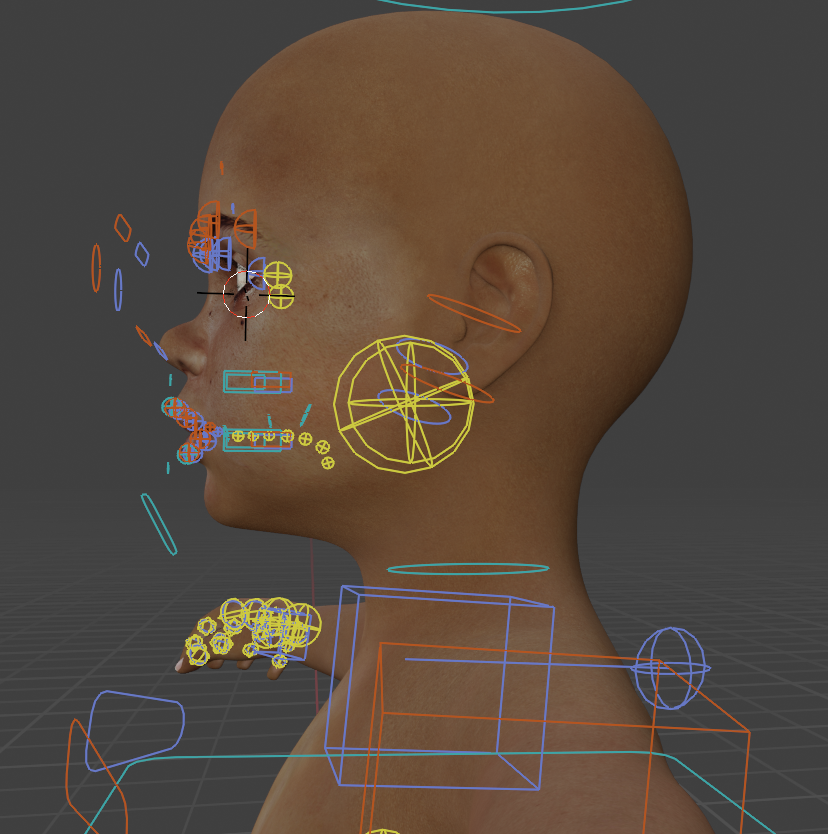
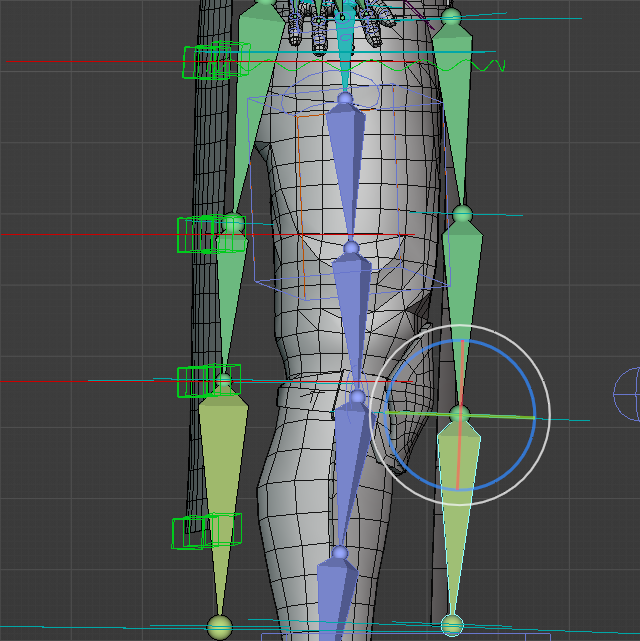
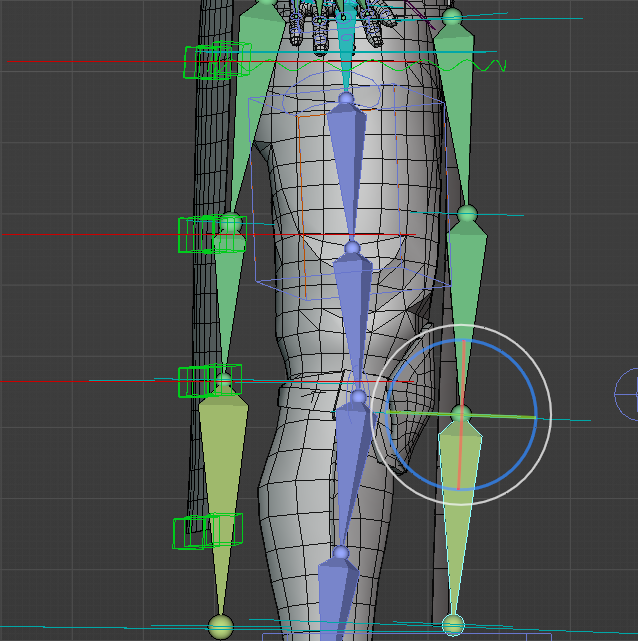
I have a problem with retargeting animations in Autoreg pro, when I upload animations from the stuntman, artifacts appear when transferring animations. In the likeness of such that some bones move, and some do not
@PETABYTE This is a recurring question  Well the breast rig is very simple, these are just two bones to globally adjust/animate the flesh if needed. You can just try to put them where you like, and adjust weights if necessary.
@Avan_Pon It seems your encounter issues when retargetting animations from Cascadeur (“stuntman”)? Please send a support message.
Oi, Lucky. I’m having a problem with the Skirt Rigging system, how do I properly attach it to a custom character rig without using the ARP human rig?
more detail here: Make skirt rig react to leg movement? - #6 by BlenderSlug
hi again ,
i’ve done some research regarding some incorrect bone orientation using the kilt rig , and i think there might be a bug with the kilt control master (columns) :
i have a cape, here’s the default orientations of the bones
when i click “match to rig” i get this result the deform bones are oriented like this
when i edit reference bones and the limb option of the kilt , only the deactivation of the master (column) option work for me , after that i finally get a good result
i’m using the 3.73.43 version , can’t get why the column master does this .
@BlenderSlug Things won’t work if you merge the ARP armature to your Custom armature. ARP armatures have special settings, properties, located in the armature and object data blocks. To ensure everything works fine, make sure to keep the ARP armature as you main armature, then add custom bones to it.
1 Like
Ok silly error. Fixed in 3.73.44, sorry about that!
1 Like
Hi there, I’m trying to use the addon but I’m getting this error when I try to export. Any suggestions?
Python: Traceback (most recent call last):
  File "C:\Users\riane\AppData\Roaming\Blender Foundation\Blender\4.3\extensions\user_default\rigmodels_pro\src\auto_rig_ge.py", line 1544, in execute
    bpy.ops.arp_export_scene.fbx(filepath=def_fp, use_selection=True,
    ^^^^^^^^^^^^^^^^^^^^^^^^^^^^^^^^^^^^^^^^^^^^^^^^^^^^^^^^^^^^^^^^^
  File "C:\Program Files\Blender Foundation\Blender 4.3\4.3\scripts\modules\bpy\ops.py", line 109, in __call__
    ret = _op_call(self.idname_py(), kw)
          ^^^^^^^^^^^^^^^^^^^^^^^^^^^^^^
RuntimeError: Error: Python: Traceback (most recent call last):
  File "<frozen importlib._bootstrap>", line 1232, in _handle_fromlist
  File "<frozen importlib._bootstrap>", line 241, in _call_with_frames_removed
  File "C:\Users\riane\AppData\Roaming\Blender Foundation\Blender\4.3\extensions\user_default\rigmodels_pro\src\export_fbx\export_fbx_bin.py", line 37, in <module>
    from . import encode_bin, data_types, fbx_utils
  File "C:\Users\riane\AppData\Roaming\Blender Foundation\Blender\4.3\extensions\user_default\rigmodels_pro\src\export_fbx\fbx_utils.py", line 714, in <module>
    class AttributeDescription:
  File "C:\Users\riane\AppData\Roaming\Blender Foundation\Blender\4.3\extensions\user_default\rigmodels_pro\src\export_fbx\fbx_utils.py", line 723, in AttributeDescription
    is_required_check: Callable[[bpy.types.AttributeGroup], bool] = None
                                 ^^^^^^^^^^^^^^^^^^^^^^^^
AttributeError: 'module' object has no attribute 'AttributeGroup'
Location: C:\Program Files\Blender Foundation\Blender 4.3\4.3\scripts\modules\bpy\ops.py:109
@Riane_Nnn This is unfortunately a compatibility breakage when running older version of ARP on Blender 4.3+. Either stick to a previous version of Blender or update your version of ARP.
I ran into one issue with a fairly complex custom export script that I thought I would share- I kept getting errors saying variables that I defined in my custom script were undefined. This was due to the fact that I was using some more complex list comprehensions and lambdas, and the context that the script was executed under wouldn’t allow for it (see this stackexchange post.
It’s a fairly easy fix though so I figured I would share: If you modify auto_rig_ge.py to pass in globals() things like nested list comprehensions will work as expected:
print('Running custom export script:', script_path)
        exec(file.read(), globals())
Hi again and thanks for the bug fix, i still have the issue where there is a difference between rest mode and pose mode on bones with a driver
idk if this is normal, but this is a bit problematic in my case :
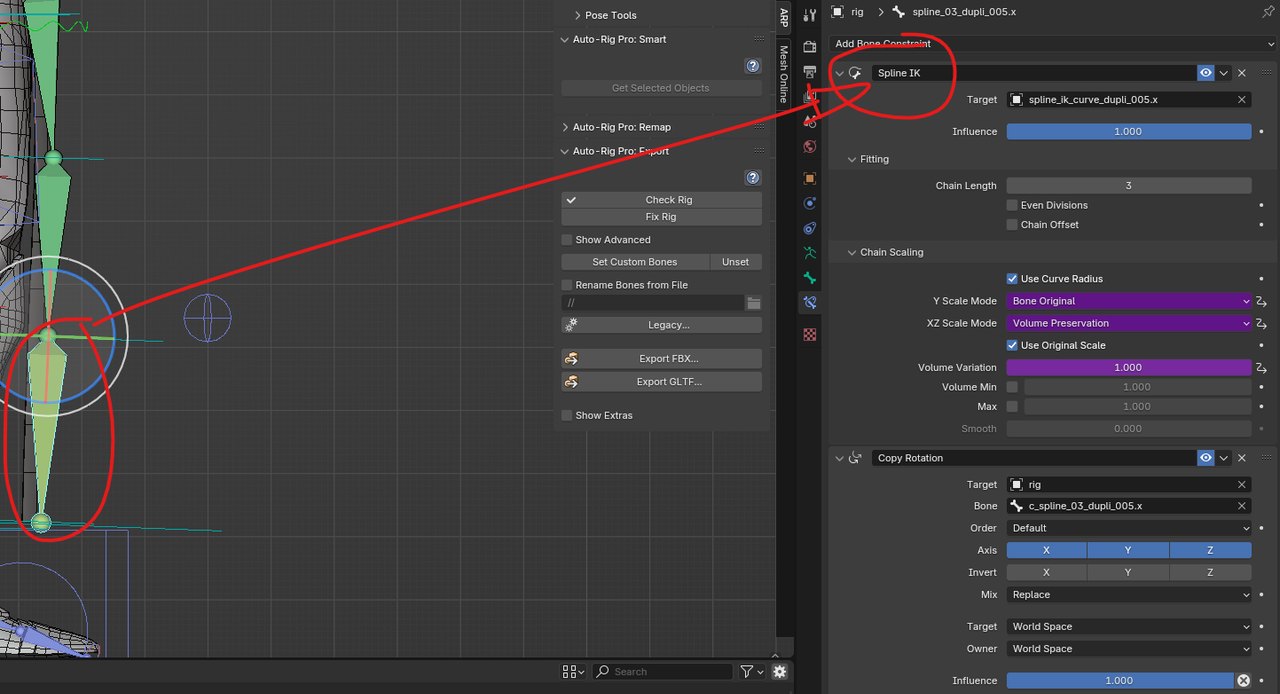
you can see the difference between pose mode and rest mode i’m using a chain spline IK and the issue is on the last bone of the chain especially the spline IK driver , if i disable it the deform bones finally match the references bones .
also i’m noticing difference between what i have in the blender viewport and what the exported FBX look like , i have followed the documentation regarding unity Humanoid export and can’t find how to fix the problem :
Arp Rig in blender
Fbx Export in blender
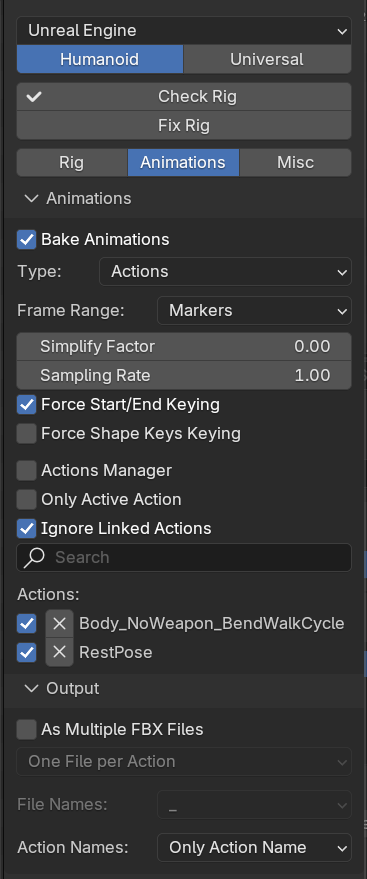
Hi, I have a problem with exporting my model to Unreal Engine. I am using Auto Rig Pro and made a rig to match UE5 Manny. I need the rig to have its root bone called root. I tried to call the main rig and its child: rig, root and Armature and i tried to export it through ARP and default exporter.
-
When i try to export rig through ARP fbx i get an error when i import it to unreal saying that my rest pose is invalid and skinning is rebuild using frame 0 pose. This result in overwriting my custom weight painting and deforming model during animations. The root bone is called correctly - root.
-
When i export it through gltf ARP i have no errors and the custom weights get imported correctly. Unfortunately my root bone has a suffix added and its called root_ProxyTrueRootJoint
2.1. Also, through arp gltf exporter i cannot export a rig called root it gives me error -
When i export FBX through default exporter i have to name the main rig root and it exports correct skinning and the root bone is named root but unreal engine retargeter does not see that root bone and other bones.
-
Also i have many warnings in the console saying invalid driver. I made all bone collections visible, selected all of the bones, went to drivers editor - channel - delete invalid drivers but it says no invalid drivers.

Please help 
@Nymphais
Did you export with the ARP FBX exporter (not the default FBX exporter)?
The ARP exporter will natively rename the exported skeleton “root” when loading presets for UE.
Do not rename it “root” manually in Blender.
The errors could be due to a specific export setting, or something in the file leading to break it.
It’s difficult to diagnose it without further information. If you can send the blend file I’ll have a look.


It doesn let me send more than 3 messages on the same topic so i cannot even reply anymore here and cannot add screenshots of gltf export… Also where can i add blend file? it doesn let me here as i am a new user…
i sent you an email with my blend file
Hi. I’m sure this topic may have been addressed before but I can’t find it. Using Quick Rig with a Diffeomorphic imported Genesis 1 figure leaves a number of orphan (custom) bones. I think they’re interfering with face rigging and just get in the way overall. The orphan bones are in yellow. How can I remove them safely along with any influence they may have on weights?