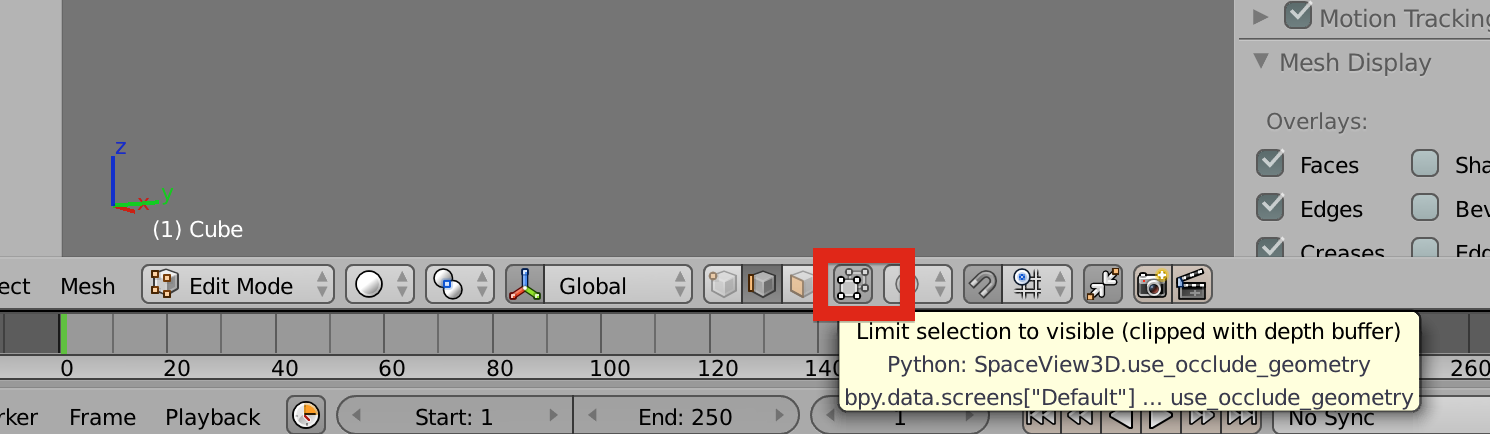
I have been following this tutorial http://www.youtube.com/watch?v=85kmzClDxn0.
Right from the start, i can’t select properly. When i do select, it just selects the front part of the cube (when i am in front view ). How do i select the edges (the ones i see and the ones at the back of the cube) ? Ask if you need screen shots to help me.
Thank you for the answer, but it wasn’t actually the problem.
I figured that out myself after a while. I need to select with '‘B’ then i need to hold right mouse button down and move.
I was doing that but on the edges i wanted to move, that just moved the front edge, not the back one.
Anyway, thanks for the quick response.
I will post my first project on the forum !