I’m trying to bake a color ramp/color for my mesh, but the bake button is greyed out. I’ve added an empty texture node, I’ve selected the node and the mesh, turned off the lighting options and I’ve switched to cycles but nothing seems to be working.
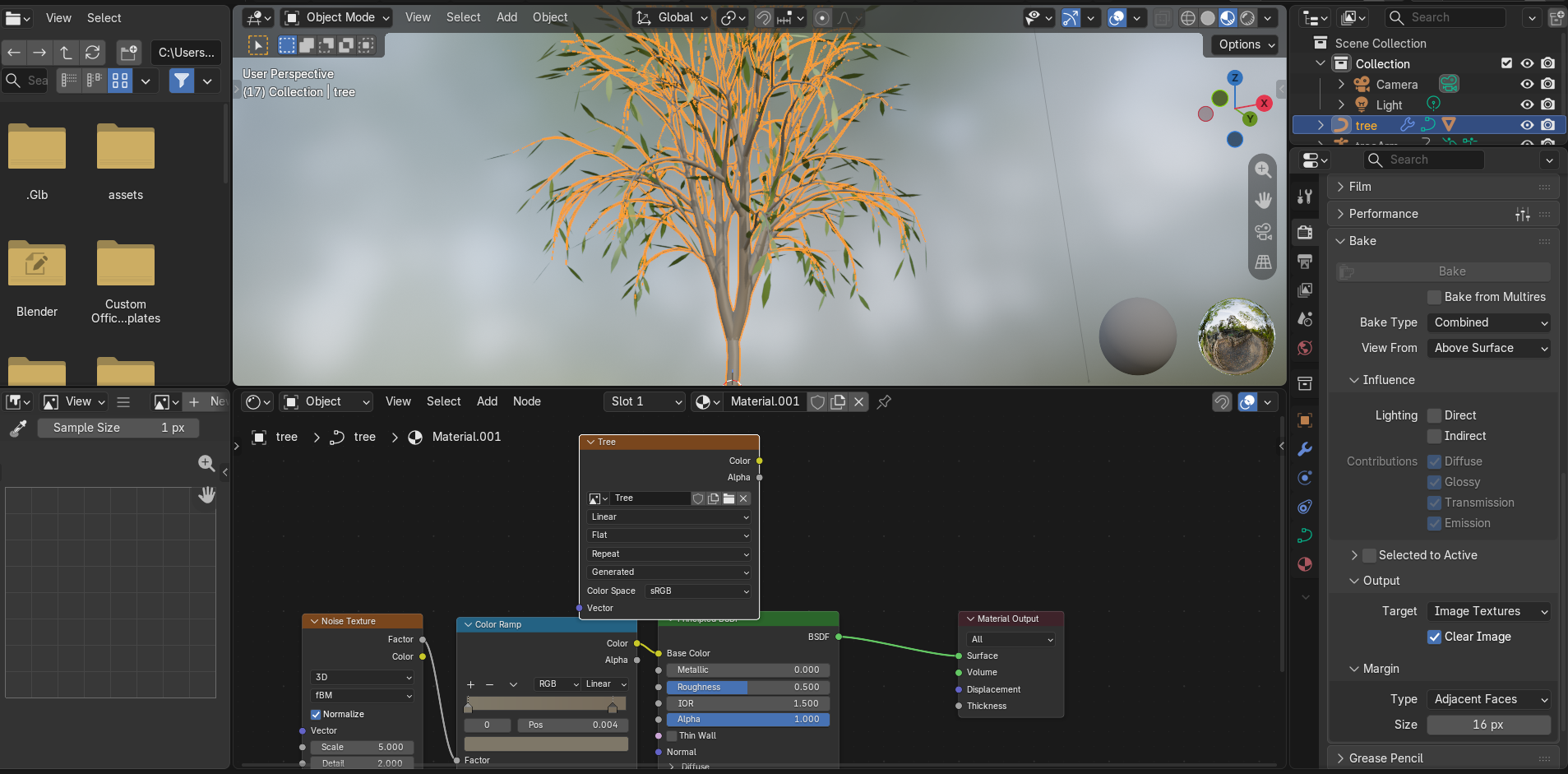
Well, if you turn off the lighting in combined mode, there is nothing to bake, combined is for baking the full output of the render, so the lighting.
Are you trying to bake the color? Then switch from combined to diffuse and leave only the color checkbox on.
I switched to diffuse, and checked the lighting boxes, the button is still greyed out. Starting to think it’s some sort of malfunction.
Did you add or create a new image for your image texture node? Maybe it doesn’t have an image to bake to.
Is that object a curve?  Baking requires a uv map, maybe you should convert it into a mesh and uv unwrap it?
Your tree is a curve object in the screenshot, those can’t be baked. Convert it to mesh and make sure it has proper UVs to receive a bake.
Thank you that worked.
Thank you, I would have never thought to convert it to mesh.