I do a lot of Nuke and blender roundtripping, and one issue that comes up a lot is how Blender handles cameras.
They get imported as a static camera with a transform Cache linked to the alembic file.
That means however that I can’t see the world space position of the camera, or the keyframes.
So, is there a way to A: Bake the camera so it isn’t constrained/parented to anything so I can see the keyframes and world space position in the object context.
B: copy the world space position/rotation of a parented/constrained object.
So, I managed to figure it out.
Duplicate the camera, clear parents, delete the alembic cache constraint,zero out any transforms make sure to do it in delta as well.
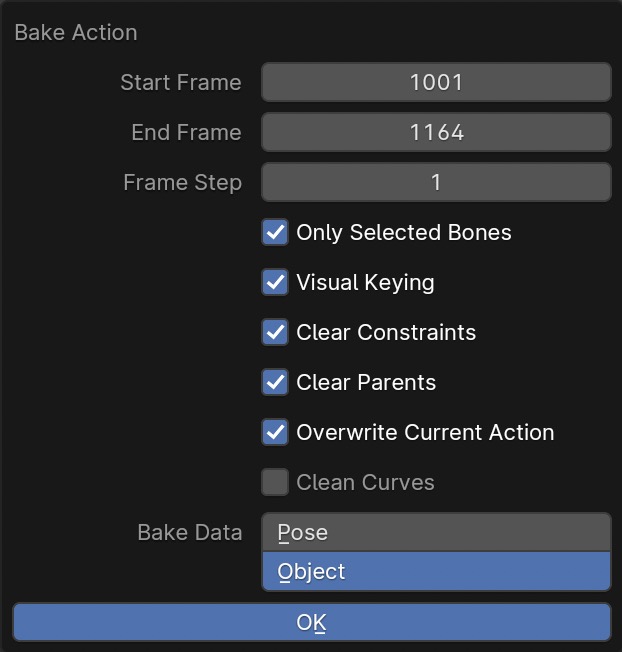
Add a copy transforms constraint and constrain it to the animated camera. Then do Object/Animation/Bake Action - Make sure to check visual keying and clear parents.
Thanks both of you for sharing this. It helped me a lot struggling with a .abc camera exported from nuke to blender, and when i imported some FBX asset in blender’s scene, it messes the camera track.
Baking it first was the solution for this issue.
So if anyone is struggling with the same, try this!