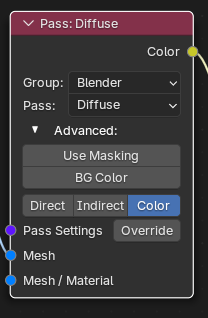
If you set up your diffuse pass to only collect color, it will avoid the problem of the direct lighting pass making the entire image black like so:
@mcjamall07 It’s not really a bug, your AOV data just doesn’t have transparency information in it. Even if you have an alpha value set in the color data, it doesn’t actually have any meaning without a shader program that controls how a ray hitting that surface behaves. AOV short-circuits what ever shader set up you have to output that specific data. I would need to make a different pass that has some fixed interpretation of the AOV color channels and creates a transparent shader from the data instead.
(This was a pre existing issue since blender 4.3 or something) you cannot choose Relative Path anymore in the image path. This is because now you have to specifically enable this when making a StringProperty… like this:
Not really. You can bake 1 material for the whole object or you can have each material be assigned to a tile such that they are split into different files. But you cannot say bake Slot1, Slot3 and Slot5 while ignoring the other slots.
I’m not sure what you mean. But if you’re asking “is every single render setting exposed via a node” then no. Just the most useful/common settings are exposed. The other settings are configured to what I believe are the most optimal for baking.
You can override my choices by instead selecting to take the settings from a scene in your file. In which case it will use the render settings you specify.
Technically you could adjust the default settings by editing the blend file inside the addon, but you would have to do that every time I updated them…
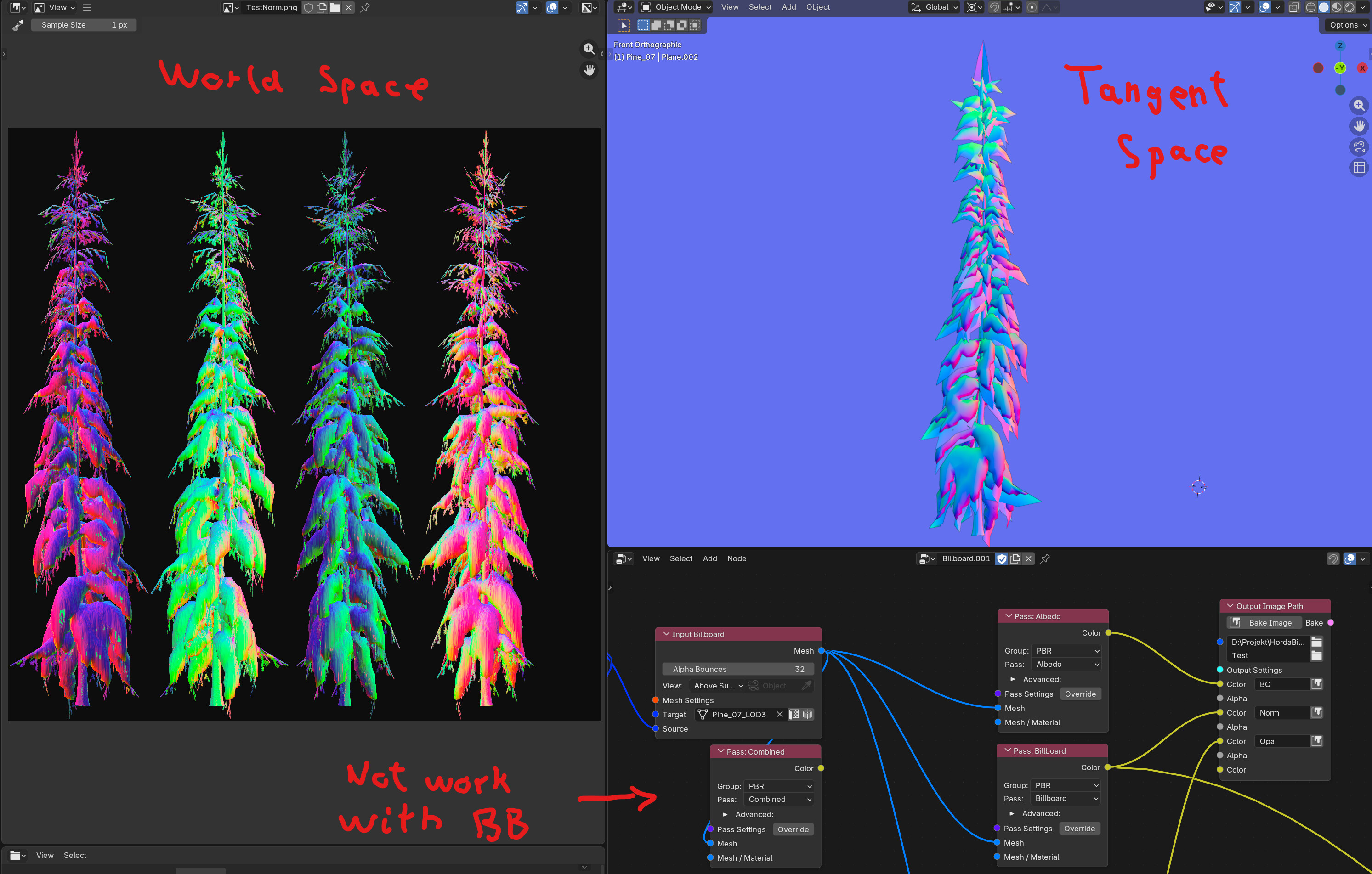
This isn’t a bug, but it’s quite inconvenient. When I try to bake a billboard normal, instead of baking it in tangent space it does it in world space, which makes it much more cumbersome to use outside of Blender. There should be a node or an option to convert this world space normal into tangent space, or to bake it directly in tangent space in the first place.
Also, after looking into it more, the world space normal itself isn’t correct in its current form. You definitely have to flip the face normal and then re-adjust the range, otherwise it won’t have anything to do with what you actually need.
(Also, I noticed in the video “https://www.youtube.com/watch?v=aCkkXgjMh4Y”
that the Normal node she plugged into was set to tangent space, which is incorrect because of this.)
I don’t know if it was explained clearly in that video, but tangent space normals are calculated by reversing the rotations of the billboard target. So if you rotate the billboard in edit mode or apply rotations to it, the tangent space will have the wrong rotations.
World space normals should still be correct. But they will be in blender world space.
I did make some naive assumptions regarding tangent space normals orginally. But they are related to the UV space and shouldnt impact single billboards.
Yes, I understand why the system works well the way you designed it. In my case, however, I only have “fixed” billboards, meaning planes that never rotate at all, so I specifically need the tangent space normals.
I was able to bake tangent space normals when I didn’t use the billboard input, but in that case it didn’t take the alpha mask into account.
Hi, I have not been using Bake Wrangler for some time. I get this error when I try to bake with Blender 5.0 and 5.1 with 1.9.2:
Traceback (most recent call last):
  File "D:\BlenderAddons\addons\BakeWrangler\nodes\node_tree.py", line 1088, in invoke
    self.prepare(context, tree, node)
  File "D:\BlenderAddons\addons\BakeWrangler\nodes\node_tree.py", line 1107, in prepare
    if _prefs("text_msgs"):
       ^^^^^^^^^^^^^^^^^^^
  File "D:\BlenderAddons\addons\BakeWrangler\nodes\node_tree.py", line 75, in _prefs
    if pref and key in prefs:
                ^^^^^^^^^^^^
TypeError: bpy_struct: this type doesn't support IDProperties
00:38.906  bpy.rna          | ERROR Python script error in BAKE_WRANGLER_OT_bake_pass.invoke
00:38.906  operator         | ERROR Python: Traceback (most recent call last):
                            |   File "D:\BlenderAddons\addons\BakeWrangler\nodes\node_tree.py", line 1088, in invoke
                            |     self.prepare(context, tree, node)
                            |   File "D:\BlenderAddons\addons\BakeWrangler\nodes\node_tree.py", line 1107, in prepare
                            |     if _prefs("text_msgs"):
                            |        ^^^^^^^^^^^^^^^^^^^
                            |   File "D:\BlenderAddons\addons\BakeWrangler\nodes\node_tree.py", line 75, in _prefs
                            |     if pref and key in prefs:
                            |                 ^^^^^^^^^^^^
                            | TypeError: bpy_struct: this type doesn't support IDProperties
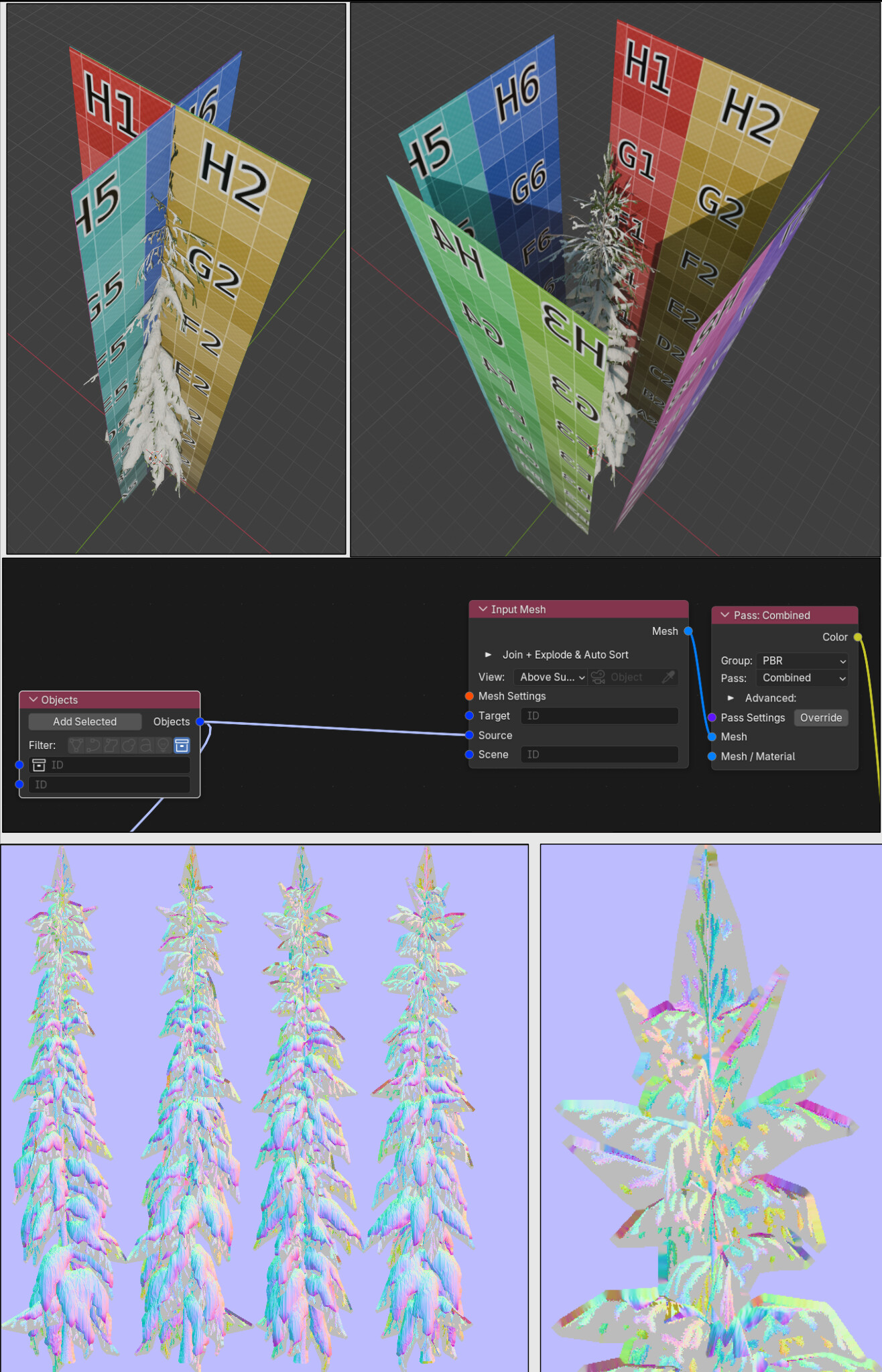
My bake setup (I also tried the older deprecated nodes, same error). Maybe I did something wrong? As I said, I have not used BW for quite a while: