I’m baking a metal cylinder with UcuPaint addon, but for some reason after the normal map bakes, all of the faces appear sharp on the edges. Does anyone know why this is happening? The cylinder is supposed to be smooth on the edges going around the cylinder. Thanks!

Usually i would say: “some problem with smooth shading not properly applied” ( i always have to double check this  )..
)..
But you make a lot of nice tutorials and especially baking.. so i hesitated with my reply  . Of course this might be a special ucupaint problem ? And some ucupaint user might know better ?
Happy blending and thank you for you good work 
 (not on YT so can’t like there
  ).
).
Thanks. The object is already shaded smooth, so I don’t think that’s the problem.
Another thought: if the highpoly object is not “bigger” than the lowpoly and so there is some overlapping then properly some cage settings should be “tweaked”..
 .. but this may result also in those “more twisted” normal map data (more greenish).. ??
Another other thought:
When using the bevel modifier then the normal map got also some bevels (green arrows)..
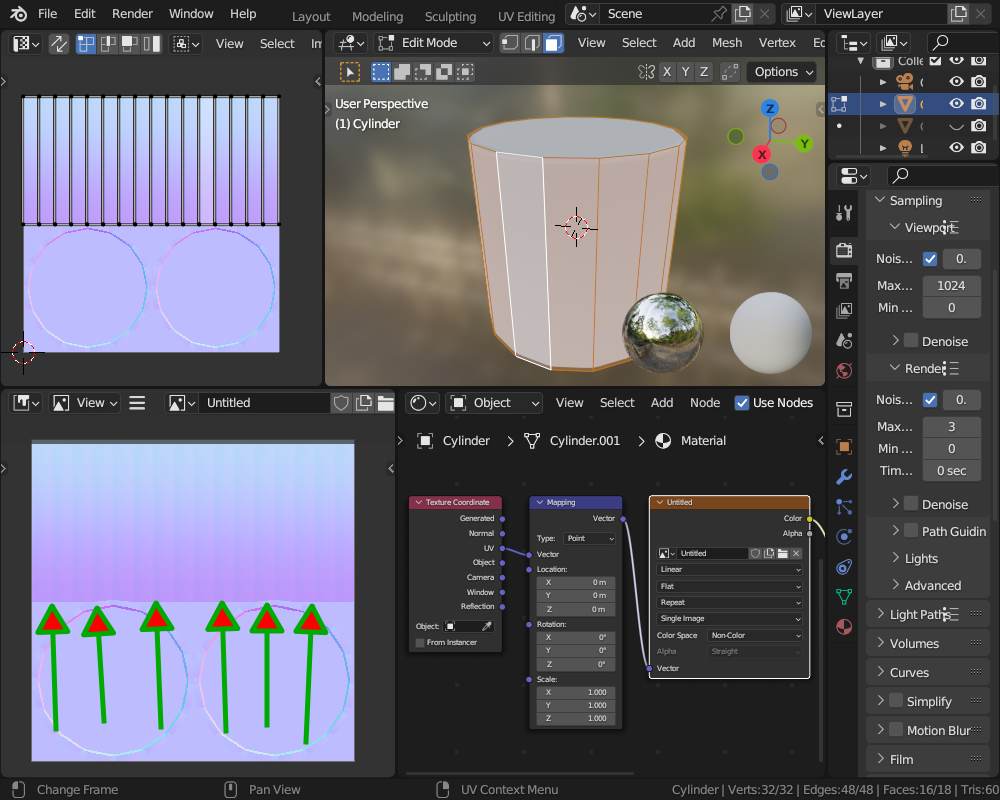
..which in fact does not influence the normals that much that it show this sharp edges..
You may have to elaborate your setup a bit deeper to get a more suiteable answer.
I’m not baking a high poly mesh to low poly, I’m just baking the texture painting from UcuPaint to a normal map.
I figured it out! I had the weighted normal modifier on the object, and that was causing the normals issue. when I removed the weighted normal modifier, it bakes normally. Thanks for your help.
Ahh.. i wasn’t aware of this.. so i re-marked ucupaint on my do-to list.. i really have to look into this 