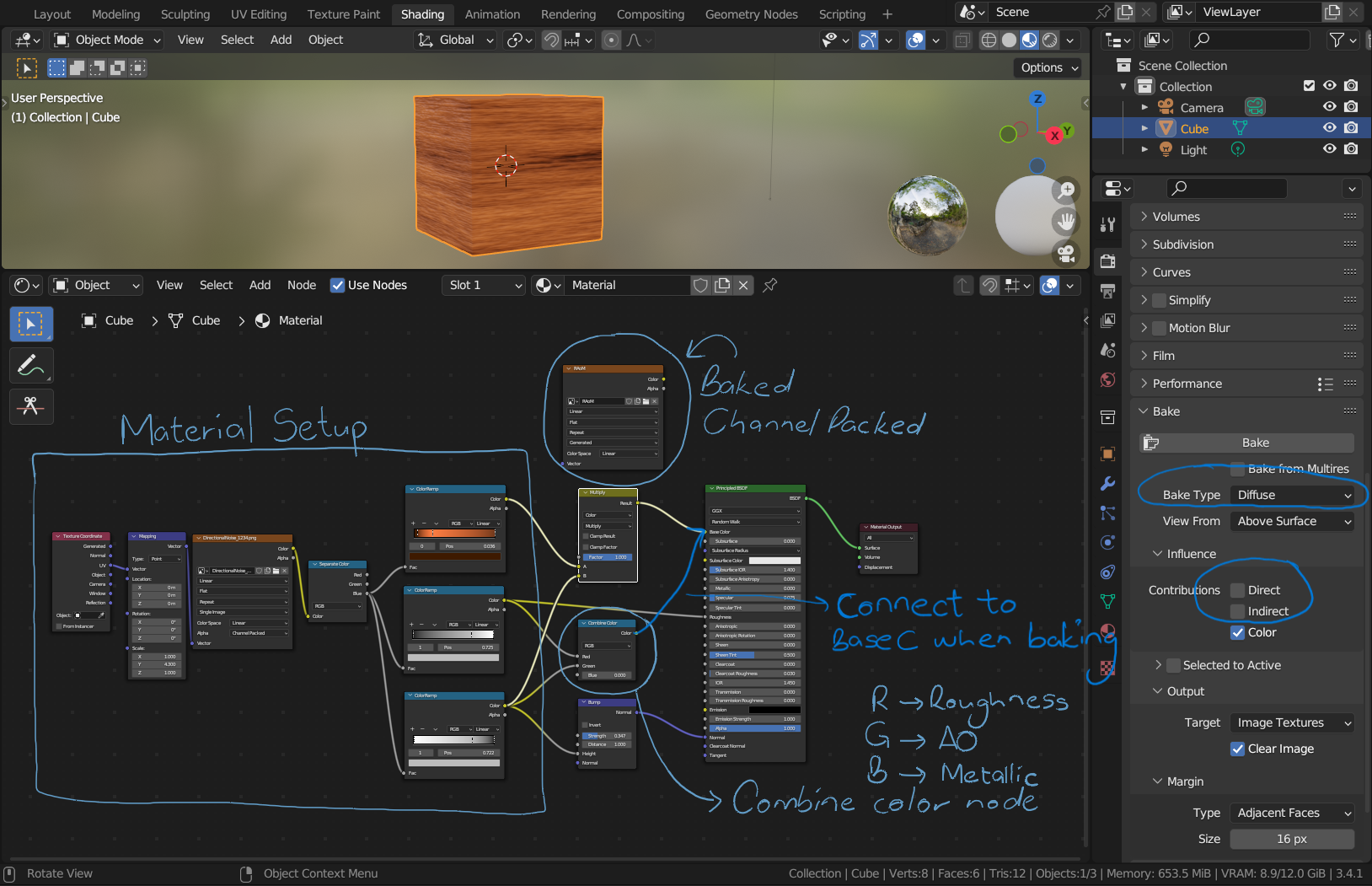
Essentially, what you want to do is to connect the image textures you want to channel pack into a Combine Color node…connect them whichever way you desire(in my case I connected the roughness into the R(red) channel and the AO into the G(green)channel and left the blue channel as 0 for metallic value. The output of the node is then connected to the base colour input of the material.
Remember to create a new image texture and create a blank image texture with the resolution you desire and set the colour space to linear. On baking, have the image texture as the only selected node within the material and then bake.
The result will be the channel-packed texture.
Here’s the blend file, feel free to reach out if you need any help.
https://drive.google.com/file/d/1i5Aw_28WKfRocGxtrHyHisEAhyMc1tWy/view?usp=sharing
Also, check out this topic; they explain indepth the entire topic on channel packing in Blender.