Hi,
Yes that exactly what its for. That is the normal behaviour of this rig.
But if you really want t o have an exaggerated bend you can achieve it by rotating that control the opposite way. Just remember when lifting an heavy object always keep your back strait. 

Another question: is the Rigify rig fully editable like if you created it youeself from scratch, or are there some things that are hard coded and can only be changed by getting into the code?
For example, I’d like to change the color of the torso tweak to something other than blue (hard to see) but i can’t find a way to do it.
You can change simple things like bone colour or size and colour of controls without the need of scripts.
You can also modify and add bones by using rigify samples.
OK! Where do you change the control colors?
Folks, this is driving me a little bit nuts!
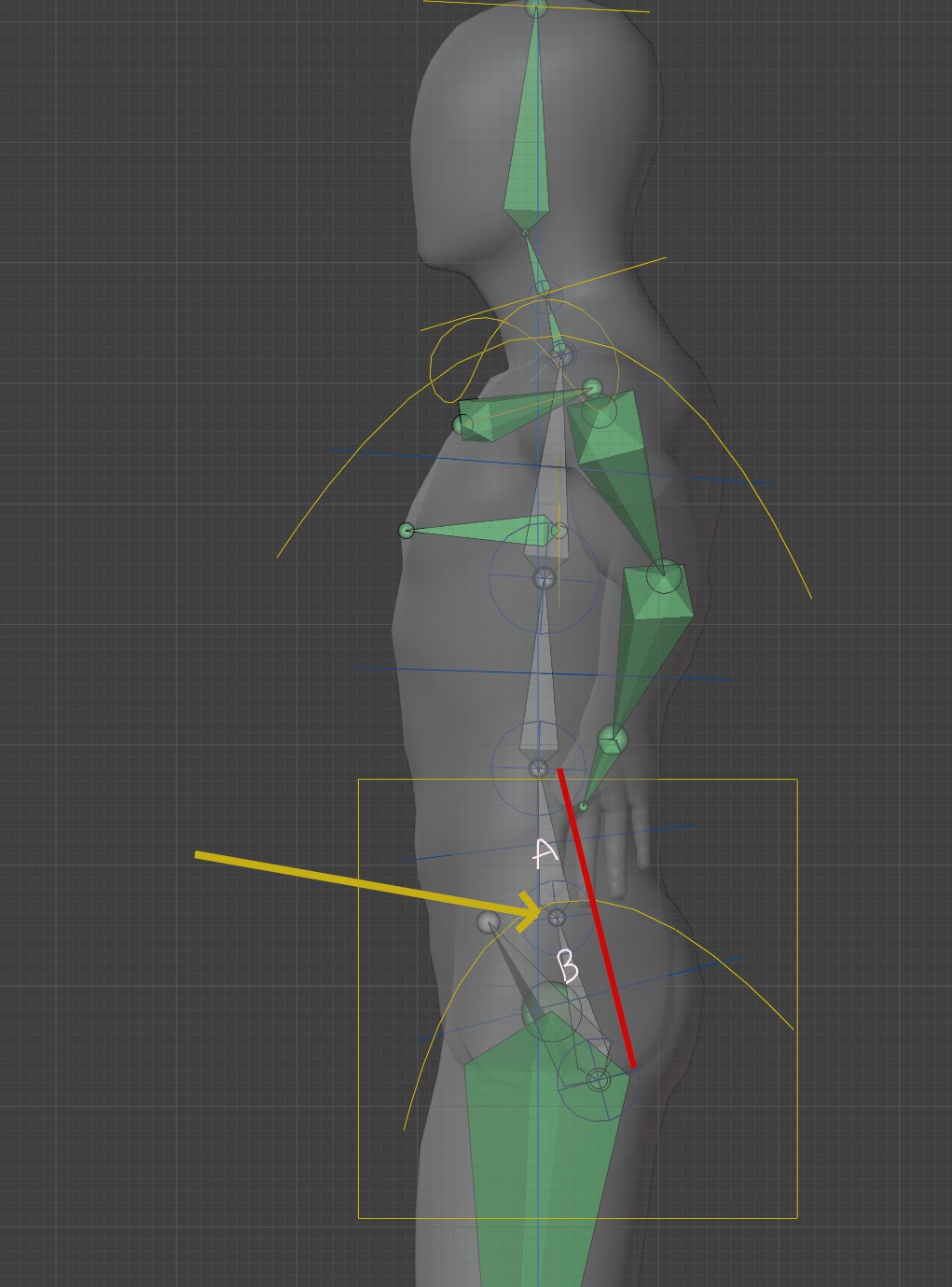
Please take a look at the attached picture.
You have bones A & B.
In the real human body you can bend the spine around the point indicated with the yellow arrow.
So, the lowest part of the spine.
But it seems with Rigify, these two bones are always locked in an (almost) straight line, indicated by the red line. I can find no way to create a bend.
So, the hips and lowest part of the spine are always locked together.
Please tell me I’m wrong and, if not, how to do this!
I can’t get it to bend there, any chance you could make either a screen capture of you doing it, or attach the blend file?

Ah-ha, thanks for the help, i was looking at the wrong bones (ORG, not DEF)!
Gonna have to go over the CGDrive vids some more because i’m still struggling!
1 Like
For the next questions start a new thread you will get better respond that way.