Hi,
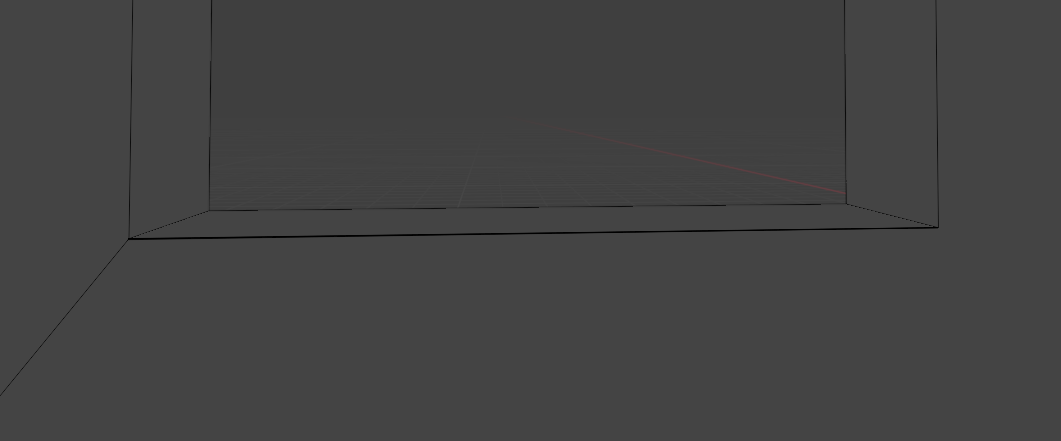
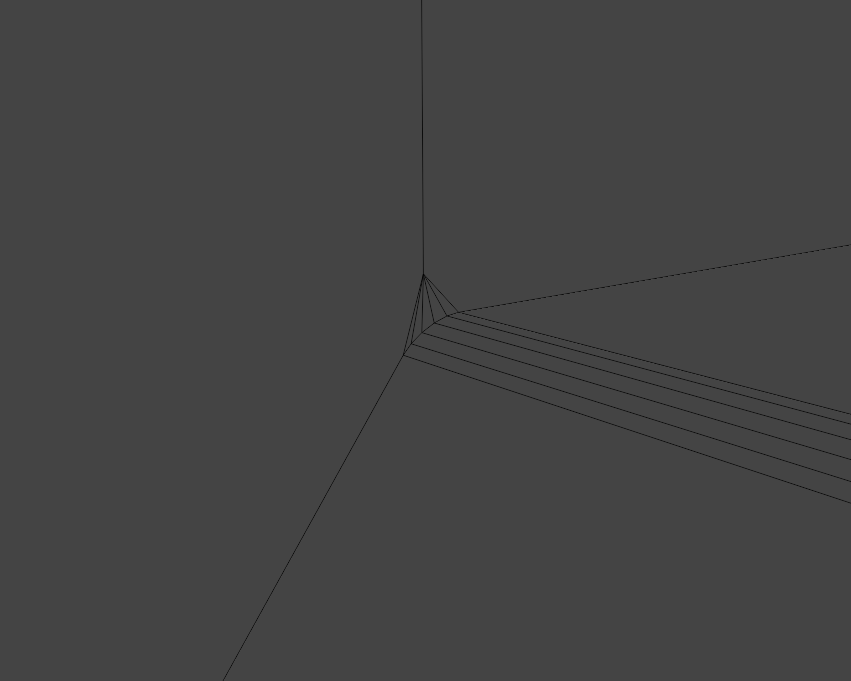
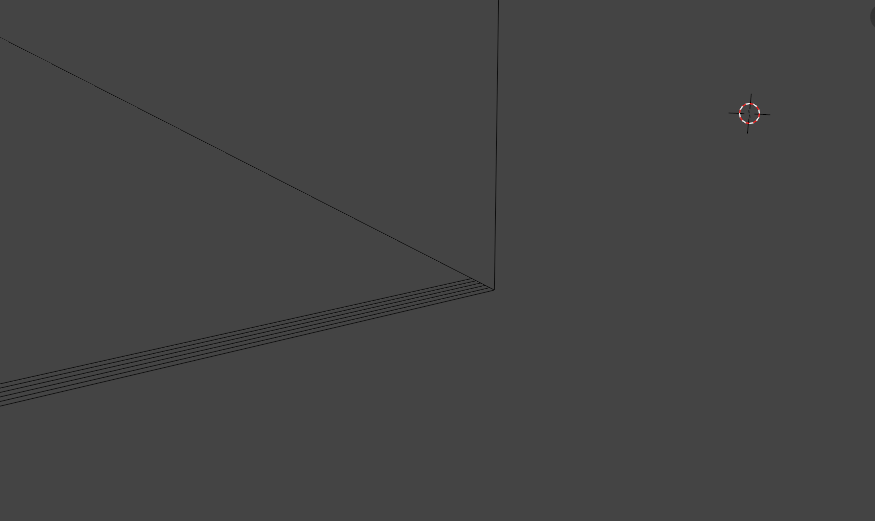
I’m having difficulty getting even bevels. When a bevel is applied to a single edge, it is present at one end (vertex) of the edge, but then decreases to nothing over the length of the edge, such that it’s absent at the opposite end (vertex). Please see below images showing
(1) the bottom of a window opening,
(2) the left corner of the opening, where the bevel appears as desired, and
(3) the right corner of the opening, where the bevel has somehow merged (?) with the face above the edge
This does not happen consistently. When it has happened before, I’ve succeeded in correcting it by deleting/recreating the relevant edges and faces, then trying again. In this case, I’ve done that but it hasn’t resulted in any change (that I can see). I’d prefer not to have to delete anything, of course, if possible.
Any help would be appreciated.
Hi,
have you checked for face orientation problem and duplicated vertices?
Bevel are depends on surrounding topology, i.e. some edges will interfere and change how the bevel will work.
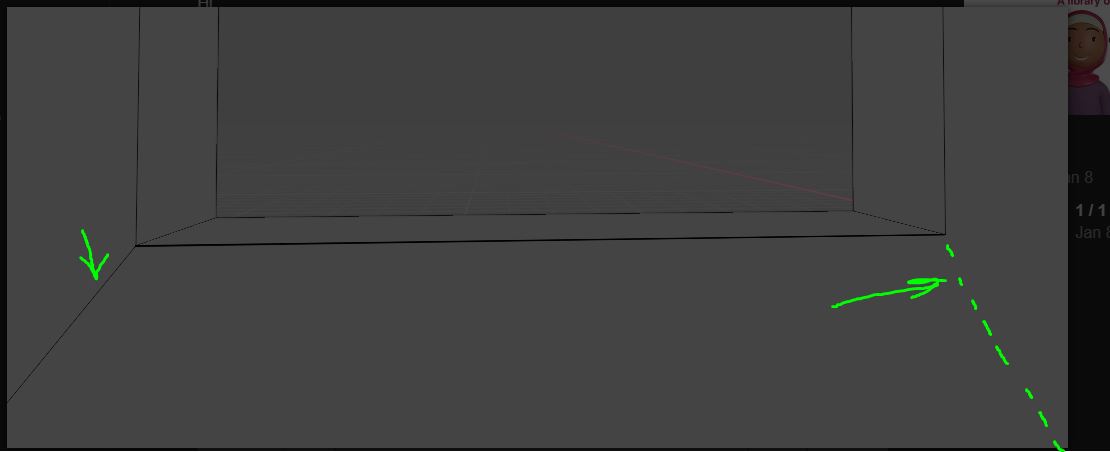
Notice what you have an extra edge on the left side, where bevel are ok, but lack of the same kind of edge on the right side.
Just add edge there and it will fix this issue.
Hi,
Thank you for your reply.
I’m relatively new to Blender and am not familiar with face orientation. I have been using “merge by distance” at times to remove problem vertices but there were no indications that any extra vertices were present in this case (I looked closely).
The model was imported from Sketchup and putting it into a form that can be rendered well has been very challenging (probably due to me lack of knowledge). I’m trying to avoid operations unless I’m certain they won’t have disastrous results and merging vertices seems like it has the potential to have those so I’ve only used it sparingly.
Hi,
Thank you too for your reply.
I did notice the extra edge on the left but thought that it wasn’t the cause of the difference because, if I’m not mistaken, I’ve successfully bevelled other edges both with and without extra edges like that one.
I just added an edge on the right side, as you suggest, and it worked.
I’m reluctant to add edges because I have many textures UV mapped onto objects throughout the rest of the model (which is a fully furnished house). If I add edges to those, it seems I may have to then revise the UV mapping at great length.
I’m sure my order of operations is not ideal but, as mentioned above, I’m still learning to use Blender.
Are you using modifiers for beveling or you are doing it manually? Also, tt would be very helpful for whom want to help you if you can share the file.
I’ve been doing it manually, only because that was the first method I discovered. My understanding is that the modifier method has the advantage of being non-destructive. Perhaps you can confirm this.
I realize people would be better able to help with the file, but there are privacy concerns with prevent me from sharing it.
Usually manual beveling is used to change the object shape itself while the modifier is used to get the edge beveled as a ‘refine’ but it’s not a rule sculpted in a stone, use what works for you.
And, yes, the modifier is a non-destructive workflow.
A short video where you can see the bevel basics (still valid although from 4 years ago):
https://youtu.be/JpxzxVt_-mI
This happens often, no need to share the whole scene. If you want you can just share a file with only the pure object to check the geometry (in this case there’s no need of texture or anything else).
But I saw that you already solved, good.
Happy blending
Ok, yes, I see some of the differences between the two in the video. It seems the modifier is better suited to my current needs but I’ll continue with the manual method in this project just for consistency.
I just found that the same (manual) bevel method works, without adding any edges to match the opposite end, if all four edges of the window opening are bevelled at the same time. This must be the situation in which I was able to do it previously, regardless of any extra edges. It seems that when only one of multiple connected edges is selected, extra edges must be present on both sides for the bevel to be applied.
I’ll keep in mind the option of sharing just the elements in question. This would certainly make it less of a privacy concern.
Thanks for your help.
Not exactly, you have effectively beveled the edge anyway but the effect on one side is different from the other. In your case, having selected just one edge, If you want the same bevel result on both side of it you need the same geometry on both side, of course.
But you’ll find the ‘bevel thing’ soooo interesting when you’ll need to go more in deep with it and maybe even have to use it together with subd and sticking to a quad topology… 
Haha, yes, the triangles are related to the fact that it was imported from Sketchup. Even after selecting an option to avoid triangles on export, that is the unfortunate result. I’ll read further, thanks again.