I’m going through the exercises in William Vaughan’s excellent Topology Workbook. It’s a software-agnostic approach to good topology. However, I’m stuck on a section that doesn’t seem to have a Blender equivalent…or maybe there is a Blender equivalent and I need to turn on an option to see it – I don’t know.
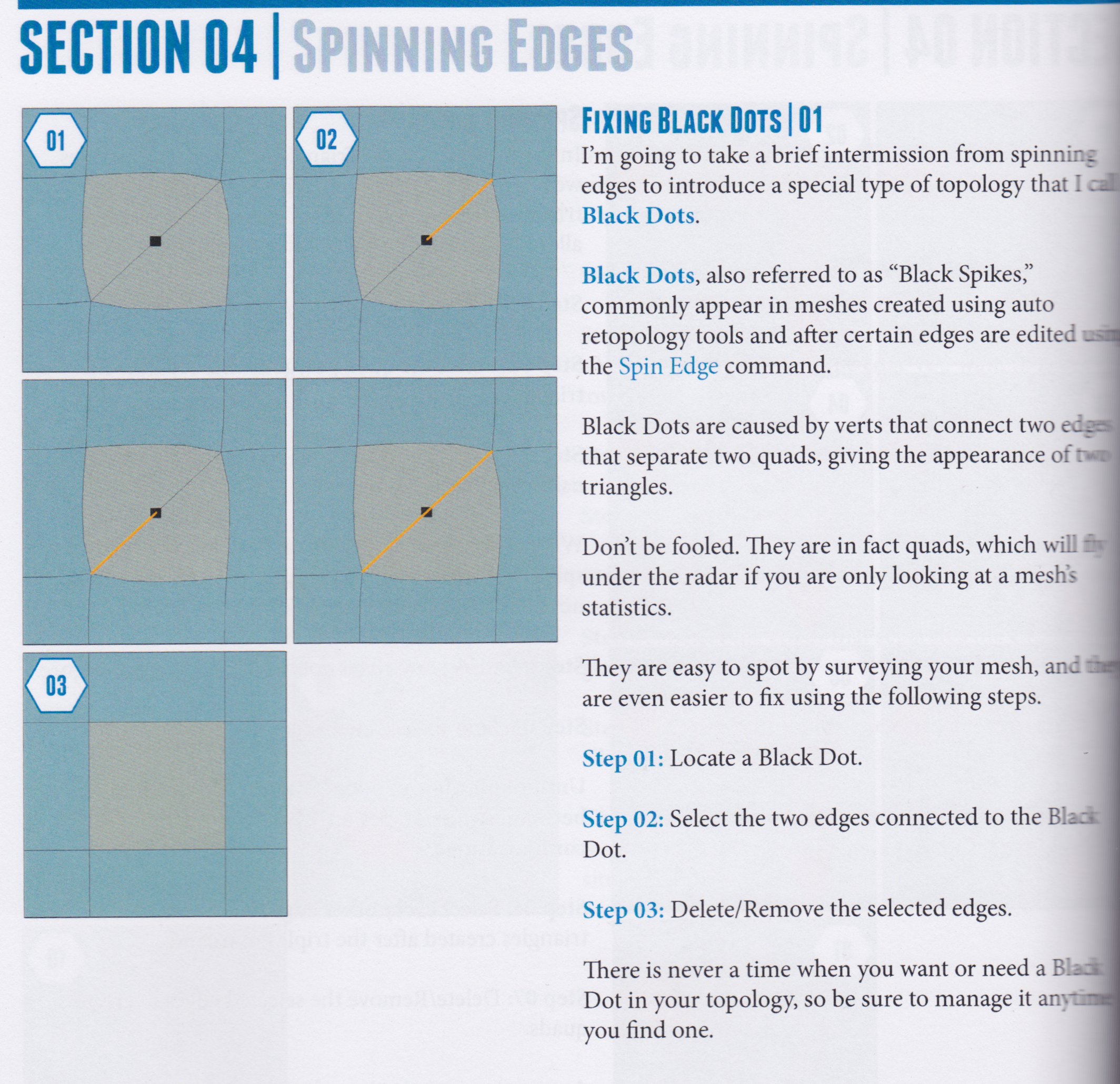
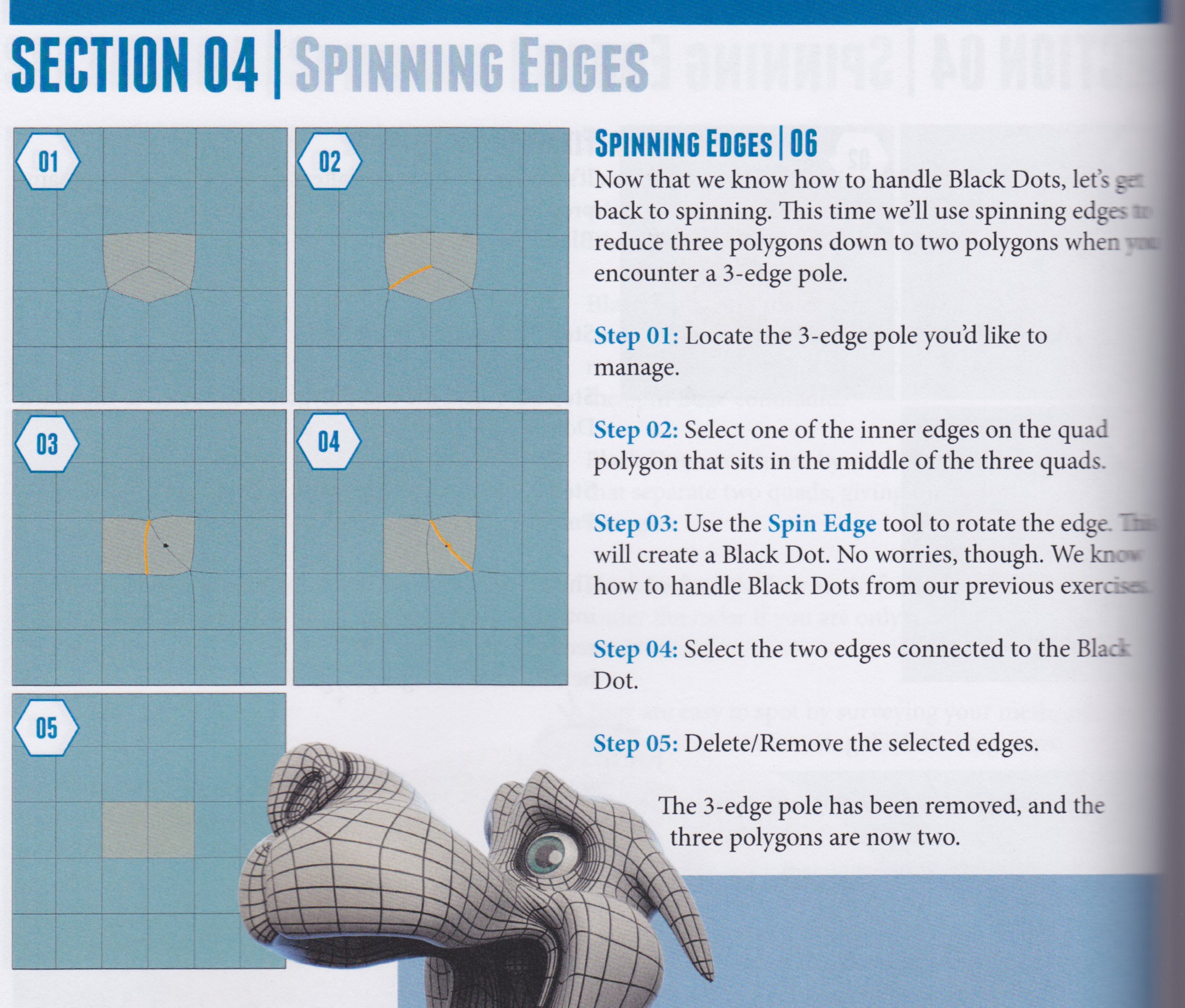
The book talks about “black dots” or “black spikes”. There’s a little bit of information about it here, but it might be easier to just show the relevant parts of the book:
Vaughan is showing the model structure with subdivision surface (SDS) result. You should never model like that. In Blender, the SDS modifier has visibility settings on top, and whenever you do structure changes, disable the SDS visibility on the control cage (last toggle) if you enabled it.
The reason you don’t want that is that the SDS result doesn’t show the actual vertex positions, and you’re not doing informed decisions if you change the structure with that view. If you build the whole model with that view, you end up with a mess without exceptions. The option is there to do form changes, when the structure for it already exists.
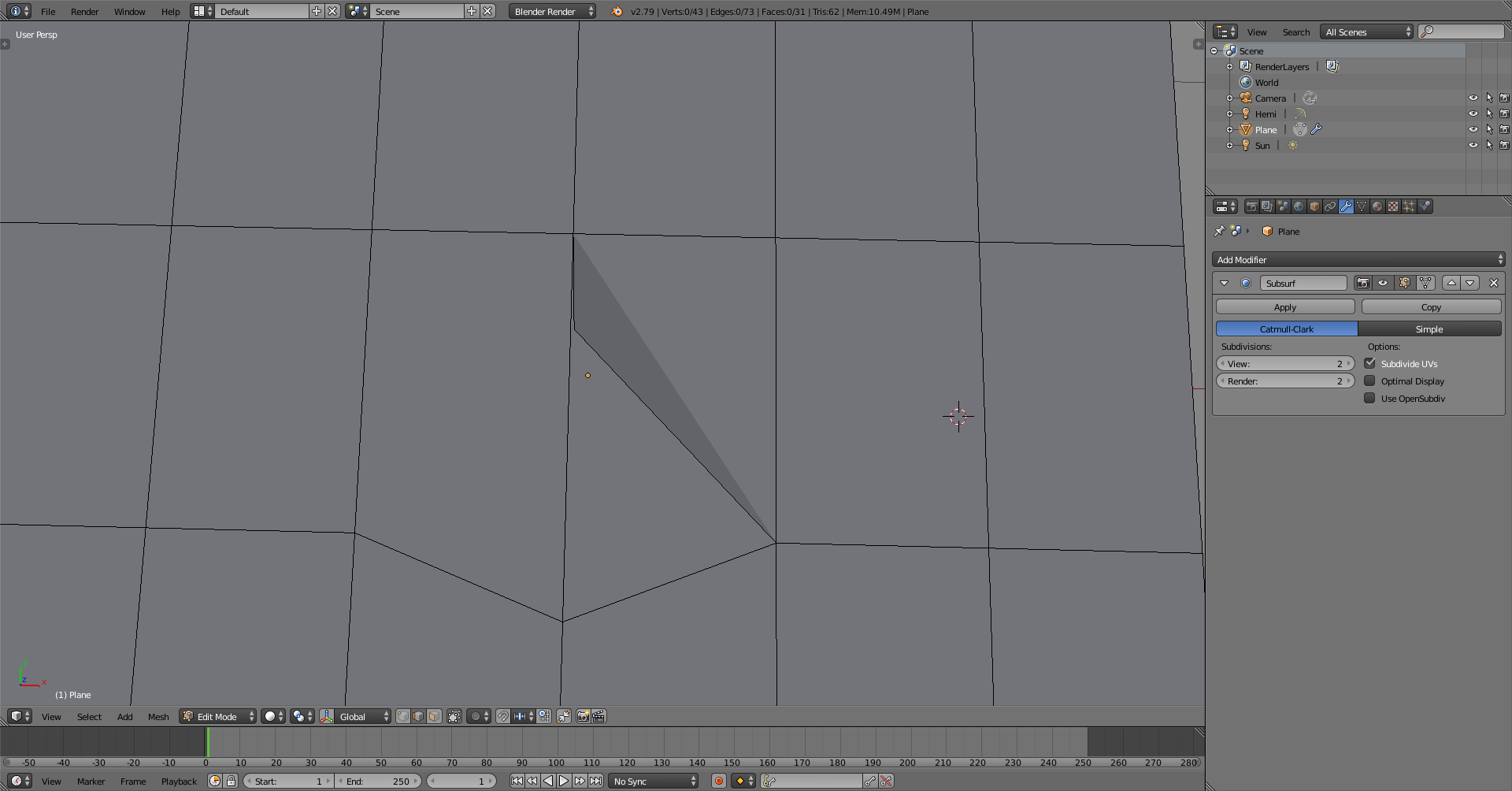
This is much more visible when showing actual vertex positions. When you rotate the edge nearby, you immediately see that you have to take care of the existing edges next to it
When you work it like that, you know to select the edges and dissolve them. Select and ctrl+X, in edge select mode. Could also select both faces and refill them with F.
2.79b mesh analysis doesn’t indicate that for me, and neither does clean-up make planar and split non-planar know to split it. Splitting concave does get rid of it, but then there are 3 faces to deal with. Blender recognizes those as planar, but one of the faces is concave, which they are.
Some terminology
Non-planar face is a quadrilateral or n-gon face where not all vertices are on the same plane, making a face that is not flat
Co-planar faces are faces that are on the same plane, being connected or not
I’m still struggling with making the “black dot” appear (I suppose in your screenshots it’s actually an “orange dot”). I’ve tried in both 2.78 and 2.8; I’ve tried both with and without the subsurface modifier – nothing seems to work. Here is my blend file (created in 2.78):
The edge to spin is already selected; I assume (based on the previous exercises in the book) that I need to do Ctrl+E (edge menu) and choose Rotate Edge CCW…but still no black/orange dot. It doesn’t seem to matter how I rotate it.
not necessarily; the example actually shows a case of ‘black dot’, but the dark triangle comes from the fact that this vertex is displaced with respect to the center of the two squares and therefore forms a concavity; this does not happen every time there is a black dot, so this is not a valid mark of the existence of one of them.
As I told above, enter Vertex mode to clearly see the dot.
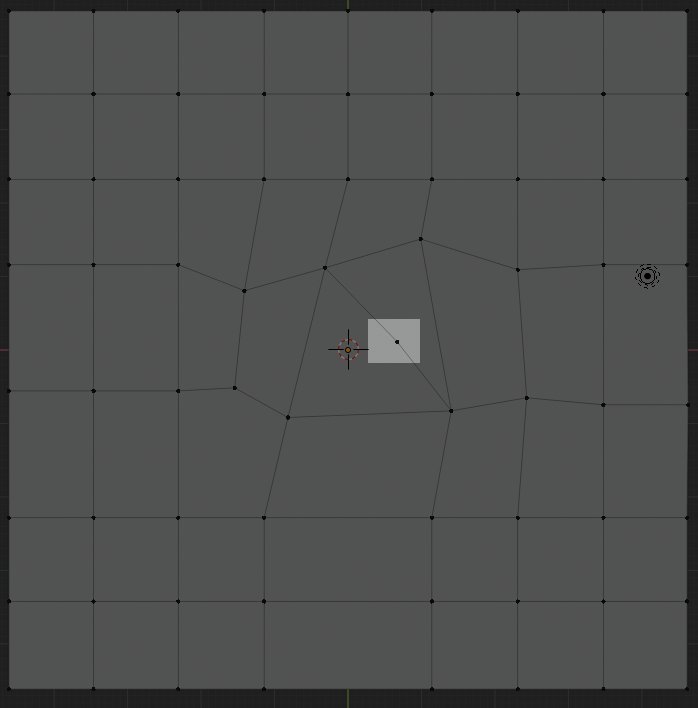
OK, never mind – I think I figured it out. In Blender, the black dot (at least in the way it’s described in the book) is…just a vertex. It’s more about where the vertex is located. For example, I spun some edges and got this:
The highlighted part would be considered a “black dot” (in the author’s terms). But really, it’s a vertex on a straight edge. In this case, that entire edge – both above and below that highlighted vertex – should be removed to turn that area into a quad.
I read this book and I had the same question. How to find and fix such black dots in the grid? I didn’t find a suitable built-in option in blender. And I came up with this trick (but your topology must be “all quad” or at least strive for it):
In Edit Mode:
Select whole mesh by clicking A
Go to Mesh - Clean Up - Split Concave Faces. It will split concave faces into 2 or more convex faces by adding new edges. In case of 2 quads with 2 common collinear and connected edges (like example in the book named “black dot”) both of them will be considered concave and splitted into tris.
Deselect all
Then go to Select - Select All by Trait - Faces by Sides and choose 3 in left down corner frame. Thus Blender will select all tris
Just turn tris into quads using tricks you read about upper in that book