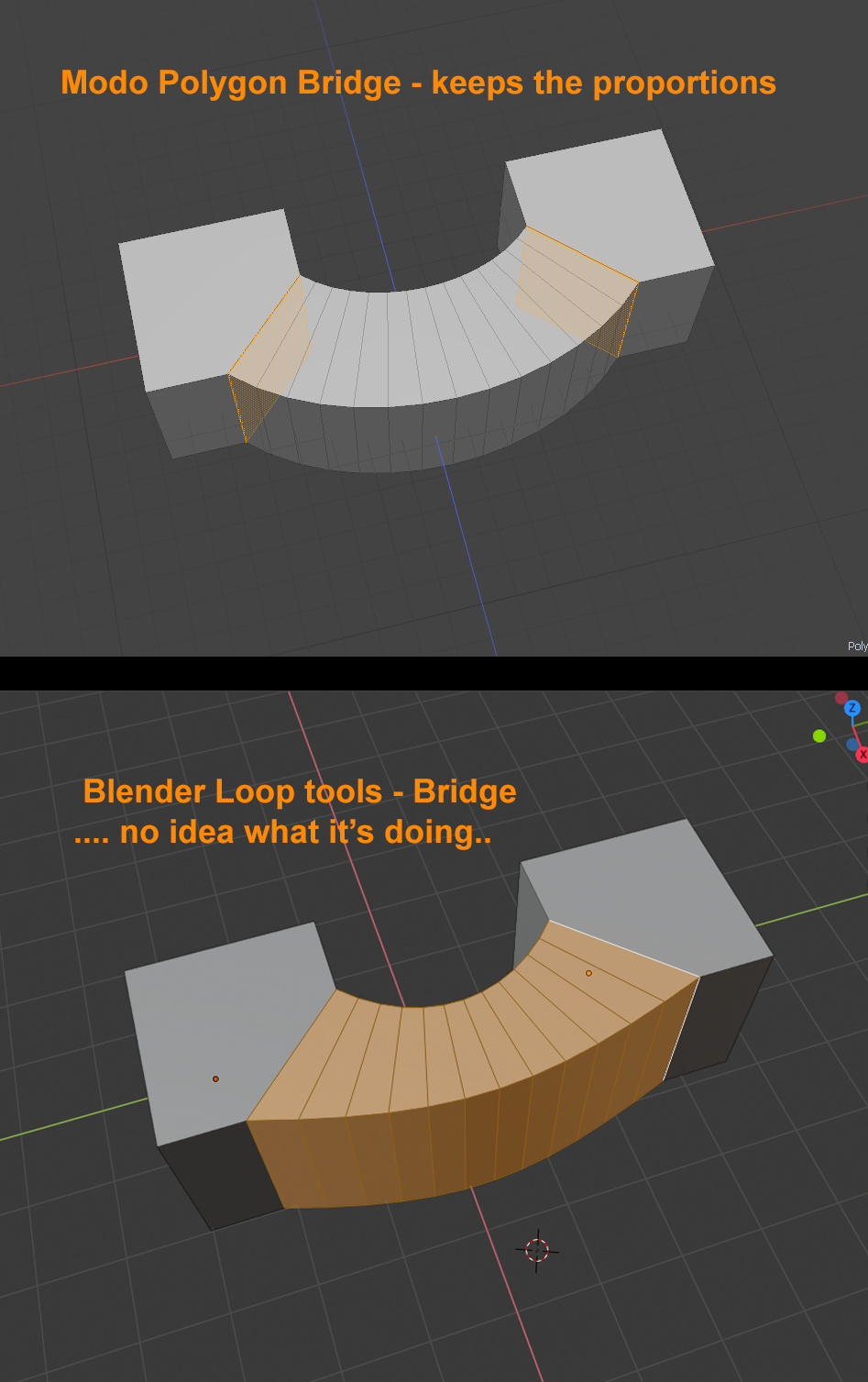
Trying to move from Modo to Blender. Halfway successful thanks to addons. There as still some things that confuse me. Brigde tool in Loop tools is one of them.
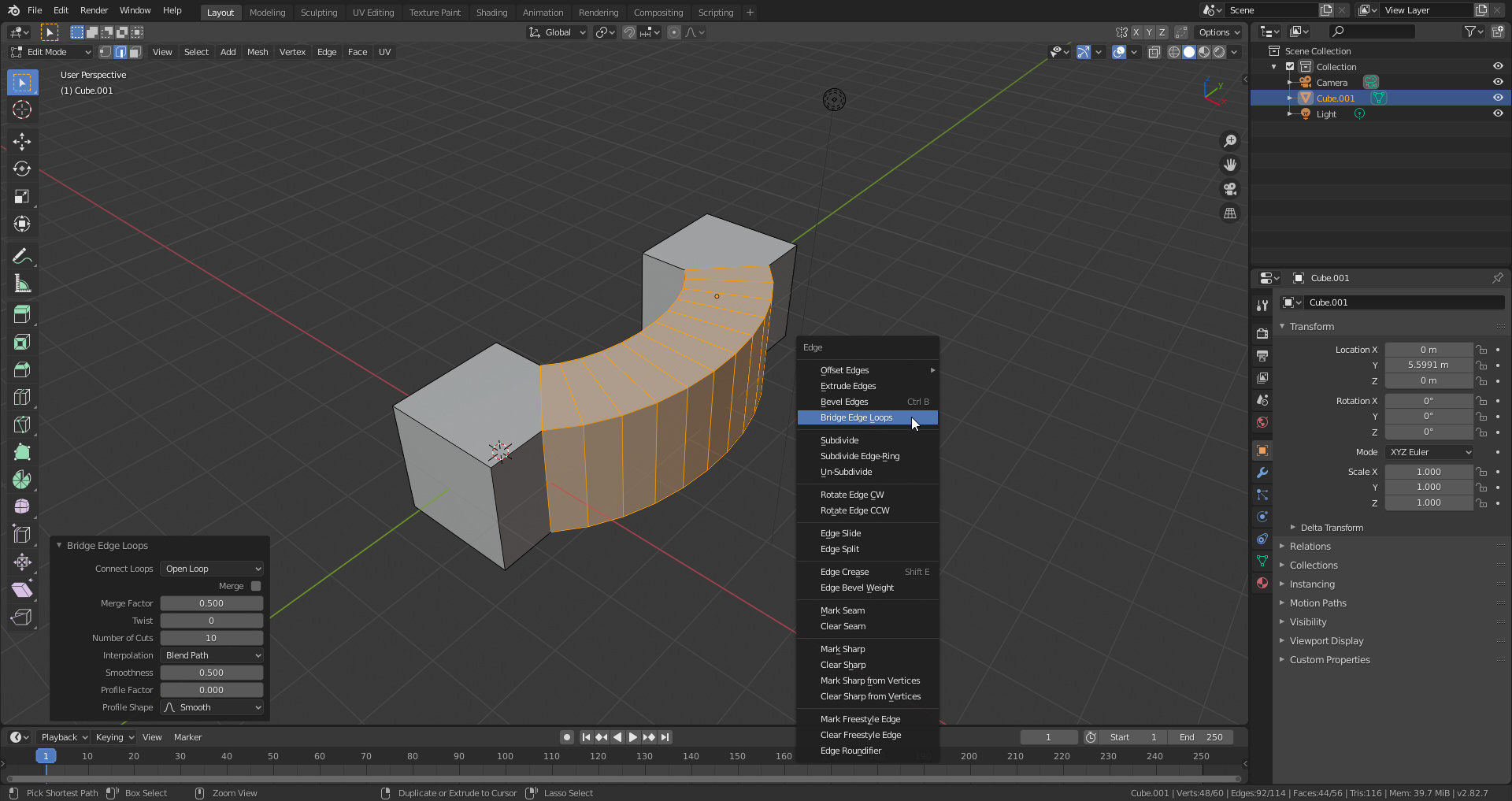
Is there a way for me to bridge two polys and to keep the proportion of the selected polygons?
Awesome, thank you… This looks like a such a basic thing now. I’m having trouble adjusting and taking in all there is to find. Would it be possible for you to answer 2 more questions please? I’m having trouble with joining edges in a particular way and bending.
Just ask and I or someone else will try to answer.

Not sure if this is what your looking for, but in edit mode you can select two vertices then hit Alt-M and it will join them (in your example you would grab top-left, top-right, alt-m and then bot-left, bot-right, alt-m) and you have option of where you want to join, first selected, last or center/in the middle, blender calls that Merging. Or you can select two edges and hit ‘F’ and it will fill with a face.
Thank you for the quick reply. That would be exactly what I’m looking for, only for verts. It appears there is no such thing for edges, except creating a face between 2 of them.
There seems to be no edge merge in blender, but there is a even faster and more dynamic way of merging edges and verticies. With automerge and snapping modeling goes so fast and smooth.
You can also enable/disable snap with the ctrl key.
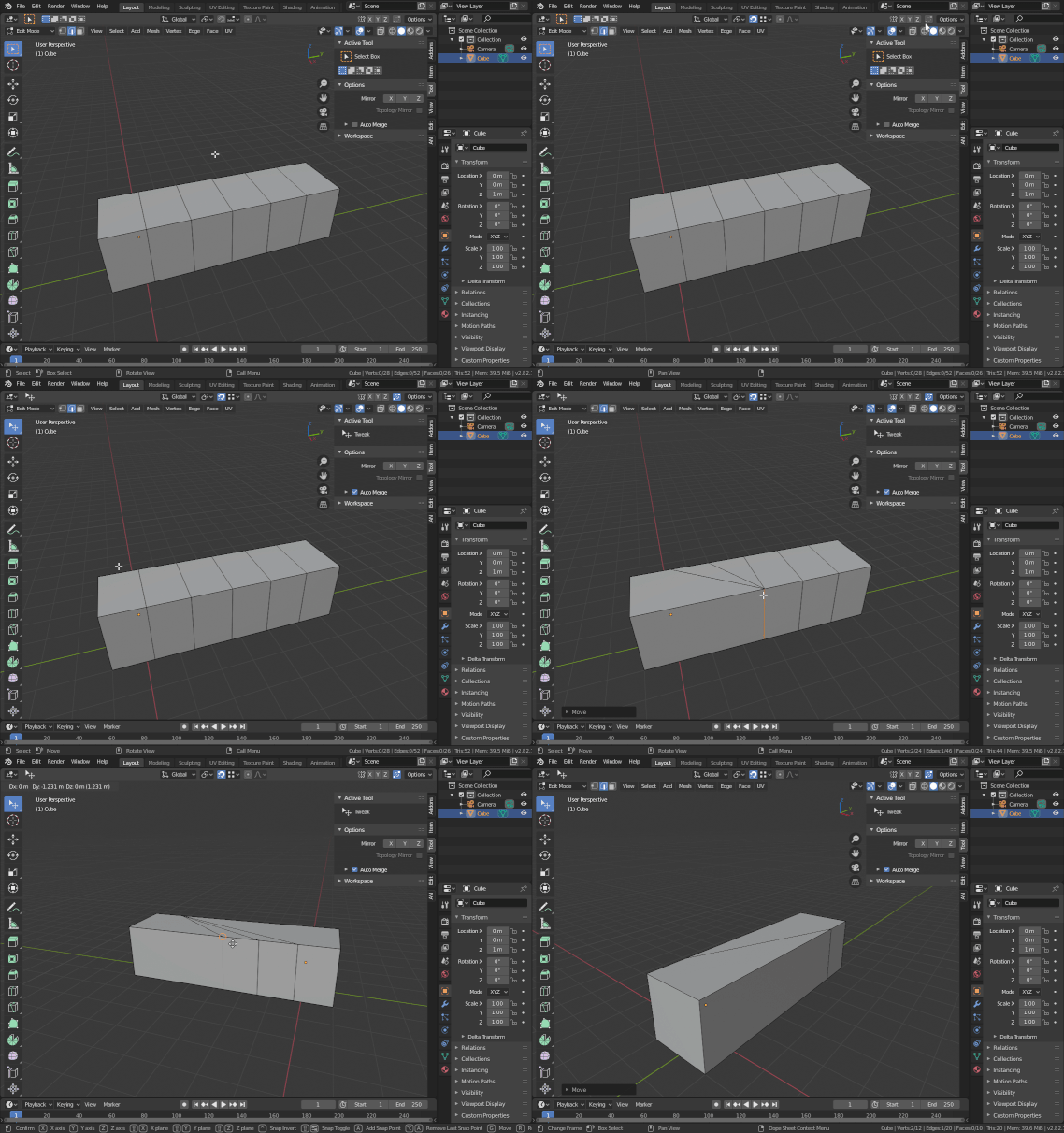
The funny thing is that I just found out that you can use the same tool (bridge edge loops) for merging edges and you can set it to last or first selection with a slider. 
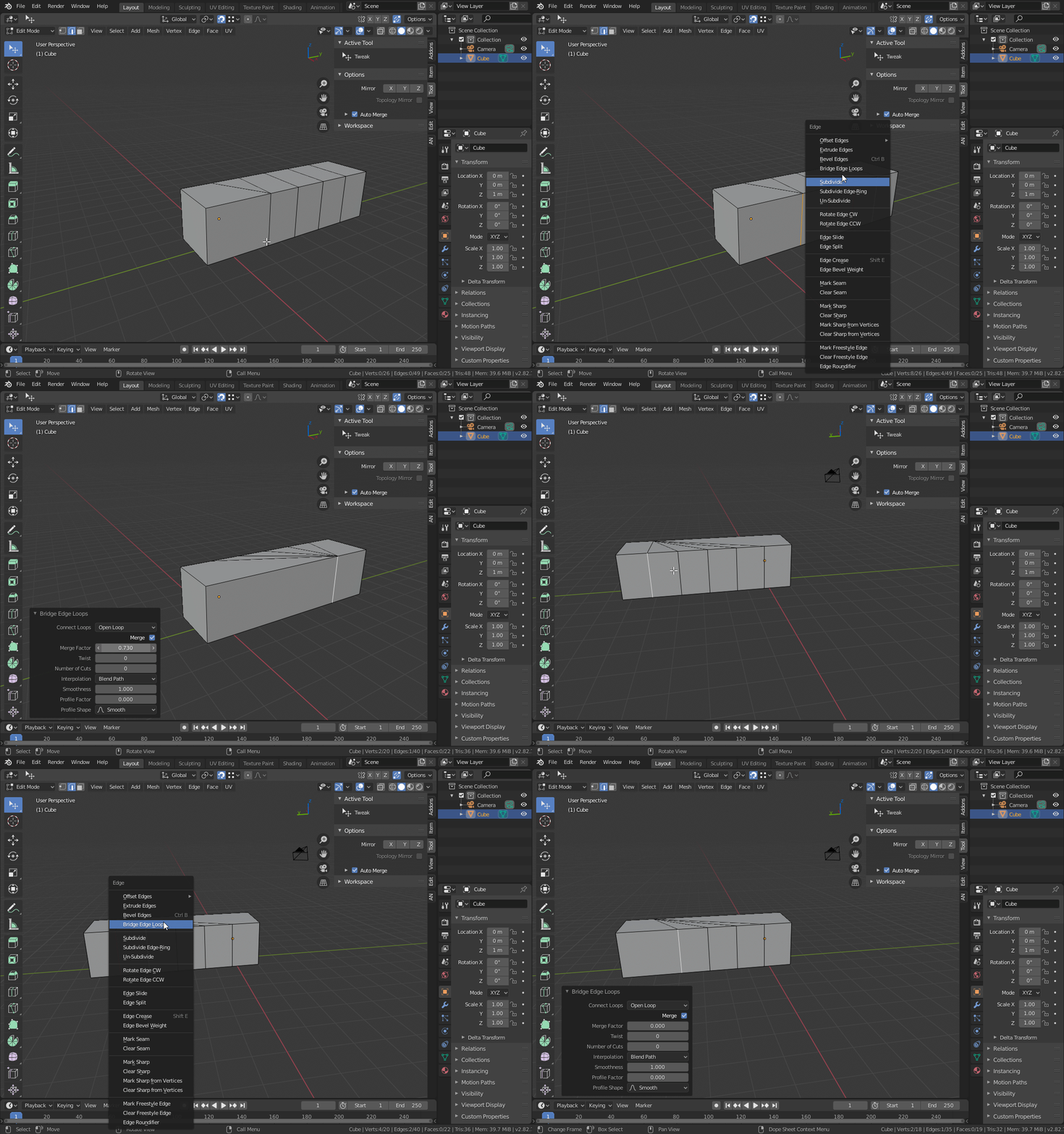
Thank you very much Ztreem. Both of are very cool options. However, the problem with snap&drag is that when you try that on anything more complex than a cube, it would snap the edge or vertex somewhere on the back side because it’s the first thing it came across while you were dragging (at least that’s what Modo does). That’s why edge merge is important. It’s interesting Blender has vertex, but no edge merge.
Also, how do you record those gifs pls? The best I can do is record an mp4.
Yes, that could happen but you don’t have to confirm when it snaps to the wrong vertex. I’ve used it on more complex models and I thought it worked quite well. Still you have the bridge tool for merging edges, so all good. I use ShareX to make gifs and screenshots.
Thank you, I’ll give a bit more elaborate try then.
If i understand that…
What if you where in wire view so you have more “control” and can see better where its snapping to ? Theres also transparent (i think thats what its called) view. Just a thought.
To avoid that issue, if e.g. Vertex snapping is ON, hover your cursor over the target vertex BEFORE hitting “g”. The target will be highlighted. --So the rhythm of operation is important.
So far B has alway managed to correctly Merge the Edges moved this way.
It may be wise as a precaution to select and Merge By Distance vertices after such operations are finished, so not a perfect Edge Merge, no, but I’m also not sure where the Automerge switch is located.
Another user sent me a solution. It does exactly what I want with Bridge Edge Loops.
https://media.blenderartists.org/uploads/default/original/4X/6/5/d/65d4796f7b59c42fd86b088b3bd1feb9d1a18f0e.m4v