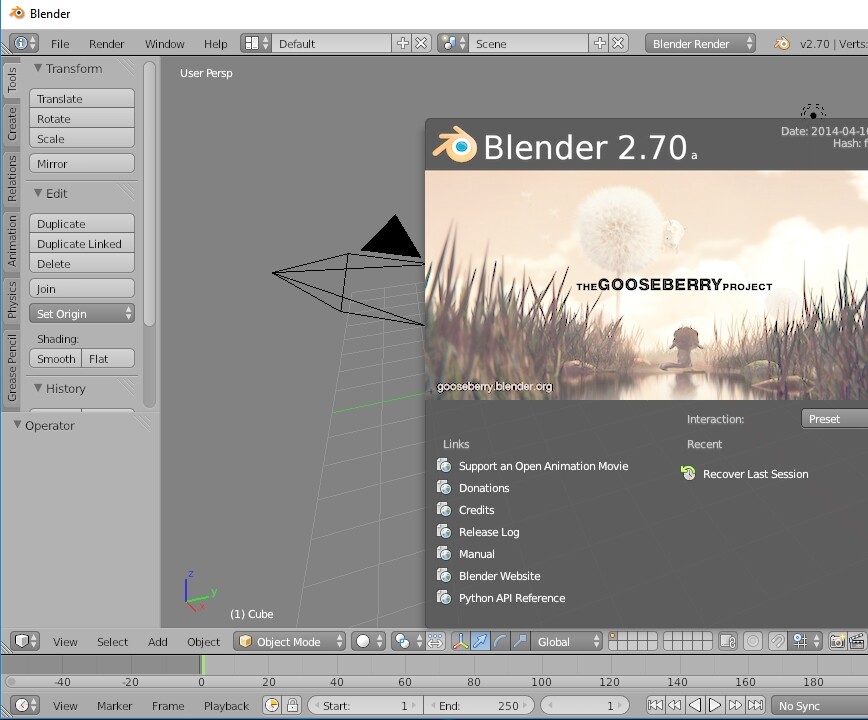
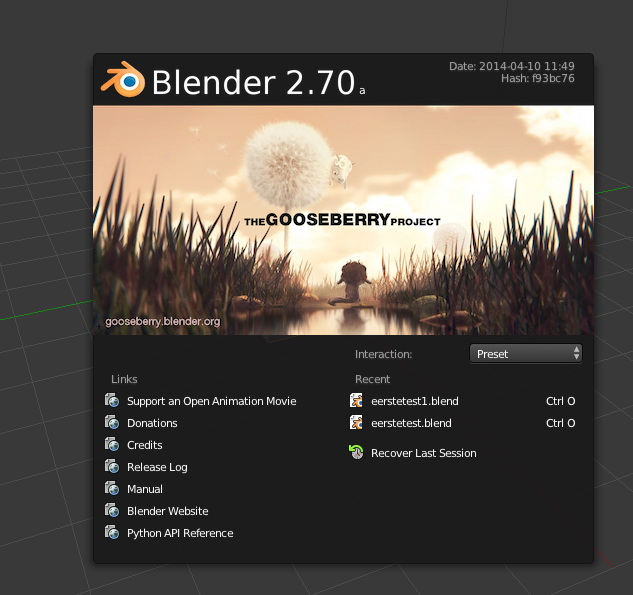
Hi!
I tried googling this issue but there was only one other thread about this (on this forum), but unfortunately no solution was found in that thread.
A couple of days ago my Blender interface suddenly turned very bright. Everything is light and washed out, as if someone turned on a curve filter or something. I tried resetting my default theme, in case something got messed up there, but it still happened. I re-downloaded Blender, but it was still weirdly bright. I decided to download the latest version (I have to use Blender 2.70a because I’m using it in combination with another program that’s only compatible with that version, so unfortunately it was no use), and on the latest version, the interface is the normal brightness. I also tried 2.71 and 2.72 and those were also incredibly bright, same as 2.70a.
I really hope someone knows what to do about this. It’s incredibly annoying and it’s really only because I can’t switch to another version, otherwise I would be using the latest version!
that is definitely not a theme issue. its a color management glitch, and i have no idea how to fix it. especially seeing how you gave NO info about your system or os.
Hi, I`ve the same problem with blender-2.71 and blender-2.72
OS: Window 10 (Version 1803)
GPU: GeForce GTX 760 (192-Bit) with latest drivers installed
CPU: i7-4770
Ram: 16 GB
Hi there. Do you have this problem in “toggle fullscreen”? I do. I also tried to insert another cable into the monitor (Vga) and it worked fine. So the problem is in a monitor hdmi output, or with computer hdmi settings or hardware. I also can’t make screenshot from “toggle fullscreen”, color of a screenshot returns to bright and become over washed.
Well it’s recommand for me to use this two version, because of the scripts there I use was written for this versions and not updated, for other works I’d already used 2.79 and it’s works like a charm.
thx for your answer.
Now to your question, I’d tried out and all is fine in full-screen, but in window mode does the error come back.
with the output and so on is all right sofar and it’s do his job as it should be
yes, you are right without the newest drivers does all comeback.
I wrote Nvidia let’s see what they say about this issue, but thank you very very much for your help I’d not think it’s could be the drivers ^^
Hello, I got also this problem Blender 2.79 and windows 10. After long searching and experimenting i got the solution.
1 go to file
2 user preference
3 choose themes
4 search 3dview in left bar under presets
5 go down and change parameters in topic “background colors”
6 save settings
7 have fun
I had this problem using blender on my laptop, and it’s apparently an issue with the GPU. I switched the graphics settings for blender to power saving mode and it fixed the problem.